Introduction
Document Redaction Tools are specialized software solutions that allow organizations to remove or obscure sensitive information from documents to protect privacy, comply with legal requirements, and safeguard intellectual property. Redaction is commonly used for text, images, metadata, and structured data in documents such as legal contracts, financial reports, medical records, government filings, and public disclosures.
In complex regulatory environments and distributed workforces, manual redaction is slow, inconsistent, and error‑prone. Document Redaction Tools automate detection and masking of sensitive content, provide audit trails, enforce policy rules, integrate with document systems, and support bulk processing to reduce time and risk. Whether preparing documents for public release, litigation, compliance audits, or internal governance, redaction tooling is essential for accuracy and accountability.
Real‑world use cases include:
- Redacting personal data and protected health information
- Redacting confidential business details for public disclosure
- Protecting privileged or classified content prior to sharing
- Redacting financial or legal data before distribution
- Automating redaction in high‑volume document workflows
Evaluation criteria for buyers:
- Accuracy and policy‑based detection of sensitive content
- Support for multiple file formats (PDF, Word, images)
- Batch processing and automation workflows
- Integration with document repositories and DMS
- Audit logging and compliance reporting
- User access control and governance
- Ease of manual and automated redaction
- Security and encryption controls
- Scalability and performance
- Export formats and preserved document integrity
Best for: Legal teams, compliance officers, healthcare organizations, government agencies, financial institutions, and businesses handling sensitive documents requiring consistent privacy safeguards.
Not ideal for: Users with minimal sensitive data who rarely need redaction or rely on simple, manual document handling.
Key Trends in Document Redaction Tools
- AI‑powered pattern detection and sensitive content classification
- Automated bulk redaction across large document repositories
- Integration with document management systems and cloud storage
- Real‑time redaction during document editing and collaboration
- Policy‑driven redaction templates and governance workflows
- OCR redaction for scanned images and documents
- Audit trails and compliance reporting
- Redaction within workflows for legal, privacy, and compliance teams
- Secure logging, encryption, and role‑based access controls
- API accessibility for integration into enterprise automation
How We Selected These Tools
- Accuracy and automation for sensitive content detection
- Support for multiple file formats and OCR redaction
- Integration with DMS, cloud platforms, and workflow systems
- Governance, compliance, and audit capabilities
- Scalability for enterprise document volumes
- Ease of use for both manual and automated redaction
- Performance in batch and unattended processing
- Security and access control standards
- Analytics and reporting for compliance
- Vendor support and long‑term viability
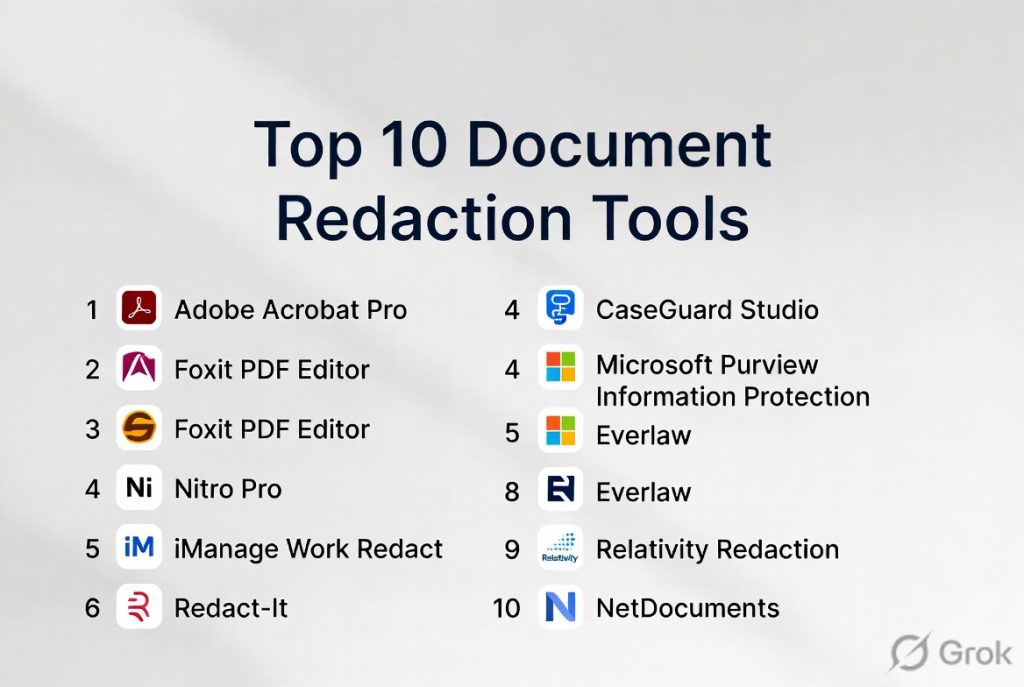
Top 10 Document Redaction Tools
#1 — Adobe Acrobat Redaction
Short description: Adobe Acrobat Redaction provides robust redaction features for PDF documents with integrated workflows, policy controls, and broad format support.
Key Features
- Text and image redaction
- Search and pattern redaction
- OCR‑aware redaction
- Batch redaction processing
- Policy templates and saved searches
- Audit trail and logging
Pros
- Trusted document platform
- Strong format and OCR support
- Batch processing capabilities
- Enterprise integration
Cons
- Licensing cost can be high
- Learning curve for advanced workflows
- PDF‑centric focus
Platforms / Deployment
- Windows / macOS / Web
- Cloud and desktop
Security & Compliance
- Encryption
- Access controls
- Audit logging
Integrations & Ecosystem
- Adobe Document Cloud
- DMS connectors
- Cloud storage systems
Support & Community
- Enterprise support plans
- Documentation and training
#2 — Redact-It
Short description: Redact‑It is a dedicated redaction tool designed to remove sensitive content across documents with batch processing and pattern recognition.
Key Features
- Automated redaction patterns
- Batch processing
- OCR support
- Search and redact capabilities
- Audit trails
Pros
- Strong automation
- Consistent redaction results
- High throughput
- Support for multiple document types
Cons
- Interface feels dated
- Limited collaboration features
- Smaller ecosystem than larger platforms
Platforms / Deployment
- Windows
- Cloud
Security & Compliance
- Access controls
- Encryption
- Audit trails
Integrations & Ecosystem
- Document management systems
- Cloud libraries
Support & Community
- Technical support
- Documentation
#3 — CaseGuard Studio
Short description: CaseGuard Studio provides AI‑assisted redaction and media editing tools for text, audio, video, and images with pattern detection and automation.
Key Features
- AI‑driven text redaction
- Audio and video redaction
- Pattern detection
- Bulk processing
- Face and object redaction
Pros
- Multi‑media redaction support
- Strong AI automation
- Bulk capabilities
- Good for law enforcement and compliance teams
Cons
- Extensive feature set may be overkill for basic use
- Premium cost
- Learning curve
Platforms / Deployment
- Windows / Web
- Cloud
Security & Compliance
- Encryption
- Access controls
- Audit logging
Integrations & Ecosystem
- DMS and content systems
- Media workflows
Support & Community
- Documentation and training
- Support channels
#4 — Nitro Redaction
Short description: Nitro Redaction delivers redaction capabilities within Nitro’s document productivity suite, focusing on secure text and image removal for PDF workflows.
Key Features
- Text and image redaction
- Search and pattern redaction
- OCR support
- Batch processing
- Annotation and review support
Pros
- Integrated with document productivity tools
- Strong PDF redaction features
- User‑friendly interface
- Good batch tools
Cons
- Focused primarily on PDFs
- Enterprise integrations limited
- Some advanced features require upgrades
Platforms / Deployment
- Windows / Web
- Cloud
Security & Compliance
- Encryption
- Access controls
Integrations & Ecosystem
- Document storage
- Productivity workflows
Support & Community
- Documentation
- Support services
#5 — Foxit PDF Redaction
Short description: Foxit PDF Redaction offers lightweight but capable redaction for PDF documents with search and pattern redaction, OCR support, and batch processing.
Key Features
- Search and redact
- Pattern recognition
- OCR‑enabled redaction
- Batch operations
- Annotation flexibility
Pros
- Affordable option
- Strong PDF redaction
- Easy to use
- Good batch support
Cons
- Limited non‑PDF formats
- Less governance automation
- Smaller ecosystem
Platforms / Deployment
- Windows / macOS / Web
- Cloud
Security & Compliance
- Encryption
- Access controls
Integrations & Ecosystem
- Document systems
- Cloud storage
Support & Community
- Documentation
- Support channels
#6 — Blackout
Short description: Blackout provides secure redaction tools with automated pattern detection and policy‑based redaction features for text and documents.
Key Features
- Pattern detection
- Policy‑based redaction
- Bulk processing
- Searchable logs
- Export controls
Pros
- Automated workflows
- Good policy templates
- Secure processing
- Clear audit trails
Cons
- Smaller ecosystem
- Limited media redaction
- Focused on text
Platforms / Deployment
- Web / Cloud
Security & Compliance
- Encryption
- Access controls
- Audit trails
Integrations & Ecosystem
- DMS integrations
- Storage systems
Support & Community
- Support services
- Documentation
#7 — Clariti Redaction
Short description: Clariti Redaction offers straightforward document redaction with pattern detection, batch processing, and search‑and‑remove workflows.
Key Features
- Search and redact features
- Batch redaction
- Pattern matching
- Export options
Pros
- Easy to use
- Basic automation
- Affordable
- Good for small to mid teams
Cons
- Limited advanced automation
- Basic governance features
- Smaller integrations
Platforms / Deployment
- Web / Cloud
Security & Compliance
- Encryption
- Access controls
Integrations & Ecosystem
- Cloud storage
- Document systems
Support & Community
- Documentation
- Support resources
#8 — Redact for SharePoint
Short description: Redact for SharePoint provides redaction controls directly within SharePoint environments to mask sensitive content in documents stored in enterprise content repositories.
Key Features
- In‑repository redaction controls
- Batch processing
- Policy rules and templates
- Logging and audit features
- Integration with SharePoint libraries
Pros
- Integrated with SharePoint workflows
- No export required
- Enterprise governance
- Policy automation
Cons
- Limited outside SharePoint
- Setup complexity
- SharePoint licensing required
Platforms / Deployment
- Web / Cloud
Security & Compliance
- SharePoint security models
- Encryption
- Audit logs
Integrations & Ecosystem
- SharePoint family
- Directory systems
Support & Community
- Enterprise support
- Documentation
#9 — PDFfiller Redaction
Short description: PDFfiller Redaction provides online redaction tools with manual and search‑and‑remove features for PDFs and text documents in browser environments.
Key Features
- Web‑based redaction
- Search and redact
- Manual redaction tools
- Annotation support
- Export capabilities
Pros
- Browser‑based convenience
- Easy interface
- No installation required
Cons
- Basic automation
- Limited governance
- Feature set modest
Platforms / Deployment
- Web
- Cloud
Security & Compliance
- Encryption
- Access controls
Integrations & Ecosystem
- Cloud storage
Support & Community
- Customer support
#10 — Inkscape with Redaction Plugins
Short description: Inkscape with Redaction Plugins leverages open‑source vector graphic editing with community plugins to manually redact sensitive areas in documents or images.
Key Features
- Manual redaction tools
- Plugin‑based pattern assistance
- Image and text masking
- Free and open‑source
Pros
- Free option
- Manual control
- Good for image‑heavy documents
Cons
- Manual effort required
- Plugin support limited
- Not enterprise‑grade
Platforms / Deployment
- Windows / macOS / Linux
- Desktop
Security & Compliance
- User‑based controls
Integrations & Ecosystem
- Open‑source plugins
Support & Community
- Community support
Comparison Table
| Tool Name | Best For | Platforms Supported | Deployment | Standout Feature | Public Rating |
|---|---|---|---|---|---|
| Adobe Acrobat Redaction | Enterprise PDF redaction | Windows / macOS / Web | Cloud/Desktop | Batch OCR redaction | N/A |
| Redact‑It | Bulk redaction workflows | Windows / Cloud | Cloud/Desktop | Automated pattern redaction | N/A |
| CaseGuard Studio | Multi‑media redaction | Windows / Web | Cloud | AI‑powered redaction | N/A |
| Nitro Redaction | PDF workflows | Windows / Web | Cloud | Productivity suite integration | N/A |
| Foxit PDF Redaction | Affordable PDF redaction | Windows / macOS / Web | Cloud | Easy redaction and batch | N/A |
| Blackout | Policy‑based workflows | Web / Cloud | Cloud | Automation templates | N/A |
| Clariti Redaction | Small‑team workflows | Web / Cloud | Cloud | Simple and affordable | N/A |
| Redact for SharePoint | SharePoint environments | Web / Cloud | Cloud | Native repository redaction | N/A |
| PDFfiller Redaction | Browser‑based redaction | Web | Cloud | No installation needed | N/A |
| Inkscape with Plugins | Free manual redaction | Desktop | Desktop | Free open‑source option | N/A |
Evaluation & Scoring of Document Redaction Tools
| Tool Name | Core 25% | Ease 15% | Integrations 15% | Security 10% | Performance 10% | Support 10% | Value 15% | Weighted Total |
|---|---|---|---|---|---|---|---|---|
| Adobe Acrobat Redaction | 9 | 8 | 8 | 9 | 9 | 8 | 8 | 8.6 |
| Redact‑It | 8 | 7 | 7 | 8 | 8 | 7 | 7 | 7.6 |
| CaseGuard Studio | 9 | 7 | 8 | 8 | 9 | 8 | 7 | 8.1 |
| Nitro Redaction | 8 | 8 | 7 | 8 | 8 | 7 | 7 | 7.8 |
| Foxit PDF Redaction | 7 | 8 | 6 | 8 | 8 | 7 | 8 | 7.6 |
| Blackout | 8 | 7 | 7 | 8 | 8 | 7 | 7 | 7.7 |
| Clariti Redaction | 7 | 8 | 6 | 8 | 7 | 7 | 8 | 7.4 |
| Redact for SharePoint | 8 | 7 | 8 | 9 | 8 | 7 | 7 | 7.9 |
| PDFfiller Redaction | 6 | 9 | 5 | 8 | 7 | 7 | 9 | 7.1 |
| Inkscape with Plugins | 5 | 6 | 4 | 7 | 6 | 6 | 10 | 6.3 |
Which Document Redaction Tool Is Right for You?
Solo / Freelancer
PDFfiller Redaction and Inkscape with Redaction Plugins offer affordable or free options for occasional redaction needs without enterprise overhead.
SMB
Foxit PDF Redaction, Nitro Redaction, and Clariti Redaction provide capable, affordable redaction with batch support and ease of use.
Mid‑Market
Adobe Acrobat Redaction, Redact‑It, and Blackout offer stronger automation, integration, and governance features for scaling teams.
Enterprise
CaseGuard Studio, Adobe Acrobat Redaction, and Redact for SharePoint deliver robust automation, compliance controls, and integration with enterprise systems.
Budget vs Premium
- Budget: PDFfiller Redaction, Clariti Redaction, Inkscape with Plugins
- Premium: Adobe Acrobat Redaction, CaseGuard Studio
Feature Depth vs Ease of Use
- Ease: PDFfiller Redaction, Foxit PDF Redaction
- Depth: Adobe Acrobat Redaction, CaseGuard Studio
Integrations & Scalability
Larger organizations should prioritize tools that integrate with DMS, cloud storage, and enterprise repositories.
Security & Compliance Needs
Enterprise environments should focus on encryption, access controls, audit logs, and governance workflows.
Frequently Asked Questions
1. What is a Document Redaction Tool?
A Document Redaction Tool is software that removes or obscures sensitive content from documents to protect privacy and ensure compliance before sharing.
2. What types of content can be redacted?
Redaction tools can mask personal data, proprietary information, legal content, images, metadata, and structured data.
3. Can redaction be automated?
Many tools offer policy‑based and automated detection to identify and redact sensitive patterns such as social security numbers, emails, or keywords.
4. Do tools support OCR for scanned documents?
Yes. Optical Character Recognition (OCR) is critical for redacting scanned images and converting them into searchable text for redaction.
5. Are audit trails available?
Enterprise tools provide audit logs showing who performed redactions, what was redacted, and when changes occurred.
6. Is redacted information permanently removed?
Proper redaction ensures that sensitive content is permanently masked and cannot be retrieved from the redacted document.
7. Can tools handle bulk redaction?
Yes. Many tools offer batch processing to redact multiple documents simultaneously.
8. Do these tools integrate with document systems?
Yes. Integration with content repositories, cloud storage, and document management systems streamlines workflow.
9. Are there free or open‑source redaction options?
Yes. Some options like Inkscape with Redaction Plugins provide manual redaction without licensing costs.
10. What should buyers evaluate first?
Evaluate the types of formats you use, the level of automation needed, compliance requirements, and integration needs.
Conclusion
Document Redaction Tools are vital for organizations seeking to protect sensitive information, maintain privacy, and comply with regulatory requirements. From lightweight tools like PDFfiller Redaction and Foxit PDF Redaction to enterprise‑grade platforms such as Adobe Acrobat Redaction and CaseGuard Studio, there are solutions tailored to every scale and use case. Start by identifying your document formats, redaction volume, and governance needs, then shortlist tools that integrate with your document systems and workflows. Piloting redaction workflows will help assess ease of use, accuracy, and reporting, ensuring your organization maintains compliance and safeguards sensitive data effectively.

I found this comparison of document redaction tools very useful and easy to follow. The article highlights the key features clearly, making it simpler to understand the strengths of each solution.