Introduction
Virtual Lab Simulators are platforms that enable students, educators, and researchers to conduct experiments and practice lab techniques in a digital environment. These simulators replicate laboratory conditions, instruments, and processes, allowing hands-on learning without physical constraints. They are particularly valuable for remote education, resource-limited institutions, and safe experimentation in hazardous domains.
Real-world use cases include chemistry and biology labs for high school and university courses, physics and engineering simulations for concept reinforcement, medical training with anatomy and diagnostic simulations, environmental and chemical analysis experiments, and corporate training in laboratory procedures. Virtual Lab Simulators enhance learning outcomes, reduce operational costs, and allow repeatable, safe experimentation.
Evaluation criteria include subject coverage, simulation fidelity, interactivity, device and platform compatibility, curriculum alignment, ease of use, assessment and tracking features, collaboration support, offline accessibility, and integration with learning management systems.
Best for: Educators, students, training institutions, and corporate teams requiring hands-on lab experience in a virtual environment.
Not ideal for: Institutions fully equipped with physical labs seeking only supplementary content or users without access to compatible devices.
Key Trends in Virtual Lab Simulators
- High-fidelity simulations with realistic 3D models
- Integration with AR and VR for immersive learning
- AI-driven adaptive simulations that adjust difficulty and guidance
- Support for collaborative experiments in remote learning
- Curriculum-aligned simulations for STEM subjects
- Gamification to improve engagement and learning retention
- Cross-device accessibility including tablets, desktops, and VR headsets
- Assessment dashboards for performance and progress tracking
- Offline support for areas with limited connectivity
- Analytics for educators to measure learning outcomes
How We Selected These Tools
- Evaluated adoption in K-12, higher education, and corporate training
- Assessed fidelity of simulations and subject coverage
- Reviewed interactivity and user engagement features
- Checked compatibility across devices and platforms
- Considered curriculum alignment and lesson integration
- Evaluated assessment and tracking tools for educators
- Examined collaboration and multi-user capabilities
- Reviewed ease of use for students and teachers
- Considered offline functionality and accessibility
- Assessed cost and licensing flexibility
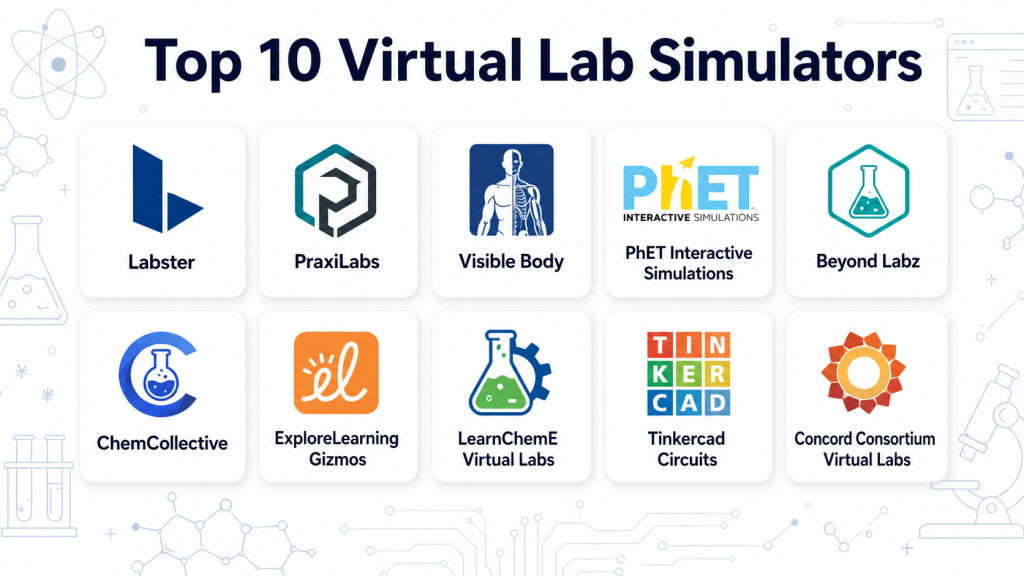
Top 10 Virtual Lab Simulators
#1 — Labster
Short description: Labster provides immersive virtual labs for STEM education, simulating real-life experiments in biology, chemistry, physics, and engineering. Ideal for high school and university courses.
Key Features
- Interactive 3D lab simulations
- Curriculum-aligned content
- AI-assisted guidance
- Pre-lab and post-lab assessments
- Cross-platform accessibility
- Analytics dashboards for educators
Pros
- Highly realistic experiments
- Extensive STEM coverage
Cons
- Subscription required for full access
- VR setup optional but adds cost
Platforms / Deployment
- Web, VR headsets
- Cloud
Security & Compliance
- Account authentication
- Not publicly stated for certifications
Integrations & Ecosystem
- LMS integration
- Cross-device syncing
- Reporting and analytics tools
Support & Community
- Tutorials and guides
- Educator support
- Community forums
#2 — PhET Interactive Simulations
Short description: PhET offers free interactive simulations in physics, chemistry, biology, and math, providing foundational lab experiences for students.
Key Features
- Wide range of science and math simulations
- Interactive and engaging UI
- Customizable parameters
- Offline access
- Multi-language support
Pros
- Free and widely accessible
- Excellent for foundational STEM concepts
Cons
- Less realistic than full virtual labs
- Limited assessment tracking
Platforms / Deployment
- Web, Windows, macOS, Linux
- Local / Cloud
Security & Compliance
- Not publicly stated
Integrations & Ecosystem
- Browser-based simulations
- Embedding in LMS possible
- Sharing via links
Support & Community
- Documentation
- Educator guides
- Online forums
#3 — Visible Body
Short description: Visible Body provides AR and 3D human anatomy simulators for biology and medical education, allowing students to explore detailed anatomical structures interactively.
Key Features
- 3D interactive anatomy models
- AR visualization support
- Quizzes and labeling exercises
- Curriculum-aligned lessons
- Cross-device access
Pros
- Highly detailed human anatomy
- Interactive and engaging
Cons
- Focused primarily on medical education
- Subscription-based
Platforms / Deployment
- iOS, Android, Web
- Cloud / Local
Security & Compliance
- User authentication
- Not publicly stated
Integrations & Ecosystem
- LMS integration
- AR/VR devices
- Assessment dashboards
Support & Community
- Tutorials
- Educator support
- Community resources
#4 — MERGE Cube
Short description: MERGE Cube uses AR technology to simulate 3D objects and interactive experiments for STEM subjects, enhancing hands-on learning.
Key Features
- AR object manipulation
- Cross-platform support
- Interactive exercises
- Offline modules
- Collaborative experiences
Pros
- Immersive AR simulations
- Engaging for younger learners
Cons
- Requires AR-capable devices
- Limited advanced lab content
Platforms / Deployment
- iOS, Android
- Cloud / Local
Security & Compliance
- Not publicly stated
Integrations & Ecosystem
- LMS and classroom tools
- Device syncing
- Content sharing
Support & Community
- Guides and tutorials
- Educator community
#5 — LabXchange
Short description: LabXchange offers a library of virtual lab experiences and educational content for science learners, enabling guided experiments and interactive learning.
Key Features
- Virtual lab simulations
- Step-by-step guided instructions
- Video demonstrations
- Assessment and quizzes
- Cross-device support
Pros
- Extensive learning content
- Free access with optional registration
Cons
- Less immersive than VR solutions
- Limited interactivity in some modules
Platforms / Deployment
- Web, iOS, Android
- Cloud
Security & Compliance
- Account login
- Not publicly stated
Integrations & Ecosystem
- LMS integration
- Video and content embedding
- Analytics support
Support & Community
- Tutorials
- Educator forums
- Online help
#6 — PraxiLabs
Short description: PraxiLabs provides virtual 3D science labs for chemistry, biology, and physics, allowing remote lab practice and assessments.
Key Features
- Interactive 3D lab simulations
- Experiment guidance
- Assessment quizzes
- Curriculum alignment
- Offline modules
Pros
- Realistic lab experience
- Supports multiple STEM subjects
Cons
- Subscription-based
- Some simulations require advanced devices
Platforms / Deployment
- Web, Windows, iOS, Android
- Cloud / Local
Security & Compliance
- User authentication
- Not publicly stated
Integrations & Ecosystem
- LMS support
- Analytics dashboards
- Multi-device access
Support & Community
- Tutorials
- Educator support
- Online community
#7 — Lab4Learning
Short description: Lab4Learning offers virtual labs in physics, chemistry, and biology for schools and colleges with interactive exercises and experiment tracking.
Key Features
- 3D simulations
- Step-by-step lab instructions
- Performance analytics
- Collaboration support
- Offline access
Pros
- Suitable for classroom and remote learning
- Interactive guidance
Cons
- Subscription required
- Limited content for advanced courses
Platforms / Deployment
- Web, Windows, iOS, Android
- Cloud
Security & Compliance
- Account-based access
- Not publicly stated
Integrations & Ecosystem
- LMS integration
- Device syncing
- Analytics support
Support & Community
- Tutorials
- Educator support
#8 — Beyond Labz
Short description: Beyond Labz offers virtual labs for chemistry, biology, physics, and mathematics with interactive experiments and real-time feedback.
Key Features
- Full virtual labs
- Interactive experiments
- Assessment quizzes
- Cross-platform support
- Offline simulation
Pros
- Broad subject coverage
- Detailed experiment simulations
Cons
- Requires subscription
- Limited customization for instructors
Platforms / Deployment
- Web, Windows, macOS
- Cloud / Local
Security & Compliance
- User authentication
- Not publicly stated
Integrations & Ecosystem
- LMS support
- Analytics dashboards
- Content sharing
Support & Community
- Guides
- Educator forums
#9 — ChemLab VR
Short description: ChemLab VR provides immersive virtual chemistry labs, enabling students to conduct experiments safely in 3D simulated environments.
Key Features
- 3D interactive chemistry labs
- Experiment guidance
- Safety-focused simulations
- Realistic chemical reactions
- Multi-device support
Pros
- Immersive VR experience
- Focus on safety
Cons
- VR hardware required
- Subscription-based
Platforms / Deployment
- VR headsets, Windows, macOS
- Cloud / Local
Security & Compliance
- Not publicly stated
Integrations & Ecosystem
- LMS integration
- Multi-device access
- Experiment tracking
Support & Community
- Tutorials
- Educator support
#10 — zSpace STEM Labs
Short description: zSpace provides AR/VR STEM labs with interactive 3D models and guided experiments for classroom and remote learning.
Key Features
- AR/VR interactive labs
- STEM-focused content
- Step-by-step guidance
- Performance tracking
- Collaborative learning
Pros
- Immersive STEM learning
- Supports multiple subjects
Cons
- Requires AR/VR hardware
- Costly for small institutions
Platforms / Deployment
- Windows, iOS, AR/VR devices
- Cloud / Local
Security & Compliance
- Account login
- Not publicly stated
Integrations & Ecosystem
- LMS integration
- AR/VR device syncing
- Analytics dashboards
Support & Community
- Tutorials
- Educator community
- Customer support
Comparison Table
| Tool Name | Best For | Platform(s) Supported | Deployment | Standout Feature | Public Rating |
|---|---|---|---|---|---|
| Labster | STEM immersive labs | Web, VR headsets | Cloud / Local | Realistic 3D simulations | N/A |
| PhET Interactive | Foundational STEM concepts | Web, Windows, macOS, Linux | Local / Cloud | Free interactive simulations | N/A |
| Visible Body | Human anatomy | iOS, Android, Web | Cloud / Local | 3D interactive anatomy | N/A |
| MERGE Cube | AR object exploration | iOS, Android | Cloud / Local | AR-based STEM learning | N/A |
| LabXchange | Remote lab guidance | Web, iOS, Android | Cloud | Step-by-step experiments | N/A |
| PraxiLabs | Full STEM labs | Web, Windows, iOS, Android | Cloud / Local | 3D lab simulations | N/A |
| Lab4Learning | Classroom and remote learning | Web, Windows, iOS, Android | Cloud | Interactive exercises | N/A |
| Beyond Labz | Comprehensive science labs | Web, Windows, macOS | Cloud / Local | Multi-subject lab simulations | N/A |
| ChemLab VR | Virtual chemistry labs | VR headsets, Windows, macOS | Cloud / Local | Immersive chemical reactions | N/A |
| zSpace STEM Labs | AR/VR STEM labs | Windows, iOS, AR/VR devices | Cloud / Local | Guided 3D interactive labs | N/A |
Evaluation & Scoring
| Tool Name | Core (25%) | Ease (15%) | Integrations (15%) | Security (10%) | Performance (10%) | Support (10%) | Value (15%) | Weighted Total |
|---|---|---|---|---|---|---|---|---|
| Labster | 9 | 8 | 8 | 8 | 9 | 8 | 8 | 8.4 |
| PhET Interactive | 8 | 9 | 7 | 7 | 8 | 7 | 9 | 8.0 |
| Visible Body | 9 | 8 | 7 | 8 | 8 | 7 | 8 | 8.0 |
| MERGE Cube | 8 | 8 | 7 | 7 | 8 | 7 | 7 | 7.6 |
| LabXchange | 8 | 8 | 7 | 7 | 8 | 7 | 7 | 7.6 |
| PraxiLabs | 9 | 7 | 7 | 7 | 8 | 7 | 7 | 7.7 |
| Lab4Learning | 8 | 7 | 7 | 7 | 8 | 7 | 7 | 7.4 |
| Beyond Labz | 9 | 7 | 7 | 7 | 8 | 7 | 7 | 7.7 |
| ChemLab VR | 9 | 7 | 6 | 7 | 8 | 7 | 7 | 7.5 |
| zSpace STEM Labs | 9 | 8 | 7 | 8 | 8 | 7 | 7 | 7.8 |
Which Virtual Lab Simulator Is Right for You?
Solo / Students
PhET Interactive, AR Flashcards, and LabXchange are accessible for individual learners exploring STEM topics.
Educators / Classrooms
Labster, MERGE Cube, and Lab4Learning offer structured lessons, dashboards, and cross-device deployment for classroom environments.
Mid-Market / Institutions
PraxiLabs, Beyond Labz, and zSpace STEM Labs provide scalable content and immersive experiences for multiple subjects and class sizes.
Enterprise / Universities
Labster Enterprise, Visible Body, and ChemLab VR offer advanced simulations, VR integration, and analytics for research and institutional use.
Budget vs Premium
PhET Interactive and LabXchange provide free or low-cost access, while Labster, PraxiLabs, and zSpace require subscriptions for full features.
Feature Depth vs Ease of Use
Labster and PraxiLabs deliver high-fidelity simulations and tracking, while PhET Interactive and MERGE Cube prioritize accessibility and simplicity.
Integrations & Scalability
Platforms like Labster, zSpace STEM Labs, and PraxiLabs integrate with LMS, support multiple devices, and scale to larger classrooms.
Security & Compliance
Most platforms provide account authentication and secure cloud access for student data, ensuring privacy and controlled access.
Frequently Asked Questions
1. What are virtual lab simulators?
They are digital platforms that replicate laboratory experiments and equipment, allowing safe, interactive, and repeatable experiments without a physical lab.
2. Can students perform real experiments with these apps?
Students can perform realistic simulations that mimic physical experiments, though chemical reactions or mechanical tasks are simulated rather than physically executed.
3. Do these apps work on mobile devices?
Most platforms support iOS, Android, and web, while VR-focused simulators require compatible headsets.
4. Are the simulations aligned with curricula?
Top simulators like Labster, PraxiLabs, and LabXchange offer content aligned to high school, university, and STEM curricula.
5. Can educators track student progress?
Yes, dashboards and reporting tools allow teachers to monitor engagement, completion, and performance.
6. Is offline access possible?
Some apps provide offline modules for schools with limited connectivity, though full simulations may require cloud access.
7. Do these apps support multiple STEM subjects?
Yes, chemistry, physics, biology, and engineering are commonly supported, with specialized apps for anatomy and AR content.
8. Are subscriptions required?
Many platforms offer freemium or trial versions, but full features typically require a subscription.
9. Can students collaborate in virtual labs?
Several simulators allow multi-user collaboration for shared experiments and interactive learning.
10. How do I choose the best simulator?
Consider the subject, device availability, immersion level, interactivity, curriculum alignment, and budget to select the right platform.
Conclusion
Virtual Lab Simulators bring hands-on learning to digital environments, enabling immersive, interactive, and safe experimentation for STEM education. Choosing the right platform depends on curriculum needs, device availability, immersion, and budget. Students and solo learners can leverage PhET Interactive and LabXchange, while classrooms and institutions benefit from Labster, MERGE Cube, and PraxiLabs for structured lessons, analytics, and cross-device deployment. High-fidelity VR and AR experiences are ideal for universities and research institutions. Shortlist two or three tools, pilot the simulations, and evaluate engagement and learning outcomes before adoption to maximize educational impact.
