Introduction
Virtual Machine Management Tools help organizations create, monitor, manage, and optimize virtual machines (VMs) across infrastructure environments. In simple terms, while hypervisors run virtual machines, these tools act as the control layer that makes it easier to manage large numbers of VMs efficiently.
As virtualization adoption grows across enterprises, cloud environments, and DevOps ecosystems, managing VMs manually becomes complex and inefficient. VM management tools centralize operations like provisioning, monitoring, automation, scaling, backup, and performance optimization. They are essential for maintaining stability, security, and cost efficiency in modern infrastructure.
Today’s leading VM management platforms offer features such as centralized dashboards, automation workflows, resource allocation, lifecycle management, policy enforcement, analytics, and integration with cloud and container platforms.
Common use cases include:
- Centralized VM lifecycle management
- Automated provisioning and scaling
- Monitoring performance and resource usage
- Managing hybrid and multi-cloud environments
- Backup, recovery, and failover management
What buyers should evaluate:
- Ease of management
- Automation capabilities
- Integration with hypervisors
- Multi-cloud support
- Performance monitoring
- Scalability
- Security controls
- Reporting and analytics
- Cost optimization features
- Support and ecosystem
Best for: Enterprises, IT teams, cloud operators, DevOps engineers, data centers, and virtualization-heavy environments.
Not ideal for: Small teams with only a few VMs and minimal infrastructure complexity.
Key Trends in Virtual Machine Management Tools
- Shift toward hybrid and multi-cloud VM management
- Integration with Kubernetes and containers
- AI-driven performance monitoring and optimization
- Infrastructure-as-code automation
- Policy-based governance and compliance
- Cost optimization and resource tracking
- Centralized dashboards for multi-platform environments
- Self-service provisioning portals
- Security automation and Zero Trust policies
- Convergence with cloud management platforms
How We Selected These Tools (Methodology)
- Market adoption and reputation
- Feature completeness
- Integration with major hypervisors
- Scalability across environments
- Ease of use and administration
- Automation capabilities
- Security features
- Multi-cloud support
- Vendor ecosystem strength
- Overall value and flexibility
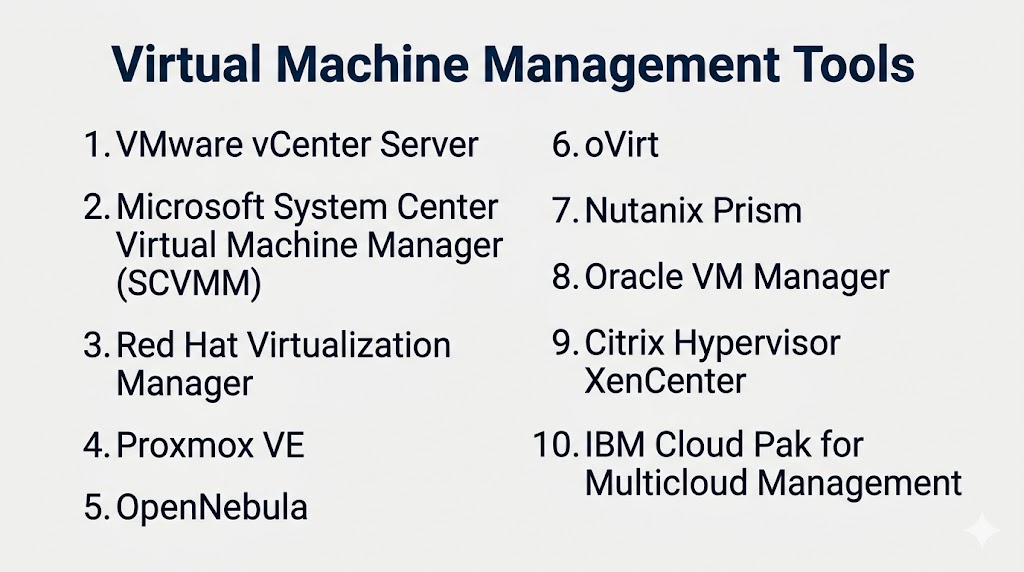
Top 10 Virtual Machine Management Tools
#1 — VMware vCenter Server
Short description: Centralized management platform for VMware environments, offering advanced control over virtual infrastructure.
Key Features
- Centralized VM management
- vMotion and resource allocation
- Performance monitoring
- Automation workflows
- High availability management
- Role-based access control
Pros
- Industry-leading virtualization management
- Deep integration with VMware ecosystem
Cons
- Premium pricing
- Requires VMware environment
Platforms / Deployment
Windows / Linux
Cloud / Self-hosted / Hybrid
Security & Compliance
RBAC, encryption, enterprise controls.
Integrations & Ecosystem
VMware tools, cloud providers, enterprise systems.
Support & Community
Strong global enterprise support.
#2 — Microsoft System Center Virtual Machine Manager (SCVMM)
Short description: Microsoft’s centralized VM management tool for Hyper-V and hybrid cloud environments.
Key Features
- VM lifecycle management
- Resource allocation
- Automation workflows
- Network and storage management
- Integration with Azure
- Template-based deployment
Pros
- Strong Microsoft ecosystem integration
- Enterprise-ready features
Cons
- Complex setup
- Limited outside Microsoft environments
Platforms / Deployment
Windows
Cloud / Self-hosted / Hybrid
Security & Compliance
Microsoft security model.
Integrations & Ecosystem
Azure, Hyper-V, System Center tools.
Support & Community
Large enterprise user base.
#3 — Red Hat Virtualization Manager
Short description: Centralized management tool for Red Hat Virtualization environments.
Key Features
- VM lifecycle management
- Resource scheduling
- High availability
- Performance monitoring
- Automation tools
- Centralized dashboard
Pros
- Open-source flexibility
- Strong Linux ecosystem
Cons
- Requires expertise
- Smaller ecosystem
Platforms / Deployment
Linux
Cloud / Self-hosted / Hybrid
Security & Compliance
Enterprise-grade controls.
Integrations & Ecosystem
Red Hat ecosystem.
Support & Community
Strong open-source support.
#4 — Proxmox VE
Short description: Open-source platform combining VM management and container orchestration.
Key Features
- Web-based UI
- VM and container management
- Backup and restore
- Clustering
- High availability
- Storage integration
Pros
- Cost-effective
- Easy to use
Cons
- Requires Linux knowledge
- Enterprise support optional
Platforms / Deployment
Linux
Self-hosted / Hybrid
Security & Compliance
Admin controls available.
Integrations & Ecosystem
Open-source tools.
Support & Community
Active community.
#5 — OpenNebula
Short description: Open-source cloud and virtualization management platform for private and hybrid clouds.
Key Features
- VM provisioning
- Multi-cloud management
- Automation workflows
- Resource allocation
- Monitoring tools
- Self-service portal
Pros
- Flexible cloud management
- Open-source
Cons
- Requires expertise
- Smaller adoption
Platforms / Deployment
Linux
Cloud / Self-hosted / Hybrid
Security & Compliance
Admin controls available.
Integrations & Ecosystem
Cloud platforms, open-source tools.
Support & Community
Growing community.
#6 — oVirt
Short description: Open-source virtualization management platform based on KVM.
Key Features
- Centralized management
- VM lifecycle control
- High availability
- Storage management
- Performance monitoring
- Web-based interface
Pros
- Free and open-source
- Enterprise-grade capabilities
Cons
- Requires technical expertise
- Limited commercial support
Platforms / Deployment
Linux
Self-hosted
Security & Compliance
Enterprise-grade controls.
Integrations & Ecosystem
KVM ecosystem.
Support & Community
Strong open-source community.
#7 — Nutanix Prism
Short description: Unified management interface for Nutanix hyperconverged infrastructure.
Key Features
- Centralized dashboard
- VM management
- Automation and analytics
- Resource monitoring
- Performance insights
- Storage integration
Pros
- Simple UI
- Strong HCI integration
Cons
- Requires Nutanix ecosystem
- Limited standalone use
Platforms / Deployment
Cloud / Hybrid
Security & Compliance
Enterprise-grade controls.
Integrations & Ecosystem
Nutanix platform.
Support & Community
Strong enterprise adoption.
#8 — Oracle VM Manager
Short description: Management platform for Oracle virtualization environments.
Key Features
- VM lifecycle management
- Resource allocation
- Performance monitoring
- Centralized control
- Automation tools
- Storage integration
Pros
- Good for Oracle environments
- Enterprise capabilities
Cons
- Limited ecosystem
- Smaller market share
Platforms / Deployment
Linux
Self-hosted / Hybrid
Security & Compliance
Enterprise-grade controls.
Integrations & Ecosystem
Oracle ecosystem.
Support & Community
Enterprise-focused support.
#9 — Citrix Hypervisor XenCenter
Short description: Management tool for Citrix Hypervisor environments.
Key Features
- VM monitoring
- Resource management
- Performance analytics
- Centralized control
- Live migration
- Admin tools
Pros
- Strong for Citrix environments
- Good performance visibility
Cons
- Limited outside Citrix ecosystem
- Enterprise focus
Platforms / Deployment
Windows
Self-hosted / Hybrid
Security & Compliance
Enterprise-grade controls.
Integrations & Ecosystem
Citrix ecosystem.
Support & Community
Strong enterprise presence.
#10 — IBM Cloud Pak for Multicloud Management
Short description: Enterprise platform for managing VMs across hybrid and multi-cloud environments.
Key Features
- Multi-cloud VM management
- Automation workflows
- Governance and compliance
- Resource optimization
- Monitoring dashboards
- Policy management
Pros
- Strong enterprise capabilities
- Multi-cloud support
Cons
- Complex setup
- Premium pricing
Platforms / Deployment
Cloud / Hybrid
Security & Compliance
Enterprise-grade controls.
Integrations & Ecosystem
IBM Cloud ecosystem.
Support & Community
Enterprise-focused support.
Comparison Table (Top 10)
| Tool Name | Best For | Platform(s) Supported | Deployment | Standout Feature | Public Rating |
|---|---|---|---|---|---|
| VMware vCenter | Enterprises | Cross-platform | Hybrid | VMware integration | N/A |
| SCVMM | Microsoft users | Windows | Hybrid | Azure integration | N/A |
| Red Hat Manager | Linux enterprises | Linux | Hybrid | Open-source enterprise | N/A |
| Proxmox VE | SMB / labs | Linux | Self-hosted | Easy UI | N/A |
| OpenNebula | Hybrid cloud | Linux | Hybrid | Multi-cloud support | N/A |
| oVirt | Open-source users | Linux | Self-hosted | Free enterprise features | N/A |
| Nutanix Prism | HCI users | Cloud | Hybrid | Unified dashboard | N/A |
| Oracle VM Manager | Oracle users | Linux | Hybrid | Oracle integration | N/A |
| XenCenter | Citrix users | Windows | Hybrid | Citrix integration | N/A |
| IBM Cloud Pak | Enterprises | Cloud | Hybrid | Multi-cloud control | N/A |
Evaluation & Scoring of Virtual Machine Management Tools
| Tool Name | Core (25%) | Ease (15%) | Integrations (15%) | Security (10%) | Performance (10%) | Support (10%) | Value (15%) | Weighted Total |
|---|---|---|---|---|---|---|---|---|
| VMware vCenter | 10 | 8 | 10 | 9 | 10 | 9 | 7 | 9.2 |
| SCVMM | 9 | 8 | 9 | 9 | 9 | 8 | 8 | 8.7 |
| Red Hat Manager | 8 | 7 | 8 | 8 | 8 | 8 | 8 | 7.9 |
| Proxmox VE | 8 | 8 | 7 | 8 | 8 | 8 | 9 | 8.2 |
| OpenNebula | 8 | 7 | 8 | 8 | 8 | 7 | 9 | 8.0 |
| oVirt | 8 | 7 | 7 | 8 | 8 | 7 | 9 | 7.9 |
| Nutanix Prism | 9 | 9 | 8 | 9 | 9 | 8 | 8 | 8.8 |
| Oracle VM Manager | 7 | 7 | 7 | 8 | 7 | 7 | 7 | 7.3 |
| XenCenter | 8 | 8 | 7 | 8 | 8 | 7 | 7 | 7.7 |
| IBM Cloud Pak | 9 | 7 | 9 | 9 | 9 | 8 | 7 | 8.5 |
How to interpret scores:
Enterprise tools lead in integrations and scalability, while open-source tools offer better value and flexibility.
Which Virtual Machine Management Tool Is Right for You?
Solo / Freelancer
Proxmox VE, VirtualBox-based tools
SMB
Proxmox VE, SCVMM
Mid-Market
Nutanix Prism, OpenNebula
Enterprise
VMware vCenter, IBM Cloud Pak, SCVMM
Budget vs Premium
- Budget: Proxmox, oVirt
- Premium: VMware, IBM
Feature Depth vs Ease of Use
- Easy: Proxmox, Nutanix
- Deep: VMware, IBM
Integrations & Scalability
VMware, SCVMM, IBM
Security & Compliance Needs
VMware, IBM, Red Hat
Frequently Asked Questions (FAQs)
What are VM management tools?
They manage virtual machines and infrastructure.
Are they required for virtualization?
Not always, but essential at scale.
Do they support cloud?
Yes, many support hybrid and multi-cloud.
Are open-source options available?
Yes, like Proxmox and oVirt.
Is automation possible?
Yes, most tools support automation.
Are these tools secure?
Enterprise tools provide strong controls.
Can they reduce costs?
Yes, through resource optimization.
Which tool is best for enterprise?
VMware vCenter is widely used.
Which is best for open-source?
Proxmox or oVirt.
How do I choose?
Compare scale, integrations, and budget.
Conclusion
Virtual Machine Management Tools are essential for efficiently managing virtualized environments at scale. VMware vCenter remains the industry leader for enterprise infrastructure, while Microsoft SCVMM offers strong integration for Windows environments. Open-source platforms like Proxmox and oVirt provide excellent value, and Nutanix Prism simplifies management in hyperconverged environments. Enterprises looking for multi-cloud control may consider IBM Cloud Pak. The best choice depends on your infrastructure complexity, budget, and integration needs. Start by testing two or three platforms and evaluate automation, performance, and usability before making a final decision.
