Introduction
Remote Desktop Tools allow users to access and control computers, servers, and virtual machines from another device over a network or the internet. In simple terms, they let you “sit in front of your computer” from anywhere in the world.
These tools are essential for modern work environments where remote work, IT support, and cloud infrastructure are standard. Businesses use them to troubleshoot systems, manage servers, access office applications remotely, and support customers without being physically present. Remote desktop software works by transmitting the graphical desktop interface from one system (server) to another (client).
Today’s platforms offer advanced capabilities such as unattended access, file transfer, session recording, multi-monitor support, security controls, and integrations with IT service management tools.
Common use cases include:
- Remote IT support and troubleshooting
- Work-from-home access to office PCs
- Server and infrastructure management
- Remote collaboration and screen sharing
- Accessing high-performance systems remotely
What buyers should evaluate:
- Connection speed and latency
- Security and encryption
- Ease of use
- Unattended access
- Cross-platform compatibility
- File transfer features
- Session recording
- Scalability
- Integration options
- Pricing and value
Best for: IT teams, MSPs, enterprises, remote workers, freelancers, developers, and support teams.
Not ideal for: Users who only need file sharing without full system control.
Key Trends in Remote Desktop Tools
- Zero Trust remote access security
- Multi-factor authentication becoming standard
- Browser-based remote sessions
- AI-driven session monitoring
- Cloud-native remote desktop platforms
- Remote access for IoT and edge devices
- Integration with help desk and ITSM tools
- Lightweight mobile-first solutions
- High-performance streaming optimization
- Increased compliance and session logging
How We Selected These Tools (Methodology)
- Strong market adoption and reputation
- Reliable connection performance
- Security and encryption capabilities
- Ease of deployment and use
- Cross-platform compatibility
- Feature completeness
- Integration ecosystem
- Scalability across teams
- Support and documentation quality
- Overall value for money
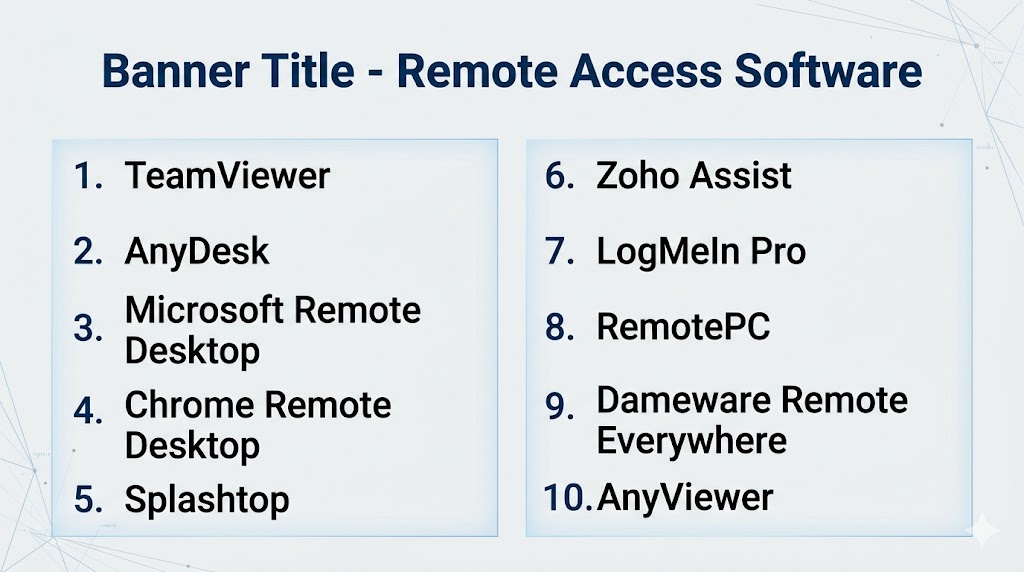
Top 10 Remote Desktop Tools
#1 — TeamViewer
Short description: A leading remote desktop platform widely used for IT support, enterprise access, and collaboration.
Key Features
- Remote control and access
- File transfer
- Session recording
- Multi-platform support
- Unattended access
- Remote printing
Pros
- Very easy to use
- Strong enterprise adoption
Cons
- Expensive business plans
- Free version limitations
Platforms / Deployment
Windows / macOS / Linux / iOS / Android
Cloud
Security & Compliance
Encryption, MFA, enterprise-grade security.
Integrations & Ecosystem
ITSM tools, enterprise systems, APIs
Support & Community
Very large global user base
#2 — AnyDesk
Short description: Lightweight and fast remote desktop software known for low latency performance.
Key Features
- High-speed connections
- Unattended access
- File transfer
- Session recording
- Custom branding
- Multi-device support
Pros
- Excellent performance
- Lightweight installation
Cons
- Paid plans needed for advanced features
- Minimal UI
Platforms / Deployment
Cross-platform
Cloud / Self-hosted
Security & Compliance
Encrypted connections and access control.
Integrations & Ecosystem
Enterprise workflows and APIs
Support & Community
Strong global adoption
#3 — Microsoft Remote Desktop
Short description: Native Windows remote desktop solution for accessing systems and servers.
Key Features
- Remote PC access
- Multi-session support
- Secure connections
- Integration with Windows Server
- Admin controls
- Virtual desktop support
Pros
- Free for Windows users
- Strong enterprise compatibility
Cons
- Limited outside Microsoft ecosystem
- Setup complexity
Platforms / Deployment
Windows / macOS / iOS / Android
Self-hosted
Security & Compliance
Microsoft security ecosystem
Integrations & Ecosystem
Azure, Windows Server, enterprise tools
Support & Community
Large enterprise adoption
#4 — Chrome Remote Desktop
Short description: Simple browser-based remote desktop solution ideal for personal use.
Key Features
- Browser-based access
- Cross-platform support
- Easy setup
- Secure login
- Free usage
- Lightweight
Pros
- Very easy to use
- Free
Cons
- Limited advanced features
- Basic functionality
Platforms / Deployment
Web / Cross-platform
Cloud
Security & Compliance
Secure Google account access.
Integrations & Ecosystem
Google ecosystem
Support & Community
Large global user base
#5 — Splashtop
Short description: High-performance remote desktop tool designed for businesses and IT teams.
Key Features
- HD remote streaming
- Multi-monitor support
- File transfer
- Session recording
- Device management
- Unattended access
Pros
- Strong performance
- Good pricing value
Cons
- Feature differences by plan
- Setup complexity
Platforms / Deployment
Cross-platform
Cloud
Security & Compliance
Encryption and enterprise controls
Integrations & Ecosystem
IT tools, APIs
Support & Community
Strong business adoption
#6 — Zoho Assist
Short description: Cloud-based remote support software with strong SMB and support-team focus.
Key Features
- Remote support sessions
- Unattended access
- File transfer
- Session recording
- Multi-user support
- Wake-on-LAN
Pros
- Affordable pricing
- Easy to use
Cons
- Limited enterprise depth
- Best within Zoho ecosystem
Platforms / Deployment
Web / Cross-platform
Cloud
Security & Compliance
Secure remote access controls.
Integrations & Ecosystem
Zoho apps, APIs
Support & Community
Strong SMB presence
#7 — LogMeIn Pro
Short description: Premium remote desktop tool offering strong features for enterprise users.
Key Features
- Remote desktop control
- File sharing
- Multi-device access
- Remote printing
- Backup features
- Session management
Pros
- Reliable performance
- Rich feature set
Cons
- Expensive pricing
- Strong competition
Platforms / Deployment
Cross-platform
Cloud
Security & Compliance
Enterprise-grade controls
Integrations & Ecosystem
Business workflows
Support & Community
Established enterprise presence
#8 — RemotePC
Short description: Budget-friendly remote desktop software suitable for SMBs and individuals.
Key Features
- Remote access
- File transfer
- Always-on access
- Multi-user support
- Session logging
- Web access
Pros
- Affordable pricing
- Easy setup
Cons
- Fewer advanced features
- Basic UI
Platforms / Deployment
Cross-platform
Cloud
Security & Compliance
Secure remote access environment.
Integrations & Ecosystem
Desktop workflows
Support & Community
Growing SMB adoption
#9 — Dameware Remote Everywhere
Short description: Enterprise-grade remote support tool focused on IT help desk teams.
Key Features
- Remote troubleshooting
- System diagnostics
- File transfer
- Session recording
- Multi-device support
- Admin tools
Pros
- Strong IT support capabilities
- Enterprise-ready
Cons
- Not beginner-friendly
- Higher pricing
Platforms / Deployment
Windows / Web
Cloud
Security & Compliance
Enterprise controls
Integrations & Ecosystem
ITSM tools
Support & Community
Strong IT operations usage
#10 — AnyViewer
Short description: Lightweight and easy-to-use remote desktop solution for individuals and small teams.
Key Features
- Remote desktop access
- File transfer
- Multi-device support
- Session management
- Easy setup
- Secure connections
Pros
- Simple to use
- Affordable
Cons
- Limited enterprise features
- Smaller ecosystem
Platforms / Deployment
Windows / iOS / Android
Cloud
Security & Compliance
Encrypted connections available.
Integrations & Ecosystem
Basic workflows
Support & Community
Growing user base
Comparison Table (Top 10)
| Tool Name | Best For | Platform(s) Supported | Deployment | Standout Feature | Public Rating |
|---|---|---|---|---|---|
| TeamViewer | Enterprises | Cross-platform | Cloud | Global compatibility | N/A |
| AnyDesk | Performance users | Cross-platform | Hybrid | Low latency | N/A |
| Microsoft Remote Desktop | Windows users | Cross-platform | Self-hosted | Native integration | N/A |
| Chrome Remote Desktop | Personal use | Cross-platform | Cloud | Free access | N/A |
| Splashtop | IT teams | Cross-platform | Cloud | High performance | N/A |
| Zoho Assist | SMB support | Cross-platform | Cloud | Affordable solution | N/A |
| LogMeIn Pro | Enterprises | Cross-platform | Cloud | Premium features | N/A |
| RemotePC | SMBs | Cross-platform | Cloud | Budget-friendly | N/A |
| Dameware Remote Everywhere | IT teams | Windows/Web | Cloud | Diagnostics tools | N/A |
| AnyViewer | Individuals | Limited platforms | Cloud | Simple setup | N/A |
Evaluation & Scoring of Remote Desktop Tools
| Tool Name | Core (25%) | Ease (15%) | Integrations (15%) | Security (10%) | Performance (10%) | Support (10%) | Value (15%) | Weighted Total |
|---|---|---|---|---|---|---|---|---|
| TeamViewer | 10 | 9 | 9 | 9 | 9 | 9 | 7 | 9.0 |
| AnyDesk | 9 | 9 | 8 | 8 | 10 | 8 | 8 | 8.7 |
| Microsoft Remote Desktop | 8 | 7 | 9 | 9 | 8 | 8 | 9 | 8.3 |
| Chrome Remote Desktop | 7 | 10 | 7 | 8 | 7 | 7 | 10 | 8.1 |
| Splashtop | 9 | 8 | 8 | 8 | 9 | 8 | 8 | 8.4 |
| Zoho Assist | 8 | 9 | 8 | 8 | 8 | 8 | 9 | 8.3 |
| LogMeIn Pro | 9 | 8 | 8 | 9 | 8 | 8 | 6 | 8.0 |
| RemotePC | 7 | 8 | 7 | 8 | 7 | 7 | 9 | 7.7 |
| Dameware Remote Everywhere | 9 | 7 | 8 | 9 | 8 | 8 | 7 | 8.1 |
| AnyViewer | 7 | 9 | 6 | 7 | 7 | 7 | 9 | 7.5 |
How to interpret scores:
Enterprise tools rank higher in features and security, while lightweight tools score higher in affordability and ease of use.
Which Remote Desktop Tool Is Right for You?
Solo / Freelancer
Chrome Remote Desktop, AnyViewer, RemotePC
SMB
Zoho Assist, Splashtop, RemotePC
Mid-Market
AnyDesk, Splashtop, TeamViewer
Enterprise
TeamViewer, Microsoft Remote Desktop, Dameware
Budget vs Premium
- Budget: Chrome Remote Desktop, RemotePC
- Premium: TeamViewer, LogMeIn
Feature Depth vs Ease of Use
- Easy: Chrome Remote Desktop, AnyDesk
- Deep: TeamViewer, Dameware
Integrations & Scalability
TeamViewer, Microsoft Remote Desktop
Security & Compliance Needs
TeamViewer, Microsoft Remote Desktop, Dameware
Frequently Asked Questions (FAQs)
What is remote desktop software?
It allows users to control a computer remotely over a network.
Is remote desktop software secure?
Yes, modern tools use encryption and authentication.
Can it be used for IT support?
Yes, it is widely used for troubleshooting and maintenance.
Does it work on mobile devices?
Most tools support iOS and Android.
Is it free?
Some tools offer free versions.
Can I transfer files?
Yes, most tools include file transfer features.
What is unattended access?
Accessing a system without needing user approval each time.
Which tool is best for enterprises?
TeamViewer and Microsoft Remote Desktop.
Which tool is best for personal use?
Chrome Remote Desktop.
How do I choose the best tool?
Compare performance, security, and integrations.
Conclusion
Remote Desktop Tools are essential for modern businesses and remote workers, enabling seamless access, IT support, and system management from anywhere. The best choice depends on your environment, security requirements, and budget. TeamViewer and AnyDesk lead in performance and usability, Microsoft Remote Desktop is ideal for Windows ecosystems, and Chrome Remote Desktop offers a simple free option. SMBs benefit from Zoho Assist and RemotePC, while enterprises rely on advanced tools like Dameware. Shortlist two or three tools, test performance and security, and choose the one that best fits your workflow.
