Introduction
Remote Monitoring & Management (RMM) Tools help IT teams and managed service providers remotely monitor devices, automate maintenance tasks, deploy patches, manage endpoints, and resolve issues without being physically present. In simple terms, RMM software gives administrators a centralized way to keep computers, servers, laptops, and networks healthy and secure.
Modern businesses operate with distributed teams, remote employees, branch offices, and growing cybersecurity risks. Because of this, RMM platforms have become essential for proactive IT management. Instead of waiting for users to report problems, IT teams can detect issues early, automate routine work, push updates, and maintain compliance across many devices.
Common use cases include:
- Remote device monitoring and alerting
- Patch management and software deployment
- Endpoint troubleshooting and remote support
- Asset inventory and reporting
- MSP client management and automation
What buyers should evaluate:
- Endpoint monitoring depth
- Patch management quality
- Automation and scripting tools
- Remote access capabilities
- Security controls
- Reporting dashboards
- Multi-tenant management for MSPs
- Ease of setup and administration
- Scalability
- Pricing and value
Best for: MSPs, internal IT teams, healthcare, education, retail, finance, distributed businesses, and growing organizations managing many endpoints.
Not ideal for: Very small teams with only a few devices, businesses using outsourced full-service IT providers, or organizations needing only basic remote desktop software.
Key Trends in Remote Monitoring & Management (RMM) Tools
- AI-driven alert prioritization
- Automated patching and remediation
- Stronger endpoint security integrations
- Unified RMM + PSA ecosystems
- Better scripting and workflow automation
- Cloud-first endpoint management
- Real-time device health analytics
- Support for hybrid and remote workforces
- Mobile device management expansion
- Usage-based and flexible pricing models
How We Selected These Tools (Methodology)
- Strong market reputation among MSPs and IT teams
- Broad monitoring and management capabilities
- Reliable remote access performance
- Patch management maturity
- Automation and scripting strength
- Security readiness
- Ease of use for technicians
- Scalability across endpoints and clients
- Reporting and analytics quality
- Overall value and future relevance
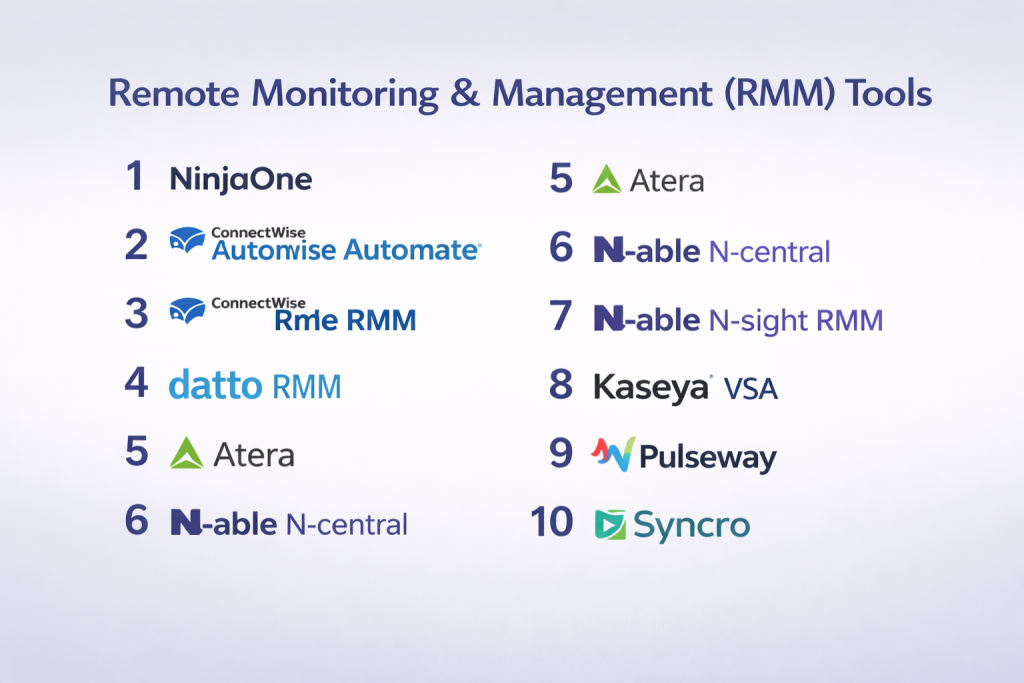
Top 10 Remote Monitoring & Management (RMM) Tools
#1 — NinjaOne
Short description: Leading cloud-based RMM platform known for ease of use, strong patching, and modern endpoint management.
Key Features
- Endpoint monitoring
- Patch management
- Remote access
- Automation workflows
- Asset inventory
- Reporting dashboards
Pros
- Excellent usability
- Strong modern feature set
Cons
- Premium pricing for some teams
- Advanced customization may require setup
Platforms / Deployment
Web / Windows / macOS / Mobile | Cloud
Security & Compliance
Enterprise-grade controls available
Integrations & Ecosystem
- PSA tools
- Backup tools
- Security tools
- APIs
Support & Community
Strong market reputation and support ecosystem.
#2 — ConnectWise Automate
Short description: Mature RMM platform designed for MSPs needing deep automation and scripting.
Key Features
- Endpoint monitoring
- Advanced scripting
- Patch management
- Remote support
- Alerting system
- Multi-client management
Pros
- Strong automation depth
- Great for MSP scale
Cons
- Steeper learning curve
- Interface can feel complex
Platforms / Deployment
Windows / Web | Cloud / Self-hosted
Security & Compliance
Varies by deployment
Integrations & Ecosystem
- ConnectWise PSA
- Security tools
- Backup platforms
Support & Community
Large MSP ecosystem.
#3 — ConnectWise RMM
Short description: Modern cloud-native RMM solution with automation and unified ConnectWise integrations.
Key Features
- Endpoint monitoring
- Patching
- Remote management
- Alert automation
- Asset visibility
Pros
- Modern cloud platform
- Strong ConnectWise ecosystem
Cons
- Best value within ConnectWise stack
- Pricing may vary by bundle
Platforms / Deployment
Web / Cross-platform | Cloud
Security & Compliance
Enterprise controls available
Integrations & Ecosystem
- ConnectWise PSA
- Cybersecurity tools
- APIs
Support & Community
Strong MSP presence.
#4 — Datto RMM
Short description: Popular MSP-focused RMM tool combining monitoring, automation, and remote support.
Key Features
- Device monitoring
- Patch automation
- Remote support
- Reporting
- Policy management
Pros
- Strong MSP fit
- Good automation features
Cons
- Better for MSPs than internal IT teams
- Pricing varies by partner model
Platforms / Deployment
Web / Cross-platform | Cloud
Security & Compliance
Varies / Not publicly stated
Integrations & Ecosystem
- Datto ecosystem
- Backup tools
- PSA integrations
Support & Community
Strong MSP community.
#5 — Atera
Short description: All-in-one RMM and PSA platform known for technician-based pricing and simplicity.
Key Features
- RMM monitoring
- Patching
- Remote access
- Ticketing
- Billing support
- Automation rules
Pros
- Great value model
- Easy to deploy
Cons
- Less enterprise depth than larger rivals
- Advanced customization limited
Platforms / Deployment
Web / Cross-platform | Cloud
Security & Compliance
Varies / Not publicly stated
Integrations & Ecosystem
- PSA tools
- Security apps
- Remote access tools
Support & Community
Popular with smaller MSPs.
#6 — N-able N-central
Short description: Enterprise-grade RMM platform focused on automation, security, and MSP scalability.
Key Features
- Device monitoring
- Patch management
- Automation manager
- Security integrations
- Network visibility
Pros
- Strong enterprise MSP fit
- Good automation tools
Cons
- Learning curve
- Premium pricing tiers
Platforms / Deployment
Web / Windows | Cloud / Self-hosted
Security & Compliance
Enterprise controls available
Integrations & Ecosystem
- Backup
- Security stack
- PSA tools
Support & Community
Well-known MSP brand.
#7 — N-able N-sight RMM
Short description: Cloud RMM platform designed for SMB-focused MSP operations.
Key Features
- Monitoring
- Patching
- Remote support
- Alerts
- Reporting
Pros
- Easier than larger enterprise tools
- Good SMB fit
Cons
- Less deep than N-central
- UI preferences vary
Platforms / Deployment
Web | Cloud
Security & Compliance
Varies / Not publicly stated
Integrations & Ecosystem
- N-able ecosystem
- PSA tools
- Security tools
Support & Community
Strong MSP user base.
#8 — Kaseya VSA
Short description: Established RMM platform for endpoint management, automation, and IT operations.
Key Features
- Monitoring
- Patching
- Remote control
- Asset management
- Scripting
Pros
- Broad capabilities
- Strong automation tools
Cons
- Interface can be complex
- Setup effort may be higher
Platforms / Deployment
Web / Windows | Cloud / Self-hosted
Security & Compliance
Enterprise controls available
Integrations & Ecosystem
- Kaseya ecosystem
- Security tools
- Backup tools
Support & Community
Large managed IT presence.
#9 — Pulseway
Short description: Mobile-first RMM platform known for strong smartphone management experience.
Key Features
- Mobile monitoring
- Alerts
- Patching
- Remote control
- Automation workflows
Pros
- Excellent mobile management
- Easy to use
Cons
- Less enterprise depth
- Smaller ecosystem
Platforms / Deployment
Web / Windows / macOS / iOS / Android | Cloud
Security & Compliance
Varies / Not publicly stated
Integrations & Ecosystem
- PSA tools
- Remote access
- Security apps
Support & Community
Strong SMB popularity.
#10 — Syncro
Short description: Combined RMM + PSA platform designed for smaller MSPs and IT service businesses.
Key Features
- Monitoring
- Patching
- Ticketing
- Billing tools
- Remote support
Pros
- Good all-in-one value
- Strong SMB MSP fit
Cons
- Less enterprise depth
- Limited advanced features vs top rivals
Platforms / Deployment
Web | Cloud
Security & Compliance
Varies / Not publicly stated
Integrations & Ecosystem
- PSA workflows
- Accounting tools
- Remote support tools
Support & Community
Popular among smaller providers.
Comparison Table (Top 10)
| Tool Name | Best For | Platform(s) Supported | Deployment | Standout Feature | Public Rating |
|---|---|---|---|---|---|
| NinjaOne | Modern IT teams | Cross-platform | Cloud | Ease of use | N/A |
| ConnectWise Automate | Large MSPs | Windows/Web | Cloud/Self-hosted | Deep scripting | N/A |
| ConnectWise RMM | ConnectWise users | Cross-platform | Cloud | Unified ecosystem | N/A |
| Datto RMM | MSPs | Cross-platform | Cloud | MSP automation | N/A |
| Atera | SMB MSPs | Cross-platform | Cloud | Technician pricing | N/A |
| N-able N-central | Enterprise MSPs | Windows/Web | Cloud/Self-hosted | Security + automation | N/A |
| N-able N-sight RMM | SMB-focused MSPs | Web | Cloud | Simplicity | N/A |
| Kaseya VSA | IT operations | Windows/Web | Cloud/Self-hosted | Broad capabilities | N/A |
| Pulseway | Mobile-first teams | Cross-platform | Cloud | Mobile management | N/A |
| Syncro | Small MSPs | Web | Cloud | RMM + PSA value | N/A |
Evaluation & Scoring of Remote Monitoring & Management (RMM) Tools
| Tool Name | Core (25%) | Ease (15%) | Integrations (15%) | Security (10%) | Performance (10%) | Support (10%) | Value (15%) | Weighted Total |
|---|---|---|---|---|---|---|---|---|
| NinjaOne | 9 | 9 | 8 | 8 | 9 | 9 | 8 | 8.6 |
| ConnectWise Automate | 9 | 6 | 9 | 8 | 8 | 8 | 7 | 8.0 |
| ConnectWise RMM | 8 | 8 | 9 | 8 | 8 | 8 | 7 | 8.0 |
| Datto RMM | 8 | 8 | 8 | 8 | 8 | 8 | 7 | 7.9 |
| Atera | 8 | 9 | 7 | 7 | 8 | 8 | 9 | 8.1 |
| N-able N-central | 9 | 7 | 8 | 8 | 8 | 8 | 7 | 8.0 |
| N-able N-sight RMM | 8 | 8 | 7 | 7 | 8 | 8 | 8 | 7.8 |
| Kaseya VSA | 8 | 6 | 8 | 8 | 8 | 7 | 7 | 7.5 |
| Pulseway | 7 | 9 | 7 | 7 | 8 | 8 | 8 | 7.8 |
| Syncro | 7 | 8 | 7 | 7 | 7 | 7 | 9 | 7.6 |
How to interpret scores:
These scores are comparative and intended to help shortlist tools. Enterprise MSP platforms score higher in depth and automation, while SMB-focused tools often score better in usability and pricing.
Which Remote Monitoring & Management (RMM) Tool Is Right for You?
Solo / Freelancer
Pulseway or Syncro are practical lightweight options.
SMB
Atera, NinjaOne, and N-able N-sight RMM offer strong value.
Mid-Market
Datto RMM, ConnectWise RMM, and NinjaOne balance scale and usability.
Enterprise
ConnectWise Automate, N-able N-central, and Kaseya VSA are strong choices.
Budget vs Premium
- Budget: Syncro, Atera
- Premium: NinjaOne, ConnectWise Automate
Feature Depth vs Ease of Use
- Easy: NinjaOne, Atera
- Advanced: ConnectWise Automate, N-central
Integrations & Scalability
ConnectWise, NinjaOne, N-able stand out.
Security & Compliance Needs
NinjaOne, N-able N-central, Kaseya VSA are strong options.
Frequently Asked Questions (FAQs)
What is RMM software?
It helps IT teams monitor and manage devices remotely.
Is RMM only for MSPs?
No, internal IT teams also use it widely.
Does RMM include patch management?
Most leading tools include automated patching.
Can RMM tools provide remote access?
Yes, many include remote control features.
Are cloud RMM tools secure?
Leading vendors provide strong controls depending on setup.
Is RMM useful for remote workforces?
Yes, it is highly valuable for distributed teams.
Do these tools support scripting?
Many advanced tools include automation scripting.
How much do they cost?
Pricing varies by endpoints, technicians, or bundles.
Is setup difficult?
Some tools are simple, while enterprise tools need planning.
How do I choose the best RMM tool?
Compare monitoring depth, automation, pricing, and scale.
Conclusion
Remote Monitoring & Management Tools have become essential for modern IT operations, especially in a world of hybrid workforces and distributed devices. The strongest platforms combine monitoring, patching, automation, remote support, and reporting to reduce downtime and improve efficiency. Enterprise-focused tools like ConnectWise Automate and N-able N-central offer deep control, while NinjaOne, Atera, and Syncro provide excellent usability and value for growing teams. The right choice depends on your endpoint count, technical needs, service model, and budget. Instead of selecting based only on popularity, shortlist two or three tools and test them in real device environments. Validate automation quality, support workflows, integrations, and long-term scalability before making a final decision.
