Introduction
Document Conversion Tools are software platforms that transform files from one format to another—such as PDF to Word, Word to HTML, images to text, or spreadsheets to PDFs. These tools play a critical role in ensuring compatibility, accessibility, and usability across different systems and workflows.
At a basic level, they allow users to convert static or locked files into editable formats. More advanced tools incorporate OCR (Optical Character Recognition), AI-based layout detection, and batch processing to handle complex or high-volume conversions. For example, tools like Pandoc can convert between multiple text-based formats and are widely used in publishing workflows.
As businesses increasingly rely on digital documents, conversion tools have become essential for automation, collaboration, and compliance.
Common Use Cases
- Converting PDFs into editable Word or Excel files
- Transforming documents for web publishing (HTML, Markdown)
- Extracting text from scanned documents (OCR)
- Batch converting large document sets
- Migrating content between systems
What Buyers Should Evaluate
- Supported file formats (PDF, DOCX, HTML, images, etc.)
- Conversion accuracy (formatting, tables, images)
- OCR capabilities for scanned files
- Batch processing and automation
- API access for integration
- Performance and speed
- Security and data privacy
- Cloud vs desktop deployment
- Ease of use (UI vs CLI tools)
- Pricing and scalability
Best for: Businesses handling document-heavy workflows, developers building automation pipelines, legal/finance teams, and content publishers.
Not ideal for: Users who only occasionally convert files and can rely on basic built-in tools.
Key Trends in Document Conversion Tools
- AI-powered layout detection and formatting preservation
- OCR improvements for scanned and handwritten documents
- Template-less conversion using machine learning
- API-first tools for embedding conversion into apps
- Cloud-based conversion pipelines
- Real-time document processing
- Integration with workflow automation and RPA
- Multi-format conversion (PDF, DOCX, HTML, JSON)
- Privacy-focused tools with temporary file storage
- Increasing demand for batch and large-scale processing
How We Selected These Tools (Methodology)
- Market adoption and reliability
- Breadth of supported formats
- Accuracy of conversion output
- OCR and AI capabilities
- Integration ecosystem (APIs, automation tools)
- Performance and scalability
- Security and compliance features
- Ease of use across technical levels
- Innovation in document processing
- Suitability for SMBs and enterprises
Top 10 Document Conversion Tools
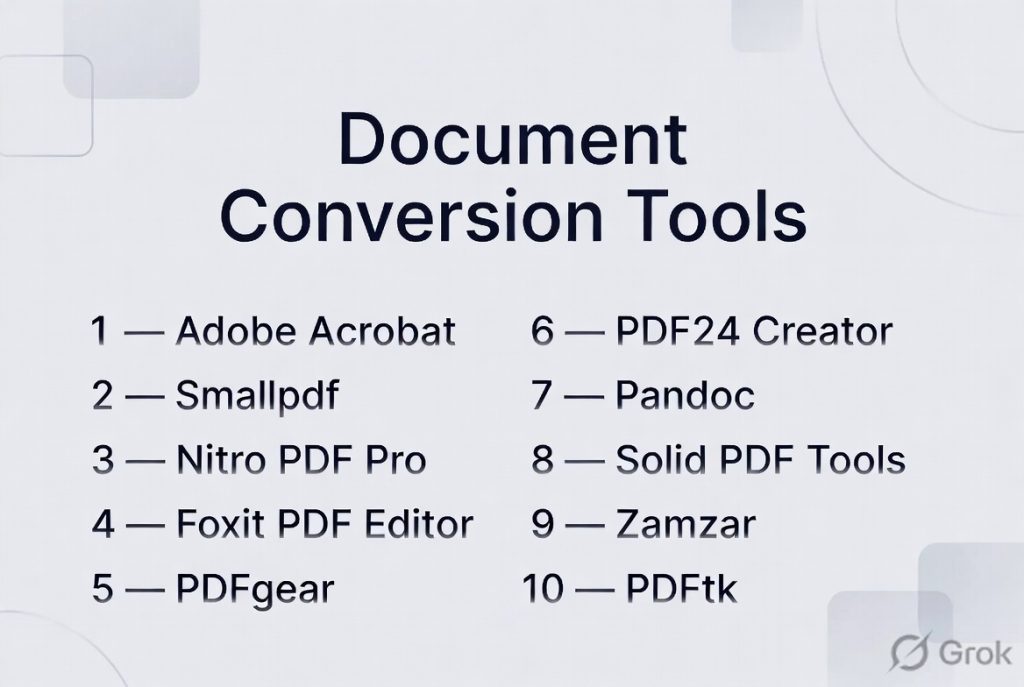
#1 — Adobe Acrobat
Short description: A widely used document conversion and PDF management tool with strong accuracy and enterprise features.
Key Features
- PDF to Word, Excel, PowerPoint conversion
- OCR for scanned documents
- Batch processing
- Editing and annotation
- Secure document handling
- Cloud storage integration
Pros
- High accuracy conversion
- Enterprise-grade reliability
Cons
- Expensive
- Resource-heavy
Platforms / Deployment
Windows / macOS / Web
Cloud / Desktop
Security & Compliance
Encryption, access control (varies)
Integrations & Ecosystem
Strong ecosystem with enterprise tools.
- Microsoft 365
- Cloud storage
- APIs
Support & Community
Large global user base and extensive documentation.
#2 — Smallpdf
Short description: A cloud-based document conversion platform focused on simplicity and accessibility.
Key Features
- PDF conversion (Word, Excel, PPT, images)
- Compression and merging
- OCR capabilities
- Browser-based usage
- File sharing
- Lightweight interface
Pros
- Easy to use
- No installation required
Cons
- Limited free usage
- Less advanced features
Platforms / Deployment
Web / Mobile / Desktop
Cloud
Security & Compliance
Not publicly stated
Integrations & Ecosystem
Supports multiple productivity workflows and formats.
- Cloud storage
- APIs
- Business tools
Support & Community
Strong SMB adoption.
#3 — Nitro PDF Pro
Short description: A professional PDF conversion and editing tool designed for business users.
Key Features
- PDF conversion to multiple formats
- OCR for scanned documents
- Batch processing
- Annotation tools
- Document merging
- Form creation
Pros
- Strong feature set
- Business-friendly
Cons
- Premium pricing
- Learning curve
Platforms / Deployment
Windows / macOS
Desktop
Security & Compliance
Not publicly stated
Integrations & Ecosystem
- Cloud storage
- Business apps
Support & Community
Growing enterprise adoption.
#4 — Foxit PDF Editor
Short description: A fast and lightweight alternative to traditional PDF converters with strong editing and conversion capabilities.
Key Features
- Multi-format conversion
- OCR support
- Batch processing
- Annotation tools
- Collaboration features
- Cloud integration
Pros
- Lightweight
- Cost-effective
Cons
- UI complexity
- Some advanced features paid
Platforms / Deployment
Windows / macOS / Web
Cloud / Desktop
Security & Compliance
Not publicly stated
Integrations & Ecosystem
- Cloud tools
- Enterprise systems
Support & Community
Large user base.
#5 — PDFgear
Short description: A free, multi-platform PDF conversion and editing tool suitable for individuals and small teams.
Key Features
- PDF conversion and editing
- Multi-platform support
- OCR tools
- Annotation and signing
- Free usage
- File management
Pros
- Completely free
- Cross-platform
Cons
- Limited enterprise features
- Less advanced than premium tools
Platforms / Deployment
Windows / macOS / iOS / Android
Cloud / Desktop
Security & Compliance
Not publicly stated
Integrations & Ecosystem
- Mobile apps
- Basic integrations
Support & Community
Growing user base.
#6 — PDF24 Creator
Short description: A freeware document conversion tool that installs as a virtual printer for easy PDF creation and conversion.
Key Features
- Convert files to PDF via print
- PDF editing and merging
- Batch processing
- Compression tools
- Offline usage
- Multi-language support
Pros
- Free and offline
- Simple workflow
Cons
- Windows-only
- Limited advanced features
Platforms / Deployment
Windows
Desktop
Security & Compliance
Not publicly stated
Integrations & Ecosystem
- Local system integration
- File workflows
Support & Community
Moderate adoption.
#7 — Pandoc
Short description: An open-source document converter widely used by developers and academics for format conversion.
Key Features
- Converts between dozens of formats
- Markdown and HTML support
- Command-line interface
- Automation-friendly
- Custom templates
- Cross-platform
Pros
- Extremely flexible
- Free and open-source
Cons
- Requires technical knowledge
- No GUI
Platforms / Deployment
Windows / Linux / macOS
Desktop
Security & Compliance
N/A
Integrations & Ecosystem
- APIs
- Developer tools
- Publishing workflows
Support & Community
Strong developer community.
#8 — Solid PDF Tools
Short description: A document reconstruction tool focused on accurate PDF-to-editable format conversion.
Key Features
- PDF to Word/Excel conversion
- High layout accuracy
- PDF creation
- File reconstruction
- Batch conversion
- Multi-format support
Pros
- High accuracy
- Reliable output
Cons
- Windows-only
- Paid software
Platforms / Deployment
Windows
Desktop
Security & Compliance
Not publicly stated
Integrations & Ecosystem
- Desktop workflows
- Enterprise tools
Support & Community
Moderate adoption.
#9 — Zamzar
Short description: A cloud-based file conversion platform supporting a wide range of formats beyond documents.
Key Features
- Multi-format conversion
- Web-based interface
- Email-based delivery
- No installation required
- Batch conversion
- Broad format support
Pros
- Very versatile
- Easy to use
Cons
- File size limits
- Slower for large files
Platforms / Deployment
Web
Cloud
Security & Compliance
Not publicly stated
Integrations & Ecosystem
- Cloud storage
- APIs
Support & Community
Widely used globally.
#10 — PDFtk
Short description: A command-line PDF toolkit for manipulating and converting PDF files.
Key Features
- Split, merge, rotate PDFs
- Metadata editing
- Batch processing
- CLI automation
- Cross-platform support
- Lightweight
Pros
- Powerful CLI tool
- Free versions available
Cons
- No modern UI
- Limited to PDF workflows
Platforms / Deployment
Windows / Linux / macOS
Desktop
Security & Compliance
N/A
Integrations & Ecosystem
- Scripts
- Automation tools
Support & Community
Developer-focused.
Comparison Table (Top 10)
| Tool Name | Best For | Platform(s) Supported | Deployment | Standout Feature | Public Rating |
|---|---|---|---|---|---|
| Adobe Acrobat | Enterprise | Cross-platform | Hybrid | Accuracy | N/A |
| Smallpdf | SMB | Web/Mobile | Cloud | Simplicity | N/A |
| Nitro PDF | Business | Windows/macOS | Desktop | Editing + conversion | N/A |
| Foxit | Lightweight | Cross-platform | Hybrid | Performance | N/A |
| PDFgear | Free users | Cross-platform | Hybrid | Free tool | N/A |
| PDF24 | Offline | Windows | Desktop | Virtual printer | N/A |
| Pandoc | Developers | Cross-platform | Desktop | Multi-format | N/A |
| Solid PDF | Accuracy | Windows | Desktop | Reconstruction | N/A |
| Zamzar | Versatility | Web | Cloud | Multi-format | N/A |
| PDFtk | CLI users | Cross-platform | Desktop | Automation | N/A |
Evaluation & Scoring of Document Conversion Tools
| Tool Name | Core (25%) | Ease (15%) | Integrations (15%) | Security (10%) | Performance (10%) | Support (10%) | Value (15%) | Weighted Total |
|---|---|---|---|---|---|---|---|---|
| Adobe Acrobat | 10 | 7 | 9 | 9 | 9 | 9 | 6 | 8.7 |
| Smallpdf | 8 | 9 | 8 | 7 | 8 | 8 | 8 | 8.1 |
| Nitro PDF | 9 | 7 | 8 | 8 | 9 | 8 | 7 | 8.2 |
| Foxit | 8 | 8 | 8 | 7 | 9 | 8 | 8 | 8.1 |
| PDFgear | 7 | 9 | 6 | 6 | 8 | 7 | 10 | 7.9 |
| PDF24 | 7 | 8 | 6 | 6 | 8 | 7 | 10 | 7.8 |
| Pandoc | 9 | 5 | 9 | 7 | 9 | 8 | 10 | 8.2 |
| Solid PDF | 8 | 7 | 7 | 7 | 8 | 7 | 7 | 7.6 |
| Zamzar | 7 | 9 | 7 | 6 | 7 | 7 | 8 | 7.6 |
| PDFtk | 7 | 5 | 8 | 7 | 9 | 7 | 10 | 7.7 |
How to interpret scores:
- Enterprise tools excel in accuracy and security
- Cloud tools score higher on ease of use
- Developer tools offer flexibility but lower usability
- Free tools provide strong value but limited features
- Choose based on complexity and scale
Which Document Conversion Tool Is Right for You?
Solo / Freelancer
- Best: Smallpdf, PDFgear
- Focus on ease and cost
SMB
- Best: Foxit, Nitro PDF
- Need balance of features and usability
Mid-Market
- Best: Adobe Acrobat, Smallpdf
- Require reliability and integrations
Enterprise
- Best: Adobe Acrobat, Nitro PDF
- Need compliance and scalability
Budget vs Premium
- Budget: PDFgear, PDF24
- Premium: Adobe Acrobat
Feature Depth vs Ease of Use
- Advanced: Adobe, Pandoc
- Easy: Smallpdf, Zamzar
Integrations & Scalability
- Strong: Adobe, Pandoc
- Moderate: others
Security & Compliance Needs
- Strong: Adobe
- Others: Varies
Frequently Asked Questions (FAQs)
What is document conversion software?
It converts files from one format to another.
What formats are supported?
PDF, Word, Excel, HTML, images, and more.
What is OCR?
OCR extracts text from scanned documents.
Are these tools accurate?
Accuracy varies based on tool and document complexity.
Are free tools good enough?
Yes, for basic needs; advanced workflows need premium tools.
Can I convert scanned documents?
Yes, with OCR-enabled tools.
Are cloud tools safe?
Most offer security, but policies vary.
Do I need installation?
Not for cloud tools.
Can I automate conversions?
Yes, via APIs or batch processing.
What is the best tool overall?
Depends on use case and budget.
Conclusion
Document Conversion Tools are essential for modern workflows, enabling seamless file interoperability and automation. From simple online converters to advanced enterprise platforms, the right tool depends on your needs—whether it’s accuracy, speed, automation, or cost.
