Introduction
Note-taking apps are digital tools designed to capture, organize, and retrieve information efficiently across devices. Unlike traditional notebooks, these apps allow users to create structured notes, attach files, collaborate in real time, and search content instantly.
Modern note-taking tools have evolved into full productivity systems. They now include AI-assisted writing, knowledge linking, multimedia support, and integrations with work tools. This makes them essential for both personal knowledge management and team collaboration in today’s digital workflows.
Common Use Cases
- Meeting notes and action tracking
- Personal knowledge management
- Study notes and research organization
- Project documentation
- Brainstorming and idea capture
What Buyers Should Evaluate
- Ease of use and interface
- Organization (folders, tags, backlinks)
- Cross-platform support
- Collaboration features
- AI capabilities
- Search functionality (OCR, indexing)
- Offline access
- Integrations with other tools
- Security and data ownership
- Pricing and scalability
Best for: Students, professionals, researchers, startups, and teams managing information daily.
Not ideal for: Users who only need quick, temporary notes or prefer offline paper-based workflows.
Key Trends in Note-Taking Apps
- AI-powered summarization and content generation
- Linked knowledge graphs and “second brain” systems
- Real-time collaboration and shared workspaces
- Integration with project management tools
- Offline-first and privacy-focused apps
- Voice-to-text and multimedia note capture
- Automation of note organization
- Cross-device sync across ecosystems
- Increased demand for end-to-end encryption
- Hybrid tools combining notes, tasks, and databases
How We Selected These Tools (Methodology)
- Market adoption and popularity
- Feature completeness (notes, AI, collaboration)
- Ease of use across skill levels
- Performance and reliability
- Integration ecosystem
- Platform availability (web, mobile, desktop)
- Security and privacy features
- Community and support
- Innovation (AI, knowledge graphs)
- Suitability for individuals and teams
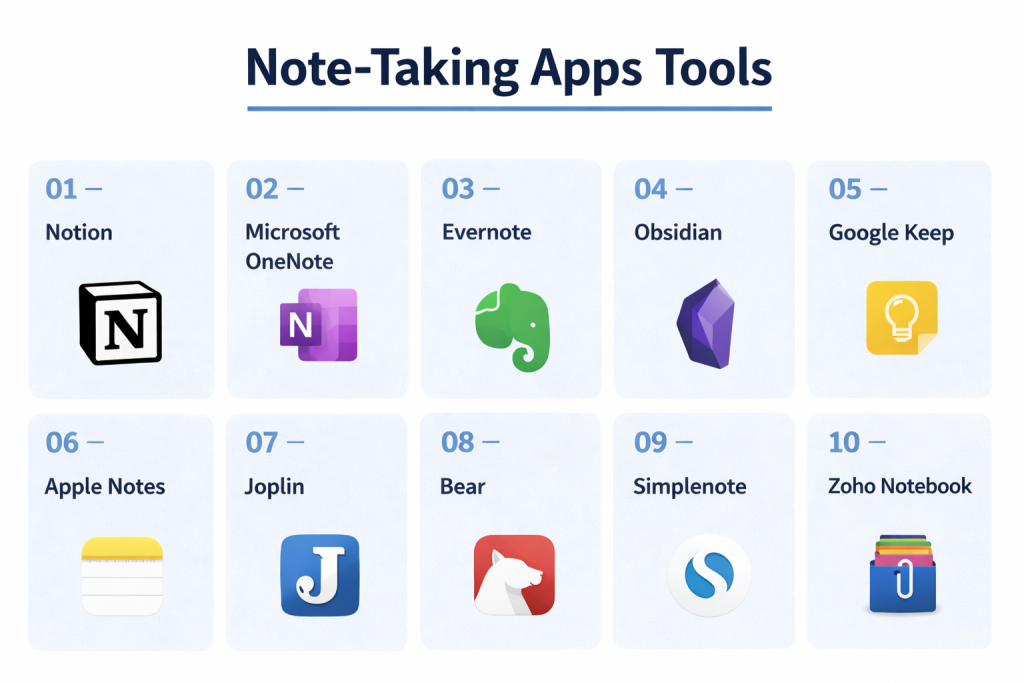
Top 10 Note-Taking Apps Tools
#1 — Notion
Short description: An all-in-one workspace combining notes, databases, and collaboration tools.
Key Features
- Block-based editor
- Databases and tables
- AI writing assistant
- Templates and workflows
- Collaboration tools
- Nested pages
Pros
- Extremely flexible
- Great for teams
Cons
- Learning curve
- Can feel complex
Platforms / Deployment
Web / Windows / macOS / iOS / Android
Cloud
Security & Compliance
SOC 2, GDPR, ISO 27001 (as publicly reported)
Integrations & Ecosystem
Supports integrations with productivity tools.
- Slack
- Google Drive
- APIs
Support & Community
Large global community and template ecosystem.
#2 — Microsoft OneNote
Short description: A free-form digital notebook ideal for structured notes and multimedia.
Key Features
- Freeform canvas
- Handwriting support
- Section-based organization
- Cloud sync
- Multimedia notes
- Collaboration
Pros
- Completely free
- Very flexible
Cons
- UI can feel cluttered
- Sync issues occasionally
Platforms / Deployment
Windows / macOS / Web / iOS / Android
Cloud / Local
Security & Compliance
Encryption, enterprise compliance (varies)
Integrations & Ecosystem
Deep integration with Microsoft ecosystem.
Support & Community
Strong enterprise and education adoption.
#3 — Evernote
Short description: A mature note-taking platform focused on organization and web clipping.
Key Features
- Web clipper
- Tagging system
- Document scanning
- Cross-device sync
- Search (including PDFs)
- Templates
Pros
- Excellent organization
- Powerful search
Cons
- Expensive
- Limited free plan
Platforms / Deployment
Web / Windows / macOS / iOS / Android
Cloud
Security & Compliance
Encryption, MFA (details vary)
Integrations & Ecosystem
- Google Drive
- Slack
- APIs
Support & Community
Well-established user base.
#4 — Obsidian
Short description: A powerful knowledge management tool focused on linking ideas.
Key Features
- Markdown-based notes
- Backlinks and graph view
- Local storage
- Plugin ecosystem
- Custom workflows
- Offline-first
Pros
- Full data ownership
- Highly customizable
Cons
- Steep learning curve
- No native cloud sync
Platforms / Deployment
Windows / macOS / Linux / iOS / Android
Local / Optional cloud
Security & Compliance
Local-first (user-controlled data)
Integrations & Ecosystem
Plugin-driven ecosystem.
Support & Community
Strong community of advanced users.
#5 — Google Keep
Short description: A simple, fast note-taking app for quick capture and reminders.
Key Features
- Sticky note interface
- Voice notes
- Reminders
- Color coding
- Sync across devices
- Checklist support
Pros
- Very easy to use
- Free
Cons
- Limited advanced features
- Basic organization
Platforms / Deployment
Web / iOS / Android
Cloud
Security & Compliance
Encryption (Google ecosystem)
Integrations & Ecosystem
- Google Workspace
- Gmail
Support & Community
Widely used globally.
#6 — Apple Notes
Short description: A native note-taking app for Apple users with seamless syncing.
Key Features
- Rich text editing
- Attachments and sketches
- Folder organization
- Tags and search
- Sync via iCloud
- Quick notes
Pros
- Free and fast
- Great Apple integration
Cons
- Limited cross-platform support
- Fewer advanced features
Platforms / Deployment
macOS / iOS / Web
Cloud
Security & Compliance
Encryption (Apple ecosystem)
Integrations & Ecosystem
Works within Apple ecosystem.
Support & Community
Strong Apple user base.
#7 — Joplin
Short description: An open-source note-taking app focused on privacy and flexibility.
Key Features
- Markdown editor
- End-to-end encryption
- Offline support
- Sync options
- Web clipper
- Open-source
Pros
- Free and privacy-focused
- Flexible
Cons
- Basic UI
- Setup complexity
Platforms / Deployment
Windows / macOS / Linux / Mobile
Local / Cloud
Security & Compliance
End-to-end encryption
Integrations & Ecosystem
Supports plugins and extensions.
Support & Community
Active open-source community.
#8 — Bear
Short description: A minimalist writing-focused note app with elegant design.
Key Features
- Markdown support
- Tag-based organization
- Themes
- Export options
- Focus mode
- Cross-device sync
Pros
- Clean interface
- Great for writers
Cons
- Apple-only
- Limited collaboration
Platforms / Deployment
macOS / iOS
Cloud / Local
Security & Compliance
Not publicly stated
Integrations & Ecosystem
Limited integrations.
Support & Community
Strong creative user base.
#9 — Simplenote
Short description: A lightweight note-taking app focused on speed and simplicity.
Key Features
- Plain text notes
- Tags
- Version history
- Cross-device sync
- Fast performance
Pros
- Free and fast
- Minimalist
Cons
- No rich media support
- Limited features
Platforms / Deployment
Web / Windows / macOS / Linux / Mobile
Cloud
Security & Compliance
Not publicly stated
Integrations & Ecosystem
Basic integrations.
Support & Community
Popular among developers and writers.
#10 — Zoho Notebook
Short description: A visually rich note-taking app with multimedia support and AI features.
Key Features
- Notebook-style interface
- Multimedia notes
- Web clipper
- AI features
- Sync across devices
- Customizable layouts
Pros
- Visually appealing
- Free tier available
Cons
- Limited advanced features
- Smaller ecosystem
Platforms / Deployment
Web / Windows / macOS / Mobile
Cloud
Security & Compliance
Not publicly stated
Integrations & Ecosystem
Supports business tool integrations.
Support & Community
Growing user base.
Comparison Table (Top 10)
| Tool Name | Best For | Platform(s) Supported | Deployment | Standout Feature | Public Rating |
|---|---|---|---|---|---|
| Notion | All-in-one workspace | Cross-platform | Cloud | Databases + notes | N/A |
| OneNote | Free users | Cross-platform | Hybrid | Freeform canvas | N/A |
| Evernote | Organization | Cross-platform | Cloud | Web clipping | N/A |
| Obsidian | Knowledge graphs | Cross-platform | Hybrid | Backlinks | N/A |
| Google Keep | Quick notes | Web/Mobile | Cloud | Simplicity | N/A |
| Apple Notes | Apple users | Apple/Web | Cloud | Native integration | N/A |
| Joplin | Privacy | Cross-platform | Hybrid | E2EE | N/A |
| Bear | Writers | Apple | Hybrid | Minimal UI | N/A |
| Simplenote | Speed | Cross-platform | Cloud | Lightweight | N/A |
| Zoho Notebook | Visual notes | Cross-platform | Cloud | Multimedia cards | N/A |
Evaluation & Scoring of Note-Taking Apps
| Tool Name | Core (25%) | Ease (15%) | Integrations (15%) | Security (10%) | Performance (10%) | Support (10%) | Value (15%) | Weighted Total |
|---|---|---|---|---|---|---|---|---|
| Notion | 10 | 7 | 10 | 8 | 8 | 9 | 8 | 8.8 |
| OneNote | 9 | 8 | 9 | 8 | 8 | 9 | 10 | 8.9 |
| Evernote | 9 | 7 | 8 | 7 | 8 | 9 | 6 | 8.0 |
| Obsidian | 9 | 6 | 7 | 9 | 9 | 8 | 9 | 8.3 |
| Google Keep | 6 | 10 | 8 | 7 | 9 | 8 | 10 | 8.1 |
| Apple Notes | 7 | 10 | 6 | 8 | 9 | 8 | 10 | 8.2 |
| Joplin | 8 | 6 | 6 | 9 | 8 | 7 | 10 | 7.9 |
| Bear | 7 | 9 | 5 | 7 | 9 | 7 | 8 | 7.6 |
| Simplenote | 6 | 10 | 5 | 6 | 9 | 7 | 10 | 7.5 |
| Zoho Notebook | 7 | 8 | 7 | 6 | 8 | 7 | 9 | 7.7 |
How to interpret scores:
- Higher scores indicate well-rounded tools
- Some tools excel in niche use cases
- Simpler tools often score high on ease/value
- Advanced tools score high on features
- Choose based on your workflow needs
Which Note-Taking App Is Right for You?
Solo / Freelancer
- Best: Simplenote, Bear, Google Keep
- Focus on simplicity and speed
SMB
- Best: Notion, Zoho Notebook
- Balance features and collaboration
Mid-Market
- Best: Notion, OneNote
- Need structure and integrations
Enterprise
- Best: OneNote, Notion
- Require scalability and collaboration
Budget vs Premium
- Budget: Google Keep, Simplenote
- Premium: Notion, Evernote
Feature Depth vs Ease of Use
- Advanced: Notion, Obsidian
- Easy: Google Keep, Apple Notes
Integrations & Scalability
- Strong: Notion, OneNote
- Moderate: others
Security & Compliance Needs
- Strong: Joplin, Obsidian (local-first)
- Others: Not publicly stated
Frequently Asked Questions (FAQs)
What is a note-taking app?
It is software used to capture, organize, and manage information digitally.
Which app is best for students?
OneNote and Notion are popular choices.
Are there free note-taking apps?
Yes, many tools offer free plans like Google Keep and OneNote.
What is AI in note-taking apps?
AI helps summarize, organize, and generate content.
Which app is best for privacy?
Joplin and Obsidian offer strong privacy features.
Can I use these apps offline?
Some tools support offline mode, especially local-first apps.
What is a “second brain” system?
A method of organizing knowledge using linked notes.
Can teams collaborate?
Yes, tools like Notion and OneNote support collaboration.
What are common mistakes?
Overcomplicating note structures and not organizing notes.
Can I switch between apps easily?
Migration is possible but may require manual effort.
Conclusion
Note-taking apps have become essential tools for managing information, improving productivity, and organizing ideas. From simple apps for quick capture to advanced platforms for knowledge management, there is a solution for every need.
