Introduction
Whiteboard collaboration tools are digital platforms that allow teams to brainstorm, plan, and collaborate visually in real time. These tools replicate the experience of physical whiteboards while adding powerful capabilities like remote collaboration, templates, integrations, and AI-assisted ideation.
With distributed work becoming the norm, whiteboard tools have become essential for team alignment, workshops, product planning, and design thinking. They are widely used across industries—from tech and education to consulting and marketing—enabling teams to collaborate seamlessly regardless of location.
Common Use Cases
- Brainstorming and ideation sessions
- Agile sprint planning and retrospectives
- Product roadmapping and strategy
- Design thinking workshops
- Team collaboration and remote meetings
What Buyers Should Evaluate
- Real-time collaboration capabilities
- Ease of use and onboarding
- Template library and customization
- Infinite canvas and scalability
- Integration with productivity tools
- Performance with large boards
- Security and access controls
- AI-assisted ideation features
- Cross-platform support
- Pricing and scalability
Best for: Remote teams, product managers, designers, educators, consultants, and agile teams.
Not ideal for: Users who only need static diagrams or basic note-taking tools without collaboration.
Key Trends in Whiteboard Collaboration Tools
- AI-powered brainstorming and content generation
- Infinite canvas with structured frameworks
- Real-time multi-user collaboration with presence indicators
- Integration with project management and dev tools
- Hybrid whiteboard + diagramming platforms
- Embedded media and interactive elements
- Increased use in remote workshops and training
- Automation of workflows and templates
- Cross-device collaboration (desktop, tablet, mobile)
- Security enhancements for enterprise collaboration
How We Selected These Tools (Methodology)
- Market adoption and team usage trends
- Feature completeness (collaboration, templates, integrations)
- Performance and scalability
- Ease of use for distributed teams
- Integration ecosystem
- Platform availability
- Security and enterprise readiness
- Community and support
- Innovation (AI, automation, hybrid workflows)
- Suitability across team sizes and industries
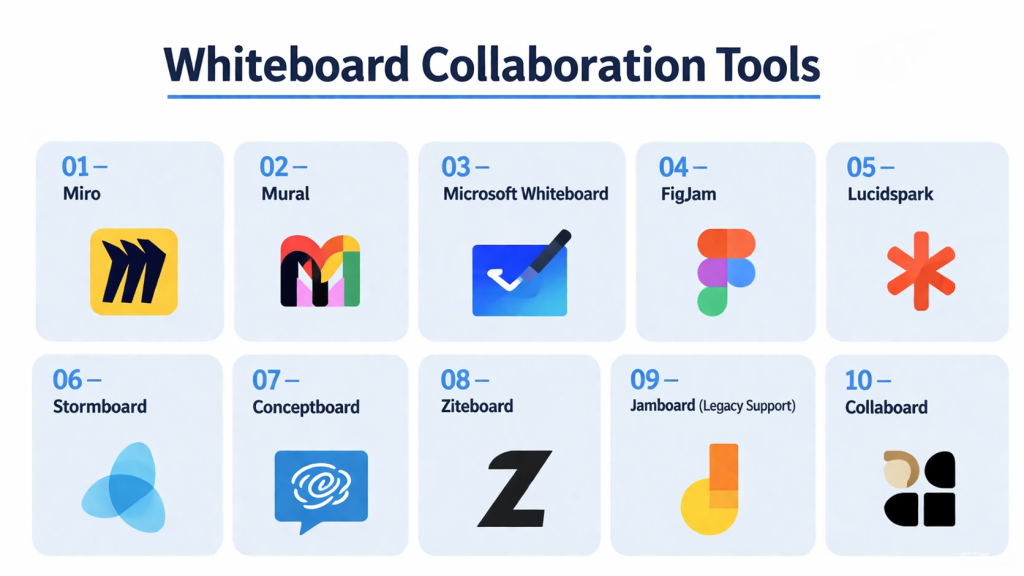
Top 10 Whiteboard Collaboration Tools
#1 — Miro
Short description: A leading collaborative whiteboard platform designed for teams to brainstorm, plan, and execute ideas visually.
Key Features
- Infinite canvas
- Real-time collaboration
- Extensive template library
- AI-assisted ideation
- Voting and workshop tools
- Integrations with business tools
Pros
- Highly flexible and scalable
- Strong collaboration features
Cons
- Can become cluttered with large boards
- Pricing scales with team size
Platforms / Deployment
Web / Windows / macOS / iOS / Android
Cloud
Security & Compliance
SSO, encryption, enterprise controls (varies by plan)
Integrations & Ecosystem
Robust ecosystem supporting team workflows.
- Slack, Jira, Confluence
- Microsoft Teams
- Google Workspace
Support & Community
Large global community with strong documentation.
#2 — Mural
Short description: A visual collaboration platform focused on structured brainstorming and team workshops.
Key Features
- Visual collaboration workspace
- Templates for workshops
- Facilitation tools
- Real-time collaboration
- Sticky notes and frameworks
- Voting and timers
Pros
- Great for structured workshops
- Easy facilitation tools
Cons
- Less flexible than some competitors
- Premium pricing
Platforms / Deployment
Web / Desktop
Cloud
Security & Compliance
SSO, enterprise controls (varies)
Integrations & Ecosystem
Supports integrations with business tools.
- Microsoft Teams
- Slack
- Jira
Support & Community
Strong enterprise adoption.
#3 — Microsoft Whiteboard
Short description: A collaborative whiteboard tool integrated into the Microsoft ecosystem.
Key Features
- Infinite canvas
- Real-time collaboration
- Integration with Microsoft tools
- Ink and drawing tools
- Templates
- Cloud syncing
Pros
- Seamless Microsoft integration
- Easy for existing users
Cons
- Limited advanced features
- Best within Microsoft ecosystem
Platforms / Deployment
Web / Windows / iOS / Android
Cloud
Security & Compliance
Enterprise-grade controls (varies by plan)
Integrations & Ecosystem
Deep integration with Microsoft ecosystem.
Support & Community
Widely used in enterprise environments.
#4 — FigJam
Short description: A collaborative whiteboard tool designed for teams working alongside design workflows.
Key Features
- Real-time collaboration
- Sticky notes and widgets
- Voting and timers
- Integration with design tools
- Templates
- Multiplayer cursor presence
Pros
- Very intuitive UI
- Great for design teams
Cons
- Limited advanced diagramming
- Requires ecosystem adoption
Platforms / Deployment
Web
Cloud
Security & Compliance
SSO, encryption (varies by plan)
Integrations & Ecosystem
Works closely with design workflows.
- Design tool integrations
- Plugins
Support & Community
Growing design-focused community.
#5 — Lucidspark
Short description: A collaborative whiteboard tool designed for brainstorming and ideation within a broader diagramming ecosystem.
Key Features
- Infinite canvas
- Sticky notes and grouping
- Real-time collaboration
- Templates
- Voting tools
- Integration with diagramming tools
Pros
- Strong integration with diagramming tools
- Easy to use
Cons
- Requires ecosystem familiarity
- Limited advanced features
Platforms / Deployment
Web
Cloud
Security & Compliance
SSO, encryption (varies)
Integrations & Ecosystem
Part of a larger diagramming ecosystem.
Support & Community
Strong professional user base.
#6 — Stormboard
Short description: A collaborative whiteboard tool focused on structured brainstorming and reporting.
Key Features
- Sticky notes and templates
- Reporting features
- Real-time collaboration
- Task tracking
- Data export
- Structured boards
Pros
- Strong reporting features
- Good for structured sessions
Cons
- Less visually flexible
- Smaller ecosystem
Platforms / Deployment
Web
Cloud
Security & Compliance
Not publicly stated
Integrations & Ecosystem
Supports integrations with productivity tools.
Support & Community
Moderate business adoption.
#7 — Conceptboard
Short description: A collaboration platform focused on visual teamwork and feedback.
Key Features
- Infinite canvas
- Real-time collaboration
- Commenting and feedback tools
- File sharing
- Task management
- Version control
Pros
- Strong feedback workflows
- Good for remote teams
Cons
- UI can feel complex
- Limited templates
Platforms / Deployment
Web
Cloud
Security & Compliance
Not publicly stated
Integrations & Ecosystem
Supports collaboration workflows.
Support & Community
Professional user base.
#8 — Ziteboard
Short description: A lightweight online whiteboard tool focused on simplicity and speed.
Key Features
- Real-time drawing
- Voice and video support
- Minimal interface
- Collaboration tools
- Fast performance
Pros
- Very lightweight
- Easy to use
Cons
- Limited advanced features
- Not suitable for complex workflows
Platforms / Deployment
Web
Cloud
Security & Compliance
Not publicly stated
Integrations & Ecosystem
Limited integrations.
Support & Community
Small but active user base.
#9 — Jamboard (Legacy Support)
Short description: A simple whiteboard tool used for collaborative sessions within a productivity ecosystem.
Key Features
- Basic whiteboard tools
- Sticky notes
- Real-time collaboration
- Simple sharing
- Integration with productivity tools
Pros
- Easy to use
- Good for simple sessions
Cons
- Limited features
- Reduced development focus
Platforms / Deployment
Web / Mobile
Cloud
Security & Compliance
Not publicly stated
Integrations & Ecosystem
Works within productivity ecosystem.
Support & Community
Declining but still used.
#10 — Collaboard
Short description: A secure online whiteboard tool designed for enterprise collaboration.
Key Features
- Infinite canvas
- Real-time collaboration
- Templates
- Data privacy controls
- Sticky notes and tools
- Secure hosting options
Pros
- Focus on privacy
- Flexible deployment
Cons
- Smaller ecosystem
- Learning curve
Platforms / Deployment
Web
Cloud / Self-hosted
Security & Compliance
Privacy-focused controls (details vary)
Integrations & Ecosystem
Supports enterprise workflows.
Support & Community
Growing enterprise adoption.
Comparison Table (Top 10)
| Tool Name | Best For | Platform(s) Supported | Deployment | Standout Feature | Public Rating |
|---|---|---|---|---|---|
| Miro | Teams | Cross-platform | Cloud | Infinite canvas | N/A |
| Mural | Workshops | Web/Desktop | Cloud | Facilitation tools | N/A |
| Microsoft Whiteboard | Enterprises | Cross-platform | Cloud | Microsoft integration | N/A |
| FigJam | Design teams | Web | Cloud | Design collaboration | N/A |
| Lucidspark | Ideation | Web | Cloud | Diagram integration | N/A |
| Stormboard | Structured sessions | Web | Cloud | Reporting | N/A |
| Conceptboard | Feedback | Web | Cloud | Collaboration | N/A |
| Ziteboard | Simplicity | Web | Cloud | Lightweight | N/A |
| Jamboard | Basic use | Web/Mobile | Cloud | Simplicity | N/A |
| Collaboard | Enterprise | Web | Hybrid | Security focus | N/A |
Evaluation & Scoring of Whiteboard Collaboration Tools
| Tool Name | Core (25%) | Ease (15%) | Integrations (15%) | Security (10%) | Performance (10%) | Support (10%) | Value (15%) | Weighted Total |
|---|---|---|---|---|---|---|---|---|
| Miro | 9 | 9 | 10 | 7 | 8 | 9 | 8 | 8.7 |
| Mural | 8 | 9 | 8 | 7 | 8 | 8 | 7 | 8.1 |
| MS Whiteboard | 7 | 9 | 9 | 8 | 8 | 8 | 9 | 8.3 |
| FigJam | 8 | 10 | 8 | 7 | 8 | 8 | 9 | 8.5 |
| Lucidspark | 8 | 9 | 9 | 7 | 8 | 8 | 8 | 8.4 |
| Stormboard | 7 | 8 | 7 | 6 | 7 | 7 | 8 | 7.4 |
| Conceptboard | 8 | 7 | 7 | 6 | 7 | 7 | 7 | 7.3 |
| Ziteboard | 6 | 9 | 5 | 5 | 8 | 6 | 9 | 7.1 |
| Jamboard | 6 | 10 | 7 | 6 | 7 | 6 | 9 | 7.3 |
| Collaboard | 7 | 7 | 6 | 8 | 7 | 7 | 7 | 7.2 |
How to interpret scores:
- Scores are relative comparisons across tools
- Higher scores indicate balanced performance
- Some tools excel in niche use cases
- Choose based on team size and workflow
- Testing tools is recommended
Which Whiteboard Collaboration Tool Is Right for You?
Solo / Freelancer
- Best: Ziteboard, FigJam
- Focus on simplicity and speed
SMB
- Best: Miro, Lucidspark
- Balance features and collaboration
Mid-Market
- Best: Miro, Mural
- Need structured workflows
Enterprise
- Best: Miro, Microsoft Whiteboard, Collaboard
- Require security and scalability
Budget vs Premium
- Budget: Ziteboard, Jamboard
- Premium: Miro, Mural
Feature Depth vs Ease of Use
- Advanced: Miro, Mural
- Easy: FigJam, Ziteboard
Integrations & Scalability
- Strong: Miro, Microsoft ecosystem
- Moderate: others
Security & Compliance Needs
- Enterprise tools offer stronger controls
- Others: Not publicly stated
Frequently Asked Questions (FAQs)
What is a whiteboard collaboration tool?
It is a digital platform for real-time visual collaboration.
Which tool is best for teams?
Miro and Mural are widely used for teams.
Are there free options?
Yes, many tools offer free plans.
Can I collaborate in real time?
Yes, most tools support live collaboration.
What is an infinite canvas?
A workspace that expands without limits.
Do these tools support integrations?
Yes, many integrate with productivity tools.
Can I use them on mobile?
Most tools support mobile apps.
Are they secure?
Security varies by tool and plan.
What are common mistakes?
Overcrowding boards and poor organization.
Can I use them for workshops?
Yes, they are widely used for workshops.
Conclusion
Whiteboard collaboration tools have become essential for modern teamwork, enabling visual communication, brainstorming, and alignment across distributed teams. From simple tools to enterprise-grade platforms, there are options for every use case.
