Introduction
Spatial Computing toolkits are software frameworks and development kits that enable applications to understand, interact with, and respond to the physical world in three dimensions. These toolkits combine technologies like AR, VR, computer vision, AI, and sensor data to create immersive and context-aware experiences.
As industries move toward immersive computing and intelligent environments, spatial computing is becoming foundational for next-generation applications—from mixed reality collaboration to robotics and autonomous systems. These toolkits allow developers to build applications that perceive space, track movement, and interact with real-world environments in real time.
Common real-world use cases:
- Mixed reality applications for enterprise training
- Robotics and autonomous navigation systems
- Spatial mapping and environment understanding
- 3D interaction and gesture-based interfaces
- Smart environments and digital twin integration
What buyers should evaluate:
- Spatial mapping and tracking accuracy
- Hardware compatibility (headsets, sensors, cameras)
- AI and computer vision capabilities
- Real-time performance and latency
- Cross-platform development support
- Integration with AR/VR engines
- SDK maturity and documentation
- Scalability for enterprise use
- Cloud vs edge deployment options
Best for: XR developers, robotics engineers, AI researchers, enterprises building immersive systems, and teams working on smart environments.
Not ideal for: Non-technical users, simple app development needs, or projects that don’t require 3D spatial interaction.
Key Trends in Spatial Computing Toolkits
- AI-powered spatial perception: Improved object recognition and scene understanding
- Fusion of AR, VR, and AI: Unified development environments for immersive computing
- Edge computing integration: Real-time processing with reduced latency
- Advanced SLAM (Simultaneous Localization and Mapping): More accurate spatial tracking
- Cross-platform XR frameworks: One toolkit for multiple devices
- Spatial AI ecosystems: Combining vision, mapping, and interaction
- Cloud-backed spatial computing: Scalable processing for large environments
- Low-latency rendering pipelines: Critical for real-time interactions
- Gesture and voice-based interfaces: Natural user interactions
- Enterprise adoption: Growth in industrial and training applications
How We Selected These Tools (Methodology)
- Adoption in AR/VR, robotics, and AI ecosystems
- Strength of spatial tracking and mapping capabilities
- Integration with hardware and sensors
- Availability of SDKs, APIs, and documentation
- Performance in real-time environments
- Cross-platform compatibility
- Community and developer support
- Innovation in AI and spatial computing
- Scalability for enterprise applications
- Balance between usability and advanced features
Top 10 Spatial Computing Toolkits
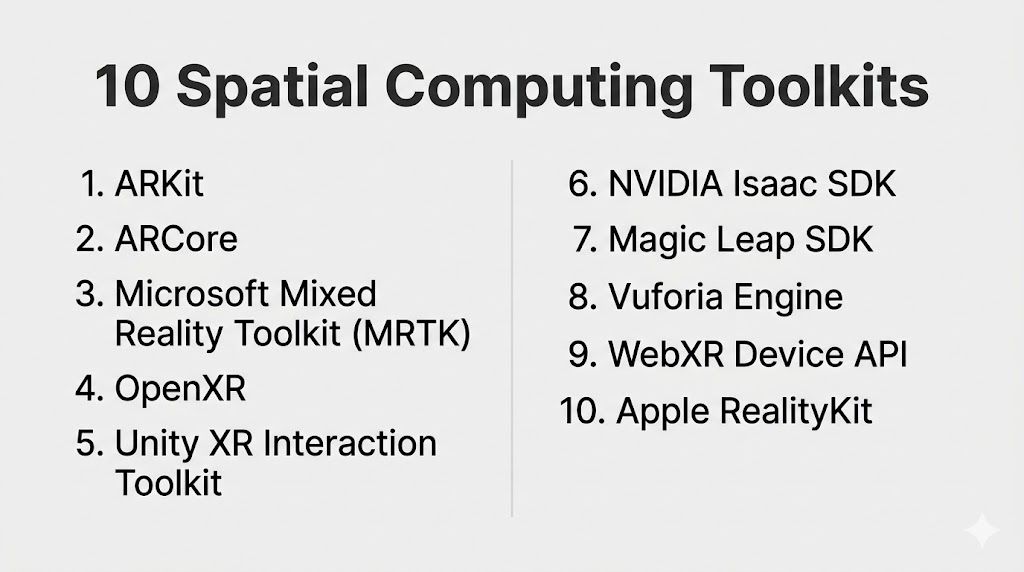
#1 — ARKit
Short description: Apple’s spatial computing framework for building AR applications with advanced motion tracking and scene understanding.
Key Features
- Motion tracking
- Scene reconstruction
- LiDAR integration
- Face and object tracking
- Real-time rendering
- Environmental understanding
Pros
- High accuracy and performance
- Deep hardware integration
Cons
- Limited to Apple ecosystem
- Less flexibility for cross-platform
Platforms / Deployment
iOS
Self-hosted
Security & Compliance
Not publicly stated
Integrations & Ecosystem
ARKit integrates tightly with Apple’s development ecosystem and hardware.
- iOS SDK
- Metal graphics
- APIs
- Apple devices
Support & Community
Strong developer ecosystem and documentation.
#2 — ARCore
Short description: Google’s spatial computing toolkit for Android devices, enabling motion tracking and environmental understanding.
Key Features
- Motion tracking
- Environmental understanding
- Light estimation
- Cloud anchors
- Depth API
Pros
- Wide Android device support
- Easy integration
Cons
- Device fragmentation
- Limited outside Android
Platforms / Deployment
Android
Self-hosted
Security & Compliance
Not publicly stated
Integrations & Ecosystem
- Google ecosystem
- APIs
- Cloud services
- Android tools
Support & Community
Large developer community.
#3 — Microsoft Mixed Reality Toolkit (MRTK)
Short description: A toolkit for building mixed reality applications, especially for HoloLens and enterprise use cases.
Key Features
- Spatial mapping
- Gesture input system
- UI components
- Cross-platform support
- Integration with Unity
Pros
- Enterprise-ready
- Strong Microsoft ecosystem
Cons
- Hardware limitations
- Requires Unity knowledge
Platforms / Deployment
Windows / Unity
Self-hosted
Security & Compliance
Not publicly stated
Integrations & Ecosystem
- Microsoft ecosystem
- Azure services
- APIs
- HoloLens
Support & Community
Strong enterprise and developer support.
#4 — OpenXR
Short description: An open standard for developing cross-platform AR/VR applications across multiple hardware devices.
Key Features
- Cross-platform compatibility
- Hardware abstraction
- Standardized APIs
- Support for VR and AR
- Extensible architecture
Pros
- Vendor-neutral
- Broad device support
Cons
- Requires integration with engines
- Less beginner-friendly
Platforms / Deployment
Windows / Linux / Android
Self-hosted
Security & Compliance
Not publicly stated
Integrations & Ecosystem
- VR headsets
- APIs
- Engines like Unity and Unreal
- Hardware vendors
Support & Community
Growing open standard community.
#5 — Unity XR Interaction Toolkit
Short description: A toolkit within Unity for building immersive spatial computing experiences.
Key Features
- Interaction system
- XR device support
- Physics-based interactions
- Cross-platform deployment
- Integration with Unity engine
Pros
- Easy integration with Unity
- Flexible
Cons
- Requires Unity
- Limited standalone use
Platforms / Deployment
Windows / macOS / Android / iOS
Hybrid
Security & Compliance
Not publicly stated
Integrations & Ecosystem
- Unity ecosystem
- XR devices
- APIs
- Asset store
Support & Community
Large global community.
#6 — NVIDIA Isaac SDK
Short description: Robotics-focused spatial computing toolkit for AI-driven perception and navigation.
Key Features
- Robotics simulation
- AI perception
- Sensor integration
- Real-time processing
- GPU acceleration
Pros
- Strong AI capabilities
- High performance
Cons
- Hardware dependency
- Complex setup
Platforms / Deployment
Linux
Self-hosted
Security & Compliance
Not publicly stated
Integrations & Ecosystem
- NVIDIA ecosystem
- AI frameworks
- APIs
- Robotics tools
Support & Community
Strong developer ecosystem.
#7 — Magic Leap SDK
Short description: Spatial computing toolkit designed for Magic Leap AR devices.
Key Features
- Spatial mapping
- Gesture recognition
- Eye tracking
- Real-time rendering
- Device integration
Pros
- Advanced AR capabilities
- Strong hardware integration
Cons
- Limited hardware ecosystem
- Niche adoption
Platforms / Deployment
Linux / Android
Self-hosted
Security & Compliance
Not publicly stated
Integrations & Ecosystem
- Magic Leap hardware
- APIs
- XR tools
- Unity integration
Support & Community
Moderate community support.
#8 — Vuforia Engine
Short description: A robust AR toolkit focused on object recognition and industrial applications.
Key Features
- Image and object tracking
- Model recognition
- Spatial mapping
- Cross-platform support
- Integration with Unity
Pros
- Strong tracking capabilities
- Enterprise-ready
Cons
- Licensing cost
- Limited VR support
Platforms / Deployment
Windows / Android / iOS
Hybrid
Security & Compliance
Not publicly stated
Integrations & Ecosystem
- Unity integration
- APIs
- Industrial systems
- IoT platforms
Support & Community
Strong enterprise support.
#9 — WebXR Device API
Short description: A web-based spatial computing API for building immersive experiences directly in browsers.
Key Features
- Browser-based XR
- Cross-device compatibility
- No installation required
- Real-time rendering
- Open standard
Pros
- Easy deployment
- Accessible
Cons
- Limited performance vs native
- Browser limitations
Platforms / Deployment
Web
Cloud
Security & Compliance
Not publicly stated
Integrations & Ecosystem
- Web technologies
- APIs
- Browsers
- Cloud platforms
Support & Community
Growing web developer community.
#10 — Apple RealityKit
Short description: A high-level framework for building immersive AR experiences with advanced rendering and physics.
Key Features
- Real-time rendering
- Physics simulation
- Spatial audio
- AR integration
- Scene understanding
Pros
- High performance
- Easy to use with Apple ecosystem
Cons
- Limited to Apple devices
- Less cross-platform
Platforms / Deployment
iOS
Self-hosted
Security & Compliance
Not publicly stated
Integrations & Ecosystem
- Apple ecosystem
- ARKit
- APIs
- 3D tools
Support & Community
Strong Apple developer support.
Comparison Table (Top 10)
| Tool Name | Best For | Platform(s) Supported | Deployment | Standout Feature | Public Rating |
|---|---|---|---|---|---|
| ARKit | iOS AR apps | iOS | Self-hosted | LiDAR tracking | N/A |
| ARCore | Android AR | Android | Self-hosted | Depth API | N/A |
| MRTK | Enterprise MR | Windows | Self-hosted | HoloLens support | N/A |
| OpenXR | Cross-platform XR | Multi-platform | Self-hosted | Standard API | N/A |
| Unity XR Toolkit | XR dev | Multi-platform | Hybrid | Interaction system | N/A |
| NVIDIA Isaac | Robotics | Linux | Self-hosted | AI perception | N/A |
| Magic Leap SDK | AR hardware | Linux/Android | Self-hosted | Eye tracking | N/A |
| Vuforia | Industrial AR | Multi-platform | Hybrid | Object recognition | N/A |
| WebXR | Web XR | Web | Cloud | Browser support | N/A |
| RealityKit | Apple AR | iOS | Self-hosted | Spatial audio | N/A |
Evaluation & Scoring of Spatial Computing Toolkits
| Tool Name | Core (25%) | Ease (15%) | Integrations (15%) | Security (10%) | Performance (10%) | Support (10%) | Value (15%) | Weighted Total |
|---|---|---|---|---|---|---|---|---|
| ARKit | 9 | 7 | 8 | 6 | 9 | 8 | 8 | 8.00 |
| ARCore | 9 | 7 | 8 | 6 | 8 | 8 | 8 | 7.85 |
| MRTK | 8 | 7 | 9 | 7 | 8 | 8 | 7 | 7.90 |
| OpenXR | 9 | 6 | 9 | 6 | 8 | 7 | 8 | 8.00 |
| Unity XR | 9 | 8 | 9 | 6 | 9 | 9 | 8 | 8.55 |
| NVIDIA Isaac | 9 | 6 | 8 | 6 | 10 | 8 | 7 | 8.15 |
| Magic Leap | 8 | 6 | 7 | 6 | 8 | 7 | 6 | 7.25 |
| Vuforia | 8 | 7 | 8 | 6 | 8 | 8 | 7 | 7.75 |
| WebXR | 7 | 9 | 7 | 6 | 7 | 7 | 9 | 7.60 |
| RealityKit | 8 | 8 | 8 | 6 | 9 | 8 | 8 | 8.10 |
How to interpret scores:
- Higher scores reflect stronger overall toolkit capabilities
- Cross-platform tools score higher in integrations
- Native SDKs offer better performance but less flexibility
- Open standards improve long-term scalability
- Choose based on your hardware and use case
Which Spatial Computing Toolkit Is Right for You?
Solo / Freelancer
- Best: Unity XR Toolkit, WebXR
- Reason: Easy to start and flexible
SMB
- Best: Vuforia, ARCore
- Reason: Balanced capabilities and cost
Mid-Market
- Best: MRTK, OpenXR
- Reason: Scalable and cross-platform
Enterprise
- Best: NVIDIA Isaac, ARKit
- Reason: High performance and advanced capabilities
Budget vs Premium
- Budget: WebXR, OpenXR
- Premium: NVIDIA Isaac, enterprise AR tools
Feature Depth vs Ease of Use
- Deep: NVIDIA Isaac, OpenXR
- Easy: RealityKit, Unity XR
Integrations & Scalability
- Best: Unity XR, OpenXR
Security & Compliance Needs
- Enterprise-grade platforms preferred
Frequently Asked Questions (FAQs)
What is spatial computing?
It enables systems to understand and interact with the physical world in 3D.
Are these toolkits free?
Some are open-source or free; others require licenses.
Do I need hardware devices?
Yes, many use AR/VR headsets or sensors.
Can beginners use these tools?
Some are beginner-friendly, others require expertise.
What industries use spatial computing?
Gaming, robotics, healthcare, manufacturing.
Is coding required?
Yes for most toolkits.
Can it integrate with AI?
Yes, many toolkits support AI and computer vision.
What is SLAM?
A technique for mapping and tracking environments.
Are web-based options available?
Yes, WebXR supports browser-based experiences.
How long to learn?
Weeks to months depending on complexity.
Conclusion
Spatial computing toolkits are powering the next wave of immersive and intelligent applications. Whether you’re building AR apps, robotics systems, or mixed reality experiences, the right toolkit depends on your platform, performance needs, and technical expertise.
