Introduction
Windows Management Tools are software platforms designed to monitor, manage, and optimize Windows-based systems across enterprise IT environments. These tools provide centralized control over desktops, servers, applications, patches, and security configurations, ensuring system reliability, compliance, and efficiency.
In modern IT environments, organizations often maintain hundreds or thousands of Windows endpoints, making manual management inefficient and error-prone. Real-world use cases include automated patch management, configuration enforcement, remote troubleshooting, software deployment, compliance auditing, and performance monitoring. Buyers evaluating Windows management tools should consider patch management capabilities, endpoint monitoring, security enforcement, automation, reporting, integration with ITSM platforms, scalability, ease of deployment, and analytics.
Best for: IT administrators, endpoint management teams, system engineers, enterprises, and MSPs managing large Windows environments.
Not ideal for: Very small IT environments, organizations with minimal Windows endpoints, or teams relying on native OS management tools only.
Key Trends in Windows Management Tools
- AI-assisted patching and update management
- Integration with ITSM and security platforms
- Cloud-based and hybrid endpoint management
- Automated configuration and compliance enforcement
- Remote monitoring and troubleshooting capabilities
- Analytics dashboards for system health and performance
- Unified management across Windows servers and desktops
- Endpoint security integration including antivirus and firewall management
- Mobile device management for Windows devices
- Scalable solutions for large enterprise deployments
How We Selected These Tools
- Evaluated market adoption and enterprise recognition
- Assessed feature completeness: patching, monitoring, deployment, and security
- Reviewed performance, reliability, and scalability signals
- Verified security and compliance features where publicly stated
- Checked integrations with ITSM, monitoring, and endpoint management platforms
- Considered suitability for SMB, mid-market, and enterprise organizations
- Assessed automation capabilities for patching, deployment, and remediation
- Evaluated analytics and reporting dashboards
- Reviewed ease of deployment and user adoption
- Analyzed support, documentation, and community resources
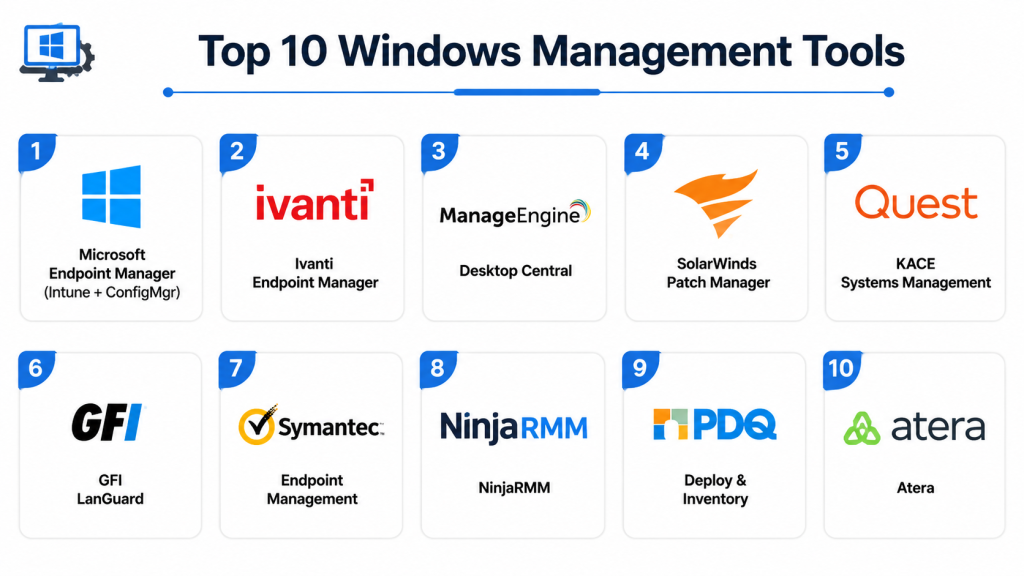
Top 10 Windows Management Tools
#1 — Microsoft Endpoint Manager (Intune)
Short description: Microsoft Endpoint Manager provides unified endpoint management for Windows devices, integrating configuration, security, and software deployment into a single platform.
Key Features
- Device and application management
- Patch and update automation
- Security and compliance policies
- Remote troubleshooting and support
- Integration with Microsoft 365 and Azure
- Reporting and analytics dashboards
- Role-based access control
Pros
- Seamless integration with Microsoft ecosystem
- Enterprise-grade scalability
- Strong security and compliance features
- Centralized endpoint management
Cons
- Complex licensing for small teams
- Requires Microsoft ecosystem adoption
- Initial setup can be complex
- Limited visibility for non-Microsoft apps
Platforms / Deployment
Windows / macOS / iOS / Android
Cloud / Hybrid
Security & Compliance
- SSO, MFA, encryption, RBAC
- SOC 2, ISO 27001, GDPR
Integrations & Ecosystem
- Microsoft 365, Azure AD, Intune API
- ITSM platforms, collaboration tools
Support & Community
Documentation, training, enterprise support, community forums.
#2 — ManageEngine Desktop Central
Short description: Desktop Central automates Windows endpoint management, including patching, software deployment, configuration, and security enforcement.
Key Features
- Automated patch management
- Remote desktop control
- Software distribution and installation
- Endpoint security management
- Asset and inventory management
- Configuration policy enforcement
- Reporting and analytics
Pros
- Comprehensive Windows management
- Scalable for SMB and enterprise
- Integration with ITSM platforms
- Detailed reporting dashboards
Cons
- Limited AI-driven insights
- Complex configuration for large networks
- Reporting may require customization
- On-premise deployment setup can be complex
Platforms / Deployment
Windows / macOS / Linux / iOS / Android
Cloud / On-premise / Hybrid
Security & Compliance
- SSO, encryption, RBAC
- GDPR, SOC 2 (as publicly stated)
Integrations & Ecosystem
- ITSM tools, monitoring platforms
- API access, email notifications
Support & Community
Documentation, online training, enterprise support.
#3 — Ivanti Endpoint Manager
Short description: Ivanti Endpoint Manager provides centralized management for Windows devices, including patching, software deployment, and security policy enforcement.
Key Features
- Patch management automation
- Software distribution and updates
- Endpoint configuration management
- Security policy enforcement
- Inventory and asset tracking
- Reporting dashboards
- Remote troubleshooting
Pros
- Strong automation for enterprise endpoints
- Scalable and robust platform
- Integration with ITSM and monitoring
- Advanced reporting features
Cons
- Higher cost for SMBs
- Learning curve for administrators
- Complex deployment for large environments
- Limited cloud-native features
Platforms / Deployment
Windows / macOS / Linux
Cloud / On-premise / Hybrid
Security & Compliance
- SSO, encryption, RBAC
- SOC 2
Integrations & Ecosystem
- ITSM, CMDB, monitoring tools
- API integrations, email notifications
Support & Community
Documentation, enterprise onboarding, support.
#4 — SolarWinds Patch Manager
Short description: Patch Manager provides automated patching and update management for Windows servers and desktops, reducing security risks and ensuring compliance.
Key Features
- Automated patch deployment
- Compliance and audit reporting
- Integration with SCCM and WSUS
- Vulnerability assessment
- Endpoint inventory tracking
- Scheduled updates and alerts
- Reporting dashboards
Pros
- Strong Windows patching automation
- Compliance-focused reporting
- Integration with Microsoft tools
- Reduces security vulnerabilities
Cons
- Focused mainly on patching
- Limited endpoint management outside patching
- Enterprise pricing
- Learning curve for advanced configurations
Platforms / Deployment
Windows
On-premise / Hybrid
Security & Compliance
- SSO, encryption, RBAC
- SOC 2 (as publicly stated)
Integrations & Ecosystem
- SCCM, WSUS, ITSM tools
- API access
Support & Community
Documentation, technical support, training.
#5 — Kaseya VSA
Short description: Kaseya VSA automates endpoint management, patching, and monitoring for Windows devices, supporting enterprise IT teams and MSPs.
Key Features
- Automated patch management
- Remote monitoring and control
- Software deployment
- Endpoint security policies
- Inventory management
- Reporting dashboards
- Integration with ITSM platforms
Pros
- Enterprise and MSP-friendly
- Scalable automation
- Centralized management
- Strong endpoint security enforcement
Cons
- Complex initial setup
- Learning curve for advanced automation
- Costly for SMBs
- Cloud deployment features limited
Platforms / Deployment
Windows / macOS / Linux / iOS / Android
Cloud / On-premise / Hybrid
Security & Compliance
- SSO, MFA, encryption
- SOC 2
Integrations & Ecosystem
- ITSM, monitoring, ticketing
- API access, email alerts
Support & Community
Documentation, enterprise support, onboarding.
#6 — PDQ Deploy & Inventory
Short description: PDQ Deploy & Inventory provides Windows software deployment, patch management, and hardware/software inventory for IT administrators.
Key Features
- Automated software deployment
- Patch management and updates
- Hardware and software inventory
- Remote command execution
- Reporting dashboards
- Scheduling and alerts
- Integration with Active Directory
Pros
- Simple and effective for Windows environments
- Affordable for SMBs
- Easy deployment
- Quick software and patch management
Cons
- Limited cloud features
- Basic analytics
- Not designed for multi-platform environments
- Less suitable for very large enterprises
Platforms / Deployment
Windows
On-premise
Security & Compliance
- SSO, encryption
- Not publicly stated
Integrations & Ecosystem
- Active Directory
- ITSM tools via scripts
Support & Community
Documentation, community forums, support tickets.
#7 — ManageEngine Patch Manager Plus
Short description: Patch Manager Plus automates Windows patching, vulnerability scanning, and compliance reporting for enterprises and SMBs.
Key Features
- Automated patch deployment
- Vulnerability management
- Compliance reporting
- Endpoint inventory tracking
- Integration with ITSM and monitoring
- Scheduling and alerts
- Analytics dashboards
Pros
- Effective patching solution
- Scalable for mid-market and enterprise
- Integration with ITSM
- Compliance reporting
Cons
- Limited non-patching features
- Advanced analytics require configuration
- Cloud deployment requires subscription
- Learning curve for large environments
Platforms / Deployment
Windows / macOS / Linux
Cloud / On-premise / Hybrid
Security & Compliance
- SSO, encryption, RBAC
- SOC 2, GDPR
Integrations & Ecosystem
- ITSM, monitoring, CMDB
- API access
Support & Community
Documentation, enterprise support, training.
#8 — Ivanti Patch for Windows
Short description: Ivanti Patch automates Windows updates, patch deployment, and vulnerability remediation for enterprise IT environments.
Key Features
- Patch scanning and deployment
- Vulnerability remediation
- Reporting and compliance dashboards
- Scheduling and alerts
- Integration with ITSM
- Inventory tracking
- Role-based access control
Pros
- Strong patch automation
- Enterprise scalability
- Compliance-focused
- Integrates with Ivanti ITSM
Cons
- Limited endpoint management outside patching
- Enterprise pricing
- Complex configuration
- AI features limited
Platforms / Deployment
Windows
Cloud / On-premise
Security & Compliance
- SSO, encryption, RBAC
- SOC 2
Integrations & Ecosystem
- Ivanti ITSM, monitoring tools
- API access
Support & Community
Documentation, support, training.
#9 — GFI LanGuard
Short description: GFI LanGuard provides Windows patch management, vulnerability scanning, and network auditing for SMBs and enterprises.
Key Features
- Patch deployment automation
- Vulnerability assessment
- Network auditing and scanning
- Reporting dashboards
- Integration with Active Directory
- Scheduling and alerts
- Compliance reporting
Pros
- Affordable SMB-friendly solution
- Strong patch and security features
- Easy setup
- Compliance-focused
Cons
- Limited advanced automation
- Cloud features minimal
- Reporting less customizable
- Enterprise scalability limited
Platforms / Deployment
Windows
On-premise
Security & Compliance
- Encryption, RBAC
- GDPR (as publicly stated)
Integrations & Ecosystem
- Active Directory
- ITSM via scripts
Support & Community
Documentation, email support, community forums.
#10 — Ivanti Endpoint Manager (Patch Management)
Short description: Ivanti Endpoint Manager provides comprehensive Windows endpoint management, including patch deployment, configuration, and compliance monitoring.
Key Features
- Automated patch management
- Configuration management
- Endpoint inventory tracking
- Compliance reporting
- Alerts and notifications
- Scheduling and automation
- Integration with ITSM
Pros
- Enterprise-grade endpoint control
- Scalable for large organizations
- Patch and compliance automation
- Centralized management
Cons
- Higher pricing for SMBs
- Complex deployment
- Learning curve for administrators
- Cloud deployment features limited
Platforms / Deployment
Windows / macOS / Linux
Cloud / On-premise / Hybrid
Security & Compliance
- SSO, encryption, RBAC
- SOC 2
Integrations & Ecosystem
- ITSM, CMDB, monitoring tools
- API and automation integrations
Support & Community
Documentation, onboarding, enterprise support.
Comparison Table
| Tool Name | Best For | Platform Supported | Deployment | Standout Feature | Public Rating |
|---|---|---|---|---|---|
| Microsoft Endpoint Manager | Enterprise | Windows / macOS / iOS | Cloud / Hybrid | Unified endpoint management | N/A |
| ManageEngine Desktop Central | SMB / Enterprise | Windows / macOS / Linux | Cloud / On-premise | Patch & configuration automation | N/A |
| Ivanti Endpoint Manager | Enterprise | Windows / macOS / Linux | Cloud / On-premise | Comprehensive endpoint management | N/A |
| SolarWinds Patch Manager | Enterprise | Windows | On-premise / Hybrid | Automated patch deployment | N/A |
| Kaseya VSA | Enterprise / MSP | Windows / macOS / Linux | Cloud / On-premise | Patch automation & monitoring | N/A |
| PDQ Deploy & Inventory | SMB | Windows | On-premise | Software deployment & inventory | N/A |
| ManageEngine Patch Manager Plus | SMB / Enterprise | Windows / macOS / Linux | Cloud / On-premise | Vulnerability & patch management | N/A |
| Ivanti Patch for Windows | Enterprise | Windows | Cloud / On-premise | Patch deployment & compliance | N/A |
| GFI LanGuard | SMB / Mid-market | Windows | On-premise | Patch & vulnerability scanning | N/A |
| Ivanti Endpoint Manager | Enterprise | Windows / macOS / Linux | Cloud / On-premise | Centralized endpoint management | N/A |
Evaluation & Scoring
| Tool Name | Core 25% | Ease 15% | Integrations 15% | Security 10% | Performance 10% | Support 10% | Value 15% | Weighted Total |
|---|---|---|---|---|---|---|---|---|
| Microsoft Endpoint Manager | 9 | 8 | 9 | 9 | 8.5 | 8 | 7.5 | 8.4 |
| ManageEngine Desktop Central | 8.5 | 8 | 8.5 | 8 | 8 | 7.5 | 7.5 | 8.0 |
| Ivanti Endpoint Manager | 8.5 | 7.5 | 8 | 8 | 7.5 | 7.5 | 7.5 | 7.9 |
| SolarWinds Patch Manager | 8 | 7.5 | 7.5 | 7.5 | 7.5 | 7 | 7.5 | 7.6 |
| Kaseya VSA | 8 | 7.5 | 7.5 | 7.5 | 7.5 | 7 | 7.5 | 7.6 |
| PDQ Deploy & Inventory | 7.5 | 8 | 7 | 7 | 7 | 7 | 7.5 | 7.4 |
| ManageEngine Patch Manager Plus | 8 | 7.5 | 7.5 | 7.5 | 7.5 | 7 | 7.5 | 7.6 |
| Ivanti Patch for Windows | 8 | 7.5 | 7.5 | 7.5 | 7.5 | 7 | 7.5 | 7.6 |
| GFI LanGuard | 7.5 | 7.5 | 7 | 7 | 7 | 7 | 7.5 | 7.3 |
| Ivanti Endpoint Manager | 8.5 | 7.5 | 8 | 8 | 7.5 | 7.5 | 7.5 | 7.9 |
Which Windows Management Tool Is Right for You?
Solo / Freelancer
PDQ Deploy & Inventory or GFI LanGuard provide affordable and lightweight endpoint management for small IT teams.
SMB
ManageEngine Desktop Central, Patch Manager Plus, or Kaseya VSA offer patch automation, monitoring, and endpoint management for mid-market organizations.
Mid-Market
Ivanti Patch for Windows or Ivanti Endpoint Manager provide advanced automation, reporting, and compliance for larger teams.
Enterprise
Microsoft Endpoint Manager, SolarWinds Patch Manager, and Ivanti Endpoint Manager deliver enterprise-grade scalability, centralized management, and integration with ITSM platforms.
Budget vs Premium
Smaller teams benefit from PDQ Deploy, GFI LanGuard, or Patch Manager Plus. Enterprise environments need Microsoft Endpoint Manager or Ivanti Endpoint Manager for full capabilities.
Feature Depth vs Ease of Use
Enterprise tools provide comprehensive automation and reporting but require technical expertise. SMB tools are easier to deploy but less feature-rich.
Integrations & Scalability
Enterprises need deep ITSM, monitoring, and compliance integrations, while SMBs may prioritize ease-of-use and cloud deployment.
Security & Compliance Needs
Ensure SSO, MFA, encryption, RBAC, and SOC 2 or GDPR compliance, particularly for enterprises with sensitive data.
Frequently Asked Questions
1. What is a Windows Management Tool?
It is a platform that allows centralized monitoring, patching, software deployment, and configuration management for Windows devices.
2. Can small IT teams benefit?
Yes, lightweight tools like PDQ Deploy or GFI LanGuard provide efficient management without complex infrastructure.
3. Do these tools automate patch management?
Most tools automate scanning, patch deployment, and updates to ensure systems remain secure and compliant.
4. Can these tools manage servers and desktops?
Yes, they provide centralized control over both Windows desktops and server endpoints.
5. Are AI capabilities included?
Enterprise solutions like Microsoft Endpoint Manager and Ivanti may include AI-assisted automation and analytics.
6. Do these tools integrate with ITSM platforms?
Yes, integrations with ServiceNow, Jira, and other ITSM platforms are standard for enterprise management.
7. Can they track software inventory?
Yes, these tools maintain hardware and software inventories, license tracking, and compliance reporting.
8. Are cloud deployments supported?
Many tools support cloud or hybrid deployment for centralized management across distributed environments.
9. How do these tools improve security?
They enforce security policies, apply patches timely, track compliance, and enable auditing across Windows endpoints.
10. Are these platforms scalable?
Yes, enterprise-grade tools like Microsoft Endpoint Manager and Ivanti Endpoint Manager can scale to thousands of devices.
Conclusion
Windows Management Tools are essential for IT teams to maintain security, compliance, and productivity across enterprise environments. Small teams can adopt PDQ Deploy or GFI LanGuard for cost-effective endpoint management, while mid-market organizations benefit from ManageEngine Desktop Central or Kaseya VSA. Large enterprises require Microsoft Endpoint Manager, Ivanti Endpoint Manager, or SolarWinds Patch Manager for centralized control, automation, and integration with ITSM platforms. The right solution depends on organization size, endpoint complexity, integration needs, and desired automation. Organizations should shortlist 2–3 tools, run a pilot to test patching, deployment, and reporting capabilities, then scale adoption based on performance improvements and security compliance.

This article provides a very clear and organized comparison of Windows management tools with practical insights for different use cases. The feature breakdown and pros and cons made the information easy to understand.
One important consideration that is often missing from Windows management tool comparisons is application lifecycle complexity. Managing the operating system is relatively straightforward compared to maintaining hundreds of business-critical applications with different update cadences, licensing models, installation methods, and dependency requirements. In large enterprises, application packaging, testing, phased rollouts, rollback validation, and compatibility verification frequently consume more operational effort than OS patching itself. A valuable comparison criterion would be how well each platform integrates with CI/CD pipelines, supports automated application testing, handles deployment rings, and provides telemetry to measure user impact after changes. As organizations adopt continuous delivery practices, endpoint management platforms are increasingly becoming software delivery platforms rather than just device administration tools.
Enterprise Windows environments often accumulate years of legacy applications, custom policies, and departmental exceptions that complicate management efforts. Selecting a tool based on features alone may not reveal how well it handles gradual modernization initiatives. Examining migration strategies, policy rationalization, and the operational challenges of managing mixed legacy and modern environments would provide valuable context for organizations planning long-term endpoint transformation.
Windows management platforms are increasingly expected to support Zero Trust initiatives, yet endpoint trust is rarely static. Device posture can change within minutes due to configuration drift, missing patches, or unauthorized software installations. A deeper discussion on continuous compliance validation, automated policy remediation, and integration with identity and access management systems would give readers a more practical view of how these tools strengthen security in dynamic enterprise environments.