Introduction
Facilities space planning tools are software solutions that help organizations design, optimize, and manage the allocation of office, industrial, or institutional spaces. These platforms enable facility managers, workplace strategists, and real estate teams to visualize layouts, manage occupancy, and plan moves or renovations efficiently. With changing workforce dynamics and hybrid work models, space planning tools are critical for maximizing space utilization, enhancing collaboration, and reducing operational costs.
Real-world use cases include creating office floor plans, allocating workstations, planning relocations or renovations, tracking occupancy and capacity, coordinating meeting and amenity spaces, and visualizing emergency evacuation plans. These tools also integrate with workplace analytics, CAFM (Computer-Aided Facility Management), and BIM systems to provide actionable insights.
Evaluation criteria for buyers typically include:
- Space visualization and layout design capabilities
- Move, add, change (MAC) management
- Occupancy tracking and reporting
- Integration with CAD, BIM, and CAFM systems
- Collaboration and annotation tools
- Support for hybrid work strategies and hoteling
- Scenario planning and simulation features
- Mobile access for facility teams
- Security and data privacy
- Pricing, scalability, and deployment options
Best for: Facility managers, workplace planners, corporate real estate teams, and organizations implementing hybrid work or multi-location office strategies.
Not ideal for: Organizations with minimal facility management needs or small office footprints where manual planning suffices.
Key Trends in Facilities Space Planning Tools
- Cloud-based platforms with real-time collaboration
- 3D visualization and interactive floor plans
- Integration with CAFM, BIM, and IoT sensors for occupancy tracking
- Hybrid work and hoteling support for dynamic seating
- Move, add, change (MAC) management automation
- Analytics dashboards for space utilization and capacity planning
- Mobile access for facility teams and project managers
- Scenario planning and simulation for office redesign
- Subscription-based pricing models with scalable tiers
- Enhanced security and data privacy controls
How We Selected These Tools (Methodology)
- Market adoption and reputation in corporate real estate and facilities management
- Feature completeness: space planning, occupancy tracking, and MAC management
- Reliability and performance in large and multi-location deployments
- Security and compliance capabilities
- Integration with CAD, BIM, and CAFM platforms
- Fit for SMBs, mid-market, and enterprise organizations
- Mobile functionality and offline support
- Workflow automation and scenario simulation features
- Support, documentation, and community resources
- Pricing flexibility and scalability for organizations of all sizes
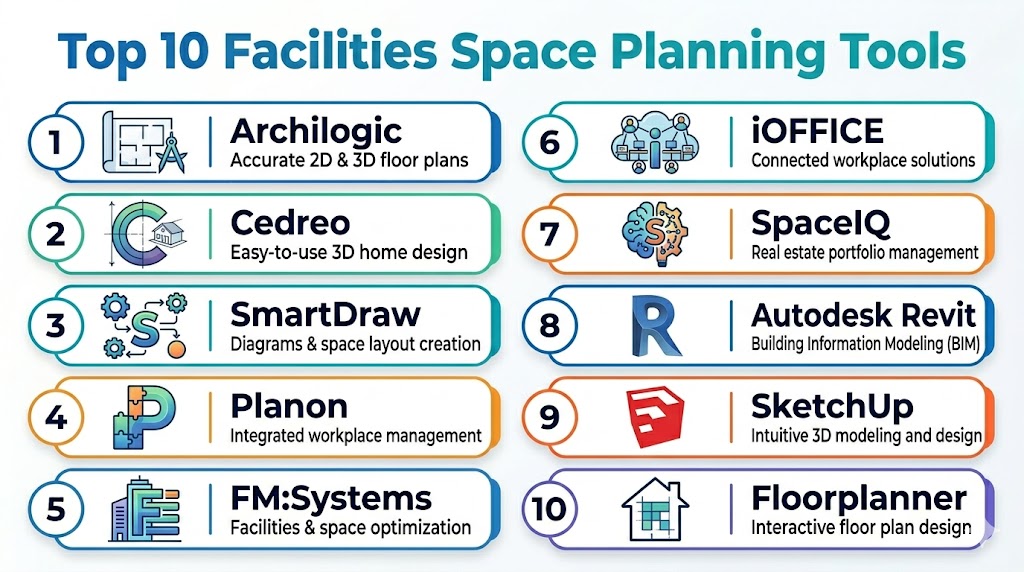
Top 10 Facilities Space Planning Tools
#1 — Archibus Space Planning
Short description: Archibus provides enterprise-grade space planning and management tools, helping organizations optimize office layouts, track occupancy, and manage moves.
Key Features
- 2D and 3D space visualization
- Occupancy and utilization tracking
- Move, add, change (MAC) workflow management
- Integration with CAFM and BIM systems
- Analytics dashboards
Pros
- Enterprise scalability
- Robust visualization and analytics
- Strong integration capabilities
Cons
- Premium pricing for SMBs
- Steep learning curve
- Implementation can be complex
Platforms / Deployment
- Web / Windows / iOS / Android
- Cloud / Hybrid
Security & Compliance
- SOC 2, ISO 27001
- Role-based access, encryption
Integrations & Ecosystem
- CAFM, BIM, ERP, and workplace analytics systems
- CAD and IoT occupancy sensors
Support & Community
- Enterprise support, knowledge base, and training resources
#2 — FM:Systems
Short description: FM:Systems offers space planning and workplace management tools that help facility teams track occupancy, manage moves, and optimize layouts.
Key Features
- Space allocation and planning
- Occupancy and utilization dashboards
- Move management workflows
- 3D floor plan visualization
- Integration with CAFM and BIM
Pros
- Mobile-friendly
- Flexible for mid-market and enterprise
- Strong reporting and analytics
Cons
- Complex for small teams
- Premium features can be expensive
- Customization may require services
Platforms / Deployment
- Web / iOS / Android
- Cloud / Hybrid
Security & Compliance
- SOC 2
- Data encryption and role-based access
Integrations & Ecosystem
- CAFM, BIM, CAD tools
- Workplace analytics platforms
Support & Community
- Email, phone support, and training resources
#3 — Trimble Manhattan
Short description: Trimble Manhattan is a real estate and facilities management platform offering space planning, occupancy tracking, and move management capabilities.
Key Features
- Interactive 2D/3D floor plans
- Move, add, change (MAC) management
- Occupancy analytics
- Integration with BIM and CAFM
- Mobile access
Pros
- Enterprise-scale deployment
- Real-time occupancy insights
- Strong visualization tools
Cons
- High cost for smaller organizations
- Learning curve for new users
- Advanced analytics require add-ons
Platforms / Deployment
- Web / iOS / Android
- Cloud / Hybrid
Security & Compliance
- SOC 2, ISO 27001
- Encryption and role-based access
Integrations & Ecosystem
- BIM, CAFM, CAD
- IoT occupancy sensors
Support & Community
- Enterprise support and documentation
#4 — iOFFICE
Short description: iOFFICE provides integrated space planning, workplace management, and service request tools for corporate real estate teams.
Key Features
- Space and occupancy management
- Move and change management
- Floor plan visualization
- Mobile access
- Reporting dashboards
Pros
- Mobile-first design
- Integration with workplace service requests
- Flexible deployment
Cons
- Some advanced features require add-ons
- Enterprise pricing may be high
- Smaller portfolio features limited
Platforms / Deployment
- Web / iOS / Android
- Cloud
Security & Compliance
- SOC 2, GDPR
- Encryption and access control
Integrations & Ecosystem
- CAFM, BIM, HR systems
- IoT sensors
Support & Community
- Email, chat, and knowledge base
#5 — Planon Universe
Short description: Planon Universe offers facilities and space management tools with advanced analytics and planning features for multi-location organizations.
Key Features
- Space allocation and planning
- Occupancy dashboards
- MAC management
- Mobile access for managers
- Integration with CAFM and IoT
Pros
- Enterprise scalability
- Analytics-rich platform
- Flexible visualization options
Cons
- Higher pricing tiers
- Implementation can be complex
- Some features may need professional services
Platforms / Deployment
- Web / iOS / Android
- Cloud / Hybrid
Security & Compliance
- SOC 2, ISO 27001
- Encryption and role-based access
Integrations & Ecosystem
- CAFM, BIM, ERP
- IoT devices and analytics platforms
Support & Community
- Enterprise support, tutorials, and training
#6 — ArchiFM
Short description: ArchiFM provides space planning, move management, and occupancy analytics for corporate real estate and facilities teams.
Key Features
- Interactive floor plans
- Move and change management
- Occupancy and utilization dashboards
- Workflow automation
- Mobile access
Pros
- Strong visualization and reporting
- Flexible for mid-market portfolios
- Mobile-friendly
Cons
- Smaller integration ecosystem
- Learning curve for advanced analytics
- Premium features require add-ons
Platforms / Deployment
- Web / iOS / Android
- Cloud / Hybrid
Security & Compliance
- Encryption and access controls
- Role-based access
Integrations & Ecosystem
- CAFM and BIM platforms
- ERP and HR systems
Support & Community
- Tutorials, email support
#7 — SpaceIQ
Short description: SpaceIQ is a workplace and facilities management platform with tools for space planning, move management, and occupancy tracking.
Key Features
- Floor plan design and visualization
- Move, add, change workflows
- Occupancy and utilization analytics
- Mobile access
- Integration with workplace systems
Pros
- User-friendly interface
- Strong occupancy analytics
- Mobile and web access
Cons
- Smaller portfolio features may be limited
- Advanced integrations require configuration
- Premium modules increase cost
Platforms / Deployment
- Web / iOS / Android
- Cloud
Security & Compliance
- SOC 2
- Encryption and access control
Integrations & Ecosystem
- CAFM, BIM, HR systems
- IoT and analytics
Support & Community
- Email, chat, and documentation
#8 — OfficeSpace Software
Short description: OfficeSpace Software offers space management and workplace experience tools for corporate real estate teams, combining floor planning and occupancy insights.
Key Features
- Space allocation and layout planning
- Move and change management
- Occupancy analytics
- Floor plan visualization
- Mobile access
Pros
- Easy to adopt
- Integrates with workplace service requests
- Real-time occupancy insights
Cons
- Enterprise-scale features limited
- Premium pricing for full suite
- Some integrations require setup
Platforms / Deployment
- Web / iOS / Android
- Cloud
Security & Compliance
- SOC 2
- Encryption and role-based access
Integrations & Ecosystem
- CAFM, BIM, HR platforms
- IoT sensors
Support & Community
- Email and chat support, tutorials
#9 — iSpacePlanner
Short description: iSpacePlanner provides intuitive tools for space layout, seating arrangements, and occupancy management for corporate offices.
Key Features
- Floor plan design and editing
- Occupancy tracking and analytics
- Move management
- Mobile access
- Collaboration and annotations
Pros
- Easy-to-use floor plan editor
- Visualization for collaborative planning
- Mobile-friendly
Cons
- Limited enterprise reporting
- Integrations may require custom work
- Smaller ecosystem
Platforms / Deployment
- Web / iOS / Android
- Cloud
Security & Compliance
- Encryption and access controls
Integrations & Ecosystem
- CAD, CAFM, HR systems
Support & Community
- Tutorials, email support
#10 — Trimble Workspace
Short description: Trimble Workspace offers comprehensive facilities and space planning solutions for corporate real estate, combining visualization, occupancy analytics, and MAC management.
Key Features
- Interactive 2D/3D floor plans
- Move, add, change workflows
- Occupancy and utilization dashboards
- Mobile access
- Integration with CAFM and BIM
Pros
- Enterprise-grade visualization and reporting
- Real-time occupancy insights
- Scalable for large portfolios
Cons
- High pricing for SMBs
- Learning curve for advanced features
- Requires professional services for setup
Platforms / Deployment
- Web / iOS / Android
- Cloud / Hybrid
Security & Compliance
- SOC 2, ISO 27001
- Encryption and role-based access
Integrations & Ecosystem
- CAFM, BIM, ERP
- IoT occupancy sensors
Support & Community
- Enterprise support, tutorials, knowledge base
Comparison Table (Top 10)
| Tool Name | Best For | Platform(s) Supported | Deployment | Standout Feature | Public Rating |
|---|---|---|---|---|---|
| Archibus | Enterprise portfolios | Web / iOS / Android | Cloud / Hybrid | 2D/3D visualization | N/A |
| FM:Systems | Mid-market & enterprise | Web / iOS / Android | Cloud / Hybrid | Occupancy dashboards | N/A |
| Trimble Manhattan | Enterprise & large portfolios | Web / iOS / Android | Cloud / Hybrid | Move management & analytics | N/A |
| iOFFICE | Corporate real estate | Web / iOS / Android | Cloud | Floor plan & service integration | N/A |
| Planon Universe | Multi-location portfolios | Web / iOS / Android | Cloud / Hybrid | Analytics & scenario planning | N/A |
| ArchiFM | Mid-market | Web / iOS / Android | Cloud / Hybrid | Interactive floor plans | N/A |
| SpaceIQ | Corporate offices | Web / iOS / Android | Cloud | Occupancy and utilization analytics | N/A |
| OfficeSpace Software | Corporate real estate | Web / iOS / Android | Cloud | Real-time occupancy insights | N/A |
| iSpacePlanner | Office space planning | Web / iOS / Android | Cloud | Layout visualization | N/A |
| Trimble Workspace | Large enterprise portfolios | Web / iOS / Android | Cloud / Hybrid | 3D floor plans & occupancy | N/A |
Evaluation & Scoring of Facilities Space Planning Tools
| Tool Name | Core (25%) | Ease (15%) | Integrations (15%) | Security (10%) | Performance (10%) | Support (10%) | Value (15%) | Weighted Total (0–10) |
|---|---|---|---|---|---|---|---|---|
| Archibus | 9 | 7 | 8 | 9 | 8 | 8 | 7 | 8.1 |
| FM:Systems | 8 | 8 | 8 | 8 | 8 | 8 | 7 | 7.9 |
| Trimble Manhattan | 9 | 7 | 8 | 9 | 8 | 8 | 7 | 8.1 |
| iOFFICE | 8 | 8 | 7 | 8 | 8 | 7 | 7 | 7.7 |
| Planon Universe | 9 | 7 | 8 | 9 | 8 | 8 | 7 | 8.1 |
| ArchiFM | 8 | 8 | 7 | 8 | 8 | 7 | 7 | 7.7 |
| SpaceIQ | 8 | 8 | 7 | 8 | 8 | 7 | 7 | 7.8 |
| OfficeSpace Software | 8 | 8 | 7 | 8 | 8 | 7 | 7 | 7.8 |
| iSpacePlanner | 7 | 8 | 6 | 8 | 7 | 7 | 7 | 7.2 |
| Trimble Workspace | 9 | 7 | 8 | 9 | 8 | 8 | 7 | 8.1 |
Which Facilities Space Planning Tool Is Right for You?
Solo / Small Offices
- iSpacePlanner, OfficeSpace Software for simple layouts and basic occupancy tracking.
SMB
- ArchiFM, SpaceIQ, iOFFICE for multi-floor planning and mobile access.
Mid-Market
- FM:Systems, Planon Universe, ArchiFM for occupancy analytics and scenario planning.
Enterprise
- Archibus, Trimble Manhattan, Trimble Workspace for enterprise-scale space management, 3D visualization, and analytics.
Budget vs Premium
- Budget: iSpacePlanner, OfficeSpace Software
- Premium: Archibus, Trimble Manhattan, Planon Universe
Feature Depth vs Ease of Use
- High feature depth: Archibus, Trimble Manhattan, Planon Universe
- High ease of use: iSpacePlanner, OfficeSpace Software, SpaceIQ
Integrations & Scalability
- Extensive: Archibus, Planon Universe, Trimble Workspace
- Limited: iSpacePlanner, OfficeSpace Software
Security & Compliance Needs
- Enterprise: Archibus, Trimble Manhattan, Planon Universe
- SMB: iSpacePlanner, SpaceIQ, OfficeSpace Software
Frequently Asked Questions (FAQs)
1. What is a facilities space planning tool?
Software to design, visualize, and manage allocation of office or building spaces, including occupancy, moves, and layouts.
2. Can these tools handle hybrid work arrangements?
Yes, most platforms support hoteling, flexible seating, and scenario planning for hybrid work.
3. Do they provide 3D floor plan visualization?
Archibus, Trimble Manhattan, and Trimble Workspace offer interactive 3D floor plans.
4. Are mobile apps available for facility managers?
Yes, iOFFICE, SpaceIQ, and Planon Universe provide iOS and Android apps for on-site planning and tracking.
5. Can these tools integrate with CAFM or BIM systems?
Most enterprise tools, including Archibus, FM:Systems, and Trimble solutions, integrate with CAFM and BIM platforms.
6. Do they track occupancy and space utilization?
Yes, analytics dashboards track occupancy, utilization, and capacity trends.
7. Can I manage move, add, change (MAC) workflows?
Yes, MAC management is standard in Archibus, Planon Universe, and iOFFICE.
8. Are these tools suitable for multi-location organizations?
Enterprise solutions like Archibus, Trimble Manhattan, and Planon Universe scale across multiple buildings or campuses.
9. Which tools are best for small offices?
iSpacePlanner, OfficeSpace Software, and SpaceIQ provide easy-to-use features for small to mid-sized offices.
10. What should I consider when choosing a platform?
Consider visualization, occupancy analytics, workflow automation, integrations, mobile access, security, and pricing relative to your portfolio size.
Conclusion
Facilities space planning tools streamline workplace layout, occupancy management, and move workflows, enabling organizations to optimize space usage, support hybrid work, and enhance operational efficiency. Small offices can start with iSpacePlanner, OfficeSpace Software, or SpaceIQ for affordable, easy-to-use solutions. Mid-market teams benefit from FM:Systems, Planon Universe, or iOFFICE for occupancy analytics and scenario planning. Enterprises should consider Archibus, Trimble Manhattan, or Trimble Workspace for large-scale, 3D-enabled space planning with comprehensive analytics. Start by shortlisting 2–3 solutions aligned with your portfolio, test mobile and integration capabilities, and scale adoption across locations.

Very informative and well-structured blog on facilities space planning tools. The comparison of features, pros, and cons makes it easy to understand which solution fits different workspace needs.
Excellent overview of facilities space planning tools—this article clearly explains how these platforms help optimize workspace utilization, planning, and facility management efficiency.
This article provides a thoughtful comparison of facilities and space planning tools. The clear feature breakdown and practical insights make it easier to assess which solution best fits different workspace requirements.