Introduction
Data Collection Mobile Apps are tools designed to capture, manage, and analyze information directly from mobile devices, making fieldwork more efficient and accurate. These apps allow organizations to gather survey responses, inspection data, field measurements, or research information in real time, reducing errors from manual entry and improving overall workflow. In modern workflows, they are essential for businesses, researchers, NGOs, and government teams that operate in distributed environments or remote locations.
Real-world use cases include:
- Market research teams capturing consumer feedback on-site.
- NGOs collecting community health or education data in rural areas.
- Environmental agencies monitoring wildlife or pollution metrics.
- Sales and operations teams tracking inventory, field audits, or inspections.
- Universities and researchers conducting field surveys or observational studies.
Evaluation criteria for buyers:
- Offline functionality for remote data collection.
- Customizable forms and survey templates.
- Real-time data synchronization and cloud backup.
- Integration with analytics and CRM platforms.
- Security and access controls for sensitive data.
- Multi-device and multi-user support.
- GPS and media capture capabilities.
- Ease of use and minimal training requirements.
- Reporting and visualization options.
- Cost-effectiveness and scalability for large teams.
Best for: Field researchers, NGOs, enterprises, and government teams that need to capture data efficiently across multiple locations.
Not ideal for: Organizations that primarily rely on desktop or stationary data entry, or those with low-frequency data collection needs where a mobile app adds little value.
Key Trends in Data Collection Mobile Apps
- Offline-first apps with automatic cloud synchronization when connected.
- GPS tagging, QR/barcode scanning, and multimedia capture capabilities.
- AI-assisted data validation and error detection during input.
- Integration with business intelligence and analytics platforms.
- Customizable forms with drag-and-drop design and conditional logic.
- Increased focus on security, encryption, and regulatory compliance.
- Low-code and no-code app builders for rapid deployment.
- Workflow automation for approvals, alerts, and notifications.
- Subscription and usage-based pricing models for scalability.
- Cross-platform support for iOS, Android, and web-based dashboards.
How We Selected These Tools (Methodology)
- Evaluated market adoption and user reviews across industries.
- Reviewed feature completeness for offline collection, media capture, and GPS tracking.
- Analyzed reliability, synchronization speed, and performance.
- Assessed security posture, including encryption, access control, and audit logs.
- Checked integration capabilities with analytics, CRM, and cloud platforms.
- Assessed usability and learning curve for field teams.
- Considered scalability for multi-user, multi-location deployments.
- Evaluated pricing, subscription flexibility, and value for money.
- Prioritized platforms with strong customer support and documentation.
- Compared innovation features such as AI validation and workflow automation.
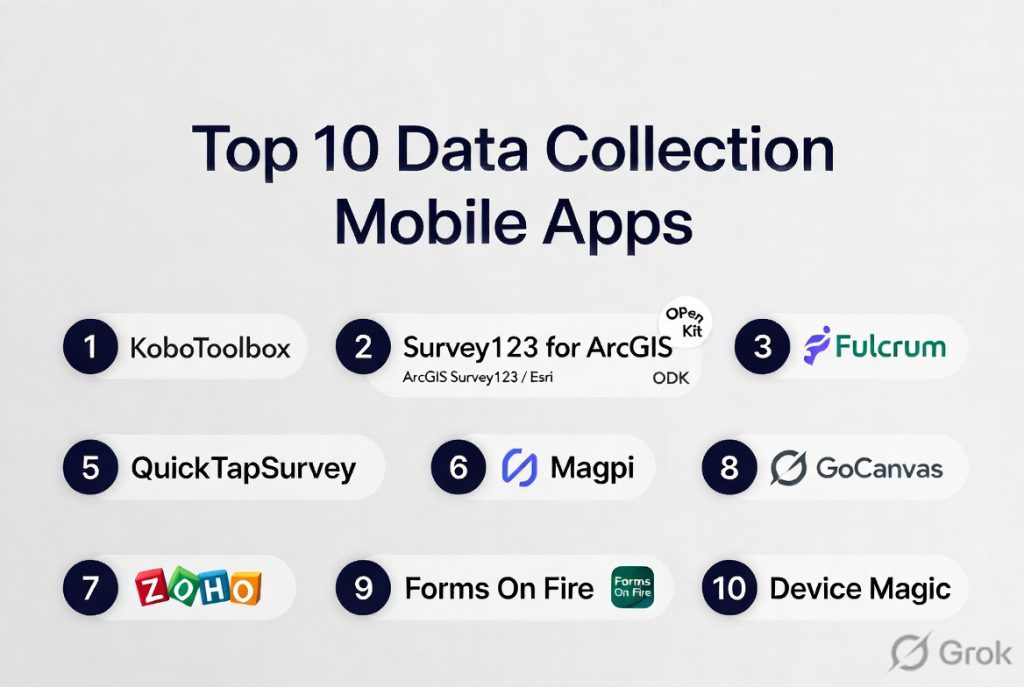
Top 10 Data Collection Mobile Apps
#1 — KoBoToolbox
Short description: KoBoToolbox is a free, open-source mobile data collection app widely used by NGOs and researchers for field surveys and humanitarian projects.
Key Features
- Offline data collection with automatic syncing
- Multimedia capture (photos, audio, video)
- GPS and location tagging
- Form builder with logic and validation
- Data export to Excel, CSV, and SPSS
Pros
- Free and open-source
- Offline capabilities ideal for remote areas
- Flexible form design for complex surveys
Cons
- Limited integrations with enterprise systems
- UI may feel dated
- Advanced analytics require export to third-party tools
Platforms / Deployment
- Web, iOS, Android
- Cloud
Security & Compliance
- Encryption and role-based access
- GDPR compliance
Integrations & Ecosystem
Supports CSV/Excel export and API access for external analytics.
- Integration with data visualization tools
- Data export for statistical analysis
- Third-party API connections
Support & Community
- Online documentation, tutorials, and active user forum
- Community-driven support
#2 — Survey123 for ArcGIS
Short description: Developed by Esri, Survey123 allows spatially-aware survey data collection, integrating seamlessly with GIS analytics.
Key Features
- Form-based data collection with geospatial mapping
- Offline data capture
- Integration with ArcGIS platform for visualization
- Multimedia support
- Automated data synchronization
Pros
- Excellent for GIS and mapping applications
- Offline-ready for field teams
- Strong visualization and analytics capabilities
Cons
- Subscription required for full ArcGIS integration
- Learning curve for non-GIS users
- Limited third-party integration outside Esri ecosystem
Platforms / Deployment
- Web, iOS, Android
- Cloud
Security & Compliance
- Encryption and SSO
- Not publicly stated
Integrations & Ecosystem
- ArcGIS platform, Excel exports, API access
- GIS dashboards
- Real-time map updates
- Data-driven workflows
Support & Community
- Esri support and extensive online documentation
- GIS-focused community forums
#3 — SurveyMonkey
Short description: Popular for business and marketing research, SurveyMonkey allows survey creation and mobile data capture for various industries.
Key Features
- Drag-and-drop survey builder
- Real-time responses on mobile
- Offline survey capabilities
- Analytics and reporting dashboards
- Integration with CRM and marketing platforms
Pros
- Easy to use and deploy
- Real-time survey analytics
- Strong customer support
Cons
- Limited offline features compared to field apps
- Premium subscription required for advanced features
- Custom logic limited in mobile forms
Platforms / Deployment
- Web, iOS, Android
- Cloud
Security & Compliance
- SSO, encryption
- GDPR and SOC 2
Integrations & Ecosystem
- Salesforce, HubSpot, MailChimp, Zapier
- API access for automation
- Data export for BI tools
Support & Community
- Online help center, tutorials, live support
- Active user community
#4 — OpenDataKit (ODK)
Short description: Open-source suite for mobile data collection with offline support, widely adopted in research and humanitarian contexts.
Key Features
- Offline form submission
- Multimedia capture
- GPS location tracking
- Form logic and validation
- Data export to CSV, XLS, and JSON
Pros
- Free and open-source
- Flexible for custom data collection
- Strong offline capabilities
Cons
- Less user-friendly for beginners
- Requires server setup for advanced workflows
- Limited analytics in-app
Platforms / Deployment
- Android, Web
- Cloud / Self-hosted
Security & Compliance
- Encryption and user authentication
- GDPR compliance
Integrations & Ecosystem
- Integration with KoboToolbox, XLS, JSON
- Data export to BI tools
- API access for advanced users
Support & Community
- Documentation and active developer community
- Community forums for problem-solving
#5 — Magpi
Short description: Magpi enables mobile and web data collection with real-time data entry, automation, and reporting features for field teams.
Key Features
- Form builder with conditional logic
- Offline data collection
- Real-time data sync
- Multimedia capture and GPS
- Automated reporting and dashboards
Pros
- User-friendly and mobile-optimized
- Supports large-scale field deployments
- Automation reduces manual errors
Cons
- Some advanced analytics require higher-tier plans
- Limited third-party integrations
- Cloud-dependent for syncing
Platforms / Deployment
- Web, iOS, Android
- Cloud
Security & Compliance
- Encryption and role-based access
- Not publicly stated
Integrations & Ecosystem
- CSV export, API access
- Dashboard integrations
- Automated notifications
Support & Community
- Online help center and email support
- Moderate community engagement
#6 — Fulcrum
Short description: Fulcrum provides field data collection for inspections, audits, and surveys with a focus on mobile efficiency and cloud analytics.
Key Features
- Customizable mobile forms
- Offline support and syncing
- GPS and media capture
- Workflow automation
- Real-time dashboards
Pros
- Strong for inspections and field audits
- Offline-ready for remote sites
- Easy integration with cloud analytics
Cons
- Subscription cost may be high for small teams
- Limited free tier
- Some complex workflows require training
Platforms / Deployment
- Web, iOS, Android
- Cloud
Security & Compliance
- Encryption and role-based permissions
- Not publicly stated
Integrations & Ecosystem
- API access, Excel export, Zapier
- Workflow automation
- Cloud dashboards
Support & Community
- Documentation, tutorials, and email support
- Community forums
#7 — Typeform
Short description: Known for intuitive forms, Typeform supports mobile data collection with a focus on surveys, feedback, and research.
Key Features
- Mobile-friendly survey forms
- Conditional logic and branching
- Offline data collection in mobile apps
- Integration with analytics and CRM
- Data export and dashboards
Pros
- Excellent UX and form design
- Easy for respondents
- Analytics-ready for marketing and research
Cons
- Offline capabilities limited compared to field-focused apps
- Some integrations require paid plans
- Not ideal for complex field inspections
Platforms / Deployment
- Web, iOS, Android
- Cloud
Security & Compliance
- Encryption, SSO
- GDPR compliant
Integrations & Ecosystem
- Zapier, Slack, Google Workspace, CRM systems
- Data export for analysis
- API access
Support & Community
- Knowledge base, tutorials, email support
- Active online community
#8 — SurveyCTO
Short description: Secure mobile and web data collection app tailored for research and development projects requiring compliance and offline support.
Key Features
- Offline mobile data collection
- Form validation and logic
- GPS and media capture
- Encrypted data storage
- Cloud-based analytics
Pros
- Strong security and data integrity
- Offline-ready for field research
- Scalable for multiple teams
Cons
- Requires subscription
- Limited free trial features
- Learning curve for advanced analytics
Platforms / Deployment
- Web, iOS, Android
- Cloud
Security & Compliance
- Encryption and secure storage
- GDPR compliance
Integrations & Ecosystem
- CSV export, API access
- Integration with analysis tools
- Workflow automation
Support & Community
- Email support, documentation
- Community forum
#9 — QuickTapSurvey
Short description: Mobile-first data collection platform for surveys, events, and customer feedback with offline capabilities.
Key Features
- Drag-and-drop survey creation
- Offline data capture
- Multimedia support
- Real-time analytics
- Export to Excel and CRM systems
Pros
- Simple and mobile-focused
- Offline functionality for field events
- Real-time dashboards
Cons
- Limited customization for complex forms
- Integrations not as extensive
- Premium plans required for advanced analytics
Platforms / Deployment
- iOS, Android, Web
- Cloud
Security & Compliance
- Encryption and access control
- Not publicly stated
Integrations & Ecosystem
- CRM integration, Excel export, API access
- Automated reporting
- Dashboard visualization
Support & Community
- Documentation, email support
- Moderate community engagement
#10 — FulcrumForms
Short description: Flexible mobile app for data capture in inspections, surveys, and operational workflows with cloud integration.
Key Features
- Custom mobile forms
- Offline capture and syncing
- GPS and multimedia
- Workflow automation
- Reporting dashboards
Pros
- Flexible for various field operations
- Offline support for remote locations
- Cloud integration with analytics
Cons
- Some advanced features require premium plans
- Limited free plan
- Training needed for complex forms
Platforms / Deployment
- iOS, Android, Web
- Cloud
Security & Compliance
- Encryption and role-based access
- Not publicly stated
Integrations & Ecosystem
- API access, Excel export, cloud dashboards
- Workflow notifications
- Data visualization
Support & Community
- Documentation, tutorials, and email support
- Community forums
Comparison Table (Top 10)
| Tool Name | Best For | Platform(s) Supported | Deployment | Standout Feature | Public Rating |
|---|---|---|---|---|---|
| KoBoToolbox | NGOs and field researchers | Web, iOS, Android | Cloud | Open-source, offline-ready | N/A |
| Survey123 | GIS and spatial surveys | Web, iOS, Android | Cloud | GIS mapping integration | N/A |
| SurveyMonkey | Marketing & business research | Web, iOS, Android | Cloud | Easy survey design | N/A |
| OpenDataKit | Research & humanitarian | Android, Web | Cloud / Self-hosted | Offline data collection | N/A |
| Magpi | Field data collection | Web, iOS, Android | Cloud | Real-time sync & reporting | N/A |
| Fulcrum | Inspections & audits | Web, iOS, Android | Cloud | Mobile efficiency | N/A |
| Typeform | Surveys & feedback | Web, iOS, Android | Cloud | Intuitive UX | N/A |
| SurveyCTO | Research & compliance | Web, iOS, Android | Cloud | Secure & offline-ready | N/A |
| QuickTapSurvey | Events & customer feedback | Web, iOS, Android | Cloud | Offline survey capture | N/A |
| FulcrumForms | Operational workflows | Web, iOS, Android | Cloud | Flexible field operations | N/A |
Evaluation & Scoring of Data Collection Mobile Apps
| Tool Name | Core (25%) | Ease (15%) | Integrations (15%) | Security (10%) | Performance (10%) | Support (10%) | Value (15%) | Weighted Total |
|---|---|---|---|---|---|---|---|---|
| KoBoToolbox | 8 | 7 | 6 | 8 | 8 | 7 | 9 | 7.7 |
| Survey123 | 8 | 6 | 7 | 7 | 8 | 6 | 7 | 7.1 |
| SurveyMonkey | 7 | 8 | 8 | 7 | 7 | 7 | 8 | 7.5 |
| OpenDataKit | 8 | 6 | 6 | 8 | 8 | 6 | 8 | 7.3 |
| Magpi | 7 | 8 | 7 | 7 | 7 | 7 | 7 | 7.2 |
| Fulcrum | 8 | 7 | 7 | 7 | 8 | 7 | 7 | 7.4 |
| Typeform | 7 | 9 | 7 | 7 | 7 | 7 | 7 | 7.3 |
| SurveyCTO | 8 | 7 | 7 | 8 | 8 | 7 | 7 | 7.6 |
| QuickTapSurvey | 7 | 8 | 6 | 7 | 7 | 7 | 7 | 7.0 |
| FulcrumForms | 7 | 7 | 7 | 7 | 7 | 6 | 7 | 6.9 |
Interpretation: Weighted totals provide a comparative view of mobile apps for field data collection. Higher scores indicate better alignment with features, usability, integrations, security, and value for different user needs.
Which Data Collection Mobile Apps Tool Is Right for You?
Solo / Freelancer
Typeform or QuickTapSurvey provide simple, mobile-optimized survey creation with minimal setup.
SMB
Magpi and Fulcrum offer mid-tier functionality for small teams collecting data in real-time with offline support.
Mid-Market
SurveyCTO and FulcrumForms are suitable for multi-team deployments with analytics, workflow automation, and compliance features.
Enterprise
KoBoToolbox, Survey123, and OpenDataKit excel for large-scale research, NGOs, and government projects requiring offline functionality, security, and integration with analytics.
Budget vs Premium
Freelancers and small teams can start with Typeform or QuickTapSurvey for cost-effective solutions. Enterprise teams benefit from premium tools like KoBoToolbox or Survey123.
Feature Depth vs Ease of Use
SurveyMonkey and Typeform balance usability with moderate analytics, while KoBoToolbox and SurveyCTO offer deeper customization but require training.
Integrations & Scalability
Fulcrum and Survey123 integrate with CRM, ERP, and GIS systems and can scale for multi-location fieldwork.
Security & Compliance Needs
Organizations handling sensitive research or government data should prefer SurveyCTO, KoBoToolbox, or Survey123 for strong offline security, encryption, and compliance features.
Frequently Asked Questions
1. What pricing models do Data Collection Mobile Apps offer?
Most tools offer subscription plans based on users, features, or survey volume. Open-source tools like KoBoToolbox are free, while premium apps require tiered subscriptions.
2. How easy is it to deploy these apps for field teams?
Cloud-based tools like Magpi and Typeform are easy to deploy. Enterprise tools like Survey123 may require setup and user training for multi-team use.
3. Can data be collected offline?
Yes, almost all field-focused apps, including KoBoToolbox, SurveyCTO, and Fulcrum, allow offline data capture with automatic synchronization when connected.
4. Do these apps support multimedia capture?
Most support photos, videos, audio, and GPS tagging to enrich collected data.
5. How secure is the collected data?
Enterprise apps provide encryption, role-based access, and audit logs. Open-source tools may need configuration for maximum security.
6. Can these apps integrate with other platforms?
Yes, integrations often include CRMs, ERPs, cloud storage, analytics platforms, and API access for custom workflows.
7. Are AI or validation features available?
Advanced tools offer AI-assisted validation, error detection, and automated alerts to improve data quality.
8. Can multiple users collaborate in the field?
Yes, apps support multi-user access, role-based permissions, and version control to ensure coordinated field data collection.
9. How scalable are these apps?
Cloud-based solutions scale from small teams to large enterprises, supporting

Very helpful and well-structured comparison of data collection mobile apps. The features, pros, and cons are explained in a simple way, making it easy to understand and compare different tools.
I found this article very helpful for understanding the different data collection mobile apps available. The comparisons are clear, and the feature overview makes it easy to see what each platform offers.