Introduction
Workflow form automation tools are platforms that streamline data collection and process management by automating the flow of form submissions across systems, teams, and applications. These tools not only capture information but also trigger workflows, approvals, notifications, and integrations, reducing manual intervention and improving operational efficiency. They are crucial for businesses seeking to enhance productivity, maintain compliance, and accelerate decision-making.
Real-world use cases include employee onboarding forms that automatically trigger HR workflows, customer support requests that route to the correct department, lead capture forms integrated with sales pipelines, internal approvals for finance or procurement, and event registration workflows that update CRM and email marketing platforms.
Evaluation criteria for buyers typically include:
- Automation and conditional logic capabilities
- Workflow integration with enterprise systems (CRMs, ERP, email, cloud storage)
- Form customization and dynamic fields
- Approval routing and notification management
- Analytics and reporting for submissions and workflow efficiency
- Security and compliance (GDPR, HIPAA, encryption)
- Multi-channel accessibility (web, mobile, email)
- Pricing and scalability
- Ease of setup and usability
- Support and community resources
Best for: Enterprises, SMBs, and departments needing automated process management linked to forms.
Not ideal for: Organizations with minimal process automation needs or those already embedded in a workflow platform that handles forms internally.
Key Trends in Workflow Form Automation Tools
- AI-driven automation for routing, approvals, and task assignment
- Integration with CRM, ERP, and collaboration platforms
- Conditional logic and dynamic workflows triggered by form responses
- Cloud-first platforms with hybrid or on-premise options
- Advanced analytics dashboards to track efficiency and bottlenecks
- Mobile-first form and workflow accessibility
- Compliance with GDPR, HIPAA, SOC 2, and ISO standards
- Multi-channel data collection and automation (email, web, SMS)
- No-code and low-code automation for non-technical users
- Subscription and usage-based pricing models
How We Selected These Tools (Methodology)
- Market adoption and reputation in workflow automation and form management
- Feature depth: automation, conditional logic, integrations, and reporting
- Reliability and performance under high-volume operations
- Security posture, certifications, and compliance support
- Ecosystem and integration capabilities with existing enterprise systems
- Customer fit across SMB, mid-market, and enterprise use cases
- Inclusion of AI-assisted automation and workflow routing
- Quality of documentation, support, and community resources
- Pricing flexibility and scalability to match organizational growth
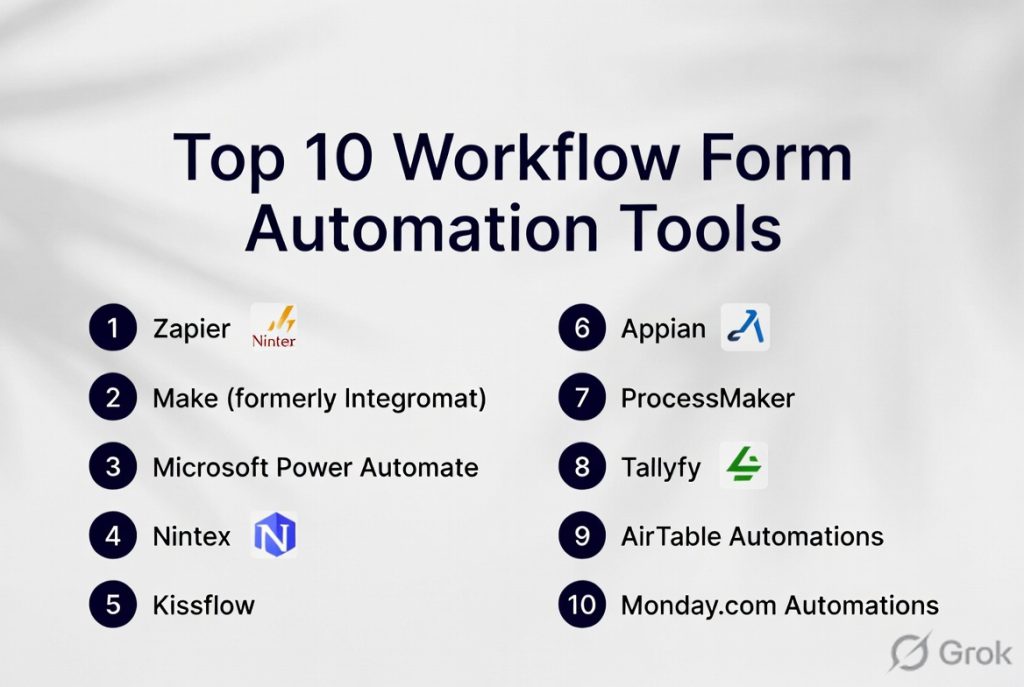
Top 10 Workflow Form Automation Tools
#1 — Formstack
Short description: Formstack is a robust platform combining form building with workflow automation, enabling businesses to route submissions, trigger approvals, and integrate with enterprise systems. Ideal for regulated industries and enterprises.
Key Features
- Conditional logic and automated routing
- Approval workflows and eSignatures
- Integration with CRMs, payment gateways, and cloud storage
- Analytics dashboards for process monitoring
- Multi-channel form distribution
- HIPAA and GDPR compliant
Pros
- Powerful automation for complex workflows
- Enterprise-ready with compliance support
- Customizable approvals and notifications
Cons
- Higher learning curve for beginners
- Pricing may be prohibitive for small teams
- Advanced reporting limited to higher tiers
Platforms / Deployment
- Web / iOS / Android
- Cloud
Security & Compliance
- HIPAA, GDPR, SOC 2
- Encryption and role-based access
Integrations & Ecosystem
- Salesforce, HubSpot, Slack, Zapier
- Payment gateways
- Cloud storage and email platforms
Support & Community
- Email, chat, and phone support
- Knowledge base and community forums
#2 — Jotform
Short description: Jotform allows organizations to automate workflows linked to form submissions with integrations and notifications. Ideal for SMBs and enterprises needing flexible form automation.
Key Features
- Drag-and-drop form builder
- Conditional logic for approvals and routing
- Payment processing and PDF generation
- Workflow automation and notifications
- Analytics and reporting
Pros
- Extensive templates and form customization
- Easy automation setup
- Supports multiple workflow integrations
Cons
- Premium plans can be expensive
- Advanced integrations require higher-tier subscriptions
- Interface may feel complex for new users
Platforms / Deployment
- Web / iOS / Android
- Cloud
Security & Compliance
- HIPAA, GDPR
- Encryption at rest and in transit
Integrations & Ecosystem
- CRMs, email marketing platforms, cloud storage
- Zapier and payment processors
- Workflow automation tools
Support & Community
- Tutorials, live chat, and email support
- Active online community
#3 — Airtable
Short description: Airtable combines spreadsheet functionality with forms and workflow automation, allowing teams to route submissions, trigger notifications, and manage tasks efficiently. Suitable for SMBs and collaborative teams.
Key Features
- Form submission triggers for workflows
- Automated notifications and approvals
- Integrations with Slack, CRM, and productivity tools
- Custom views and dashboards
- API access for custom workflows
Pros
- Flexible for collaborative workflows
- Easy to integrate with multiple systems
- Supports automation without coding
Cons
- Free tier has feature limits
- Advanced automations require premium plans
- Learning curve for complex relational databases
Platforms / Deployment
- Web / iOS / Android / Windows / macOS
- Cloud
Security & Compliance
- GDPR
- Encryption and role-based access
Integrations & Ecosystem
- Slack, Zapier, Salesforce, Google Workspace
- APIs for custom automation
- Cloud storage platforms
Support & Community
- Email support, tutorials, and community forum
#4 — Zoho Forms
Short description: Zoho Forms provides workflow automation linked to forms, approvals, and notifications, integrated into the Zoho ecosystem. Suitable for SMBs and mid-market enterprises.
Key Features
- Drag-and-drop form builder
- Workflow automation with approvals
- Conditional logic and field dependencies
- Integration with Zoho CRM, payment gateways
- Analytics and reporting
Pros
- Strong integration with Zoho suite
- Easy to set up workflows
- Supports approvals and notifications
Cons
- Best for Zoho ecosystem users
- Limited branding customization
- Some integrations require higher-tier plans
Platforms / Deployment
- Web / iOS / Android
- Cloud
Security & Compliance
- GDPR compliant
- Encryption in transit and at rest
Integrations & Ecosystem
- Zoho CRM, Zapier, Slack
- Payment processors
- Email and cloud storage
Support & Community
- Email, chat, and phone support
- Knowledge base and community forums
#5 — ProcessMaker
Short description: ProcessMaker is an enterprise-grade workflow automation platform with form integration, enabling organizations to design, deploy, and monitor complex business processes.
Key Features
- Drag-and-drop process designer
- Conditional form routing
- Automated notifications and approvals
- Reporting and analytics dashboards
- Integration with ERP, CRM, and cloud systems
Pros
- Suitable for complex enterprise workflows
- Scalable and highly customizable
- Strong analytics and reporting
Cons
- Enterprise pricing can be high
- Requires training for advanced process design
- Setup may be complex for small teams
Platforms / Deployment
- Web / iOS / Android
- Cloud / On-premise
Security & Compliance
- SOC 2, GDPR
- Encryption and role-based access
Integrations & Ecosystem
- Salesforce, SAP, Microsoft Dynamics, Zapier
- Cloud storage and productivity apps
Support & Community
- Premium support, knowledge base, and community forum
#6 — Nintex
Short description: Nintex offers workflow and form automation for enterprises, focusing on approvals, notifications, and process efficiency. Best suited for large organizations.
Key Features
- Workflow automation with forms
- Approval routing and notifications
- Analytics and reporting
- Integration with SharePoint, Office 365, Salesforce
- No-code drag-and-drop designer
Pros
- Enterprise-grade workflow automation
- Deep integrations with enterprise systems
- Advanced analytics
Cons
- Pricing geared towards enterprise
- Learning curve for complex workflows
- Limited SMB adoption
Platforms / Deployment
- Web / iOS / Android
- Cloud / On-premise
Security & Compliance
- SOC 2, GDPR, ISO 27001
- Encryption, RBAC
Integrations & Ecosystem
- SharePoint, Salesforce, Slack, Office 365
- ERP and CRM integrations
Support & Community
- Enterprise support, knowledge base, user forums
#7 — Microsoft Power Automate Forms
Short description: Part of Microsoft Power Platform, this tool automates workflows based on form submissions from Microsoft Forms, SharePoint, and other Office apps.
Key Features
- Conditional workflow triggers
- Integration with Microsoft 365 suite
- Notifications, approvals, and task creation
- Analytics via Power BI
- Multi-step workflow automation
Pros
- Tight integration with Microsoft ecosystem
- Scalable across enterprises
- Supports complex automation
Cons
- Best suited for Microsoft 365 users
- Steeper learning curve
- Limited outside the Microsoft environment
Platforms / Deployment
- Web / iOS / Android / Windows
- Cloud
Security & Compliance
- SOC 2, GDPR, encryption
- SSO and role-based access
Integrations & Ecosystem
- Microsoft 365 apps, SharePoint, Dynamics
- Zapier and APIs
Support & Community
- Microsoft support, knowledge base, community forums
#8 — Airtable Automations
Short description: Airtable enables form-driven workflows with automations for notifications, approvals, and integrations, combining spreadsheet-like flexibility with workflow automation.
Key Features
- Conditional workflow triggers from form data
- Automated notifications and tasks
- Integration with Slack, CRM, cloud apps
- Custom views and dashboards
- API access
Pros
- Flexible for collaborative workflows
- Easy to integrate
- No-code automation
Cons
- Limited analytics compared to enterprise platforms
- Free tier is restricted
- Learning curve for relational database features
Platforms / Deployment
- Web / iOS / Android / Windows / macOS
- Cloud
Security & Compliance
- GDPR compliant
- Encryption and access controls
Integrations & Ecosystem
- Slack, Zapier, Salesforce, Google Workspace
- Cloud storage
Support & Community
- Tutorials, email support, community forum
#9 — Kissflow
Short description: Kissflow combines workflow automation with form submissions, enabling SMBs and enterprises to automate approvals, notifications, and task assignments.
Key Features
- Drag-and-drop workflow builder
- Conditional logic and approvals
- Notifications and email triggers
- Analytics dashboards
- Integrations with cloud apps and CRMs
Pros
- Simple interface for workflow automation
- Supports approvals and routing
- Flexible automation for SMBs
Cons
- Advanced analytics require premium plan
- Limited offline capabilities
- Some integrations need Zapier
Platforms / Deployment
- Web / iOS / Android
- Cloud
Security & Compliance
- GDPR
- Encryption and role-based access
Integrations & Ecosystem
- CRM, Google Workspace, Slack, Zapier
- Email and cloud storage
Support & Community
- Tutorials, email support, knowledge base
#10 — Pipefy
Short description: Pipefy provides workflow automation linked to forms for SMBs and enterprises, focusing on approvals, notifications, and process visibility.
Key Features
- Form submission triggers for workflows
- Approval routing and notifications
- Integration with cloud apps, CRMs
- Dashboards and reporting
- Multi-step process automation
Pros
- Easy-to-use workflow automation
- Scalable for SMBs and enterprises
- Strong visualization of process
Cons
- Premium pricing for advanced features
- Limited offline support
- Learning curve for complex processes
Platforms / Deployment
- Web / iOS / Android
- Cloud
Security & Compliance
- GDPR compliant
- Encryption at rest and in transit
Integrations & Ecosystem
- Salesforce, Slack, Zapier, CRMs
- Cloud storage platforms
Support & Community
- Email support, tutorials, community forums
Comparison Table (Top 10)
| Tool Name | Best For | Platform(s) Supported | Deployment | Standout Feature | Public Rating |
|---|---|---|---|---|---|
| Formstack | Enterprises, regulated industries | Web / iOS / Android | Cloud | Conditional routing & approvals | N/A |
| Jotform | SMBs, enterprises | Web / iOS / Android | Cloud | Workflow automation | N/A |
| Airtable | SMBs, collaborative teams | Web / iOS / Android / Windows / macOS | Cloud | Spreadsheet + workflow automation | N/A |
| Zoho Forms | SMBs, mid-market | Web / iOS / Android | Cloud | Integration with Zoho suite | N/A |
| ProcessMaker | Enterprises | Web / iOS / Android | Cloud / On-premise | Process automation & routing | N/A |
| Nintex | Enterprises | Web / iOS / Android | Cloud / On-premise | Enterprise-grade workflow automation | N/A |
| Microsoft Power Automate Forms | Enterprises | Web / iOS / Android / Windows | Cloud | Microsoft 365 integration | N/A |
| Airtable Automations | SMBs, teams | Web / iOS / Android / Windows / macOS | Cloud | Form-driven automations | N/A |
| Kissflow | SMBs, mid-market | Web / iOS / Android | Cloud | Approval & notification workflows | N/A |
| Pipefy | SMBs, enterprises | Web / iOS / Android | Cloud | Multi-step process automation | N/A |
Evaluation & Scoring of Workflow Form Automation Tools
| Tool Name | Core (25%) | Ease (15%) | Integrations (15%) | Security (10%) | Performance (10%) | Support (10%) | Value (15%) | Weighted Total (0–10) |
|---|---|---|---|---|---|---|---|---|
| Formstack | 9 | 8 | 8 | 9 | 9 | 8 | 7 | 8.5 |
| Jotform | 9 | 8 | 8 | 9 | 8 | 8 | 7 | 8.4 |
| Airtable | 8 | 8 | 8 | 8 | 8 | 8 | 7 | 8.0 |
| Zoho Forms | 8 | 8 | 8 | 8 | 8 | 8 | 7 | 7.9 |
| ProcessMaker | 9 | 7 | 8 | 9 | 8 | 8 | 7 | 8.3 |
| Nintex | 9 | 7 | 8 | 9 | 8 | 8 | 7 | 8.3 |
| Microsoft Power Automate Forms | 8 | 7 | 8 | 9 | 8 | 8 | 7 | 8.0 |
| Airtable Automations | 8 | 8 | 8 | 8 | 8 | 8 | 7 | 8.0 |
| Kissflow | 8 | 8 | 7 | 8 | 8 | 7 | 7 | 7.7 |
| Pipefy | 8 | 8 | 7 | 8 | 8 | 7 | 7 | 7.7 |
Interpretation: Weighted totals reflect comparative capabilities, usability, integration depth, and enterprise readiness. Higher scores indicate broader suitability for SMBs and enterprises. Contextual needs, such as CRM integration or regulatory compliance, should guide selection.
Which Workflow Form Automation Tool Is Right for You?
Solo / Freelancer
- Airtable Automations or Kissflow for lightweight form-driven workflows.
SMB
- Jotform, Zoho Forms, Pipefy for approval routing, notifications, and basic automation.
Mid-Market
- Airtable, Zoho Forms, ProcessMaker for departmental automation and approvals.
Enterprise
- Formstack, Nintex, Microsoft Power Automate Forms for complex, multi-department workflows and compliance.
Budget vs Premium
- Budget: Airtable, Kissflow, Pipefy
- Premium: Formstack, Nintex, Microsoft Power Automate Forms, ProcessMaker
Feature Depth vs Ease of Use
- High feature depth: Formstack, Nintex, ProcessMaker
- High ease of use: Airtable Automations, Zoho Forms, Pipefy
Integrations & Scalability
- Extensive: Formstack, Jotform, Nintex
- Limited: Airtable Automations, Kissflow
Security & Compliance Needs
- Enterprises: Formstack, Nintex, Microsoft Power Automate Forms
- Lightweight SMBs: Airtable, Kissflow
Frequently Asked Questions (FAQs)
1. What is the best workflow form automation tool for small teams?
Airtable Automations, Jotform, and Zoho Forms offer user-friendly interfaces and essential workflow automation for SMBs.
2. Can these tools handle multi-step approval processes?
Yes, platforms like Formstack, Nintex, ProcessMaker, and Zoho Forms allow multi-step approvals with notifications.
3. Are these tools compliant with GDPR and HIPAA?
Formstack, Jotform, Nintex, and Zoho Forms provide compliance with GDPR, HIPAA, and encryption standards.
4. Do I need coding skills to automate workflows?
Most tools offer no-code automation; FormKeep or API-based integrations may require technical knowledge.
5. Can these tools integrate with CRM and ERP systems?
Yes, Formstack, Nintex, Jotform, and Microsoft Power Automate integrate with CRMs like Salesforce and ERP systems for workflow automation.
6. Are mobile workflows supported?
Yes, web-based platforms with iOS/Android apps like Zoho Forms, Formstack, and Airtable support mobile access and approvals.
7. Can workflow automation trigger notifications and emails?
All major platforms provide automated notifications, reminders, and routing based on form submissions.
8. Do these tools support conditional logic?
Yes, platforms like Jotform, Formstack, Zoho Forms, and Nintex allow conditional fields and workflow branching.
9. What is the pricing range for these tools?
Tools vary: Airtable and Kissflow offer lower-cost SMB-friendly options, while Nintex and Formstack cater to enterprise budgets.
10. Which tools are best for enterprise compliance needs?
Formstack, Nintex, Microsoft Power Automate Forms, and ProcessMaker are best suited for enterprise compliance, security, and multi-department workflow automation.
Conclusion
Workflow form automation tools simplify process management by automating approvals, notifications, and data routing across teams and systems. SMBs can benefit from Airtable Automations, Jotform, and Zoho Forms for straightforward automation, while mid-market companies may adopt Pipefy, Airtable, or Zoho Forms for departmental workflows. Enterprises should consider Formstack, Nintex, and Microsoft Power Automate Forms for compliance, complex

This is a well-organized comparison of workflow and form automation tools. The concise feature breakdown makes it easy to understand the benefits of each platform and compare them effectively.