Introduction
Legal Hold Software refers to specialized systems that help organizations preserve electronically stored information and paper records when litigation, audits, investigations, or regulatory inquiries are anticipated or underway. These platforms automate legal hold processes, custodial notifications, compliance tracking, acknowledgement tracking, defensible data preservation, audit trails, and reporting — reducing the risk of spoliation and sanctions. Legal hold is essential in today’s digital world where data lives across email, collaboration apps, endpoints, cloud platforms, and enterprise systems.
Organizations use Legal Hold Software for litigation readiness, internal investigations, compliance with regulatory requirements, preservation of employee data, records of financial and operational decisions, and governance programs. Buyers evaluating legal hold solutions should consider ease of issuing holds, custodian communication and tracking, integrations with enterprise repositories, defensible audit logs, compliance controls, scalability, reporting and dashboards, retention suppression, security and access governance, and support quality.
Best for: Legal teams, compliance officers, corporate counsel, risk and governance leaders, information governance professionals, and organizations subject to frequent litigation, audits, or regulatory oversight.
Not ideal for: Very small businesses with minimal legal or regulatory exposure and organizations without structured legal or records teams.
Key Trends in Legal Hold Software
- AI‑assisted custodian prioritization and risk scoring
- Automated hold issuance, reminders, and acknowledgement tracking
- Integration with broader governance, risk, and compliance ecosystems
- Real‑time dashboards and high‑fidelity audit trails
- Mobile and email‑centric custodian interactions
- Integration with enterprise data sources (email, files, collaboration apps)
- Retention suppression during hold periods
- Data source preservation and snapshot integration
- Analytics for hold compliance performance tracking
- Cloud‑native deployment with secure governance controls
How We Selected These Tools
- Evaluated core legal hold functionality including custodial notices, tracking, and audit logs
- Assessed integration with enterprise data sources such as email, files, and messaging platforms
- Reviewed defensible preservation and retention suppression capabilities
- Considered scalability for enterprise use
- Evaluated depth of reporting, dashboards, and analytics
- Assessed compliance and governance features
- Reviewed security features including access control and encryption
- Considered ease of use, setup, and user experience
- Evaluated support quality and documentation
- Considered overall value relative to features and deployment flexibility
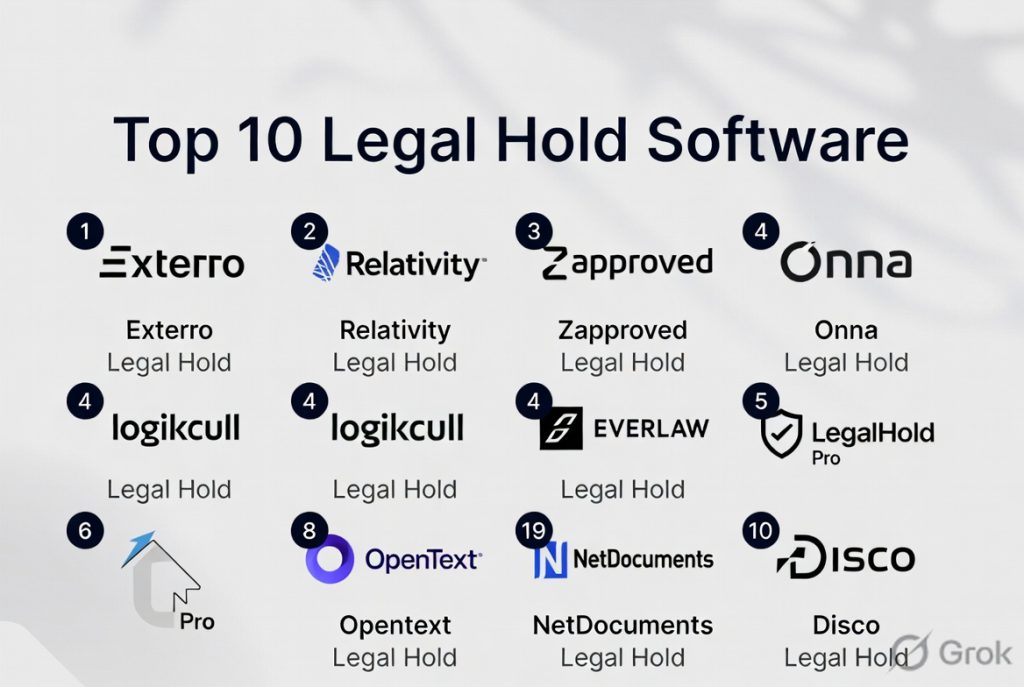
Top 10 Legal Hold Software
1 — Exterro Legal Hold
Short description: Exterro Legal Hold is a comprehensive solution that delivers automated legal holds, custodian tracking, defensible preservation workflows, and integration with enterprise repositories.
Key Features
- Automated legal hold issuance
- Custodian acknowledgement tracking
- Multi‑source preservation
- Retention suppression during holds
- Defensible audit trails
- Dashboards and reporting
- Integration with GRC and EDR
Pros
- Enterprise‑grade compliance and governance
- Broad integration ecosystem
- Strong audit and defensibility features
Cons
- Premium pricing
- Setup complexity for large data estates
- Learning curve for first‑time users
Platforms / Deployment
- Web
- Cloud
Security & Compliance
- SSO/MFA
- Encryption at rest and in transit
- Detailed audit logs
Integrations & Ecosystem
Integrates with enterprise data and GRC systems.
- Microsoft 365
- Google Workspace
- Enterprise file systems
- GRC platforms
Support & Community
Enterprise support, onboarding services, and documentation.
2 — OpenText Legal Hold
Short description: OpenText Legal Hold provides structured custodial preservation, audit trails, notification management, and integration with records and content repositories.
Key Features
- Custodian preservation workflows
- Notification and acknowledgement tracking
- Audit trails and reporting
- Integration with content repositories
- Preservation holds across data sources
- Template‑driven notices
Pros
- Strong integration with enterprise content systems
- Detailed custodian controls
- Good for regulated industries
Cons
- Best suited for OpenText environments
- Complex configuration
- Less modern UI
Platforms / Deployment
- Web
- Cloud, On‑premises
Security & Compliance
- Enterprise encryption
- Audit and governance controls
Integrations & Ecosystem
Deep content and repository integration.
- OpenText Content Suite
- Documentum
- Enterprise file systems
Support & Community
Enterprise support with integration guidance.
3 — Relativity Legal Hold
Short description: Relativity Legal Hold is part of the Relativity eDiscovery ecosystem offering legal hold workflows with custodian tracking, notifications, and integrated eDiscovery.
Key Features
- Custodian notifications and tracking
- Integrated with Relativity’s eDiscovery tools
- Preservation workflows
- Acknowledgement and reminder automation
- Reporting and audit trails
- Multi‑data source support
Pros
- Deep eDiscovery integrations
- Strong notification automation
- Enterprise reporting
Cons
- Best suited for Relativity users
- Higher cost
- eDiscovery integration may be overkill for simple holds
Platforms / Deployment
- Web
- Cloud
Security & Compliance
- SSO/MFA
- Encryption
- Audit logs
Integrations & Ecosystem
Part of Relativity eDiscovery ecosystem.
- Relativity eDiscovery
- Enterprise data sources
Support & Community
Large enterprise support network.
4 — Zapproved Legal Hold Pro
Short description: Zapproved Legal Hold Pro is a standalone legal hold solution focused on simplicity, custodian compliance tracking, and reporting workflows.
Key Features
- Custodian notifications
- Acknowledgement tracking
- Defensible preservation
- Automated reminders
- Reporting dashboards
- Multi‑data source preservation
Pros
- Easy to deploy and use
- Strong custodian tracking
- Good reporting
Cons
- Less extensible than enterprise suites
- Analytics are moderate
- Integrations vary
Platforms / Deployment
- Web
- Cloud
Security & Compliance
- Encryption
- Audit logs
Integrations & Ecosystem
Connects to key enterprise systems.
- Email systems
- File servers
Support & Community
Responsive support with onboarding assistance.
5 — Onna Legal Hold
Short description: Onna Legal Hold focuses on preserving data across cloud and collaboration platforms with automated custodial notices and defensible hold records.
Key Features
- Cloud data source preservation
- Custodian notifications
- Acknowledgement tracking
- Audit trails
- Integration with cloud apps
- Searchable hold repositories
Pros
- Strong support for cloud ecosystems
- Easy preservation across collaboration data
- Clear audit trails
Cons
- Best suited for cloud‑centric organizations
- Enterprise features require higher plans
- Onboarding requires planning
Platforms / Deployment
- Web
- Cloud
Security & Compliance
- SSO/MFA
- Encryption
- Audit logs
Integrations & Ecosystem
Works with cloud collaboration tools.
- Google Workspace
- Microsoft 365
- Slack
- Dropbox
Support & Community
Good support and implementation guides.
6 — LegalHold by Everlaw
Short description: LegalHold by Everlaw is part of the Everlaw platform, combining legal hold with review, analytics, and case management workflows.
Key Features
- Custodian preservation and notices
- Acknowledgement tracking
- Integrated case and review workflows
- Analytics dashboards
- Search and tagging
- Defensible holds
Pros
- Unified litigation workflow
- Good analytics and tagging
- Intuitive UI
Cons
- Best with Everlaw ecosystem
- Cost can be significant
- Overhead for simple hold needs
Platforms / Deployment
- Web
- Cloud
Security & Compliance
- Encryption safeguards
- Audit logs
Integrations & Ecosystem
Part of Everlaw litigation ecosystem.
Support & Community
Strong support with training resources.
7 — Archive360 Legal Hold
Short description: Archive360 Legal Hold emphasizes preserving enterprise content in hybrid environments with custodian notifications and retention suspension.
Key Features
- Hybrid data preservation
- Custodian notifications
- Acknowledgement tracking
- Retention suspension
- Audit and reporting
- Integration with archive systems
Pros
- Strong hybrid and archive integration
- Good defensible preservation
- Scalable
Cons
- Configuration complexity
- User experience can feel dated
- Higher cost for small teams
Platforms / Deployment
- Web
- Cloud, Hybrid
Security & Compliance
- Encryption
- Auditing
Integrations & Ecosystem
Works with archive and data sources.
- Enterprise archives
- File systems
Support & Community
Support with professional services.
8 — Everlaw Legal Hold
Short description: Everlaw Legal Hold provides simple custodial hold workflows within the Everlaw eDiscovery suite with notice tracking and preservation.
Key Features
- Custodian preservation
- Automated notifications
- Acknowledgement tracking
- Defensible audit trails
- Integration with Everlaw eDiscovery
Pros
- Integrated litigation workflows
- Good custodian tracking
- Comprehensive audit trails
Cons
- Best for Everlaw platform users
- Advanced analytics may be limited
- Cost considerations
Platforms / Deployment
- Web
- Cloud
Security & Compliance
- Encryption safeguards
Integrations & Ecosystem
Works within Everlaw suite.
Support & Community
Enterprise‑grade support.
9 — Legal Hold 360
Short description: Legal Hold 360 provides standalone custodial hold management with notifications, tracking, and reporting dashboards for organizations with frequent legal preservation requirements.
Key Features
- Custodian notifications
- Acknowledgement tracking
- Reporting dashboards
- Retention suspension
- Audit trails
Pros
- Simple and focused tool
- Easy compliance tracking
- Clear dashboards
Cons
- Fewer enterprise integrations
- Analytics depth is moderate
- Limited cloud ecosystem support
Platforms / Deployment
- Web
- Cloud
Security & Compliance
- Encryption
- Audit trails
Integrations & Ecosystem
Basic integration with email and files.
Support & Community
Standard support resources.
10 — LegalHoldPro
Short description: LegalHoldPro offers simple legal hold issuance, custodian tracking, automated notifications, and compliance reporting suitable for small to mid‑market teams.
Key Features
- Legal hold workflows
- Custodian tracking
- Automated reminders
- Reporting dashboards
- Defensible audit logs
Pros
- Easy to implement
- Good for small teams
- Affordable pricing
Cons
- Limited advanced features
- Integrations are sparse
- Analytics are basic
Platforms / Deployment
- Web
- Cloud
Security & Compliance
- Encryption safeguards
Integrations & Ecosystem
Basic integrations.
Support & Community
Responsive support.
Comparison Table Top 10
| Tool Name | Best For | Platforms Supported | Deployment | Standout Feature | Public Rating |
|---|---|---|---|---|---|
| Exterro Legal Hold | Enterprise compliance | Web | Cloud | Broad corporate governance | N/A |
| OpenText Legal Hold | Content‑centric legal hold | Web | Cloud, On‑premises | Repository integration | N/A |
| Relativity Legal Hold | eDiscovery integration | Web | Cloud | Deep eDiscovery links | N/A |
| Zapproved Legal Hold Pro | Simple holds | Web | Cloud | Easy deployment | N/A |
| Onna Legal Hold | Cloud data ecosystems | Web | Cloud | Cloud collaboration support | N/A |
| LegalHold by Everlaw | Unified litigation | Web | Cloud | Integrated workflows | N/A |
| Archive360 Legal Hold | Hybrid archive preservation | Web | Cloud, Hybrid | Hybrid preservation | N/A |
| Everlaw Legal Hold | Litigation workflows | Web | Cloud | Custodian workflows | N/A |
| Legal Hold 360 | Compliance basics | Web | Cloud | Focused dashboards | N/A |
| LegalHoldPro | Small to mid‑market | Web | Cloud | Affordable and simple | N/A |
Evaluation & Scoring
| Tool Name | Core 25% | Ease 15% | Integrations 15% | Security 10% | Performance 10% | Support 10% | Value 15% | Weighted Total |
|---|---|---|---|---|---|---|---|---|
| Exterro Legal Hold | 9 | 7 | 9 | 9 | 9 | 8 | 6 | 8.25 |
| OpenText Legal Hold | 8 | 6 | 8 | 9 | 8 | 8 | 6 | 7.70 |
| Relativity Legal Hold | 8 | 7 | 9 | 9 | 8 | 8 | 6 | 8.00 |
| Zapproved Legal Hold Pro | 8 | 9 | 7 | 8 | 8 | 8 | 7 | 8.10 |
| Onna Legal Hold | 8 | 8 | 8 | 8 | 8 | 8 | 7 | 8.00 |
| LegalHold by Everlaw | 8 | 7 | 8 | 8 | 8 | 8 | 6 | 7.85 |
| Archive360 Legal Hold | 8 | 6 | 7 | 8 | 8 | 7 | 6 | 7.45 |
| Everlaw Legal Hold | 8 | 7 | 7 | 8 | 8 | 8 | 6 | 7.80 |
| Legal Hold 360 | 7 | 8 | 6 | 8 | 7 | 7 | 8 | 7.55 |
| LegalHoldPro | 7 | 9 | 5 | 8 | 7 | 8 | 8 | 7.45 |
Which Tool Is Right for You
Solo / Freelancer
- LegalHoldPro or Legal Hold 360 for straightforward, affordable legal hold workflows.
SMB
- Zapproved Legal Hold Pro or Onna Legal Hold for cloud‑focused compliance with good tracking.
Mid‑Market
- Relativity Legal Hold or Onna Legal Hold for deeper integrations with enterprise data sources.
Enterprise
- Exterro Legal Hold or OpenText Legal Hold for robust governance, audit, and preservation workflows.
Budget vs Premium
- Budget‑friendly: LegalHoldPro, Legal Hold 360
- Premium: Exterro Legal Hold, Relativity Legal Hold
Feature Depth vs Ease of Use
- Deep enterprise governance: Exterro Legal Hold, OpenText Legal Hold
- Easier adoption: Zapproved Legal Hold Pro, LegalHoldPro
Integrations & Scalability
- Strong enterprise integrations: Exterro Legal Hold, Relativity Legal Hold
- Lightweight workflows: Onna Legal Hold, Zapproved Legal Hold Pro
Security & Compliance Needs
- High‑security environments: Exterro Legal Hold, OpenText Legal Hold
- Standard secure hold workflows: LegalHoldPro, Legal Hold 360
Frequently Asked Questions
1. What is legal hold software
Legal hold software automates the preservation of data, custodian notifications, tracking, and audit logs when litigation or regulatory preservation is required.
2. Why is legal hold important
It helps ensure defensible preservation, reduces spoliation risk, meets audit and regulatory requirements, and gives legal teams confidence that critical data is preserved.
3. Do these tools integrate with enterprise data sources
Yes, most legal hold tools connect with email, file systems, collaboration apps, and document repositories for broad preservation coverage.
4. What is a custodial acknowledgement
A custodial acknowledgement is a tracked confirmation from a person indicating they received and understood a legal hold notice.
5. Can these tools preserve cloud application data
Leading platforms support cloud systems such as Microsoft 365, Google Workspace, Slack, Dropbox, and other repositories.
6. Are audit trails included
Yes, detailed, timestamped audit trails are core to legal hold tools to provide defensible evidence of preservation activities.
7. Do these platforms support automated reminders
Yes, automated reminders help custodians stay compliant by acknowledging holds or updating acknowledgements.
8. Which industries benefit most
Regulated industries like finance, healthcare, government, and large enterprises with frequent litigation benefit significantly.
9. How should organizations choose a tool
Evaluate integration needs, complexity, compliance requirements, ease of use, scalability, security controls, and long‑term value.
10. Can legal hold software help with audits
Yes, these tools provide defensible preservation, documentation, and reporting that support regulatory or internal audits.
Conclusion
Legal Hold Software is essential for organizations that need to preserve data defensibly, manage custodial notifications, and maintain audit trails for litigation, audits, and regulatory compliance. SMBs often favor solutions that balance ease of use with good tracking and cloud data support such as Zapproved Legal Hold Pro and Onna Legal Hold, while enterprises require robust workflow governance, audit defensibility, and broad data source integration offered by Exterro Legal Hold and OpenText Legal Hold. Critical differentiators include automation of custodial reminders, integration with cloud and on‑premises repositories, real‑time dashboards, retention suppression, and secure access governance. Organizations should shortlist shortlisted platforms, pilot with representative data workflows, validate integration breadth, and confirm regulatory alignment before full deployment. The right legal hold software can significantly reduce risk, enhance compliance readiness, and provide defensible documentation when it matters most.

This was an informative and well-organized comparison of legal hold software. The clear feature summaries and practical insights make it easier to evaluate the strengths of each platform.