Introduction
AR Education Apps are platforms that leverage augmented reality to enhance learning experiences by overlaying interactive digital content on the real world. These apps bring abstract concepts, historical events, scientific phenomena, and complex visualizations to life, making learning immersive, engaging, and hands-on. With increasing adoption of AR in classrooms and remote learning, these apps help students and educators visualize information in ways traditional methods cannot.
Real-world use cases include anatomy students exploring 3D human body models, history learners interacting with virtual artifacts, STEM education through interactive simulations, language learning via contextual AR prompts, and remote collaboration in project-based learning. AR Education Apps support interactive and experiential learning, improving retention and understanding across diverse educational contexts.
Evaluation criteria include platform compatibility, quality of AR content, curriculum alignment, user engagement features, interactivity, device support, ease of use, offline functionality, assessment and tracking tools, and integration with other educational platforms.
Best for: Educators, schools, universities, e-learning platforms, and students seeking interactive, hands-on, and visually immersive learning experiences.
Not ideal for: Institutions or learners without access to AR-capable devices, or for subjects where AR content does not enhance learning outcomes.
Key Trends in AR Education Apps
- Increased adoption of AR for STEM and anatomy education
- Integration with VR and mixed-reality learning experiences
- AI-assisted adaptive learning and content personalization
- Collaborative AR learning environments for remote students
- Device-agnostic platforms supporting tablets, smartphones, and AR glasses
- Gamification and interactive challenges to boost engagement
- AR-assisted language learning and literacy programs
- Offline AR content for schools with limited connectivity
- Analytics and performance tracking for educators
- Curriculum-aligned AR modules and lesson plans
How We Selected These Tools
- Evaluated adoption in K-12, higher education, and corporate training
- Assessed AR content quality, interactivity, and educational alignment
- Reviewed compatibility across devices and platforms
- Considered engagement features like quizzes, gamification, and collaborative exercises
- Examined offline functionality and accessibility
- Evaluated integration with LMS, educational content, and analytics tools
- Assessed ease of use for students and teachers
- Reviewed scalability for class sizes and remote learning
- Considered cost and licensing options for schools and institutions
- Checked community adoption and educator reviews
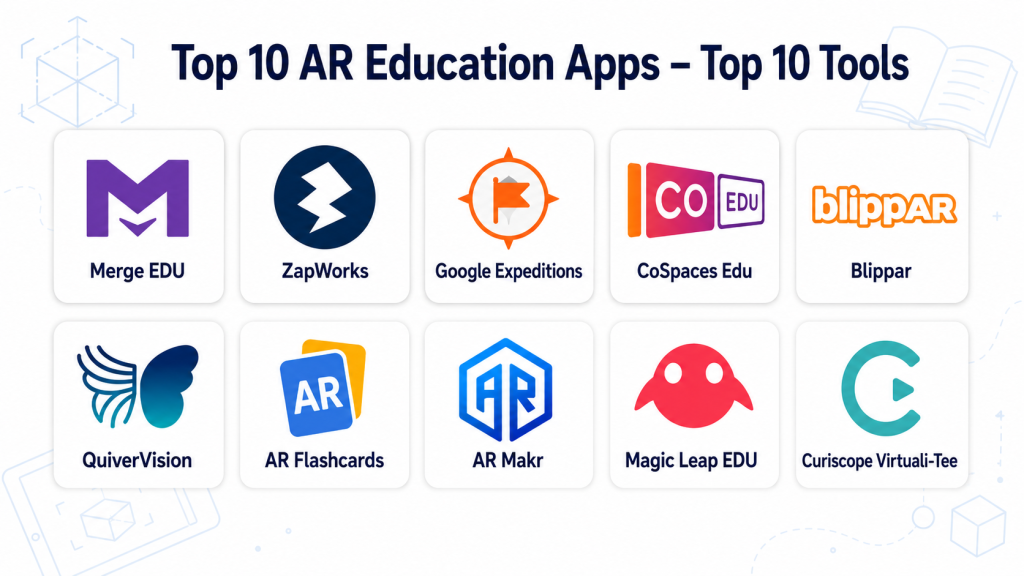
Top 10 AR Education Apps
#1 — Merge EDU
Short description: Merge EDU provides AR and VR tools for hands-on STEM education, including interactive 3D objects and simulations. Ideal for classrooms seeking immersive learning.
Key Features
- 3D object library for science and math
- Interactive experiments and labs
- Cross-platform AR and VR support
- Teacher dashboards for monitoring
- Lesson plans aligned to standards
- Offline content available
Pros
- Highly engaging STEM content
- Supports both AR and VR modes
Cons
- Focused on STEM; limited content in humanities
- Requires AR-capable devices
Platforms / Deployment
- iOS, Android, Windows
- Cloud / Local content download
Security & Compliance
- User account authentication
- Not publicly stated for certifications
Integrations & Ecosystem
- LMS integration for assignments
- Device syncing
- AR object libraries
Support & Community
- Documentation and tutorials
- Educator forums
- Customer support
#2 — Google Expeditions
Short description: Google Expeditions offers virtual and AR field trips, letting students explore historical sites, natural wonders, and scientific concepts interactively.
Key Features
- Virtual and AR field trips
- Teacher-led AR experiences
- Interactive content points
- Student progress tracking
- Offline access for certain modules
Pros
- Broad coverage of subjects and topics
- Easy to integrate into classroom activities
Cons
- Some AR content requires Google devices
- Limited updates since focus shifted to other Google education products
Platforms / Deployment
- Android, iOS
- Cloud
Security & Compliance
- Account authentication
- Not publicly stated
Integrations & Ecosystem
- Google Classroom integration
- Mobile device support
- Lesson plan resources
Support & Community
- Online help guides
- Educator community
- Support forums
#3 — AR Flashcards
Short description: AR Flashcards combines traditional flashcards with AR animations to teach letters, numbers, animals, and vocabulary. Ideal for early learners.
Key Features
- 3D animations triggered by cards
- Interactive quizzes
- Vocabulary and number learning
- Offline use
- Multi-language support
Pros
- Fun and engaging for young learners
- Simple and intuitive
Cons
- Limited advanced content for older students
- Requires physical flashcards
Platforms / Deployment
- iOS, Android
- Local
Security & Compliance
- Not publicly stated
Integrations & Ecosystem
- Standalone app
- Content update via app store
Support & Community
- Documentation and tutorials
- Customer support
#4 — JigSpace
Short description: JigSpace enables creation and viewing of 3D AR “jigs” to explore scientific concepts, machinery, and historical objects interactively.
Key Features
- 3D AR object exploration
- Guided step-by-step instructions
- Content creation for educators
- Offline viewing
- Cross-platform sharing
Pros
- Supports hands-on learning and creativity
- Interactive for older students
Cons
- Content creation requires learning curve
- Some models require subscriptions
Platforms / Deployment
- iOS, macOS
- Cloud / Local content
Security & Compliance
- Account login
- Not publicly stated
Integrations & Ecosystem
- Export jigs for classroom use
- Share via device
- LMS integration limited
Support & Community
- Tutorials and guides
- Community forum
#5 — Unimersiv
Short description: Unimersiv offers VR and AR lessons for history, biology, and space exploration, making learning immersive through 3D simulations.
Key Features
- VR and AR lesson modules
- Immersive historical and science experiences
- Teacher-guided content
- Cross-device support
- Progress tracking
Pros
- Highly immersive content
- Supports multiple subjects
Cons
- Limited AR-only functionality
- Requires VR-capable devices for full experience
Platforms / Deployment
- iOS, Android, VR headsets
- Cloud
Security & Compliance
- Account-based access
- Not publicly stated
Integrations & Ecosystem
- VR device integration
- Classroom dashboards
- Content library updates
Support & Community
- Online help
- Educator support
- Community sharing
#6 — Anatomy 4D
Short description: Anatomy 4D enables exploration of the human body in AR, allowing students to visualize muscles, bones, and organs interactively.
Key Features
- 3D AR anatomical models
- Layered visualizations
- Interactive labeling
- Multi-device support
- Offline exploration
Pros
- Excellent for medical and biology education
- Detailed visual models
Cons
- Specialized to anatomy
- Limited subject diversity
Platforms / Deployment
- iOS, Android
- Local / Cloud
Security & Compliance
- Not publicly stated
Integrations & Ecosystem
- Standalone app
- LMS integration limited
Support & Community
- Tutorials
- Educator guides
#7 — CoSpaces Edu
Short description: CoSpaces Edu allows students and educators to create AR and VR content, enabling interactive storytelling and simulations for education.
Key Features
- AR/VR content creation
- Coding and interaction scripting
- Cross-platform viewing
- Lesson plan integration
- Collaborative projects
Pros
- Supports creativity and coding in learning
- Multi-subject support
Cons
- Requires learning content creation
- Some features require premium
Platforms / Deployment
- iOS, Android, Web
- Cloud
Security & Compliance
- Account login
- Not publicly stated
Integrations & Ecosystem
- Classroom tools
- Content sharing
- LMS limited
Support & Community
- Tutorials and guides
- Community forum
#8 — Mondly AR
Short description: Mondly AR combines language learning with AR, overlaying visual prompts to help learners associate words with real-world objects.
Key Features
- AR visual prompts
- Vocabulary and phrase lessons
- Speech recognition
- Progress tracking
- Gamified challenges
Pros
- Engaging language learning
- Visual and interactive
Cons
- Limited to supported languages
- Device-dependent AR functionality
Platforms / Deployment
- iOS, Android
- Cloud
Security & Compliance
- Account login
- Not publicly stated
Integrations & Ecosystem
- Standalone AR lessons
- Gamification features
- Progress export limited
Support & Community
- Tutorials
- Help center
#9 — Augment Education
Short description: Augment Education provides AR tools to visualize scientific models, math, and engineering simulations, enhancing interactive STEM learning.
Key Features
- 3D model visualization
- Interactive simulations
- Lesson integration
- Multi-device AR support
- Offline access
Pros
- Great for STEM education
- Interactive simulations enhance understanding
Cons
- Focused on STEM; limited humanities content
- Requires AR devices
Platforms / Deployment
- iOS, Android
- Cloud / Local
Security & Compliance
- Not publicly stated
Integrations & Ecosystem
- LMS integration
- Device sharing
- Simulation library
Support & Community
- Tutorials
- Educator support
#10 — Zappar
Short description: Zappar allows educators to create AR experiences, interactive lessons, and gamified learning content for diverse subjects.
Key Features
- AR content creation tools
- Interactive games and quizzes
- Multi-device deployment
- Analytics and engagement tracking
- Lesson integration
Pros
- Flexible AR content creation
- Gamification enhances engagement
Cons
- Learning curve for content creation
- Requires AR-capable devices
Platforms / Deployment
- iOS, Android, Web
- Cloud
Security & Compliance
- Account authentication
- Not publicly stated
Integrations & Ecosystem
- LMS and classroom dashboards
- AR content sharing
- Analytics tracking
Support & Community
- Tutorials and guides
- Community forum
Comparison Table
| Tool Name | Best For | Platform(s) Supported | Deployment | Standout Feature | Public Rating |
|---|---|---|---|---|---|
| Merge EDU | STEM classrooms | iOS, Android, Windows | Cloud / Local | Interactive 3D STEM simulations | N/A |
| Google Expeditions | Field trips and exploration | iOS, Android | Cloud | Guided AR field trips | N/A |
| AR Flashcards | Early learners | iOS, Android | Local | Interactive AR flashcards | N/A |
| JigSpace | Step-by-step exploration | iOS, macOS | Cloud / Local | 3D interactive learning models | N/A |
| Unimersiv | History and science | iOS, Android, VR headsets | Cloud | VR/AR immersive lessons | N/A |
| Anatomy 4D | Medical and biology | iOS, Android | Local / Cloud | Human anatomy AR models | N/A |
| CoSpaces Edu | Creative projects | iOS, Android, Web | Cloud | AR/VR content creation | N/A |
| Mondly AR | Language learning | iOS, Android | Cloud | Visual AR vocabulary | N/A |
| Augment Education | STEM simulations | iOS, Android | Cloud / Local | Interactive STEM models | N/A |
| Zappar | Gamified AR lessons | iOS, Android, Web | Cloud | AR content creation and games | N/A |
Evaluation & Scoring
| Tool Name | Core (25%) | Ease (15%) | Integrations (15%) | Security (10%) | Performance (10%) | Support (10%) | Value (15%) | Weighted Total |
|---|---|---|---|---|---|---|---|---|
| Merge EDU | 9 | 8 | 8 | 7 | 8 | 8 | 8 | 8.1 |
| Google Expeditions | 8 | 9 | 8 | 7 | 8 | 7 | 7 | 7.8 |
| AR Flashcards | 7 | 9 | 7 | 7 | 7 | 7 | 8 | 7.7 |
| JigSpace | 8 | 7 | 7 | 7 | 8 | 7 | 7 | 7.5 |
| Unimersiv | 8 | 7 | 7 | 7 | 8 | 7 | 7 | 7.5 |
| Anatomy 4D | 9 | 7 | 6 | 7 | 8 | 7 | 7 | 7.5 |
| CoSpaces Edu | 8 | 7 | 8 | 7 | 8 | 7 | 7 | 7.6 |
| Mondly AR | 7 | 8 | 7 | 7 | 7 | 7 | 7 | 7.3 |
| Augment Education | 8 | 7 | 7 | 7 | 8 | 7 | 7 | 7.5 |
| Zappar | 8 | 7 | 7 | 7 | 8 | 7 | 7 | 7.5 |
Which AR Education App Is Right for You?
Solo / Students
AR Flashcards, Mondly AR, and Anatomy 4D provide easy-to-use, interactive content for independent learning.
Educators / Classrooms
Merge EDU, CoSpaces Edu, and Google Expeditions offer teacher dashboards, lesson plans, and cross-device deployment.
Mid-Market / e-Learning
JigSpace, Unimersiv, and Augment Education provide flexible content creation and immersive simulations for STEM, history, and project-based learning.
Enterprise / Large Institutions
Merge EDU Enterprise and Zappar provide AR content creation, analytics, and deployment at scale for educational organizations and training programs.
Budget vs Premium
AR Flashcards and Mondly AR are cost-effective for individual use, while Merge EDU, CoSpaces Edu, and Zappar are premium solutions with broader capabilities.
Feature Depth vs Ease of Use
Merge EDU and CoSpaces Edu provide advanced content creation and management, whereas AR Flashcards and Mondly AR focus on simplicity and engagement.
Integrations & Scalability
Merge EDU, CoSpaces Edu, and Zappar support LMS integration, multi-device deployment, and scalable classroom use.
Security & Compliance
Platforms offer secure login, device-based controls, and classroom management for student data and content privacy.
Frequently Asked Questions
1. How do AR Education Apps improve learning?
They create interactive visual experiences, enabling learners to explore complex concepts, manipulate 3D models, and engage in immersive simulations that enhance understanding and retention.
2. Do these apps require AR-capable devices?
Yes, most apps require smartphones, tablets, or AR/VR headsets capable of rendering AR content effectively.
3. Can educators track student progress?
Many platforms include dashboards, performance tracking, and analytics to monitor engagement, completion, and comprehension.
4. Are these apps suitable for STEM subjects?
Yes, apps like Merge EDU, JigSpace, and Augment Education excel in STEM education with simulations, experiments, and interactive 3D models.
5. Can students collaborate in AR environments?
Apps such as CoSpaces Edu and Merge EDU support collaborative projects, allowing multiple students to interact with shared AR content.
6. Do these apps support offline content?
Some platforms allow downloading AR content for offline exploration, useful in classrooms or areas with limited connectivity.
7. Can I integrate these apps with existing LMS?
Yes, several platforms offer integration with learning management systems to streamline assignment distribution, progress tracking, and grading.
8. Are there gamification elements?
Many AR Education Apps include quizzes, interactive challenges, and rewards to enhance engagement and motivation.
9. Can content be customized or created?
Yes, CoSpaces Edu, JigSpace, and Zappar allow educators and students to create custom AR content and experiences.
10. How do I choose the best AR education app?
Consider the subjects, device availability, interactivity features, curriculum alignment, cost, and classroom size when selecting the appropriate AR platform.
Conclusion
AR Education Apps bring immersive, interactive learning experiences to classrooms and individual learners, enhancing engagement and comprehension across STEM, humanities, and language education. Choosing the right platform depends on device availability, curriculum alignment, budget, and the level of content creation desired. Solo students benefit from simple apps like AR Flashcards and Mondly AR, while educators and institutions gain value from Merge EDU, CoSpaces Edu, and Zappar with teacher dashboards and scalable deployment. Comparing features, integrations, and engagement tools helps identify the right solution. Shortlist two or three apps, pilot AR lessons, and evaluate engagement and learning outcomes before wider adoption to ensure effective, immersive education.

This article offers an insightful comparison of AR education apps and shows how immersive technology can enhance learning experiences. The feature breakdown and pros-and-cons analysis make it easy to understand the strengths of each platform.