Introduction
Push Notification Platforms help businesses send timely messages to users across mobile apps, web browsers, and connected customer engagement channels. These platforms are used to deliver alerts, reminders, promotions, transactional updates, onboarding nudges, abandoned cart reminders, product announcements, and personalized engagement campaigns.
Push notifications matter because they allow brands to reach users even when they are not actively using the app or website. A well-planned push strategy can improve user retention, reactivation, conversions, customer communication, and app engagement. However, poor targeting, excessive frequency, weak personalization, and irrelevant messages can quickly lead to opt-outs or app uninstalls.
Modern push notification tools are no longer limited to basic broadcast alerts. Many platforms now include segmentation, automation journeys, personalization, A/B testing, analytics, real-time triggers, omnichannel messaging, SDKs, APIs, and integrations with customer data systems. For buyers, the best platform depends on whether the main need is developer-friendly notification delivery, marketing automation, enterprise engagement, mobile-first customer journeys, or transactional messaging.
Why Push Notification Platforms Matter
Push Notification Platforms matter because customer attention is fragmented across apps, websites, email, messaging channels, and digital touchpoints. Push notifications give businesses a direct way to communicate with users in real time, especially for important updates, reminders, and behavior-based campaigns.
For developers, push platforms simplify the technical work of sending notifications to Android, iOS, and web users. For marketers, they provide segmentation, scheduling, testing, personalization, and performance reporting. For product teams, they help improve activation, retention, onboarding, and feature adoption.
A strong push notification platform helps teams:
- Deliver time-sensitive alerts
- Improve user engagement
- Reduce churn with reactivation campaigns
- Personalize messages based on behavior
- Automate lifecycle journeys
- Send transactional notifications
- Track opens, clicks, conversions, and opt-outs
- Coordinate push with email, SMS, in-app, and other channels
- Support mobile and web notification workflows
- Improve communication without relying only on email
Common Use Cases
- Transactional alerts for order updates, delivery status, payment confirmations, security alerts, and account activity
- Marketing campaigns for offers, launches, product updates, and seasonal promotions
- User onboarding to guide new users through app setup, profile completion, and first actions
- Cart abandonment reminders for ecommerce and marketplace apps
- Content updates for news, media, learning, entertainment, and community platforms
- Reactivation campaigns to bring inactive users back into an app or website
- Behavior-based journeys triggered by user actions, inactivity, preferences, or location
- Web push campaigns for users who subscribe through browsers
- In-app and push coordination for stronger lifecycle engagement
- Developer-triggered notifications for real-time events and system updates
Evaluation Criteria for Buyers
When choosing a Push Notification Platform, buyers should evaluate both technical delivery and campaign management needs.
- Supported channels: Check support for mobile push, web push, in-app messaging, email, SMS, and other engagement channels.
- Platform coverage: Confirm support for Android, iOS, web browsers, SDKs, and server-side APIs.
- Segmentation: Look for audience targeting based on behavior, attributes, events, location, lifecycle stage, and preferences.
- Personalization: Evaluate dynamic content, templates, user properties, recommendations, and trigger-based messaging.
- Automation: Check journey builders, drip campaigns, event triggers, scheduling, and lifecycle automation.
- Analytics: Review delivery rates, open rates, clicks, conversions, opt-outs, uninstall tracking, and campaign reporting.
- Developer experience: Look for SDK quality, documentation, APIs, testing tools, and integration flexibility.
- Reliability: Consider delivery speed, scalability, failover, error handling, and monitoring.
- Security and compliance: Review access controls, privacy settings, consent management, audit logs, and data protection features.
- Pricing and scalability: Compare cost based on subscribers, monthly active users, messages, channels, and advanced features.
Best for: Mobile app teams, SaaS companies, ecommerce brands, media platforms, fintech apps, marketplaces, gaming companies, and digital product teams that want better user engagement.
Not ideal for: Businesses that do not have an app, website subscription base, customer data strategy, or clear messaging permission model.
Key Trends in Push Notification Platforms
- Personalized push campaigns are becoming more important because generic broadcast messages often reduce engagement.
- Omnichannel messaging is now expected as brands combine push, email, SMS, in-app, and web messaging in one journey.
- Behavior-triggered automation is replacing manual campaigns for onboarding, retention, reminders, and win-back flows.
- Web push adoption is growing for businesses that want to engage users outside mobile apps.
- Transactional push is becoming critical for fintech, ecommerce, delivery, travel, and marketplace applications.
- AI-assisted campaign optimization is expanding in content generation, timing, audience selection, and journey improvement.
- Privacy and consent management are more important because users expect control over notification preferences.
- Deliverability and render quality matter more as mobile operating systems, browser rules, and device settings affect message visibility.
- Real-time segmentation is gaining value for apps that need context-aware customer engagement.
- Analytics depth is becoming a buying priority because teams want to connect push performance with retention, revenue, and product outcomes.
How We Selected These Push Notification Platforms
The tools in this list were selected based on practical usefulness for push notification delivery, customer engagement, developer workflows, marketing automation, analytics, and real-world adoption. The list includes developer-first services, marketing automation platforms, customer engagement suites, and cloud messaging infrastructure.
Selection factors included:
- Mobile and web push support
- SDK and API capabilities
- Campaign creation and automation features
- Segmentation and personalization depth
- Analytics and reporting quality
- Fit for developers, marketers, and product teams
- Suitability for startups, SMBs, and enterprises
- Omnichannel engagement capabilities
- Integration ecosystem
- Practical value for transactional and promotional use cases
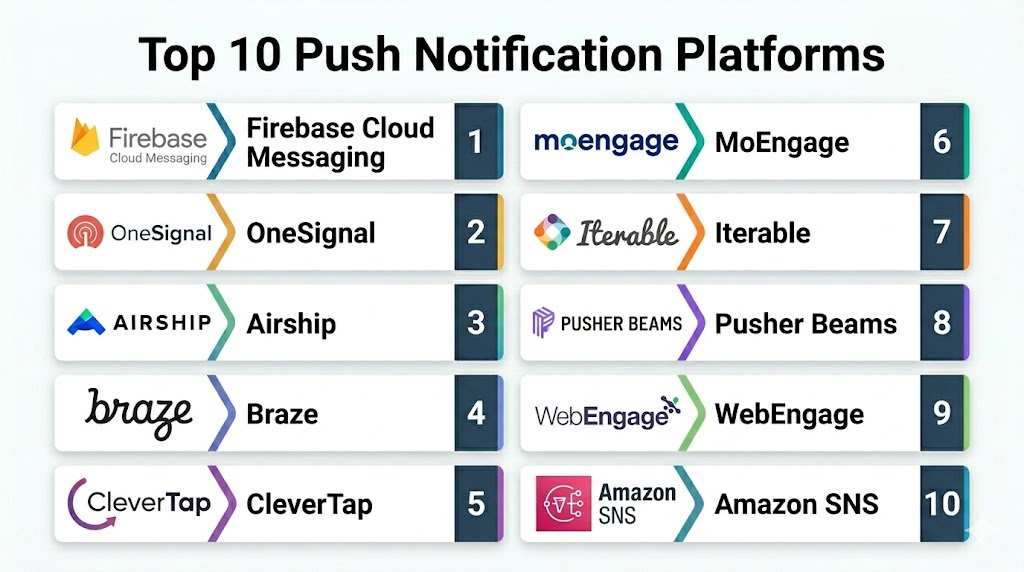
Top 10 Push Notification Platforms
- Firebase Cloud Messaging
- OneSignal
- Airship
- Braze
- CleverTap
- MoEngage
- Iterable
- Pusher Beams
- WebEngage
- Amazon SNS
1 — Firebase Cloud Messaging
Short description: Firebase Cloud Messaging is Google’s cross-platform messaging solution for sending notifications and data messages to Android, iOS, and web applications. It is a strong choice for developers who need reliable app notification delivery, backend-triggered messages, and integration with the broader Firebase ecosystem. FCM is especially useful for mobile apps, web apps, gaming apps, SaaS products, and teams that want developer-focused push infrastructure rather than a full marketing automation suite.
Key Features
- Cross-platform message delivery
- Android, iOS, and web support
- Notification and data message support
- Server-side message triggering
- Integration with Firebase products
- Support for app engagement and retention messaging
- Developer-friendly documentation and SDKs
Pros
- Strong developer experience
- Good fit for Firebase-based apps
- Reliable option for transactional and app-triggered notifications
- Works well for mobile and web applications
Cons
- Not a full marketing automation platform by itself
- Advanced journey orchestration may require additional tools
- Marketers may need a more campaign-focused interface
Platforms / Deployment
Cloud-based messaging infrastructure with SDKs and APIs for mobile and web applications.
Security & Compliance
Security features depend on Firebase and Google Cloud configuration, app implementation, access controls, and data handling practices. Specific compliance needs should be reviewed based on the organization’s environment.
Integrations & Ecosystem
Firebase Cloud Messaging works well with Firebase Analytics, Cloud Functions, Authentication, Remote Config, Crashlytics, mobile SDKs, web apps, backend services, and Google Cloud workflows.
Support & Community
Firebase provides documentation, developer guides, community resources, Google support options, and broad developer ecosystem adoption.
2 — OneSignal
OneSignal is a customer engagement platform focused on push notifications, email, SMS, in-app messaging, and customer journeys. It is popular with startups, publishers, ecommerce teams, mobile apps, and digital product teams that want an easy way to send mobile push, web push, and cross-channel messages. OneSignal is especially useful for teams that need both developer-friendly setup and marketer-friendly campaign tools.
Key Features
- Mobile push notifications
- Web push notifications
- In-app messaging
- Email and SMS support
- Audience segmentation
- Journeys and automation
- Delivery and engagement analytics
- SDKs and APIs
Pros
- Easy to start for small teams
- Strong web and mobile push coverage
- Useful for both developers and marketers
- Supports multiple messaging channels
Cons
- Advanced features may depend on plan level
- Enterprise governance needs should be evaluated carefully
- Complex customer journeys may require setup planning
Platforms / Deployment
Cloud-based customer engagement platform with mobile SDKs, web SDKs, APIs, and dashboard-based campaign management.
Security & Compliance
OneSignal provides security and privacy resources, access controls, and platform-level data handling features. Specific compliance needs depend on configuration and plan.
Integrations & Ecosystem
OneSignal integrates with mobile apps, websites, customer data workflows, analytics tools, ecommerce platforms, CMS systems, and backend services.
Support & Community
OneSignal offers documentation, support resources, developer guides, customer support options, and a large user base.
3 — Airship
Airship is a mobile-first customer engagement platform with strong push notification, in-app messaging, automation, personalization, and analytics capabilities. It is well suited for larger consumer brands, media companies, retail businesses, travel companies, financial apps, and enterprises that need sophisticated mobile messaging orchestration. Airship focuses on timely, personalized push experiences that support customer engagement and retention.
Key Features
- Mobile push notifications
- Web push support
- In-app messaging
- Journey orchestration
- Segmentation and personalization
- Rich notifications
- Campaign analytics and reporting
- Mobile engagement tools
Pros
- Strong mobile engagement focus
- Useful for enterprise customer engagement
- Good personalization and orchestration capabilities
- Suitable for high-scale consumer brands
Cons
- May be more advanced than small teams need
- Setup may require marketing and technical coordination
- Pricing and packaging may vary by business need
Platforms / Deployment
Cloud-based engagement platform with SDKs, APIs, campaign tools, and mobile/web messaging capabilities.
Security & Compliance
Airship provides enterprise-focused platform controls, security resources, and governance options. Specific compliance details depend on customer configuration and selected plan.
Integrations & Ecosystem
Airship integrates with mobile apps, web platforms, customer data systems, analytics tools, marketing systems, and enterprise engagement workflows.
Support & Community
Airship provides documentation, customer support, success resources, developer guides, and enterprise assistance.
4 — Braze
Braze is a customer engagement platform that supports push notifications, in-app messaging, email, SMS, web messaging, automation, personalization, and lifecycle journeys. It is designed for brands that need coordinated customer communication across multiple channels. Braze is especially useful for growth, retention, product engagement, ecommerce, media, subscription, and consumer app teams that want advanced segmentation and campaign orchestration.
Key Features
- Mobile and web push notifications
- Cross-channel customer journeys
- Segmentation and personalization
- In-app messaging
- Email and SMS support
- Canvas-style journey orchestration
- Campaign analytics
- Developer SDKs and APIs
Pros
- Strong omnichannel engagement capabilities
- Good fit for lifecycle marketing teams
- Powerful segmentation and personalization
- Suitable for enterprise-scale customer engagement
Cons
- May be complex for small teams
- Requires good data setup for best results
- Pricing and implementation can vary by organization
Platforms / Deployment
Cloud-based customer engagement platform with SDKs, APIs, dashboards, and campaign orchestration tools.
Security & Compliance
Braze provides platform security controls, role management, data handling features, and enterprise governance capabilities. Specific compliance requirements should be validated based on plan and configuration.
Integrations & Ecosystem
Braze integrates with data warehouses, CDPs, analytics tools, mobile apps, web apps, marketing platforms, ecommerce systems, and customer data workflows.
Support & Community
Braze provides documentation, customer support, education resources, partner ecosystem support, and enterprise service options.
5 — CleverTap
CleverTap is a customer engagement and retention platform that includes push notifications, omnichannel campaigns, segmentation, analytics, lifecycle automation, and user behavior insights. It is especially useful for mobile-first businesses that want to improve retention, conversions, and app engagement through behavior-based campaigns. CleverTap supports push notification workflows for customer engagement and campaign optimization.
Key Features
- Mobile push notifications
- Campaign segmentation
- Customer analytics
- Omnichannel engagement
- Lifecycle automation
- Behavior-based triggers
- A/B testing and campaign optimization
- Mobile app engagement tools
Pros
- Strong focus on retention and engagement
- Useful for mobile-first consumer apps
- Combines analytics with messaging
- Supports behavior-based targeting
Cons
- May require structured event tracking for best results
- Advanced features can take time to configure
- Best suited for teams with product and marketing alignment
Platforms / Deployment
Cloud-based customer engagement platform with mobile SDKs, web tools, APIs, and campaign management dashboards.
Security & Compliance
CleverTap provides platform security and data management controls. Specific compliance and governance requirements should be checked based on customer needs and configuration.
Integrations & Ecosystem
CleverTap integrates with mobile apps, web apps, analytics tools, data platforms, attribution systems, marketing tools, and engagement workflows.
Support & Community
CleverTap offers documentation, support resources, implementation guidance, customer success options, and learning materials.
6 — MoEngage
MoEngage is an insights-led customer engagement platform that supports push notifications, in-app messaging, email, SMS, web push, automation, segmentation, analytics, and personalization. It is designed for consumer brands that want to understand customer behavior and deliver relevant messages across channels. MoEngage is a strong fit for ecommerce, fintech, media, travel, education, and mobile-first businesses that need data-driven engagement campaigns.
Key Features
- Mobile push notifications
- Web push notifications
- Customer segmentation
- Journey automation
- Behavioral analytics
- Personalization tools
- Omnichannel messaging
- Campaign performance insights
Pros
- Strong analytics-led engagement approach
- Good fit for consumer growth teams
- Supports personalized push campaigns
- Useful for multi-channel lifecycle marketing
Cons
- Requires clean customer data for best results
- Advanced automation may need setup effort
- Pricing and feature access may vary by plan
Platforms / Deployment
Cloud-based customer engagement platform with SDKs, APIs, dashboards, and channel orchestration tools.
Security & Compliance
MoEngage provides platform security controls and privacy-focused features. Specific compliance requirements should be evaluated based on region, plan, and implementation.
Integrations & Ecosystem
MoEngage integrates with mobile apps, web platforms, analytics systems, CDPs, data warehouses, marketing tools, and customer engagement workflows.
Support & Community
MoEngage provides documentation, customer support, success resources, implementation guidance, and product learning content.
7 — Iterable
Iterable is a cross-channel marketing automation platform that supports push notifications, email, SMS, in-app messaging, web push, segmentation, personalization, and lifecycle journeys. It is useful for marketing and growth teams that need coordinated campaigns across multiple customer touchpoints. Iterable supports push notification workflows for Android, iOS, and web use cases, including standard and silent notifications.
Key Features
- Mobile push notifications
- Web push notifications
- Cross-channel campaign automation
- Audience segmentation
- Personalization
- Journey orchestration
- A/B testing
- Campaign analytics
Pros
- Strong cross-channel marketing automation
- Useful for lifecycle and retention campaigns
- Supports web and mobile push workflows
- Good fit for data-driven marketing teams
Cons
- May be too advanced for simple notification needs
- Requires strong campaign planning and data setup
- Implementation may need developer involvement
Platforms / Deployment
Cloud-based marketing automation platform with SDKs, APIs, web tools, and campaign dashboards.
Security & Compliance
Iterable provides platform security, access controls, and data governance features. Specific compliance needs depend on customer configuration and plan.
Integrations & Ecosystem
Iterable integrates with CDPs, data warehouses, ecommerce tools, analytics platforms, mobile apps, websites, attribution systems, and marketing technology stacks.
Support & Community
Iterable provides documentation, customer support, implementation resources, best practice guides, and enterprise support options.
8 — Pusher Beams
Pusher Beams is a developer-focused push notification API for sending notifications to Android, iOS, and web applications. It is designed for teams that need reliable transactional push delivery without building complex notification infrastructure. Pusher Beams is especially useful for real-time alerts, chat messages, marketplace updates, operational notifications, and product-triggered messages.
Key Features
- Push notification API
- Android, iOS, and web support
- SDKs for app integration
- Transactional notification delivery
- Authenticated user notifications
- Interest-based notification targeting
- Delivery insights
- Developer-friendly setup
Pros
- Strong developer-focused notification API
- Good fit for transactional and real-time alerts
- Simple compared with full marketing suites
- Supports multiple app platforms
Cons
- Not a full marketing automation platform
- Limited compared with advanced customer engagement suites
- Best suited for engineering-led notification workflows
Platforms / Deployment
Cloud-based hosted API service with SDKs and server-side integration options.
Security & Compliance
Pusher Beams includes secure API-based workflows and user-targeting features. Specific security and compliance requirements depend on implementation and account configuration.
Integrations & Ecosystem
Pusher Beams integrates with mobile apps, web apps, backend servers, real-time systems, chat apps, marketplaces, and product event workflows.
Support & Community
Pusher provides documentation, API references, developer guides, support resources, and community examples.
9 — WebEngage
WebEngage is a customer engagement and retention platform that supports push notifications, web push, in-app messaging, email, SMS, journeys, segmentation, personalization, and analytics. It is useful for consumer brands, ecommerce companies, travel platforms, fintech apps, and subscription businesses that want to improve retention and campaign performance through targeted messages. WebEngage provides push configuration and campaign workflows for app and web engagement.
Key Features
- Mobile push notifications
- Web push notifications
- Journey automation
- Audience segmentation
- Personalization
- Campaign analytics
- Omnichannel messaging
- Retention-focused engagement tools
Pros
- Good fit for retention marketing teams
- Supports mobile and web engagement
- Useful for ecommerce and consumer apps
- Combines segmentation with automation
Cons
- Requires good customer data structure
- Advanced campaign setup may need planning
- Feature depth may vary by plan
Platforms / Deployment
Cloud-based customer engagement platform with app SDKs, web tools, APIs, and marketing automation dashboards.
Security & Compliance
WebEngage provides platform controls and data handling features. Specific compliance requirements should be evaluated based on customer region, configuration, and plan.
Integrations & Ecosystem
WebEngage integrates with mobile apps, websites, ecommerce systems, data tools, analytics platforms, CDPs, and marketing workflows.
Support & Community
WebEngage provides documentation, support resources, implementation assistance, learning materials, and customer success options.
10 — Amazon SNS
Amazon SNS is a fully managed messaging service from AWS that can be used for mobile push notifications as well as SMS, email, HTTP endpoints, and application-to-application messaging. It is best suited for engineering teams already using AWS who need scalable notification infrastructure, topic-based messaging, transactional alerts, and backend-triggered push delivery. Amazon SNS can send mobile push messages directly to application endpoints and can also support topic-based notification patterns.
Key Features
- Managed messaging service
- Mobile push notification support
- Topic-based publish-subscribe messaging
- SMS and email notification support
- Integration with AWS services
- Scalable backend-triggered messaging
- API-driven notification workflows
- Monitoring through AWS tools
Pros
- Strong fit for AWS-native systems
- Good for transactional and infrastructure-driven alerts
- Highly scalable messaging architecture
- Supports multiple notification channels
Cons
- Less marketer-friendly than campaign platforms
- Requires AWS knowledge for setup and operation
- Advanced personalization and journeys need additional services
Platforms / Deployment
Cloud-based AWS service with APIs, SDKs, console configuration, and integration with AWS workloads.
Security & Compliance
Amazon SNS uses AWS identity, access control, encryption options, monitoring, and cloud security features. Compliance depends on AWS configuration and workload requirements.
Integrations & Ecosystem
Amazon SNS integrates with AWS Lambda, SQS, CloudWatch, EventBridge, mobile platforms, backend applications, SMS, email, HTTP endpoints, and distributed systems.
Support & Community
AWS provides documentation, enterprise support plans, developer resources, training, and a large technical community.
Push Notification Platforms Comparison Table
| Tool Name | Best For | Platforms Supported | Deployment | Standout Feature | Public Rating |
|---|---|---|---|---|---|
| Firebase Cloud Messaging | Developer-led app notifications | Android / iOS / Web | Cloud API / SDK | Cross-platform messaging infrastructure | Varies / N/A |
| OneSignal | Easy mobile and web push campaigns | Android / iOS / Web | Cloud platform | Push plus multi-channel engagement | Varies / N/A |
| Airship | Enterprise mobile engagement | Android / iOS / Web | Cloud platform | Mobile-first orchestration | Varies / N/A |
| Braze | Omnichannel customer engagement | Android / iOS / Web | Cloud platform | Advanced lifecycle journeys | Varies / N/A |
| CleverTap | Retention and behavior-based engagement | Android / iOS / Web | Cloud platform | Analytics-driven push campaigns | Varies / N/A |
| MoEngage | Insights-led customer engagement | Android / iOS / Web | Cloud platform | Personalized lifecycle automation | Varies / N/A |
| Iterable | Cross-channel marketing automation | Android / iOS / Web | Cloud platform | Journey-based campaign management | Varies / N/A |
| Pusher Beams | Developer-focused transactional push | Android / iOS / Web | Hosted API | Real-time push notification API | Varies / N/A |
| WebEngage | Retention marketing and web push | Android / iOS / Web | Cloud platform | Segmentation and retention journeys | Varies / N/A |
| Amazon SNS | AWS-native notification infrastructure | Android / iOS / Backend / Web workflows | Cloud service | Scalable publish-subscribe messaging | Varies / N/A |
Evaluation & Scoring Table
| Tool | Core Features 25% | Ease 15% | Integrations 15% | Security 10% | Performance 10% | Support 10% | Value 15% | Weighted Total |
|---|---|---|---|---|---|---|---|---|
| Braze | 9.5 | 8.0 | 9.0 | 9.0 | 9.0 | 9.0 | 8.0 | 8.9 |
| Airship | 9.0 | 8.0 | 8.5 | 9.0 | 9.0 | 9.0 | 8.0 | 8.6 |
| OneSignal | 8.5 | 9.0 | 8.5 | 8.0 | 8.5 | 8.0 | 9.0 | 8.5 |
| Firebase Cloud Messaging | 8.0 | 8.5 | 9.0 | 8.5 | 9.0 | 8.0 | 9.0 | 8.6 |
| CleverTap | 8.5 | 8.0 | 8.5 | 8.5 | 8.5 | 8.5 | 8.0 | 8.3 |
| MoEngage | 8.5 | 8.0 | 8.5 | 8.5 | 8.5 | 8.5 | 8.0 | 8.3 |
| Iterable | 8.5 | 7.5 | 8.5 | 8.5 | 8.0 | 8.5 | 7.5 | 8.1 |
| WebEngage | 8.0 | 8.0 | 8.0 | 8.0 | 8.0 | 8.0 | 8.0 | 8.0 |
| Pusher Beams | 7.5 | 8.5 | 8.0 | 8.0 | 8.5 | 7.5 | 8.0 | 8.0 |
| Amazon SNS | 8.0 | 7.0 | 9.0 | 9.0 | 9.0 | 8.5 | 8.5 | 8.4 |
Which Push Notification Platform Is Right for You?
For Developers
Developers should choose platforms with strong APIs, SDKs, documentation, and backend integration. Firebase Cloud Messaging, Pusher Beams, and Amazon SNS are strong choices for engineering-led notifications, transactional alerts, app events, and system-triggered messages.
For Small Businesses
Small businesses should prioritize ease of use, simple campaign setup, web push support, and affordable scaling. OneSignal, WebEngage, Zero-code-friendly campaign tools, and Firebase-based workflows can work well depending on technical resources.
For Mobile App Teams
Mobile app teams should look for reliable SDKs, segmentation, in-app messaging, push analytics, and app lifecycle campaigns. OneSignal, Airship, Braze, CleverTap, MoEngage, and Firebase Cloud Messaging are practical options depending on product maturity.
For Ecommerce Brands
Ecommerce businesses should focus on cart recovery, product recommendations, price drop alerts, order updates, segmentation, and omnichannel journeys. Braze, MoEngage, CleverTap, WebEngage, Iterable, and OneSignal are strong options for customer engagement campaigns.
For Enterprises
Enterprises should prioritize role-based access, governance, data security, lifecycle journeys, multi-channel orchestration, enterprise support, and integration with data systems. Braze, Airship, Iterable, MoEngage, and CleverTap are strong enterprise-focused options.
For AWS-Based Teams
AWS-based teams that need infrastructure-level notifications, backend event messaging, and topic-based alerts should consider Amazon SNS. It is especially useful for transactional and system-driven notifications rather than marketer-led campaigns.
For Web Push Campaigns
Businesses that rely heavily on browser subscribers should consider OneSignal, WebEngage, Iterable, MoEngage, and Airship. Web push is useful for publishers, ecommerce stores, media brands, and businesses that want engagement without requiring a mobile app.
For Omnichannel Marketing
Teams that want push, email, SMS, in-app messaging, journey automation, and segmentation in one platform should compare Braze, Iterable, MoEngage, CleverTap, Airship, WebEngage, and OneSignal.
Common Mistakes to Avoid
- Sending the same push notification to every user
- Ignoring user consent and notification preferences
- Sending too many messages in a short period
- Using weak or unclear notification copy
- Not testing messages before launch
- Forgetting time zones and local delivery timing
- Ignoring opt-out and uninstall trends
- Not segmenting users by behavior or lifecycle stage
- Sending messages without a clear call to action
- Overusing promotional notifications
- Not coordinating push with email, SMS, and in-app messaging
- Failing to measure conversions beyond opens
- Not cleaning inactive or unreachable audience segments
- Using push notifications without a retention strategy
Best Practices for Push Notification Management
- Build clear opt-in flows and explain notification value
- Segment users based on behavior, preferences, and lifecycle stage
- Personalize content using relevant user data
- Use push for timely, useful, and action-oriented messages
- Test notification copy, timing, and audience rules
- Avoid excessive frequency and respect user preferences
- Track delivery, opens, clicks, conversions, and opt-outs
- Coordinate push with email, SMS, and in-app messaging
- Use automation for onboarding, reminders, win-back, and retention
- Monitor device-level delivery issues and platform changes
- Keep transactional messages clear and trustworthy
- Review campaign performance regularly and improve based on data
Frequently Asked Questions
1. What is a Push Notification Platform?
A Push Notification Platform is software that helps businesses send messages to users through mobile apps, web browsers, or connected devices. It usually includes tools for delivery, targeting, automation, personalization, analytics, and campaign management.
2. Why are push notifications important?
Push notifications are important because they help businesses reach users quickly with timely updates, reminders, alerts, and offers. When used properly, they can improve engagement, retention, conversions, and customer communication.
3. What is the difference between mobile push and web push?
Mobile push notifications are sent to users through mobile apps on devices, while web push notifications are sent through browsers after users opt in. Mobile push is app-based, while web push can work even for users who do not install an app.
4. Which Push Notification Platform is best for developers?
Firebase Cloud Messaging, Pusher Beams, and Amazon SNS are strong choices for developers. They provide APIs, SDKs, backend-triggered notifications, and infrastructure-friendly workflows for transactional and real-time messaging.
5. Which Push Notification Platform is best for marketers?
Braze, OneSignal, Airship, CleverTap, MoEngage, Iterable, and WebEngage are strong choices for marketers. They provide segmentation, personalization, campaign automation, analytics, and omnichannel engagement features.
6. Can push notifications improve customer retention?
Yes, push notifications can improve retention when they are relevant, timely, and personalized. Onboarding reminders, abandoned cart alerts, content updates, loyalty messages, and reactivation campaigns can bring users back into an app or website.
7. Are push notifications safe for user privacy?
Push notifications can be privacy-safe when platforms follow consent rules, minimize sensitive data, protect user identifiers, and provide preference controls. Businesses should avoid sending private or sensitive information directly in notification content.
8. What metrics should teams track for push campaigns?
Teams should track delivery rate, open rate, click rate, conversion rate, opt-out rate, uninstall rate, revenue impact, and retention impact. The most useful metrics connect push performance to real business outcomes rather than only message opens.
9. How often should businesses send push notifications?
The right frequency depends on user expectations, industry, content value, and notification type. Transactional alerts can be sent as needed, but marketing notifications should be controlled carefully to avoid fatigue, opt-outs, and uninstalls.
10. How should teams choose the right Push Notification Platform?
Teams should choose based on channel support, ease of use, SDK quality, automation needs, segmentation depth, analytics, integrations, pricing, security, and team ownership. Developer-led teams may prefer APIs, while marketing teams may need journey builders and campaign tools.
Conclusion
Push Notification Platforms help businesses communicate with users in a timely, personalized, and measurable way across mobile apps, web browsers, and customer engagement journeys. Firebase Cloud Messaging, Pusher Beams, and Amazon SNS are strong options for developer-led and transactional notifications, while OneSignal, Airship, Braze, CleverTap, MoEngage, Iterable, and WebEngage are stronger for campaign automation, personalization, lifecycle messaging, and retention marketing. The best choice depends on whether your team needs simple push delivery, advanced customer journeys, web push campaigns, real-time transactional alerts, or enterprise engagement orchestration.
