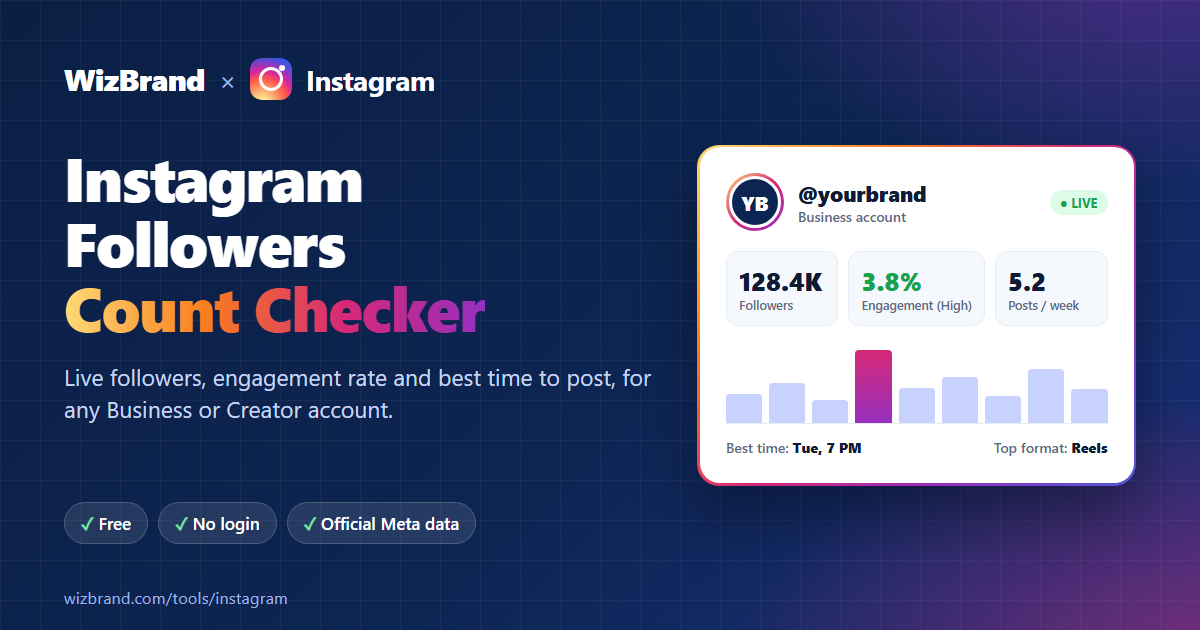
Want to know how many followers an Instagram account has right now, and whether those followers actually engage? Instagram’s app shows the follower count, but it rounds big numbers, hides engagement rate, and won’t tell you when a brand gets the most likes. WizBrand’s free Instagram Followers Count tool shows all of that in one report. Paste a profile link and you get live numbers in a few seconds, with no login or sign-up.
Check Instagram followers free →
What the Instagram Followers Count tool shows you
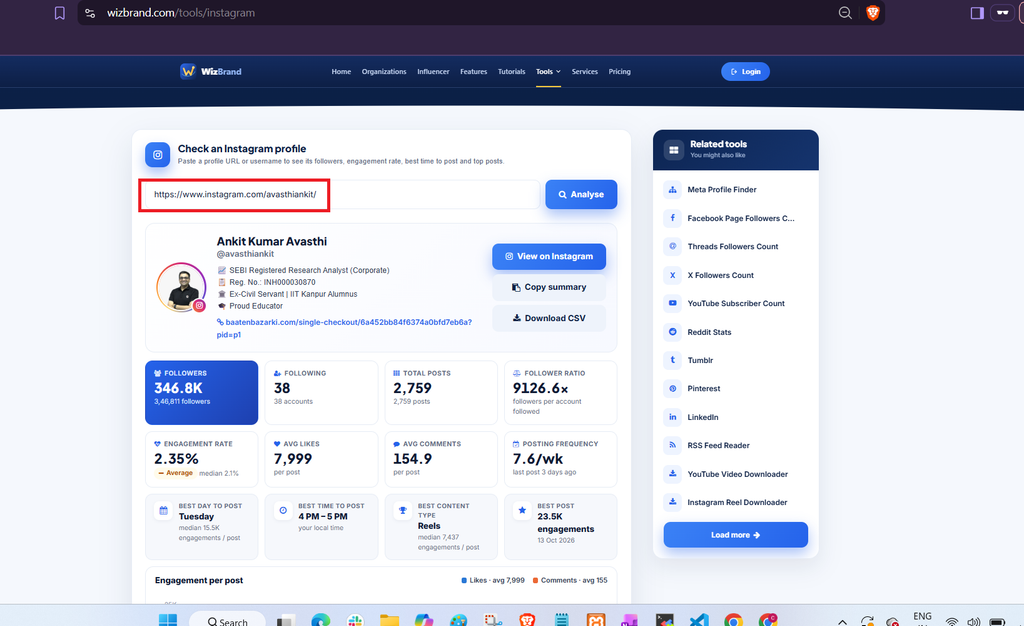
Most “follower counter” sites show one number. WizBrand gives you a full profile report:
- Live followers, following and post count. Exact numbers, fetched when you search.
- Engagement rate. Likes plus comments per post, compared with follower count, with a grade from Low to Excellent.
- Average likes and comments per post.
- Posting frequency. How many posts a week, and when the last one went up.
- Best day and best time to post, based on which recent posts got the most engagement.
- Best content type. Do Reels, carousels or photos perform better for this account?
- Content mix. The share of Reels, photos and carousels in recent posts.
- Engagement chart for recent posts, so you can spot viral posts and dips.
- Top posts, with likes, comments and a direct link.
- Copy summary and Download CSV, to drop the numbers into a client report or spreadsheet.
How to check Instagram followers in 3 steps
- Copy the profile. Open the Instagram profile and copy its link (for example
https://www.instagram.com/nasa), or just note the username (@nasa). - Paste it into the tool. Go to the Instagram Followers Count tool, paste the link or username, and click Analyse.
- Read the report. Followers, engagement rate, best posting time, content mix and top posts appear in a few seconds.
Who is it for?
Brands and small businesses
Track your own growth week by week, and check competitors. Find out how often they post, which formats work for them, and what time their audience is most active.
Marketers and agencies
Before you pay an influencer, check their engagement rate. An account with 200K followers and 0.3% engagement often reaches fewer real people than one with 20K followers and 5% engagement. Download the CSV and add it to your pitch or monthly report.
Creators and influencers
Share accurate numbers in your media kit, see which content type gets you the most engagement, and post on the day and at the time your audience responds best.
What is a good Instagram engagement rate?
The tool adds up the likes and comments on the profile’s recent posts (up to 25), divides by the number of posts, and then divides by the follower count. Here is how to read the result:
| Engagement rate | What it means |
|---|---|
| Under 1% | Low. The audience is not very active, or many followers are inactive. |
| 1% – 3% | Average for most brand accounts. |
| 3% – 6% | High. People really respond to the content. |
| Above 6% | Excellent. Common for smaller, niche accounts with loyal fans. |
Smaller accounts usually have higher rates than very large ones, so compare accounts of a similar size. The report also shows the median engagement, which ignores one-off viral posts and tells you what a typical post gets.
Which Instagram accounts can you check?
WizBrand uses Meta’s official Instagram API, not scraping. Your searches are safe and the numbers are accurate, but Instagram only shares data for professional accounts:
| Account type | Can you check it? |
|---|---|
| Business account | ✅ Yes |
| Creator account | ✅ Yes |
| Personal account (even if public) | ❌ No |
| Private account | ❌ No |
“Personal” is an account type, not the same as public or private. A public profile can still be a Personal account. To see your type, open Instagram and go to Settings → Account type and tools. If you see “Switch to professional account”, the account is Personal.
How to switch (free, about 1 minute): Settings → Account type and tools → Switch to professional account → pick a category → choose Creator or Business. Your profile stays public and you keep all your followers and posts. You also get Instagram’s own insights dashboard.
Why use WizBrand instead of other follower counters?
- Official data. Numbers come from Meta’s API, not guesses or scraped pages.
- No login, no password. You never connect your Instagram account or share credentials.
- Free. No sign-up, no credit card.
- More than a counter. Engagement, best posting time, content mix and top posts in the same report.
- Export ready. Copy a text summary or download a CSV with one click.
- Works on mobile. Check any profile from your phone.
More free social media tools from WizBrand
- Facebook Page Followers Count: followers, likes and post engagement for a Facebook Page.
- Meta Profile Finder: paste one link and find the brand’s linked Instagram, Facebook and Threads accounts.
- YouTube Channel Report: subscribers, views, Shorts vs videos, best upload time and estimated earnings.
Frequently asked questions
Is the Instagram follower checker really free?
Yes. There is no account, login or payment needed to check a profile.
Is the follower count live?
Yes. The numbers are fetched from Instagram when you search, so they show the account’s current count, not an old snapshot.
Can I paste a username instead of a link?
Yes. Both https://www.instagram.com/nasa and @nasa work.
Why does it say an account can’t be checked?
The account is most likely a Personal or private account. Instagram does not share these through its official API. Once the owner switches to a free Creator or Business account, the tool can read it.
Will the account owner know I checked their profile?
No. The tool only reads public profile stats. It does not view stories, send notifications or interact with the account.
Can I check my competitors?
Yes. You can check any Business or Creator account, which makes it easy to compare growth, engagement and posting habits across brands.
Start checking Instagram followers now
Paste any Instagram Business or Creator profile and get live followers, engagement rate, best time to post and top posts in seconds. It’s free.
Try the Instagram Followers Count tool →
