Introduction
Modern digital marketing is fast-paced, multi-channel, and data-driven. However, many agencies, independent freelancers, and internal marketing teams struggle with fragmented software stacks, scattered communications, missed deadlines, and disjointed client reporting.
WizBrand solves these challenges by providing a centralized Digital Marketing Management Platform that brings SEO workflows, content planning, task execution, team collaboration, asset management, and client reporting into one unified workspace.
This comprehensive guide details the core operational challenges facing digital marketers today and demonstrates step-by-step how WizBrand streamlines workflows, eliminates inefficiencies, and drives scalable business growth.
Understanding Modern Digital Marketing Operations
Digital marketing operations have evolved beyond simple ad placements and monthly blog posts. Modern marketing teams manage complex ecosystems across organic search engine optimization (SEO), content marketing pipelines, paid advertising, influencer outreach, email campaigns, and multi-network social media channels.
┌─────────────────────────────────────────────────────────────────────────┐
│                 MODERN DIGITAL MARKETING ECOSYSTEM                      │
└─────────────────────────────────────────────────────────────────────────┘
        │                 │                  │                 │
        ▼                 ▼                  ▼                 ▼
  ┌───────────┐     ┌───────────┐      ┌───────────┐     ┌───────────┐
  │ Organic   │     │ Content   │      │ Social    │     │ Paid &    │
  │ Search    │     │ Workflows │      │ Media     │     │ Influencer│
  │ (SEO)     │     │ & Assets  │      │ Campaigns │     │ Marketing │
  └─────┬─────┘     └─────┬─────┘      └─────┬─────┘     └─────┬─────┘
        │                 │                  │                 │
        └─────────────────┼──────────────────┴─────────────────┘
                          │
                          ▼
            ┌───────────────────────────┐
            │ Centralized Operations    │
            │ & Reporting Dashboard     │
            └───────────────────────────┘
Managing this ecosystem requires coordinating multiple disciplines:
- Multi-Channel Strategy: Delivering consistent messaging across Google, LinkedIn, Meta, YouTube, email, and partner sites.
- Technical & Strategic SEO Management: Running technical audits, tracking keyword rankings, analyzing backlink profiles, and fixing site errors.
- Content Production Workflows: Coordinating copywriters, graphic designers, video editors, and subject matter experts through ideation, drafting, editing, and publishing.
- Campaign Execution: Structuring timelines, budget allocations, link-building outreach, and distribution schedules.
- Cross-Functional Team Collaboration: Assigning responsibilities, managing deadlines, and tracking tickets across internal staff and external contractors.
- Client & Stakeholder Management: Providing transparent progress updates, review gateways, and clear ROI attribution.
- Performance Reporting: Consolidating disparate data streams into digestible dashboards for executive decision-making.
When these operational moving parts are managed using disconnected systems, execution slows down, context is lost, and revenue potential is wasted.
Common Problems Faced by Agencies and Marketing Teams
Despite having access to dozens of specialized digital tools, digital marketing agencies, freelancers, and internal growth teams frequently hit operational ceilings.
┌─────────────────────────────────────────────────────────────────────────┐
│                   THE FRAGMENTED TOOLKIT DILEMMA                        │
└─────────────────────────────────────────────────────────────────────────┘
  [ SEO Tool ]    [ Task App ]    [ Cloud Storage ]    [ Analytics ]
       │               │                 │                   │
       └───────────────┼─────────────────┴───────────────────┘
                       │
                       ▼
          Data Silos & Fragmented Metrics
          Duplicate Subscriptions & High Overhead
          Context Switching & Lost Productivity
          Unclear Accountability & Missed Deadlines
Key operational bottlenecks include the following:
- Fragmented Software Tool Stacks: Teams often bounce between separate applications for project tracking, SEO research, client approvals, rank tracking, and document storage. This context switching wastes hours every week.
- Missed Deadlines & Task Friction: Without unified visibility, project handoffs break down. Editors don’t know when drafts are ready, SEOs miss technical fixes, and campaign launch dates slip.
- Lack of Operational Visibility: Project managers and agency owners struggle to gauge campaign health or team capacity in real time without holding lengthy sync meetings.
- Friction in Client Communication: Agencies spend hours compiling custom reports via email, answering client check-in messages, and waiting on client review sign-offs.
- Disorganized Content Approvals: Content pipelines get delayed in messy email threads, leading to version control issues and unauthorized edits.
- Manual Data Aggregation: Copy-pasting data from Google Analytics, rank trackers, and search consoles into static spreadsheets creates a high risk of manual errors.
Why Centralized Marketing Management Matters
Moving from fragmented tools to a single Marketing Operations Software platform alters business productivity, client satisfaction, and overall profitability.
Key Takeaway: Centralization reduces software context-switching, unifies data sources, establishes a single source of truth, and creates operational clarity across every campaign.
Core Benefits of Operations Centralization
- Enhanced Cross-Departmental Collaboration: SEO analysts, content creators, designers, and project managers work within the same task ecosystem.
- Absolute Accountability: Clear ownership, automated task assignments, ticket statuses, and audit trails eliminate confusion over who owns each deliverable.
- Accelerated Time-to-Market: Standardized workflows and automated approvals shorten campaign production cycles.
- Client & Stakeholder Transparency: Live dashboards allow clients and executives to check campaign progress without constantly emailing team members.
- Operational Scalability: Standard operating procedures built directly into software make onboarding new staff or scaling client accounts smooth and reliable.
- Lower Software Overhead: Consolidating niche SEO trackers, task managers, and asset libraries into one platform significantly cuts monthly software expenses.
What is WizBrand?
WIZBRAND.COM is an all-in-one Digital Marketing Management Platform designed to centralize SEO workflows, content development, team collaboration, campaign planning, digital asset organization, and performance analytics.
┌─────────────────────────────────────────────────────────────────────────┐
│                         WIZBRAND PLATFORM                               │
└─────────────────────────────────────────────────────────────────────────┘
   │                  │                    │                   │
   ▼                  ▼                    ▼                   ▼
┌──────────────┐   ┌──────────────┐   ┌──────────────┐   ┌──────────────┐
│  SEO Task &  │   │ Content &    │   │ Campaign     │   │ Analytics &  │
│  Rank Engine │   │ Asset Hub    │   │ Workspace    │   │ Dashboards   │
└──────────────┘   └──────────────┘   └──────────────┘   └──────────────┘
Platform Philosophy, Vision, & Mission
- The Vision: To empower digital teams worldwide by removing operational friction, unifying marketing workflows, and making high-performing marketing management accessible to businesses of all sizes.
- The Mission: To offer a centralized workspace where SEO strategies, content creation, team execution, and client management come together natively.
- The Core Philosophy: Marketing success requires bridging strategic planning with daily tactical execution. WizBrand acts as the operational foundation that connects keyword research and content strategies directly to daily tasks, ticket resolution, and client reporting.
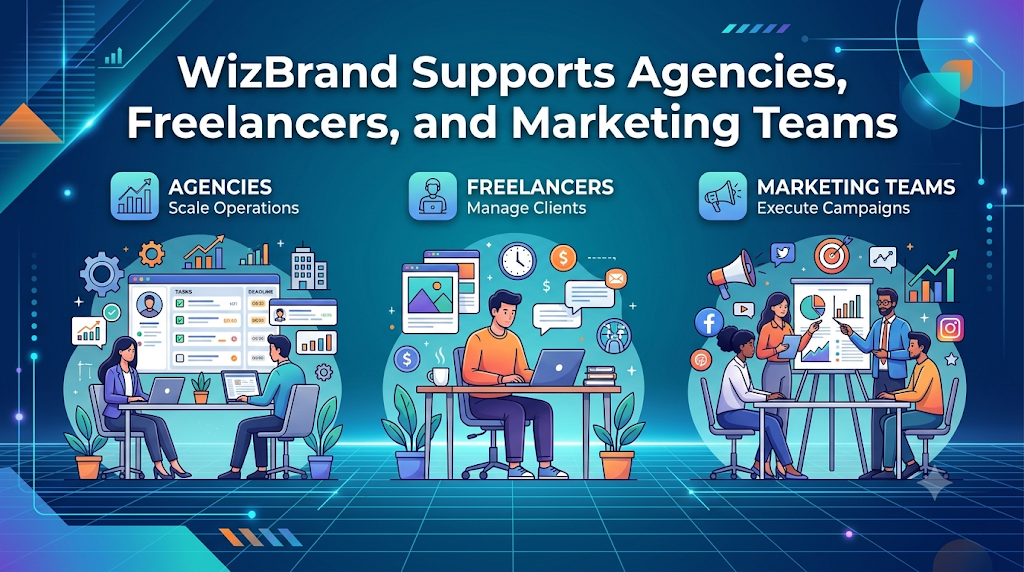
How WizBrand Supports Agencies, Freelancers, and Marketing Teams
WizBrand provides built-in workflows designed for different team structures, scaling from solo consultants to high-volume digital agencies and enterprise marketing divisions.
┌─────────────────────────────────────────────────────────────────────────┐
│               WIZBRAND SUPPORT FOR DIFFERENT TEAMS                      │
└─────────────────────────────────────────────────────────────────────────┘
       │                          │                          │
       ▼                          ▼                          ▼
┌──────────────┐           ┌──────────────┐           ┌──────────────┐
│  AGENCIES    │           │ FREELANCERS  │           │   IN-HOUSE   │
│              │           │              │           │  MARKETING   │
├──────────────┤           ├──────────────┤           ├──────────────┤
│ Multi-Client │           │ Personal     │           │ Cross-Team   │
│ Workspaces   │           │ Operations   │           │ Campaigns    │
│              │           │ Hub          │           │              │
│ White-Label  │           │ Time & Asset │           │ Executive    │
│ Dashboards   │           │ Tracking     │           │ KPI Tracking │
│              │           │              │           │              │
│ Ticket & SLA │           │ Simplified   │           │ Automated    │
│ Management   │           │ Deliverables │           │ Approvals    │
└──────────────┘           └──────────────┘           └──────────────┘
For Digital Agencies
                                AGENCIES
┌─────────────────────────────────────────────────────────────────────────┐
│ Challenge : Managing multiple clients with disjointed tools & reports   │
│ Solution  : Centralized client workspaces with native SEO & ticket hub  │
│ Impact    : Higher retention, reduced overhead, faster delivery       │
└─────────────────────────────────────────────────────────────────────────┘
1. Multi-Client & Account Management
- Business Challenge: Agencies handling dozens of accounts often run into cross-client confusion, shared login risks, and fragmented reporting channels.
- WizBrand Solution: WizBrand organizes clients into isolated, secure account workspaces where team permissions, project files, SEO data, and ticket queues are clearly segmented.
- Key Benefits: Eliminates account cross-contamination, simplifies client onboarding, and improves security.
- Business Impact: Account managers handle more client accounts comfortably without increasing error rates.
- Real-World Example: Apex Digital, a 25-person SEO agency, organized 40 client accounts into distinct WizBrand client hubs, reducing client setup time by 60%.
2. Specialized SEO & Campaign Workflow Management
- Business Challenge: Linking strategy recommendations (e.g., site audits, keyword target updates, backlink pushes) to actual team execution often breaks down.
- WizBrand Solution: SEO insights instantly turn into actionable tickets inside WizBrand’s task engine, allowing technical fixes to be directly assigned to developers or writers.
- Key Benefits: Bridges high-level SEO audits directly to daily task management.
- Business Impact: Resolves technical SEO backlog items faster, leading to quicker organic rank improvements for clients.
- Real-World Example: An agency’s SEO lead runs a technical audit on WizBrand, detects 15 broken link errors, and auto-generates tickets directly assigned to the client’s web developer.
3. Automated Client Reporting & Transparency
- Business Challenge: Account executives spend hours every month manually building static PDF performance slide decks.
- WizBrand Solution: Automated dashboards track keyword positions, task completion rates, backlink acquisition, and organic growth, offering live views for clients.
- Key Benefits: Replaces manual spreadsheet reporting with automated, real-time client performance tracking.
- Business Impact: Saves account managers 10–15 hours per client per month while increasing client trust and retention.
- Real-World Example: Growth SEO Agency sent live WizBrand reporting dashboard access to enterprise clients, reducing routine monthly status calls while boosting retention by 22%.
For Freelancers
                               FREELANCERS
┌─────────────────────────────────────────────────────────────────────────┐
│ Challenge : Juggling time tracking, deliverables, and client updates    │
│ Solution  : Integrated single-user workspace with built-in SEO tools    │
│ Impact    : Streamlined operations, professional delivery, saved time   │
└─────────────────────────────────────────────────────────────────────────┘
1. Unified Freelance Project Operations Hub
- Business Challenge: Independent SEO consultants and freelance marketers often waste time switching between separate task apps, ranking trackers, cloud storage folders, and communication channels.
- WizBrand Solution: WizBrand gives freelancers a single dashboard to manage client deliverables, track keyword positions, organize drafts, and schedule campaigns.
- Key Benefits: Removes the need to pay for 4–5 separate software subscriptions.
- Business Impact: Cuts monthly software costs while giving independent operators professional agency-grade tools.
- Real-World Example: Sarah, an independent freelance SEO strategist, consolidated her rank tracker, project management app, and storage tools into WizBrand, saving $280/month in software fees.
2. Streamlined Client Communication & Approvals
- Business Challenge: Freelancers lose billable hours answering individual client messages, managing revisions across email threads, and hunting down approved files.
- WizBrand Solution: Direct asset sharing, built-in task tracking, and transparent approval workflows keep communication centralized around specific project assets.
- Key Benefits: Eliminates endless email back-and-forth and keeps content feedback organized.
- Business Impact: Speeds up asset approval turnarounds so freelancers get paid faster and take on more client projects.
- Real-World Example: A freelance content strategist uses WizBrand to share content briefs, receive direct client feedback, and get final article approvals in half the usual time.
For Marketing Teams
                             MARKETING TEAMS
┌─────────────────────────────────────────────────────────────────────────┐
│ Challenge : Siloed departments, missed handoffs, and unclear ROI        │
│ Solution  : Cross-functional campaign workspace with real-time analytics│
│ Impact    : Clear accountability, faster approvals, proved marketing ROI│
└─────────────────────────────────────────────────────────────────────────┘
1. Cross-Functional Collaboration & Content Workflows
- Business Challenge: In-house marketing units often operate in departmental silos—content teams, SEO specialists, social media managers, and designers frequently miss handoffs.
- WizBrand Solution: WizBrand creates a central, shared workspace where campaigns, asset libraries, and dependencies are visible to every team member in real time.
- Key Benefits: Align creative production, SEO initiatives, and social distribution schedules within unified project boards.
- Business Impact: Eliminates content release bottlenecks and boosts internal team throughput.
- Real-World Example: A mid-sized SaaS internal marketing team uses WizBrand to coordinate article briefs from SEO managers, track writer progress, schedule designer graphics, and push final drafts live automatically.
2. Executive KPI Monitoring & Strategic Optimization
- Business Challenge: Marketing Directors struggle to present actionable, consolidated ROI metrics to C-suite executives using fragmented analytics spreadsheets.
- WizBrand Solution: WizBrand consolidates rankings, content output metrics, campaign milestones, and overall digital performance into executive-ready dashboards.
- Key Benefits: Provides executive leadership with immediate clarity on campaign health and marketing operations efficiency.
- Business Impact: Demonstrates marketing value clearly, making it easier to secure executive buy-in and budget approvals.
- Real-World Example: A VP of Marketing presents WizBrand’s real-time SEO organic performance and content velocity reports to the board, securing budget for next-quarter expansion.
Core Features of WizBrand
┌─────────────────────────────────────────────────────────────────────────┐
│                       WIZBRAND CORE MODULES                             │
└─────────────────────────────────────────────────────────────────────────┘
  [ SEO & Keyword Engine ]  [ Content Workflow ]  [ Task & Ticket Management ]
  [ Asset Manager Hub ]     [ Creator Marketplace] [ Analytics & Reporting ]
WizBrand combines essential marketing software features into one balanced platform:
1. SEO Project & Task Management
- Purpose: Connect search engine optimization strategies directly with daily task execution.
- Key Capabilities: Technical ticket generation, keyword target tagging, backlink tracking, and site audit issue tracking.
- Business Value: Keeps technical SEO efforts organized so critical site improvements don’t fall behind.
- Best Use Cases: Technical site fixes, link-building outreach campaigns, and site migration management.
2. Rank Tracking & SERP Monitoring
- Purpose: Provide accurate updates on keyword movements across regional search locations and mobile vs. desktop devices.
- Key Capabilities: Daily rank refreshes, localized ZIP code search tracking, competitor keyword analysis, and ranking historical charts.
- Business Value: Instant visibility into search ranking movements enables quick adjustments to competitive keyword changes.
- Best Use Cases: Tracking local business listings, monitoring high-intent commercial keywords, and measuring core page rank performance.
3. Content Workflow Management
- Purpose: Streamline content planning, production schedules, editorial reviews, and approvals.
- Key Capabilities: Interactive content calendars, status triggers, assignment queues, and draft review fields.
- Business Value: Removes content release bottlenecks and maintains consistent posting schedules across organic channels.
- Best Use Cases: Managing high-volume blog production, multi-author editorial boards, and multi-channel campaign calendars.
4. Media & Digital Asset Management (DAM)
- Purpose: Store, organize, tag, and distribute marketing creative assets securely.
- Key Capabilities: Tagged cloud asset library, centralized folder permissions, direct ticket attachments, and media version controls.
- Business Value: Stops creative assets from getting lost in local downloads or hidden cloud folders.
- Best Use Cases: Managing brand kits, ad creative libraries, website imagery, infographics, and promotional video files.
5. Integrated Influencer & Creator Marketplace
- Purpose: Connect brand campaigns with vetted online creators and influencers directly within the platform.
- Key Capabilities: Creator discovery filters, campaign briefs, deliverable management, and outreach tracking.
- Business Value: Expands organic reach by combining creator campaigns directly with SEO keyword objectives.
- Best Use Cases: Guest posting campaigns, sponsored creator content, product launches, and social proof outreach.
6. Automated Reporting & Analytics Dashboards
- Purpose: Consolidate disparate performance metrics into actionable executive reports.
- Key Capabilities: Real-time data integration, white-label client dashboards, scheduled email reports, and performance charts.
- Business Value: Cuts out hours of manual reporting work while building trust through performance transparency.
- Best Use Cases: Monthly agency client reviews, leadership status updates, and campaign ROI evaluations.
How WizBrand Improves Marketing Productivity
Marketing productivity isn’t just about finishing tasks faster—it’s about spending less time on low-value manual work so your team can focus on creative, strategic execution.
┌─────────────────────────────────────────────────────────────────────────┐
│                     PRODUCTIVITY ACCELERATION METRICS                   │
└─────────────────────────────────────────────────────────────────────────┘
   [ Context Switching ]   ▼ Reduced by 65% via Centralized Workspaces
   [ Manual Data Entry ]   ▼ Reduced by 80% via Native APIs & Trackers
   [ Content Approvals ]   ▲ Accelerated by 3x via Built-in Workflows
   [ Campaign Visibility]  ▲ 100% Real-Time Alignment Across Teams
- Eliminating Manual Administrative Work: Automating rank updates, reporting summaries, and ticket creation frees up to 12 hours per week per employee.
- Optimized Resource & Capacity Allocation: Project leaders can quickly see team workloads, preventing burnout and rebalancing tasks easily.
- Faster Approval Cycles: Notifications, task triggers, and centralized asset previews speed up review loops between managers, clients, and creators.
- Improved Search Strategy Context: Because keyword metrics sit right alongside task management tools, writers and designers build assets tuned specifically for target keywords.
- Measurable Marketing ROI: Aligning daily marketing activities with performance outcomes lets teams quickly double down on what works and cut underperforming campaigns.
Benefits of Using WizBrand
Summary: Adopting WizBrand turns scattered, tactical marketing efforts into a organized, repeatable growth system.
- All-in-One Operations: Unifies SEO tracking, content creation, project tasks, and media storage within one user-friendly interface.
- Improved Client Communication: Live dashboards give clients immediate access to progress, building long-term trust.
- Stronger Team Accountability: Clear assignments, status tags, and task histories ensure every deliverable has a clear owner.
- Predictable Operational Scaling: Standardizing campaign execution allows your agency or team to handle more client volume without headcount bottlenecks.
- Lower Monthly Tool Expenses: Replaces multiple niche tool subscriptions with one centralized platform.
Practical Scenarios & Real-World Use Cases
Scenario A: An SEO Agency Managing 30+ Clients
- Challenge: The agency struggles to manage rank tracking accounts, manually paste backlinks into spreadsheets, and build custom monthly client slide decks.
- WizBrand Application: The agency sets up client hubs inside WizBrand, automates rank updates, generates direct audit tickets for technical teams, and grants clients access to live dashboards.
- Outcome: Monthly reporting prep time plummets from 80 hours down to 5 hours, while client retention rises thanks to total reporting transparency.
Scenario B: A Freelance Marketer Handling Multi-Channel Campaigns
- Challenge: The freelancer loses track of client asset files, struggles to keep up with daily keyword monitoring, and loses billable hours to administrative emails.
- WizBrand Application: She uses WizBrand as her single operations hub—scheduling content, tracking client keywords, sharing review links, and organizing media files.
- Outcome: Reclaims 10 billable hours per week and scales her active client roster from 4 to 8 accounts without extra stress.
Scenario C: A High-Growth SaaS Marketing Department
- Challenge: In-house SEO strategists, writers, designers, and web developers work in different task tools, leading to delayed product launches and missed content targets.
- WizBrand Application: The VP of Marketing unifies all team workflows inside WizBrand. Content requests automatically generate sub-tasks for graphics, SEO reviews, and final staging approvals.
- Outcome: Increases monthly published content by 120% and slashes review cycle turnaround times by 4 days.
Comprehensive Workflow & Operational Comparisons
Table 1: Manual Marketing Management vs. Centralized WizBrand Management
| Feature / Metric | Manual Disconnected Approach | Centralized WizBrand Workspace |
| Data Visibility | Trapped in individual spreadsheets & accounts | Unified in a single live operational dashboard |
| Task Assignment | Scattered across email, chat, and verbal requests | Directly linked to campaign goals and SEO tickets |
| SEO & Keyword Tracking | Manual checks and manual CSV updates | Automated rank updates with historical tracking |
| Asset Storage | Disorganized local folders & personal drives | Tagged digital asset management library |
| Client Reporting | Labor-intensive static PDF builds | Live white-label dashboards & scheduled reports |
| Monthly Tech Cost | Multiple high subscription payments | Consolidated cost-effective platform fee |
Table 2: Digital Marketing Agencies (Before vs. After WizBrand Implementation)
| Operational Area | Agency Operations BEFORE WizBrand | Agency Operations AFTER WizBrand |
| Client Onboarding | Takes weeks to set up accounts & trackers | Onboard clients into structured workspaces in minutes |
| Campaign Execution | Frequent project delays and missed handoffs | Standardized, stage-based workflow automation |
| Team Efficiency | High context switching lowers output | Unified interface maximizes billable output |
| Client Status Inquiries | Frequent inbox inquiries about campaign progress | Clients check real-time progress on dashboards |
| Scale Potential | Agency hits an operational wall at 10-15 accounts | Agency scales smoothly to 50+ accounts |
Table 3: Single-Purpose Tools Stack vs. WizBrand Centralized Platform
| Capability Requirement | Multi-Tool Fragmented Stack | WizBrand Centralized Platform |
| Project & Task Engine | Trello / Asana ($10-$20/user/mo) | Included Natively |
| SEO & Rank Tracking | SEMrush / Ahrefs ($120-$250/mo) | Included Natively |
| Asset Management Hub | Dropbox / Drive ($15-$25/mo) | Included Natively |
| Influencer Marketplace | Grin / BuzzStream ($100+/mo) | Included Natively |
| Workflow Syncing | Zapier Integrations ($30-$75/mo) | Built-In Automated Workflows |
| Total Operational Complexity | High (5+ Logins, Duplicate Data) | Minimal (1 Workspace, Integrated Data) |
Industry Insights & Data Trends
Recent marketing operations studies highlight a clear shift toward centralized platform consolidation:
┌─────────────────────────────────────────────────────────────────────────┐
│                    MARKETING OPERATIONS INDUSTRY DATA                   │
└─────────────────────────────────────────────────────────────────────────┘
  [ Tool Sprawl Friction ]  68% of teams lose 5+ hours/week context-switching
  [ Operational Shift ]     74% of agencies are consolidating tech stacks
  [ Automation Impact ]     Automated reporting boosts client retention by 28%
- The Cost of Context Switching: Research shows that marketing professionals waste up to 20% of their work week jumping between single-purpose software applications—amounting to over 5 hours lost per employee every week.
- Shift Toward Platform Consolidation: Over 74% of digital agency leaders report actively consolidating their tech stacks to eliminate duplicate software costs, simplify training, and unify data.
- Client Retention & Performance Transparency: Agencies providing real-time client dashboards experience 28% higher account retention rates over a 12-month period compared to those relying solely on monthly PDF email reports.
Step-by-Step Marketing Workflow Using WizBrand
Scale your campaign execution using WizBrand’s structured 10-step operational blueprint:
┌─────────────────────────────────────────────────────────────────────────┐
│              10-STEP WizBrand CAMPAIGN BLUEPRINT                        │
└─────────────────────────────────────────────────────────────────────────┘
  [1] Strategy  ➔  [2] Assign   ➔  [3] Tasks   ➔  [4] Content  ➔  [5] SEO
                                                                     │
  [10] Optimize ⬅  [9] Report   ⬅  [8] Analytics ⬅ [7] Launch  ⬅ [6] Approve
- Step 1: Campaign Planning & Strategy FormulationDefine target KPIs, keyword clusters, budget allocations, and timelines inside the WizBrand Campaign Workspace.
- Step 2: Team Member & Resource AssignmentAssign clear roles (SEO leads, writers, designers, developers) to project hubs with custom permissions.
- Step 3: Structured Task & Ticket GenerationBreak strategies down into specific action tickets with deadlines and asset dependencies.
- Step 4: Content Development & Creative Asset ProductionWriters and designers draft content and store creative files within the built-in Digital Asset Management library.
- Step 5: On-Page & Technical SEO OptimizationApply keyword targets, run technical checks, and optimize metadata directly linked to content briefs.
- Step 6: Streamlined Internal & Client Review/ApprovalStakeholders review drafts, leave targeted feedback, and approve final deliverables inside the workspace.
- Step 7: Multi-Channel Campaign Launch ExecutionPublish content and push promotional assets live across search, social, and creator channels.
- Step 8: Real-Time Performance Analytics & MonitoringTrack search rank changes, social engagement, and traffic metrics immediately post-launch.
- Step 9: Automated Client & Executive ReportingGenerate clear performance reports or share real-time dashboard links with key decision-makers.
- Step 10: Continuous Strategy OptimizationUse rank tracking and analytics data to schedule follow-up optimization tickets for ongoing organic growth.
Marketing Operations Checklist
Use this actionable checklist to keep your digital marketing operations running smoothly:
Campaign & Workflow Management
- [ ] Is every active project mapped out within a single centralized platform?
- [ ] Does every task have an assigned owner, clear priority tag, and explicit deadline?
- [ ] Are approval workflows clearly defined to prevent production delays?
SEO & Content Alignment
- [ ] Are target keyword lists directly linked to individual content briefs?
- [ ] Is rank tracking configured to monitor local search performance and device types?
- [ ] Are technical SEO site audit errors automatically converted into developer tickets?
Team & Client Operations
- [ ] Are creative assets centrally stored, tagged, and accessible in a shared asset library?
- [ ] Do clients have live access to automated reporting dashboards?
- [ ] Have you eliminated duplicate single-purpose software subscriptions across your team?
Frequently Asked Questions (FAQs)
1. What is WizBrand and how does it support digital marketing operations?
WizBrand is an all-in-one Digital Marketing Management Platform designed to help agencies, freelancers, and marketing teams centralize SEO management, content planning, task tracking, creator collaborations, and performance reporting within a single workspace.
2. Can WizBrand replace multiple single-purpose marketing tools?
Yes. WizBrand consolidates standalone task applications, rank trackers, cloud storage folders, and reporting tools into one connected environment, cutting software costs and eliminating context switching.
3. How does WizBrand help digital marketing agencies scale operations?
WizBrand provides isolated client workspaces, automated reporting dashboards, and integrated ticket management. This structure lets agencies handle more client accounts without adding administrative headcount or sacrificing work quality.
4. Is WizBrand suitable for freelance digital marketers and SEO consultants?
Definitely. Freelancers get an affordable, enterprise-grade platform to manage deliverables, monitor client keyword rankings, store project files, and share clear progress updates with clients.
5. How does WizBrand streamline the SEO workflow process?
WizBrand links strategic SEO data—like technical site audits, keyword target tracking, and backlink analysis—directly to daily task tickets. This ensures technical recommendations are acted on immediately by developers and content teams.
6. Can marketing teams manage content creation pipelines inside WizBrand?
Yes. WizBrand features interactive content calendars, status triggers, draft review tools, and asset management to move content seamlessly from ideation to final publication.
7. How does WizBrand improve client reporting transparency?
WizBrand replaces static, manual spreadsheets with real-time analytics dashboards and automated reports. Clients can view performance metrics, completed deliverables, and campaign progress anytime.
8. Does WizBrand include features for influencer marketing?
Yes. WizBrand features an integrated Influencer Marketplace and management tool that helps brands discover creators, manage campaign briefs, track deliverables, and evaluate campaign ROI.
9. How does WizBrand help prevent missed deadlines?
By bringing project management, asset storage, and campaign tracking into a shared workspace with clear assignees, status tags, and automated notifications, handoffs stay on track and deadlines aren’t missed.
10. Can internal marketing departments use WizBrand for cross-team collaboration?
Yes. WizBrand provides a central, transparent hub where SEO managers, copywriters, graphic designers, social leads, and executives can collaborate smoothly on complex multi-channel campaigns.
11. Is rank tracking accurate across different regions and devices?
Yes. WizBrand offers localized rank tracking down to specific regions and postal codes, keeping desktop and mobile keyword performance metrics updated.
12. How long does it take to onboard a team onto WizBrand?
Because of its intuitive workspace layout and consolidated design, most agencies, freelancers, and marketing teams can set up their client hubs and begin running workflows within a few hours.
Conclusion
Siloed tools, manual spreadsheet tracking, and disconnected communication channels hold modern marketing operations back. To build a scalable agency, thrive as a freelancer, or run an efficient in-house marketing team, centralizing your digital operations is essential.
WIZBRAND.COM provides the structured, unified foundation modern marketers need. By connecting SEO rank tracking, technical ticket management, content planning, creator collaborations, asset storage, and real-time reporting into one platform, WizBrand removes administrative friction and powers long-term growth
