What is Facebook?
Facebook is one of the most popular platforms in social media. it is also known as meta. It allows users to share pictures, music, videos, articles, and reels as well as their own thoughts and opinions many people like.
Founded: February 2004, Cambridge, Massachusetts, United States
CEO: Mark Zuckerberg(Jul 2004)
Now,
What is Facebook Group?
A Facebook Group is a feature on the Facebook social media platform that allows users to create a community or forum based on a specific topic, interest, or cause. Facebook Groups can be public, private, or secret, and members can share posts, photos, videos, and links with each other.
What are the 10 Advantage of using Facebook Group?
- Increased engagement
- Better targeting
- Improved communication
- Increased visibility
- Enhanced networking
- Greater control
- Increased brand awareness
- Valuable insights
- Enhanced customer service
- Cost-effective
What are the Top 10 feature of Facebook Group?
- Group Types
- Group Insights
- Group Rules
- Group Announcements
- Group Chat
- Polls
- Events
- Files
- Recommendations
- Mentions
A. How to log in to a Facebook account.
STEP 1:- Open your browser and write on it Facebook and its bring you many websites related to Facebook.
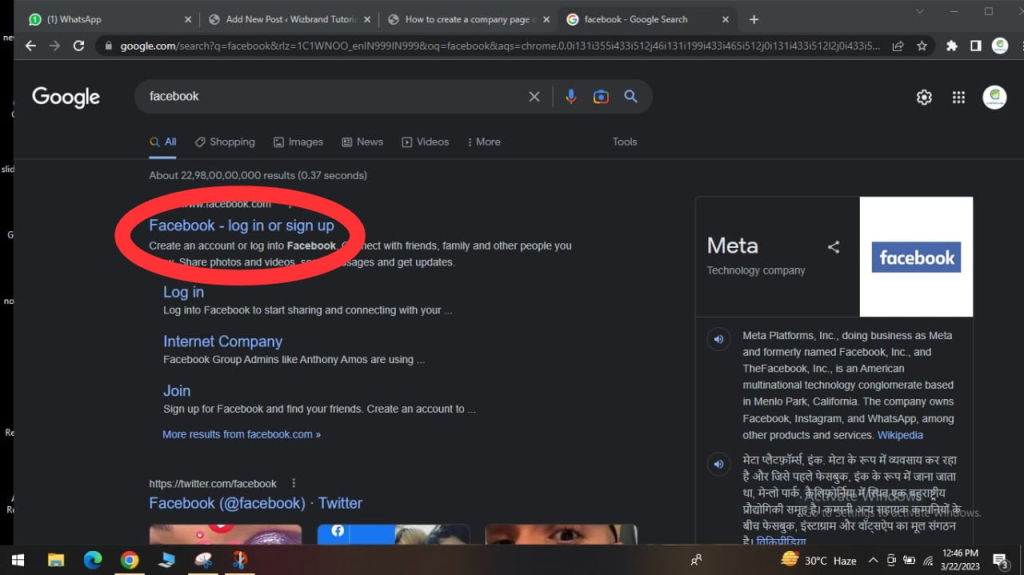
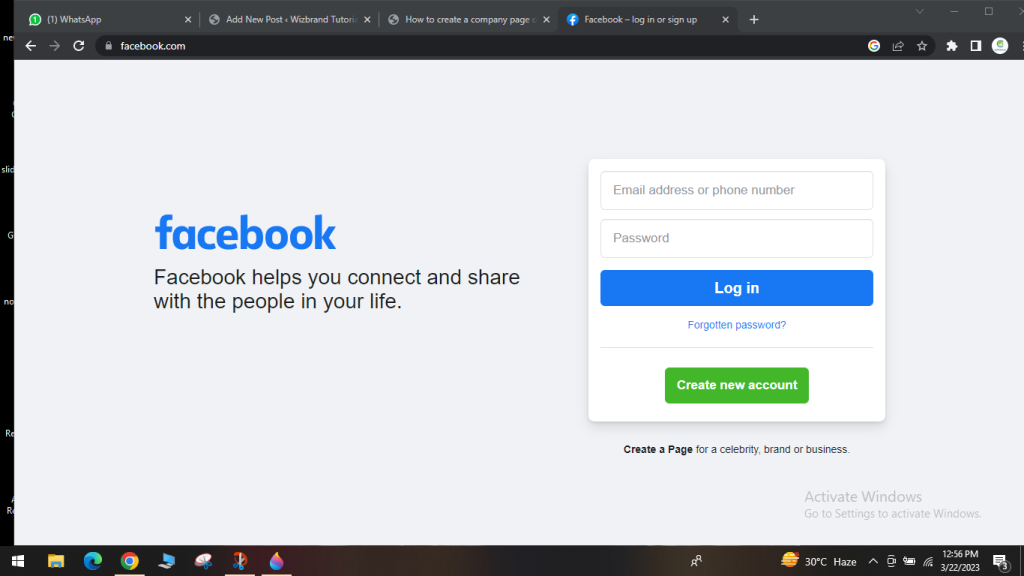
STEP 2:- After that click on the signing button and enter your Email address or phone number and password.
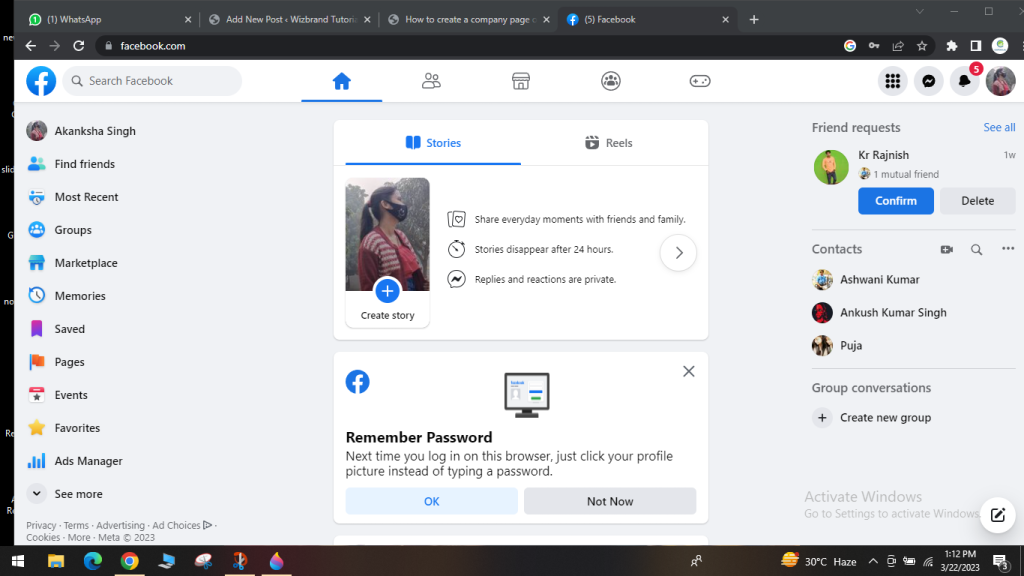
STEP 3:- After the login, you can see these pages. and your Facebook account is log in.
B. HOW TO CREATE A FACEBOOK GROUP
STEP 1:- When you log in to your Facebook account you see the group icon under the home option and click on the group icon
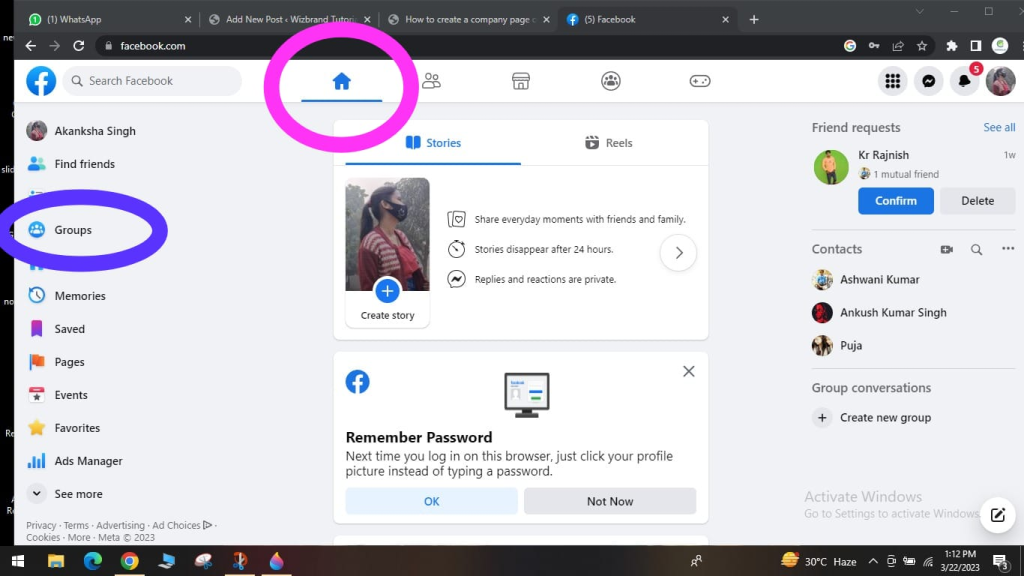
STEP 2:- After clicking on the group icon now you can see the create new group option click it.
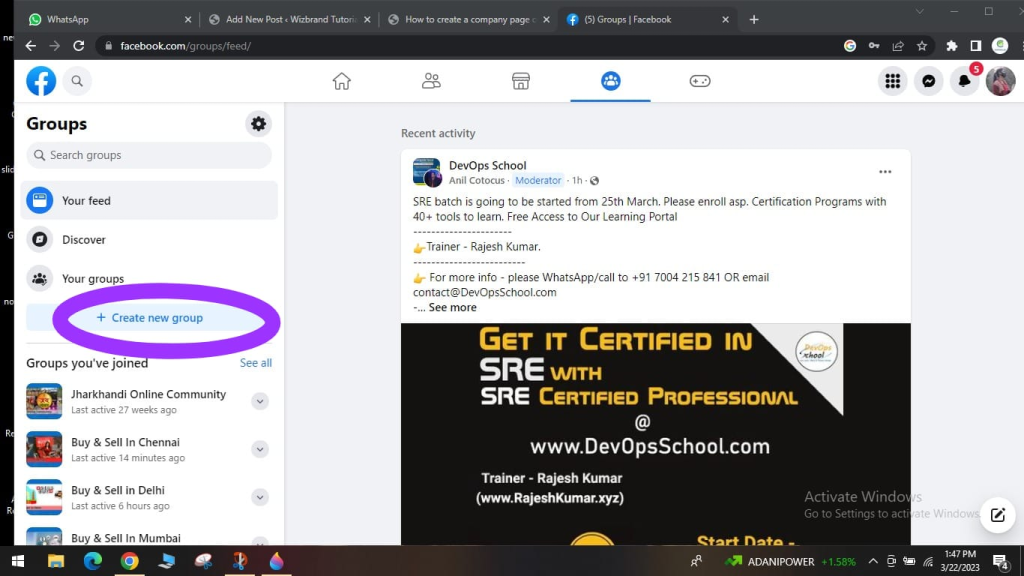
STEP 3:- After clicking create a new group select group name; select choose privacy: public or private; invite friends.
and tap create option. your Facebook group created.
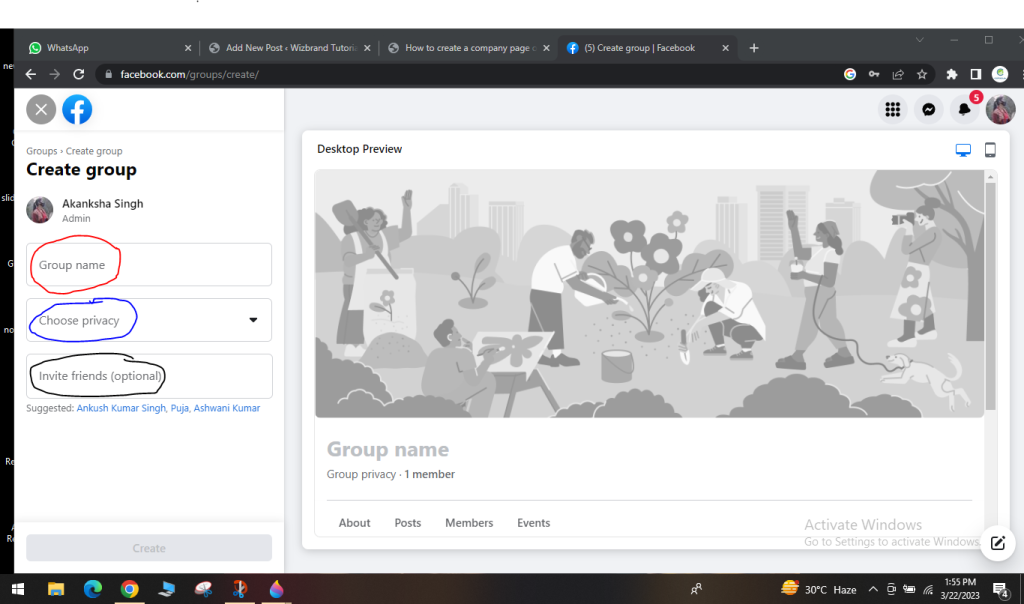
And finally, you have successfully create your Facebook group.
Thanks,

Very Useful Thanks Mam 🙏
found this beginner tutorial on Facebook Groups very helpful and clear. It explained things in simple words so I could understand what a group is and how it works, even if I’ve never created one before. I liked seeing how a group can bring people together around common interests and help start discussions, share posts, and build a small online community. It also made me think about how useful groups could be for connecting with customers or friends in a more personal way. The step‑by‑step parts made the idea of starting my own group feel easier and less confusing. Thanks for laying out the basics in a way that anyone can follow