Introduction
Chatbot Builder Platforms are software tools that enable businesses to design, deploy, and manage automated conversational interfaces. These systems help brands interact with customers through text or voice, handle queries, qualify leads, and streamline support without requiring deep technical skills. Modern chatbot builders blend no‑code interfaces with advanced AI capabilities, making them essential for customer service, sales, and engagement teams.
Real‑world use cases include:
- Providing 24/7 customer support on websites and mobile apps.
- Automating lead capture and qualification for sales teams.
- Delivering personalized recommendations and upsells inside chat.
- Handling order tracking, appointment scheduling, and FAQs.
- Assisting employee onboarding and internal help desk queries.
Evaluation criteria buyers should consider:
- Ease of building and customizing chatbots
- AI and natural language understanding capabilities
- Integration with CRM, analytics, and support tools
- Multi‑channel deployment (web, mobile, social messaging)
- Security, privacy, and compliance capabilities
- Scalability for SMBs to large enterprises
- Analytics and reporting for performance measurement
- Support, templates, and developer tools
- Pricing flexibility and total cost of ownership
- Multilingual support and localization
Best for: Customer support teams, marketing departments, sales operations, e‑commerce brands, and enterprises aiming to automate engagement.
Not ideal for: Organizations with minimal online customer interaction, niche tech products not suited to conversational interfaces, or teams with no resources for continuous training and updates.
Key Trends in Chatbot Builder Platforms
- AI‑powered natural language understanding for more human‑like interactions
- Multi‑channel deployment across web, mobile, social messaging, and voice assistants
- Automation of workflows including lead qualification and order handling
- Plug‑and‑play integrations with CRM, support desks, and analytics systems
- Conversational analytics for measuring engagement and conversion metrics
- Pre‑built templates and industry‑specific modules
- Support for voice and visual chat experiences
- Multi‑language understanding and localization features
- Hybrid models combining AI with human hand‑off support
- Flexible pricing models including usage‑based and tiered enterprise plans
How We Selected These Tools
- Evaluated market adoption and mindshare across SMB and enterprise users
- Assessed feature completeness, including AI, workflows, and analytics
- Considered ease of use and builder flexibility
- Reviewed security posture, including authentication and data protection
- Analyzed integration ecosystem with CRM, support, and payment systems
- Evaluated scalability from SMB to high‑volume enterprise usage
- Considered support resources, including documentation and training
- Factored in innovation and AI capabilities
- Reviewed pricing flexibility for different business sizes and growth stages
- Prioritized platforms with roadmaps for future conversational advancements
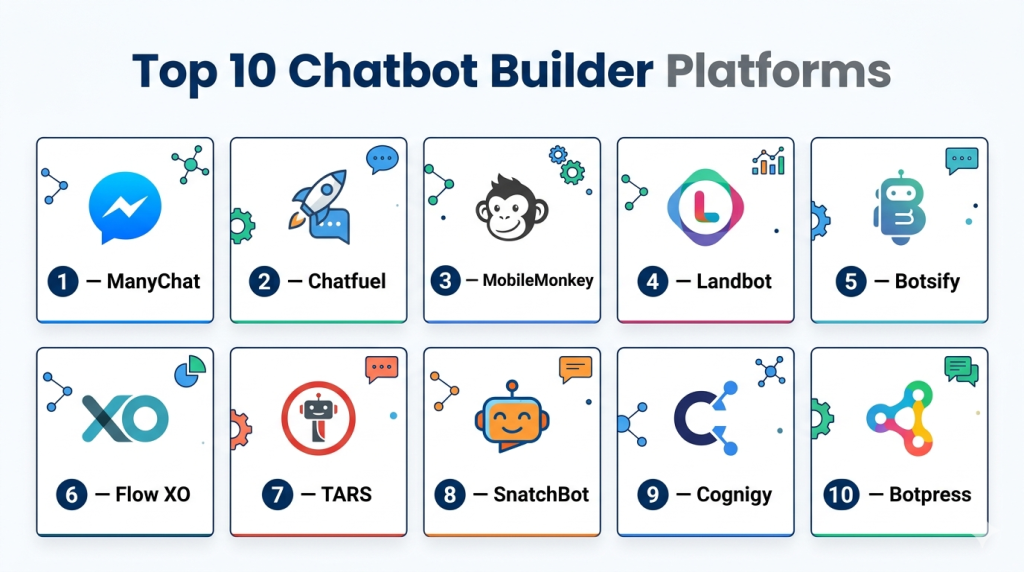
Top 10 Chatbot Builder Platforms
#1 — Dialogflow
Short description: Dialogflow is a conversational AI platform that allows developers and businesses to build intelligent chatbots and voice assistants. It supports natural language understanding to interpret user intent and can be deployed across web, mobile, and messaging channels.
Key Features
- Natural language understanding (NLU) engine
- Multi‑platform deployment options
- Support for text and voice interactions
- Context and entity management
- Pre‑built templates and intents
Pros
- Strong AI understanding and intent recognition
- Flexible for developers and advanced customizations
- Can handle complex dialog flows
Cons
- Requires technical expertise for deep customization
- Initial learning curve for non‑developers
- Limited pre‑built templates for non‑technical users
Platforms / Deployment
- Web / Mobile / Messaging Channels
- Cloud
Security & Compliance
- Not publicly stated
Integrations & Ecosystem
Integrates with messaging platforms and development tools:
- Messaging apps, web chat
- CRM & support integrations via connectors
Support & Community
- Extensive developer community, documentation, and forums
#2 — ManyChat
Short description: ManyChat is a chatbot builder focused on social messaging platforms. It enables businesses to create conversational bots for engagement, marketing automation, and lead generation without coding skills, ideal for e‑commerce and social marketing teams.
Key Features
- Visual bot builder
- Audience segmentation and tagging
- Automated messaging sequences
- Broadcast campaigns
- Analytics dashboard
Pros
- Easy visual interface for non‑technical users
- Great for marketing automation workflows
- Strong support for social messaging channels
Cons
- Limited AI NLU capabilities compared to advanced platforms
- Best suited for predefined sequences rather than open conversations
- Feature limitations on free tiers
Platforms / Deployment
- Social messaging platforms
- Cloud
Security & Compliance
- Not publicly stated
Integrations & Ecosystem
Supports integration with CRM and marketing tools:
- Email marketing, e‑commerce platforms
- Analytics tools for engagement tracking
Support & Community
- Documentation, tutorials, user community
#3 — Botpress
Short description: Botpress is an open‑source chatbot platform that allows teams to build, modify, and host conversational agents. It provides flexibility for developers and enterprise teams to tailor chatbots to specific business needs.
Key Features
- Open‑source chatbot framework
- Visual dialogue builder
- Natural language understanding support
- Multi‑channel deployment
- Analytics and conversation logs
Pros
- Full access to source code for customization
- Flexible deployment and hosting options
- Strong community backing
Cons
- Requires technical expertise to maximize capabilities
- Deployment and maintenance responsibility rests with the user
- UI can be complex for beginners
Platforms / Deployment
- Web / Mobile / Messaging Channels
- Cloud / Self‑hosted
Security & Compliance
- Varies / N/A
Integrations & Ecosystem
Available connectors for CRM and analytics:
- API integrations for support and data systems
Support & Community
- Developer forums, community support, documentation
#4 — Tars
Short description: Tars is a chatbot platform focused on creating conversational landing pages and lead generation bots. It emphasizes visual design and conversion optimization for customer engagement and form replacement.
Key Features
- Drag‑and‑drop builder
- Customizable conversation flows
- A/B testing for bot performance
- Lead capture forms
- Analytics on conversion rates
Pros
- No technical expertise required
- Excellent for landing page engagement and conversions
- Built‑in analytics to track outcomes
Cons
- Limited natural language understanding
- Best suited for structured sequences
- Less flexible for complex dialog flows
Platforms / Deployment
- Web / Landing Pages
- Cloud
Security & Compliance
- Not publicly stated
Integrations & Ecosystem
Integrates with CRM and marketing tools:
- Lead capture, email automation
- Analytics systems
Support & Community
- Documentation, tutorials, support guides
#5 — Landbot
Short description: Landbot offers a conversational bot builder with a visual drag‑and‑drop interface. It focuses on customer engagement, lead capture, and conversational forms, making it ideal for marketing and support teams.
Key Features
- Visual flow builder
- Multi‑channel support
- Lead qualification and capture
- Zapier connectivity
- Analytics dashboard
Pros
- Intuitive interface for non‑developers
- Strong lead capture and qualification tools
- Multi‑channel deployment options
Cons
- Limited advanced AI capabilities
- Custom logic can be complex to set up
- Expensive for high usage tiers
Platforms / Deployment
- Web / Mobile / Messaging
- Cloud
Security & Compliance
- Not publicly stated
Integrations & Ecosystem
Supports connectors for CRM and marketing tools:
- Email automation, analytics tracking
Support & Community
- Knowledge base, community forum
#6 — IBM Watson Assistant
Short description: IBM Watson Assistant is an enterprise‑grade AI chatbot platform that uses advanced natural language processing and AI to handle complex interactions. It supports multi‑channel deployment and strong integration options for businesses with high conversational demands.
Key Features
- Advanced conversational AI
- Intent and entity recognition
- Multi‑channel deployment
- Context and dialog management
- Analytics and reporting
Pros
- Powerful AI and NLU capabilities
- Scalable for enterprise usage
- Strong integration ecosystem
Cons
- Requires technical expertise
- Higher cost than lightweight platforms
- Setup and training require resources
Platforms / Deployment
- Web / Mobile / Messaging Channels
- Cloud
Security & Compliance
- SOC 2, GDPR
Integrations & Ecosystem
Connects with enterprise systems:
- CRM, analytics, support platforms
Support & Community
- Enterprise support, documentation, developer resources
#7 — Intercom
Short description: Intercom provides a conversational support platform with chatbot capabilities built into a broader customer engagement suite. It helps teams automate support, qualify leads, and deliver proactive messaging across channels.
Key Features
- Automated chat and routing
- Custom bots for FAQs and support
- Lead qualification and routing
- Audience segmentation
- Analytics and reporting
Pros
- Integrated customer engagement suite
- Strong support automation
- Contextual chat experiences
Cons
- Chatbot features not as deep as standalone AI platforms
- Can become costly at scale
- Best suited with full Intercom stack
Platforms / Deployment
- Web / Mobile / Messaging
- Cloud
Security & Compliance
- GDPR
Integrations & Ecosystem
Works with support and CRM systems:
- Email, analytics, customer data platforms
Support & Community
- Enterprise support, community resources
#8 — Zoho SalesIQ
Short description: Zoho SalesIQ offers chatbot and live chat capabilities as part of a broader visitor engagement platform. It enables businesses to automate common queries while hand‑off to live agents when needed.
Key Features
- AI‑powered chat and visitor tracking
- Lead scoring and qualification
- Automated responses and routing
- Mobile support
- Analytics dashboard
Pros
- Affordable for SMBs
- Integrated visitor behavior insights
- Live chat and chatbot in one platform
Cons
- Less advanced NLU compared to AI‑centric builders
- Fewer multi‑channel options
- UI can be overwhelming for beginners
Platforms / Deployment
- Web / Mobile
- Cloud
Security & Compliance
- Not publicly stated
Integrations & Ecosystem
- CRM, email automation, analytics tools
Support & Community
- Documentation, tutorials, community forum
#9 — Drift
Short description: Drift is a conversational marketing and sales platform with AI chatbot capabilities. It focuses on lead qualification, conversational routing, and personalized engagement to support sales conversions and customer interactions.
Key Features
- Conversational AI chatbot
- Automated lead qualification
- Meeting scheduling
- Personalization engine
- Analytics and reporting
Pros
- Excellent for sales and marketing teams
- Personalized conversational experiences
- Robust analytics for conversions
Cons
- Higher pricing for advanced features
- Focused more on sales than support
- Best with full platform suite
Platforms / Deployment
- Web / Messaging Channels
- Cloud
Security & Compliance
- Not publicly stated
Integrations & Ecosystem
- CRM, email marketing, analytics systems
Support & Community
- Professional support, knowledge base
#10 — Chatfuel
Short description: Chatfuel provides a chatbot builder focused on social messaging platforms. It enables businesses to build conversational bots for Facebook Messenger, Instagram, and web chat without coding skills.
Key Features
- Visual chatbot builder
- Audience segmentation
- Automated message flows
- Templates library
- Analytics tracking
Pros
- Easy to use with minimal setup
- Great for social platform bots
- Templates speed up creation
Cons
- Limited advanced AI capabilities
- Best suited for predefined flows
- Not ideal for complex dialog systems
Platforms / Deployment
- Messaging Platforms / Web
- Cloud
Security & Compliance
- Not publicly stated
Integrations & Ecosystem
Supports CRM and marketing tools:
- Lead capture, analytics, support connectors
Support & Community
- Documentation, user community
Comparison Table (Top 10)
| Tool Name | Best For | Platform(s) Supported | Deployment | Standout Feature | Public Rating |
|---|---|---|---|---|---|
| Dialogflow | AI conversational builders | Web / Mobile / Messaging | Cloud | Strong NLU and intent handling | N/A |
| ManyChat | Social messaging & marketing | Messaging platforms | Cloud | Visual builder | N/A |
| Botpress | Open‑source chatbot development | Web / Messaging | Cloud / Self‑hosted | Highly customizable | N/A |
| Tars | Conversational landing pages | Web | Cloud | Lead‑focused bot flows | N/A |
| Landbot | Visual conversational builder | Web / Mobile / Messaging | Cloud | Drag‑and‑drop builder | N/A |
| IBM Watson Assistant | Enterprise AI chatbot builder | Web / Mobile / Messaging | Cloud | Advanced conversational AI | N/A |
| Intercom | Support & engagement chat | Web / Mobile / Messaging | Cloud | Integrated engagement suite | N/A |
| Zoho SalesIQ | Visitor tracking + chatbot | Web / Mobile | Cloud | Visitor insights + chatbot | N/A |
| Drift | Conversational marketing & sales | Web / Messaging | Cloud | Lead qualification engine | N/A |
| Chatfuel | Social messaging bot creation | Messaging / Web | Cloud | Easy social bot builder | N/A |
Evaluation & Scoring of Chatbot Builder Platforms
| Tool Name | Core (25%) | Ease (15%) | Integrations (15%) | Security (10%) | Performance (10%) | Support (10%) | Value (15%) | Weighted Total |
|---|---|---|---|---|---|---|---|---|
| Dialogflow | 9 | 7 | 8 | 7 | 9 | 8 | 7 | 8.0 |
| ManyChat | 7 | 9 | 8 | 7 | 8 | 8 | 8 | 8.1 |
| Botpress | 8 | 7 | 7 | 7 | 8 | 7 | 8 | 7.6 |
| Tars | 7 | 8 | 7 | 7 | 7 | 7 | 8 | 7.5 |
| Landbot | 8 | 8 | 8 | 7 | 8 | 8 | 7 | 7.9 |
| IBM Watson Assistant | 9 | 7 | 9 | 8 | 9 | 8 | 6 | 8.2 |
| Intercom | 8 | 8 | 8 | 8 | 8 | 8 | 7 | 8.1 |
| Zoho SalesIQ | 7 | 8 | 7 | 7 | 7 | 7 | 8 | 7.5 |
| Drift | 8 | 8 | 8 | 7 | 8 | 8 | 7 | 7.8 |
| Chatfuel | 7 | 9 | 7 | 7 | 7 | 8 | 8 | 7.7 |
Scores are comparative based on feature depth, usability, integrations, security, performance, support, and value.
Which Chatbot Builder Platform Is Right for You?
Solo / Freelancer
For individuals or small teams, tools like ManyChat and Chatfuel provide easy, visual builders that require minimal setup and no coding, ideal for social engagement and simple chat flows.
SMB
Landbot and Intercom offer a balance of usability, integrations, and conversational capabilities, making them suitable for customer support and marketing automation in growing businesses.
Mid‑Market
Platforms such as Dialogflow and IBM Watson Assistant provide stronger AI capabilities and multi‑channel support, allowing deeper engagement and advanced conversational workflows.
Enterprise
Enterprise teams with complex requirements benefit from IBM Watson Assistant and Botpress (self‑hosted option) due to their customization, scalability, and AI capabilities.
Budget vs Premium
Budget‑friendly platforms like ManyChat and Chatfuel are ideal when cost is the primary concern. Premium solutions like IBM Watson Assistant or Dialogflow are suitable when advanced AI and enterprise‑level reliability are priorities.
Feature Depth vs Ease of Use
Platforms like IBM Watson Assistant offer depth but require training, while Landbot and ManyChat prioritize simplicity and quick deployment.
Integrations & Scalability
If you need wide ecosystem support and deep integrations (CRM, analytics, support), prioritize tools like Intercom and Dialogflow.
Security & Compliance Needs
Enterprises with compliance requirements should consider platforms with strong security postures and certifications.
Frequently Asked Questions (FAQs)
1. What pricing models do chatbot builder platforms use?
Most platforms offer tiered subscriptions based on usage, features, and channels supported. Some provide free tiers for basic bots, with advanced capabilities in paid plans.
2. How long does it take to build a chatbot?
Simple bots can be created in hours; more advanced AI‑driven bots with integrations and custom logic may take several days to design and test.
3. Do I need coding skills to build chatbots?
Many modern builders provide visual interfaces requiring no coding. However, advanced customization and logic may benefit from developers.
4. Can chatbots integrate with existing business tools?
Yes, most platforms integrate with CRM, support desks, analytics, and messaging systems to streamline engagement and data flow.
5. Are chatbot interactions secure and compliant?
Security and compliance vary by platform; enterprise solutions often support data protection standards and regulatory requirements.
6. Can I deploy the chatbot across multiple channels?
Many builders allow deployment on websites, mobile apps, social messaging platforms, and messaging apps.
7. How do chatbot analytics help improve performance?
Analytics provide insights on user interactions, drop‑off points, intent recognition accuracy, and engagement metrics to optimize flows.
8. Can chatbots hand over to human agents?
Yes, most platforms support human hand‑off when a chatbot is unable to resolve a query or when escalation is needed.
9. What are common mistakes when designing chatbots?
Common errors include overly rigid flows, lack of fallback answers, poor intent training, and neglecting multi‑channel consistency.
10. Are there alternatives to chatbot builders?
Alternatives include live support agents, interactive FAQs, voice response systems, and human‑assisted messaging, though they may lack automation and scale.
Conclusion
Choosing the right Chatbot Builder Platform depends on your business needs, complexity of interactions, and desired automation level. Solo users and small teams may prefer visual builders like ManyChat or Chatfuel, while enterprises benefit from AI‑rich platforms like IBM Watson Assistant or Dialogflow. Mid‑market teams may find a balance with Landbot and Intercom, which provide strong usability and integration support. To start effectively, shortlist a few platforms, run pilot projects, verify integrations and security capabilities, and scale based on performance. A well‑implemented chatbot accelerates engagement, improves customer experience, and automates valuable workflows.

I really enjoyed this comparison. It provides a clear overview of the chatbot builder platforms and helps readers quickly understand the strengths and trade-offs of each option.