Introduction
Business Phone Systems (VoIP) are cloud-based communication solutions that allow organizations to make and receive calls over the internet instead of traditional phone lines. In simple terms, VoIP replaces legacy PBX systems with flexible, software-driven platforms that combine voice, messaging, video, and collaboration into a single unified system.
In today’s remote-first and hybrid work environment, VoIP has become essential. Teams need reliable, scalable communication tools that work across devices and locations. Modern VoIP platforms also integrate with CRMs, helpdesk systems, and productivity tools—making them central to business operations, not just communication.
Common use cases include:
- Managing customer support and call centers
- Enabling remote and distributed team communication
- Integrating voice with CRM and sales workflows
- Running global business communication from a single system
- Replacing legacy PBX infrastructure
What buyers should evaluate:
- Call quality and reliability
- Ease of setup and administration
- Pricing and scalability
- Integration with CRM and business tools
- Advanced features (IVR, call routing, analytics)
- Mobile and desktop app support
- Security and compliance features
- Customer support and onboarding
- Global coverage and number availability
- Reporting and analytics capabilities
Best for: SMBs, mid-market companies, enterprises, customer support teams, sales teams, and remote-first organizations.
Not ideal for: Very small teams with minimal call needs, businesses with unstable internet connectivity, or organizations that rely heavily on traditional landline infrastructure.
Key Trends in Business Phone Systems (VoIP) for 2026 and Beyond
- AI-powered call analytics: Real-time transcription, sentiment analysis, and coaching
- Unified communications platforms: Voice, video, chat, and collaboration in one system
- Cloud-first adoption: Decline of on-prem PBX systems
- Omnichannel communication: Integration with email, SMS, and social messaging
- Global number provisioning: Easier international expansion
- Low-code workflow automation: Custom call routing and workflows
- Advanced security features: Encryption, compliance tracking, fraud detection
- Mobile-first communication: Full-featured apps replacing desk phones
- Integration with CRM systems: Deep linking with Salesforce, HubSpot, etc.
- Flexible pricing models: Pay-as-you-go and usage-based billing
How We Selected These Tools (Methodology)
- Market adoption and global presence
- Feature completeness across VoIP and UCaaS capabilities
- Reliability and call quality
- Integration ecosystem and API support
- Security and compliance readiness
- Ease of use for admins and end users
- Scalability across business sizes
- Customer support and onboarding experience
- Innovation in AI and automation
- Pricing flexibility and value
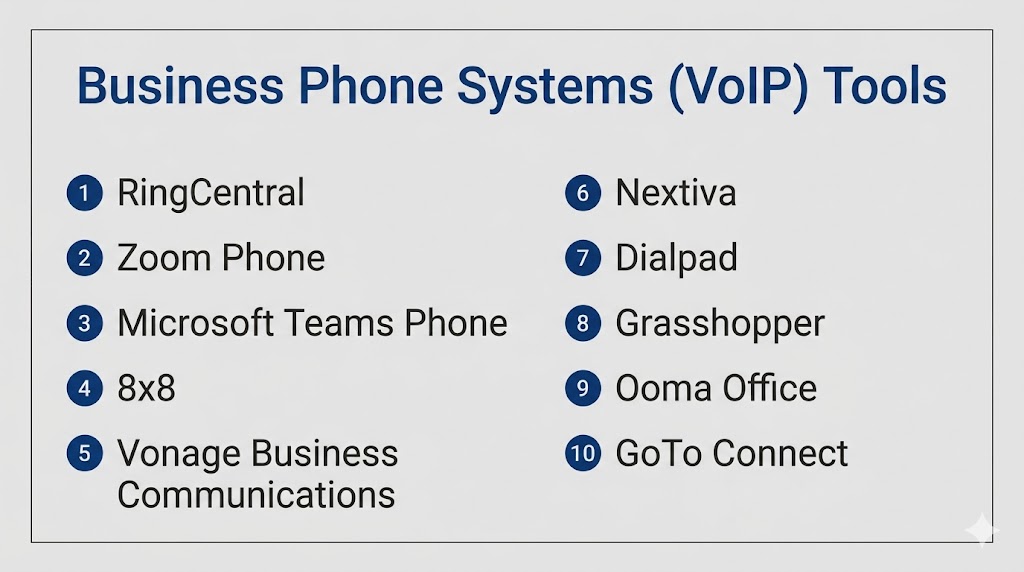
Top 10 Business Phone Systems (VoIP) Tools
#1 — RingCentral
Short description: A leading cloud-based VoIP and unified communications platform for businesses of all sizes.
Key Features
- Voice, video, and messaging
- Advanced call routing and IVR
- AI-powered analytics
- Mobile and desktop apps
- Global number support
- Call recording
Pros
- Comprehensive feature set
- Strong enterprise scalability
Cons
- Higher pricing
- Can be complex for small teams
Platforms / Deployment
Web / Windows / macOS / iOS / Android | Cloud
Security & Compliance
Encryption, RBAC, compliance support (details vary)
Integrations & Ecosystem
RingCentral integrates deeply with business tools.
- Salesforce
- Microsoft Teams
- Google Workspace
- APIs
Support & Community
Strong enterprise support and documentation.
#2 — Zoom Phone
Short description: VoIP extension of Zoom’s communication platform, combining voice with video collaboration.
Key Features
- Cloud PBX system
- Call routing and voicemail
- Zoom integration
- Mobile and desktop apps
- Call recording
Pros
- Easy to use
- Strong video integration
Cons
- Limited advanced telephony features
- Requires Zoom ecosystem
Platforms / Deployment
Web / Mobile / Desktop | Cloud
Security & Compliance
Encryption and security controls (details vary)
Integrations & Ecosystem
- Zoom Meetings
- Slack
- CRM tools
Support & Community
Strong adoption with active user base.
#3 — Microsoft Teams Phone
Short description: Enterprise VoIP solution integrated with Microsoft Teams for unified communication.
Key Features
- Cloud calling
- PSTN integration
- Call queues and auto attendants
- Integration with Microsoft 365
- Collaboration tools
Pros
- Deep Microsoft integration
- Ideal for enterprises
Cons
- Complex setup
- Requires Microsoft ecosystem
Platforms / Deployment
Web / Windows / macOS / Mobile | Cloud
Security & Compliance
Enterprise-grade security and compliance (varies)
Integrations & Ecosystem
- Microsoft 365
- Dynamics CRM
- Power Platform
Support & Community
Strong enterprise support.
#4 — 8×8
Short description: Unified communications platform offering VoIP, contact center, and analytics features.
Key Features
- Voice and video
- Global calling
- Analytics dashboards
- Contact center features
- AI insights
Pros
- Global coverage
- Strong analytics
Cons
- Pricing complexity
- UI can be improved
Platforms / Deployment
Web / Mobile / Desktop | Cloud
Security & Compliance
Varies / Not publicly stated
Integrations & Ecosystem
- CRM tools
- APIs
- Collaboration apps
Support & Community
Enterprise support available.
#5 — Vonage Business Communications
Short description: Flexible VoIP solution for SMBs and enterprises with strong API capabilities.
Key Features
- Voice, SMS, and video
- Call routing
- API integrations
- Mobile apps
- CRM integration
Pros
- Flexible APIs
- Good for developers
Cons
- Add-ons can increase cost
- Setup complexity
Platforms / Deployment
Web / Mobile / Desktop | Cloud
Security & Compliance
Varies / Not publicly stated
Integrations & Ecosystem
- Salesforce
- HubSpot
- APIs
Support & Community
Strong support and documentation.
#6 — Nextiva
Short description: Business VoIP solution focused on reliability and customer communication.
Key Features
- Voice and video
- CRM features
- Call analytics
- IVR system
- Mobile apps
Pros
- Reliable performance
- Easy to use
Cons
- Limited advanced features
- Pricing tiers
Platforms / Deployment
Web / Mobile / Desktop | Cloud
Security & Compliance
Varies / Not publicly stated
Integrations & Ecosystem
- CRM tools
- Business apps
Support & Community
Highly rated customer support.
#7 — Dialpad
Short description: AI-powered VoIP platform with real-time transcription and analytics.
Key Features
- AI call transcription
- Voice and video
- Analytics dashboards
- Call routing
- Mobile apps
Pros
- Strong AI features
- Modern interface
Cons
- Limited customization
- Internet dependency
Platforms / Deployment
Web / Mobile / Desktop | Cloud
Security & Compliance
Varies / Not publicly stated
Integrations & Ecosystem
- Google Workspace
- CRM tools
- APIs
Support & Community
Growing community and support.
#8 — Grasshopper
Short description: Simple VoIP system designed for small businesses and entrepreneurs.
Key Features
- Virtual phone numbers
- Call forwarding
- Voicemail
- Mobile apps
- Basic reporting
Pros
- Easy setup
- Affordable
Cons
- Limited features
- Not scalable
Platforms / Deployment
Mobile / Web | Cloud
Security & Compliance
Not publicly stated
Integrations & Ecosystem
- Basic integrations
Support & Community
Simple onboarding and support.
#9 — Ooma Office
Short description: VoIP solution for small businesses with essential communication features.
Key Features
- Voice calling
- Virtual receptionist
- Mobile apps
- Call forwarding
- Voicemail
Pros
- Affordable
- Easy to use
Cons
- Limited advanced features
- Basic analytics
Platforms / Deployment
Web / Mobile | Cloud
Security & Compliance
Not publicly stated
Integrations & Ecosystem
- Basic integrations
Support & Community
Moderate support.
#10 — GoTo Connect
Short description: Unified communications platform combining VoIP, meetings, and messaging.
Key Features
- Voice and video
- Call routing
- IVR
- Messaging
- Analytics
Pros
- All-in-one platform
- Easy to manage
Cons
- UI limitations
- Pricing
Platforms / Deployment
Web / Mobile / Desktop | Cloud
Security & Compliance
Varies / Not publicly stated
Integrations & Ecosystem
- CRM tools
- Business apps
Support & Community
Reliable support and onboarding.
Comparison Table (Top 10)
| Tool Name | Best For | Platform(s) Supported | Deployment | Standout Feature | Public Rating |
|---|---|---|---|---|---|
| RingCentral | Enterprise | Cross-platform | Cloud | Unified communications | N/A |
| Zoom Phone | Zoom users | Cross-platform | Cloud | Video integration | N/A |
| Microsoft Teams Phone | Enterprises | Cross-platform | Cloud | Microsoft integration | N/A |
| 8×8 | Global teams | Cross-platform | Cloud | Global calling | N/A |
| Vonage | Developers | Cross-platform | Cloud | APIs | N/A |
| Nextiva | SMBs | Cross-platform | Cloud | Reliability | N/A |
| Dialpad | AI users | Cross-platform | Cloud | AI analytics | N/A |
| Grasshopper | Small business | Mobile/Web | Cloud | Simplicity | N/A |
| Ooma Office | SMBs | Web/Mobile | Cloud | Affordability | N/A |
| GoTo Connect | All-in-one | Cross-platform | Cloud | Unified platform | N/A |
Evaluation & Scoring of Business Phone Systems (VoIP)
| Tool Name | Core (25%) | Ease (15%) | Integrations (15%) | Security (10%) | Performance (10%) | Support (10%) | Value (15%) | Weighted Total |
|---|---|---|---|---|---|---|---|---|
| RingCentral | 10 | 8 | 9 | 8 | 9 | 9 | 7 | 8.8 |
| Zoom Phone | 8 | 9 | 8 | 7 | 8 | 8 | 8 | 8.3 |
| Microsoft Teams Phone | 9 | 7 | 10 | 8 | 9 | 9 | 7 | 8.7 |
| 8×8 | 9 | 7 | 8 | 7 | 8 | 8 | 7 | 8.0 |
| Vonage | 8 | 7 | 9 | 7 | 8 | 8 | 8 | 8.1 |
| Nextiva | 8 | 9 | 7 | 7 | 9 | 9 | 8 | 8.3 |
| Dialpad | 8 | 9 | 8 | 7 | 8 | 8 | 8 | 8.2 |
| Grasshopper | 6 | 9 | 5 | 6 | 7 | 7 | 9 | 7.3 |
| Ooma Office | 6 | 9 | 5 | 6 | 7 | 7 | 9 | 7.3 |
| GoTo Connect | 8 | 8 | 7 | 7 | 8 | 8 | 7 | 7.9 |
How to interpret scores:
These scores provide a comparative view across key criteria. Higher scores indicate stronger overall capabilities, but the best tool depends on your business size and needs. Enterprise tools often excel in features and integrations, while SMB tools offer better ease of use and value.
Which Business Phone Systems (VoIP) Tool Is Right for You?
Solo / Freelancer
Grasshopper and Ooma Office are simple and cost-effective.
SMB
Nextiva, Dialpad, and GoTo Connect offer strong usability and features.
Mid-Market
Vonage and 8×8 provide scalability and integrations.
Enterprise
RingCentral and Microsoft Teams Phone are best for large organizations.
Budget vs Premium
- Budget: Grasshopper, Ooma
- Premium: RingCentral, Teams Phone
Feature Depth vs Ease of Use
- Easy: Nextiva, Zoom Phone
- Advanced: RingCentral, Teams
Integrations & Scalability
Choose tools like RingCentral, Teams, or Vonage.
Security & Compliance Needs
Enterprise tools provide stronger compliance features.
Frequently Asked Questions (FAQs)
What is VoIP?
VoIP allows voice communication over the internet instead of traditional phone lines.
Is VoIP reliable?
Yes, with a stable internet connection.
How much does it cost?
Pricing varies based on features and usage.
Can I keep my number?
Yes, most providers support number porting.
Does VoIP support mobile devices?
Yes, most tools offer mobile apps.
Is VoIP secure?
Security varies by provider.
Can VoIP integrate with CRM?
Yes, many tools support CRM integration.
Do I need special hardware?
No, most systems work on existing devices.
What is IVR?
Interactive Voice Response for automated call routing.
Can I scale VoIP systems?
Yes, they are highly scalable.
Conclusion
Business Phone Systems (VoIP) have evolved into comprehensive communication platforms that go far beyond traditional calling. They now combine voice, video, messaging, and integrations into a single unified experience, making them essential for modern businesses. While enterprise tools like RingCentral and Microsoft Teams Phone offer deep functionality and scalability, SMB-focused solutions like Nextiva and Dialpad provide ease of use and strong value. The right choice depends on your organization’s size, integration needs, and communication complexity. Instead of selecting a tool based solely on popularity, focus on how well it fits your workflows and future growth plans. Shortlist two to three options, test them in real scenarios, and validate performance, integrations, and user experience before making a final decision.
