Introduction
Digital Asset Management (DAM) Tools are software platforms designed to store, organize, and manage digital content such as images, videos, documents, and multimedia assets. They enable marketing, creative, and content teams to streamline workflows, maintain brand consistency, and ensure secure access to valuable assets. Modern DAM platforms integrate with creative tools, CRM systems, and collaboration software for efficient asset lifecycle management.
Real-world use cases include:
- Centralizing company logos, images, and videos for consistent branding.
- Managing multimedia content across campaigns, websites, and social media.
- Collaborating with internal teams and external agencies on creative projects.
- Tracking asset usage rights, licenses, and expiration dates.
- Improving search, retrieval, and reporting for digital content.
Evaluation criteria for buyers include:
- Centralized storage and easy retrieval of digital assets
- Metadata tagging and AI-powered search
- User permissions, access control, and versioning
- Integration with creative tools (Adobe, Canva, Figma) and CRMs
- Workflow automation for approvals and publishing
- Security and compliance (GDPR, SOC 2)
- Scalability for growing content libraries
- Reporting and analytics on asset usage
- Ease of use and adoption
- Pricing flexibility for SMBs to enterprise
Best for: Marketing teams, creative departments, agencies, and enterprises managing large volumes of digital content.
Not ideal for: Organizations with minimal digital assets or teams relying on simple cloud storage solutions.
Key Trends in Digital Asset Management Tools
- AI-powered auto-tagging and smart metadata for faster search
- Cloud-based deployment for distributed teams and remote access
- Integration with creative software and marketing platforms
- Advanced workflow automation for approvals and publishing
- Digital rights management and license tracking
- Multi-format and multi-channel support for videos, images, and documents
- Analytics dashboards to track asset usage and performance
- Collaboration features for internal teams and external agencies
- Security and compliance with GDPR, SOC 2, and enterprise standards
- Scalability for expanding asset libraries and global teams
How We Selected These Tools
- Market adoption among creative, marketing, and enterprise teams
- Feature completeness including metadata, AI search, and workflow automation
- Integration ecosystem with creative tools, CRMs, and marketing platforms
- Security and compliance standards for enterprise content management
- Scalability for small, mid-market, and enterprise teams
- Reporting, analytics, and asset usage insights
- Ease of use and learning curve for adoption
- Collaboration and user permission features
- Support and training resources
- Pricing flexibility and total cost of ownership
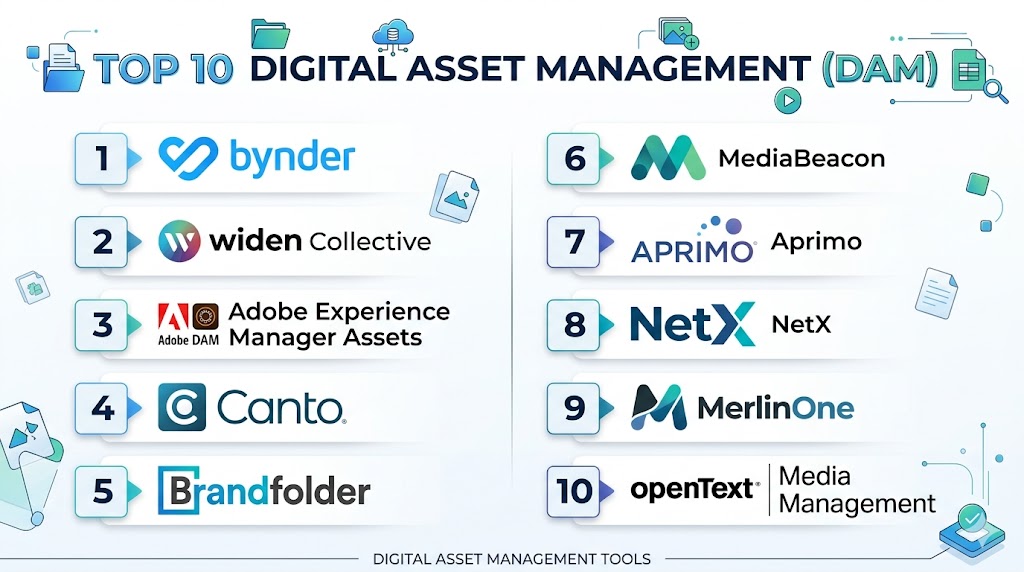
Top 10 Digital Asset Management (DAM) Tools
#1 — Bynder
Short description: Bynder is a cloud-based DAM platform that allows teams to store, manage, and collaborate on digital assets efficiently. It provides AI-powered search, version control, and workflow automation to streamline creative operations.
Key Features
- Centralized digital asset storage
- AI-powered tagging and search
- Workflow automation for approvals
- Version control and history tracking
- Integration with creative and marketing tools
Pros
- Intuitive user interface
- Strong AI-assisted search
- Scalable for enterprise teams
Cons
- Premium pricing for SMBs
- Advanced integrations require setup
- Learning curve for full-feature utilization
Platforms / Deployment
- Web / Cloud
Security & Compliance
- GDPR, SOC 2
Integrations & Ecosystem
- Adobe Creative Cloud, Slack, Salesforce
- Canva, Figma
Support & Community
- Documentation, webinars, dedicated support
#2 — Widen Collective
Short description: Widen Collective offers a comprehensive DAM solution for managing images, videos, and other digital content. It provides metadata management, analytics, and collaboration tools for creative teams.
Key Features
- Metadata and taxonomy management
- Asset analytics and reporting
- Collaboration and approval workflows
- Version control and usage tracking
- API integrations for external platforms
Pros
- Robust metadata management
- Detailed analytics for asset usage
- Supports multi-channel asset delivery
Cons
- Enterprise-focused pricing
- Setup can be complex
- Limited AI search capabilities
Platforms / Deployment
- Web / Cloud
Security & Compliance
- GDPR, SOC 2
Integrations & Ecosystem
- Adobe Creative Cloud, Salesforce, Shopify
- CMS and marketing automation tools
Support & Community
- Documentation, training, support portal
#3 — Canto
Short description: Canto is a DAM platform for organizing, storing, and sharing digital content. It offers AI tagging, collaborative features, and integrations for marketing and creative workflows.
Key Features
- AI-powered tagging and search
- Brand guidelines enforcement
- Workflow automation for approvals
- Asset versioning and history
- Multi-channel distribution
Pros
- User-friendly interface
- Strong search and tagging
- Collaboration and sharing made easy
Cons
- Some advanced features require premium plans
- Limited analytics for SMBs
- Initial setup may require training
Platforms / Deployment
- Web / Cloud
Security & Compliance
- GDPR, SOC 2
Integrations & Ecosystem
- Adobe Creative Cloud, Slack, HubSpot
- Microsoft Teams
Support & Community
- Support portal, documentation, user forums
#4 — Brandfolder
Short description: Brandfolder provides centralized storage, AI-powered search, and workflow automation for digital assets. It helps marketing teams maintain brand consistency and track asset usage across channels.
Key Features
- Centralized repository for digital assets
- AI-assisted search and tagging
- Workflow automation for approvals
- Asset analytics and reporting
- Multi-format support
Pros
- Easy-to-use interface
- Powerful AI search
- Collaboration and asset distribution
Cons
- Pricing for enterprise features
- Limited offline access
- Some advanced analytics require setup
Platforms / Deployment
- Web / Cloud
Security & Compliance
- GDPR, SOC 2
Integrations & Ecosystem
- Adobe Creative Cloud, Salesforce, HubSpot
- Slack, CMS platforms
Support & Community
- Documentation, webinars, support portal
#5 — MediaValet
Short description: MediaValet is a cloud-based DAM that helps enterprises manage and distribute digital assets. It offers AI tagging, global accessibility, and integration with creative and marketing tools.
Key Features
- AI tagging and smart search
- Multi-format asset support
- Workflow automation and approvals
- Global accessibility with cloud deployment
- Analytics dashboards
Pros
- Scalable for large enterprises
- Strong AI capabilities
- Collaboration features
Cons
- Premium pricing
- Initial learning curve
- Some integrations require configuration
Platforms / Deployment
- Web / Cloud
Security & Compliance
- GDPR, SOC 2
Integrations & Ecosystem
- Adobe Creative Cloud, Salesforce, HubSpot
- CMS and marketing tools
Support & Community
- Dedicated support, documentation, training resources
#6 — Aprimo
Short description: Aprimo provides DAM capabilities with content lifecycle management, workflow automation, and AI-powered search. It helps large enterprises manage, distribute, and analyze digital assets effectively.
Key Features
- Asset lifecycle management
- AI-powered search and tagging
- Workflow automation
- Analytics and reporting
- Integration with marketing and creative tools
Pros
- Enterprise-grade DAM
- Advanced analytics
- Strong workflow management
Cons
- Enterprise pricing
- Steep learning curve
- Setup can be complex
Platforms / Deployment
- Web / Cloud
Security & Compliance
- GDPR, SOC 2
Integrations & Ecosystem
- Salesforce, Adobe Creative Cloud, Marketo
- CMS and analytics platforms
Support & Community
- Documentation, training, support portal
#7 — Bynder Orbit
Short description: Bynder Orbit is a lightweight DAM solution for marketing and creative teams. It offers centralized asset storage, AI tagging, and collaborative features to manage brand content.
Key Features
- Centralized storage for digital assets
- AI tagging and search
- Versioning and approvals
- Asset sharing and collaboration
- Multi-channel distribution
Pros
- Intuitive and easy to adopt
- AI-powered search
- Collaboration-friendly
Cons
- Limited advanced analytics
- Less suitable for enterprise-scale assets
- Some integrations require premium plan
Platforms / Deployment
- Web / Cloud
Security & Compliance
- GDPR
Integrations & Ecosystem
- Adobe Creative Cloud, HubSpot, Slack
- CMS platforms
Support & Community
- Support portal, documentation
#8 — OpenText Media Management
Short description: OpenText Media Management is an enterprise DAM platform offering advanced asset management, workflow automation, and global distribution. It supports multimedia content at scale.
Key Features
- Centralized enterprise asset repository
- Workflow automation and approvals
- Metadata and tagging
- AI-assisted search
- Analytics and reporting
Pros
- Enterprise scalability
- Advanced workflow management
- Multi-channel and global support
Cons
- Complex setup
- Premium pricing
- Requires training for full adoption
Platforms / Deployment
- Web / Cloud
Security & Compliance
- GDPR, SOC 2
Integrations & Ecosystem
- Adobe Creative Cloud, Salesforce, CMS
- Marketing automation tools
Support & Community
- Enterprise support, documentation, training
#9 — Nuxeo
Short description: Nuxeo is a cloud-based DAM platform providing AI-assisted asset management, workflow automation, and analytics. It enables teams to manage large volumes of digital content efficiently.
Key Features
- AI-powered metadata tagging
- Workflow automation
- Analytics and reporting
- Multi-format asset support
- API and integration capabilities
Pros
- Scalable for enterprises
- AI-powered asset management
- Flexible integrations
Cons
- Higher pricing for full enterprise features
- Requires technical knowledge
- Complex setup
Platforms / Deployment
- Web / Cloud
Security & Compliance
- GDPR, SOC 2
Integrations & Ecosystem
- Adobe Creative Cloud, Salesforce, CMS
- Analytics and marketing platforms
Support & Community
- Documentation, training, support portal
#10 — Cloudinary
Short description: Cloudinary is a DAM and media management platform optimized for images and videos. It offers AI tagging, automated media optimization, and integrations with marketing and development tools.
Key Features
- Media asset storage and management
- AI tagging and search
- Automated image/video optimization
- Multi-channel distribution
- API integrations for developers
Pros
- Optimized for visual content
- Supports large volumes of images and videos
- Developer-friendly APIs
Cons
- Focused on media-heavy workflows
- Enterprise-level features require premium plan
- Learning curve for full feature adoption
Platforms / Deployment
- Web / Cloud
Security & Compliance
- GDPR, SOC 2
Integrations & Ecosystem
- Adobe Creative Cloud, Shopify, CMS
- Marketing automation tools
Support & Community
- Documentation, tutorials, support portal
Comparison Table (Top 10)
| Tool Name | Best For | Platform(s) Supported | Deployment | Standout Feature | Public Rating |
|---|---|---|---|---|---|
| Bynder | Enterprise creative teams | Web / Cloud | Cloud | AI-powered search & workflow | N/A |
| Widen Collective | Enterprise asset mgmt | Web / Cloud | Cloud | Metadata and analytics | N/A |
| Canto | Marketing teams | Web / Cloud | Cloud | Collaboration & search | N/A |
| Brandfolder | Marketing & creative | Web / Cloud | Cloud | Brand consistency | N/A |
| MediaValet | Global enterprise | Web / Cloud | Cloud | AI tagging & collaboration | N/A |
| Aprimo | Enterprise workflow mgmt | Web / Cloud | Cloud | Asset lifecycle management | N/A |
| Bynder Orbit | Marketing teams | Web / Cloud | Cloud | Lightweight DAM | N/A |
| OpenText Media Management | Enterprise multimedia | Web / Cloud | Cloud | Workflow automation | N/A |
| Nuxeo | Enterprise content mgmt | Web / Cloud | Cloud | AI-assisted asset mgmt | N/A |
| Cloudinary | Visual media management | Web / Cloud | Cloud | Image/video optimization | N/A |
Evaluation & Scoring of Digital Asset Management Tools
| Tool Name | Core (25%) | Ease (15%) | Integrations (15%) | Security (10%) | Performance (10%) | Support (10%) | Value (15%) | Weighted Total |
|---|---|---|---|---|---|---|---|---|
| Bynder | 9 | 8 | 8 | 8 | 9 | 8 | 8 | 8.5 |
| Widen Collective | 8 | 7 | 8 | 8 | 8 | 7 | 7 | 7.7 |
| Canto | 8 | 8 | 7 | 7 | 8 | 7 | 7 | 7.5 |
| Brandfolder | 8 | 8 | 7 | 7 | 8 | 7 | 7 | 7.5 |
| MediaValet | 9 | 7 | 8 | 8 | 9 | 8 | 7 | 8.2 |
| Aprimo | 8 | 7 | 8 | 7 | 8 | 7 | 7 | 7.6 |
| Bynder Orbit | 7 | 8 | 7 | 7 | 7 | 6 | 7 | 7.0 |
| OpenText Media Management | 9 | 7 | 8 | 8 | 9 | 8 | 7 | 8.2 |
| Nuxeo | 8 | 7 | 7 | 7 | 8 | 7 | 7 | 7.5 |
| Cloudinary | 8 | 8 | 7 | 7 | 8 | 7 | 7 | 7.6 |
Which Digital Asset Management Tool Is Right for You?
Solo / Freelancer
Bynder Orbit or Cloudinary provide lightweight and affordable options for individuals or small creative teams managing visual assets.
SMB
Canto or Brandfolder offer easy-to-use platforms with collaboration and asset organization features for growing teams.
Mid-Market
MediaValet or Bynder provide AI tagging, workflow automation, and analytics suitable for mid-sized organizations.
Enterprise
OpenText Media Management, Widen Collective, and Aprimo deliver advanced asset lifecycle management, multi-format support, and global scalability.
Budget vs Premium
Lightweight platforms like Bynder Orbit or Cloudinary are cost-effective; enterprise platforms provide advanced AI, analytics, and workflow management.
Feature Depth vs Ease of Use
Bynder Orbit and Canto are intuitive; Bynder, MediaValet, and OpenText provide deeper capabilities but require training.
Integrations & Scalability
Bynder, OpenText, and Widen Collective integrate with creative tools, CRMs, and CMS for scalable enterprise workflows.
Security & Compliance Needs
Enterprise-grade DAMs offer GDPR, SOC 2, and SSO/RBAC support for secure content management.
Frequently Asked Questions (FAQs)
1. What is a DAM tool?
A platform to organize, store, and manage digital content like images, videos, and documents centrally.
2. Can small teams use DAMs?
Yes, lightweight platforms like Bynder Orbit or Cloudinary suit SMBs and small creative teams.
3. How do these tools integrate with creative software?
Most integrate with Adobe Creative Cloud, Canva, Figma, and other tools for streamlined asset workflows.
4. Do they provide AI tagging and search?
Yes, top DAM platforms use AI to auto-tag assets, improve search, and recommend relevant content.
5. Can DAMs track asset usage?
Yes, they provide analytics on downloads, shares, and asset engagement for reporting.
6. Are DAMs secure?
Enterprise platforms provide GDPR, SOC 2 compliance, encryption, and access control.
7. Can they manage videos as well as images?
Yes, most support images, videos, audio, and other file formats for multi-channel campaigns.
8. How scalable are DAM platforms?
They scale from small teams with hundreds of assets to enterprises managing millions of files globally.
9. Do they offer workflow automation?
Yes, DAMs provide approval workflows, version control, and publishing pipelines.
10. How long does setup take?
Small teams can deploy within days; enterprise implementations may take weeks for full configuration and integrations.
Conclusion
Digital Asset Management (DAM) tools help teams centralize, organize, and optimize their digital content efficiently. Small teams can leverage Bynder Orbit or Cloudinary for affordable, easy-to-use platforms, while mid-market teams benefit from Canto or Brandfolder for collaboration and workflow automation. Enterprises should consider Bynder, OpenText, or Widen Collective for AI-powered tagging, global scalability, and advanced analytics. Shortlist 2–3 tools, run a pilot, verify integrations and compliance, and scale to improve content workflows, collaboration, and brand consistency across channels.

A well-structured comparison that explains digital asset management tools in a clear and practical way. The detailed feature overview and pros-and-cons analysis make it easier to identify the right platform for organizing and managing digital content.