Introduction
Wireframing tools are software applications that allow designers, product managers, and developers to create visual blueprints of websites, mobile apps, and digital interfaces. They help translate ideas into structured layouts showing content hierarchy, navigation flows, and core interactions before investing in full-scale design or development. Wireframing is critical for ensuring efficient collaboration, faster iterations, and reducing costly redesigns.
Real-world use cases include designing responsive web and mobile interfaces for startups and enterprises, mapping complex user flows in SaaS applications, rapid prototyping of dashboards and analytics tools, aligning cross-functional teams around a shared interface vision, and preparing detailed specifications for developers.
Evaluation Criteria for Buyers: Feature completeness, ease of use, integrations with design and development ecosystems, security and compliance support, collaboration capabilities, platform support, performance and reliability, pricing, customer support, and scalability.
Best for: UI UX designers, product managers, developers, digital agencies, startups, SMBs, and enterprises seeking efficient prototyping and collaboration.
Not ideal for: Individuals or organizations needing only static mockups without interactivity or advanced collaboration. Simpler graphic tools may suffice.
Key Trends in Wireframing Tools
- AI-assisted design with automated layout suggestions and content placement.
- Interactive prototyping with dynamic components and animations.
- Cross-platform compatibility for web, desktop, and mobile workflows.
- Real-time collaboration with simultaneous editing, commenting, and version tracking.
- Deep integrations with project management, developer handoff, and design systems.
- Cloud-first deployment with secure storage and no installation overhead.
- Compliance-ready features for enterprise security standards.
- Template libraries and reusable components for faster prototyping.
- Performance optimization for large or complex wireframes.
- Flexible pricing models with subscription and per-seat options.
How We Selected These Tools
- Evaluated market adoption and mindshare across design and development communities.
- Assessed feature completeness including prototyping, collaboration, and design system integration.
- Reviewed reliability and performance through real-world usage signals.
- Considered security posture, compliance certifications, and data protection practices.
- Examined integration capabilities with popular design, project management, and developer tools.
- Evaluated customer fit across solo designers, SMBs, mid-market, and enterprise.
- Considered innovation trends, AI-assisted features, and interactive prototyping.
- Reviewed support options, community engagement, and onboarding experiences.
- Compared pricing structures relative to features and team scalability.
- Prioritized tools with a consistent product roadmap and regular updates.
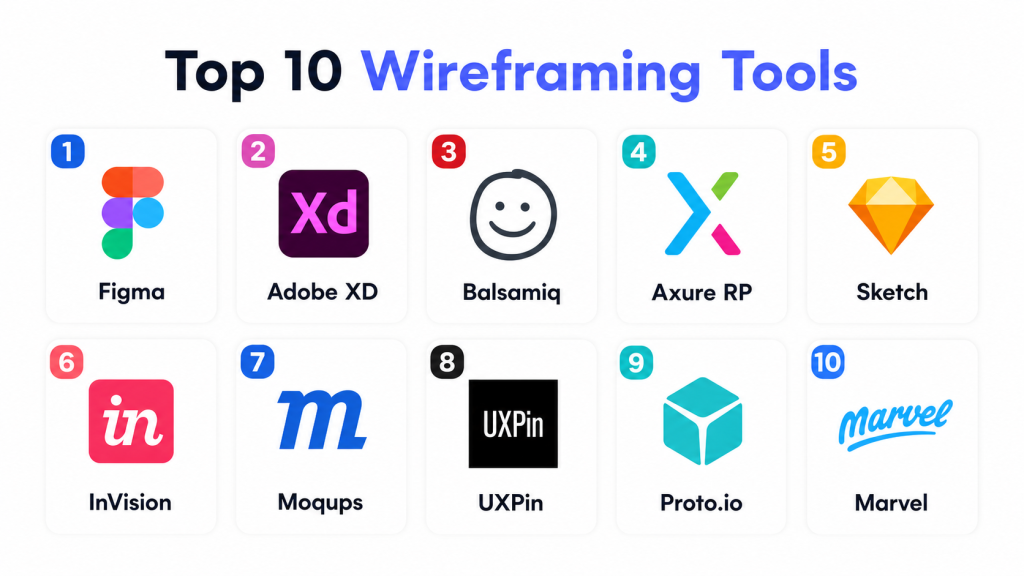
Top 10 Wireframing Tools
#1 — Figma
Short description: Figma is a cloud-based design tool enabling teams to collaborate in real-time. It supports interactive prototyping, reusable components, and a rich plugin ecosystem, making it suitable for both small and large teams.
Key Features
- Real-time collaboration
- Interactive prototyping
- Component libraries
- Cross-platform web and desktop apps
- Plugin ecosystem
- Version control and design history
- Commenting and feedback workflows
Pros
- Excellent team collaboration
- Extensive integrations
- Intuitive interface
Cons
- Limited offline functionality
- Resource-intensive for large projects
- Advanced prototyping may require plugins
Platforms / Deployment
- Web Windows macOS Linux
- Cloud
Security & Compliance
- SSO SAML MFA
- SOC 2 ISO 27001 GDPR
Integrations & Ecosystem
Integrates with project management, collaboration, and developer tools.
- Jira Trello Asana
- Slack Teams
- Zeplin
- Notion Confluence
Support & Community
Comprehensive documentation, active forums, and official tutorials.
#2 — Adobe XD
Short description: Adobe XD is a versatile wireframing tool for creative professionals. It provides vector-based design, interactive prototyping, and collaborative workflows with integration into Adobe Creative Cloud.
Key Features
- Vector-based design
- Interactive prototypes and animations
- Component libraries
- Adobe Creative Cloud integration
- Cloud document storage
- Voice interaction and auto-animate
Pros
- Seamless Adobe integration
- Supports design and prototyping
- Cross-platform compatibility
Cons
- Performance can lag with complex files
- Collaboration not as robust as Figma
- Limited free-tier options
Platforms / Deployment
- Windows macOS iOS
- Cloud Desktop
Security & Compliance
- Not publicly stated
Integrations & Ecosystem
- Photoshop Illustrator
- Slack Jira Trello
- Zeplin Avocode
- User testing platforms
Support & Community
Documentation, community forums, and Adobe support.
#3 — Balsamiq
Short description: Balsamiq focuses on low-fidelity wireframing for rapid sketching of interface ideas. It emphasizes simplicity and speed, making it ideal for early-stage brainstorming and workshops.
Key Features
- Drag-and-drop interface elements
- Pre-built UI components
- Sketch-style wireframes
- Rapid prototyping
- Desktop and web applications
- Collaboration via shared projects
Pros
- Fast and easy to use
- Focused on concept over polish
- Lightweight and responsive
Cons
- Limited high-fidelity capabilities
- Minimal animation or interactivity
- Basic collaboration features
Platforms / Deployment
- Web Windows macOS
- Cloud Desktop
Security & Compliance
- Not publicly stated
Integrations & Ecosystem
- Slack notifications
- Jira Confluence
- PDF PNG export
Support & Community
Active forums, email support, and tutorials.
#4 — Axure RP
Short description: Axure RP is a professional wireframing and prototyping tool for complex applications. It supports dynamic content, conditional logic, and advanced interactions for enterprise teams.
Key Features
- High-fidelity wireframes
- Conditional logic and dynamic panels
- Team sharing and version control
- Responsive design capabilities
- Widget libraries
- Jira and Confluence integration
Pros
- Supports complex UI flows
- Detailed prototyping features
- Strong collaboration tools
Cons
- Steep learning curve
- Desktop-focused interface
- Higher pricing for small teams
Platforms / Deployment
- Windows macOS
- Cloud Desktop Hybrid
Security & Compliance
- Not publicly stated
Integrations & Ecosystem
- Jira Confluence
- Slack
- Plugin support
Support & Community
Documentation, tutorials, and support.
#5 — Sketch
Short description: Sketch is a macOS-focused tool for vector-based design and wireframing. It uses symbols and reusable components for consistent UI design and integrates with cloud services for collaboration.
Key Features
- Vector-based design
- Symbols and reusable components
- Prototyping and interactions
- Cloud collaboration
- Plugin ecosystem
- Export for developers
Pros
- Optimized for macOS
- Extensive plugins
- Strong design system support
Cons
- macOS only
- Limited built-in collaboration
- Cloud collaboration requires subscription
Platforms / Deployment
- macOS iOS
- Cloud Desktop
Security & Compliance
- Not publicly stated
Integrations & Ecosystem
- Zeplin InVision
- Jira Trello
- Slack Abstract
- Plugins for icons charts accessibility
Support & Community
Community forums, tutorials, and documentation.
#6 — InVision
Short description: InVision is a cloud-based prototyping and collaboration tool. Teams can create clickable wireframes, manage feedback, and maintain versioned design systems.
Key Features
- Interactive prototypes
- Design system management
- Real-time collaboration
- Version control and audit tracking
- Cloud storage
Pros
- Strong team collaboration
- Efficient feedback workflow
- Scalable for enterprise
Cons
- Limited offline use
- Learning curve for beginners
- Requires separate tools for high-fidelity design
Platforms / Deployment
- Web Windows macOS iOS Android
- Cloud
Security & Compliance
- Not publicly stated
Integrations & Ecosystem
- Jira Trello
- Slack Teams
- Photoshop Sketch Figma
Support & Community
Knowledge base, forums, and enterprise support.
#7 — Moqups
Short description: Moqups is a web-based wireframing and prototyping platform. It allows lightweight design, mockups, and diagrams without installing software, ideal for SMBs and small teams.
Key Features
- Drag-and-drop wireframing
- Interactive prototyping
- Diagramming and flowcharts
- Cloud collaboration
- Pre-built UI templates
Pros
- Web-based, no installation
- Simple interface for rapid design
- Affordable for SMBs
Cons
- Limited high-fidelity prototyping
- Fewer integrations than competitors
- Not ideal for enterprise-scale projects
Platforms / Deployment
- Web Windows macOS Linux
- Cloud
Security & Compliance
- Not publicly stated
Integrations & Ecosystem
- Jira Trello
- Slack
- Google Drive Dropbox
Support & Community
Email support, tutorials, and forums.
#8 — UXPin
Short description: UXPin focuses on interactive prototypes and design systems. It enables designers to reuse components, create logic-driven interactions, and collaborate with developers.
Key Features
- Interactive prototypes
- Design system libraries
- Collaboration and commenting
- Developer handoff
- Responsive design support
Pros
- Complex interactions supported
- Design system management
- Collaboration-friendly
Cons
- Complex for beginners
- Web-based interface may lag
- Pricing higher for small teams
Platforms / Deployment
- Web Windows macOS
- Cloud
Security & Compliance
- Not publicly stated
Integrations & Ecosystem
- Jira Trello
- Slack
- Figma Sketch imports
Support & Community
Documentation, tutorials, and support.
#9 — Proto.io
Short description: Proto.io is a web-based platform for interactive wireframes and realistic prototypes. It enables designers to simulate app experiences without coding.
Key Features
- Drag-and-drop interface
- Interactive animations
- Pre-built UI kits
- Collaboration and commenting
- Cloud storage
Pros
- No coding required
- Extensive UI kit library
- Cross-platform previews
Cons
- Limited offline access
- Complex interactions learning curve
- Fewer integrations than competitors
Platforms / Deployment
- Web iOS Android
- Cloud
Security & Compliance
- Not publicly stated
Integrations & Ecosystem
- Jira Trello
- Slack Teams
- Sketch Photoshop imports
Support & Community
Online tutorials, documentation, and active community.
#10 — Marvel
Short description: Marvel is a simple wireframing and prototyping tool focused on rapid mockup creation, user testing, and collaboration. Ideal for SMBs and agile design teams.
Key Features
- Wireframing and prototyping
- User testing and feedback
- Team collaboration
- Cloud-based storage
- Productivity tool integrations
Pros
- Beginner-friendly
- Rapid prototyping
- Supports user testing
Cons
- Limited advanced interactions
- Not suited for complex apps
- Fewer integrations than enterprise tools
Platforms / Deployment
- Web iOS Android
- Cloud
Security & Compliance
- Not publicly stated
Integrations & Ecosystem
- Slack Trello Jira
- Google Drive Dropbox
- Figma Sketch imports
Support & Community
Documentation, onboarding tutorials, and email support.
Comparison Table
| Tool Name | Best For | Platform(s) Supported | Deployment | Standout Feature | Public Rating |
|---|---|---|---|---|---|
| Figma | Team collaboration | Web Windows macOS Linux | Cloud | Real-time collaboration | N/A |
| Adobe XD | Creative professionals | Windows macOS iOS | Cloud Desktop | Adobe Creative Cloud integration | N/A |
| Balsamiq | Rapid low-fidelity wireframes | Web Windows macOS | Cloud Desktop | Sketch-style wireframes | N/A |
| Axure RP | Complex enterprise apps | Windows macOS | Cloud Desktop Hybrid | Conditional logic and dynamic panels | N/A |
| Sketch | macOS designers | macOS iOS | Cloud Desktop | Symbols and reusable components | N/A |
| InVision | Collaborative prototyping | Web Windows macOS iOS Android | Cloud | Interactive prototypes | N/A |
| Moqups | Lightweight web design | Web Windows macOS Linux | Cloud | Rapid wireframing | N/A |
| UXPin | Design system management | Web Windows macOS | Cloud | Interactive prototypes and components | N/A |
| Proto.io | High-fidelity app prototypes | Web iOS Android | Cloud | Realistic, no-code simulations | N/A |
| Marvel | Agile SMB teams | Web iOS Android | Cloud | Rapid prototyping and user testing | N/A |
Evaluation & Scoring
| Tool Name | Core 25% | Ease 15% | Integrations 15% | Security 10% | Performance 10% | Support 10% | Value 15% | Weighted Total |
|---|---|---|---|---|---|---|---|---|
| Figma | 10 | 9 | 9 | 8 | 9 | 9 | 9 | 9.2 |
| Adobe XD | 9 | 8 | 8 | 7 | 8 | 8 | 8 | 8.2 |
| Balsamiq | 7 | 10 | 6 | 7 | 9 | 8 | 9 | 8.1 |
| Axure RP | 10 | 7 | 8 | 7 | 8 | 8 | 7 | 8.0 |
| Sketch | 9 | 8 | 8 | 7 | 8 | 7 | 8 | 8.0 |
| InVision | 8 | 8 | 7 | 7 | 7 | 8 | 7 | 7.5 |
| Moqups | 7 | 9 | 6 | 7 | 8 | 7 | 8 | 7.6 |
| UXPin | 9 | 7 | 8 | 7 | 8 | 7 | 7 | 7.9 |
| Proto.io | 8 | 8 | 7 | 7 | 7 | 7 | 7 | 7.4 |
| Marvel | 7 | 9 | 6 | 7 | 7 | 7 | 7 | 7.2 |
Scores show relative strengths across features, ease, integrations, security, performance, support, and value. Weighted totals above 8 indicate strong suitability for teams, while 7–8 reflects solid performance for SMBs or freelancers. Use this scoring alongside your specific needs.
Which Wireframing Tools Is Right for You
Solo / Freelancer
Balsamiq, Moqups, or Marvel allow rapid wireframing without complex collaboration overhead.
SMB
Figma, Adobe XD, or UXPin are best for team collaboration, shared libraries, and integration with project management tools.
Mid-Market
Axure RP, UXPin, or InVision support interactive prototypes, reusable components, and cross-team collaboration.
Enterprise
Figma, Axure RP, or InVision provide governance, advanced prototyping, and security compliance suitable for large teams.
Budget vs Premium
Budget tools like Balsamiq, Moqups, and Marvel work for freelancers and SMBs. Premium options like Figma, Adobe XD, and Axure RP are better for enterprises with complex workflows.
Feature Depth vs Ease of Use
High feature depth tools like Axure RP and UXPin may require a learning curve, while Figma and Marvel balance ease and functionality.
Integrations & Scalability
Teams needing strong integration ecosystems should prefer Figma, Adobe XD, or UXPin to ensure smooth workflows across design, project management, and developer handoff.
Security & Compliance Needs
Enterprises should prioritize tools like Figma with enterprise-grade security features, SSO, encryption, and compliance with SOC 2 and GDPR.
Frequently Asked Questions
1. What is the typical pricing model for wireframing tools?
Most tools offer subscription-based pricing per user, sometimes with free tiers. Enterprise plans provide additional collaboration, governance, and security features.
2. How easy is onboarding for beginners?
Tools like Balsamiq, Moqups, and Marvel are beginner-friendly, while Axure RP and UXPin may require a learning period due to advanced features.
3. Can wireframing tools handle large team collaboration?
Yes, Figma, Adobe XD, and InVision support real-time collaboration, version control, and commenting for large teams.
4. Are these tools secure for enterprise use?
Enterprise-grade tools provide SSO, encryption, and compliance with SOC 2, ISO 27001, and GDPR, though some web-based tools may vary.
5. Do wireframing tools support interactive prototypes?
Most tools support clickable wireframes, transitions, and conditional logic, enabling testing without code.
6. How do integrations work with other software?
Tools integrate with project management platforms like Jira and Trello, communication apps like Slack, and developer handoff platforms like Zeplin.
7. Can I switch wireframing tools easily?
Export options such as PNG, PDF, SVG, and Sketch imports allow transferring wireframes, though some features may not translate perfectly.
8. Are cloud-based tools better than desktop?
Cloud tools enable real-time collaboration and easy access, while desktop apps may offer offline functionality for individual users.
9. Can these tools handle responsive design?
Yes, many provide responsive layout capabilities and preview modes for multiple devices and screen sizes.
10. Are there AI features in wireframing tools?
Some platforms offer AI-assisted layout suggestions, automated styling, and content placement for faster prototyping.
Conclusion
Selecting the right wireframing tool depends on team size, project complexity, and collaboration needs. Freelancers may prioritize simplicity and speed, while enterprises need advanced interactions, security, and integrations. Evaluating tools based on features, ease of use, integrations, and performance ensures better alignment with workflow and product goals. Start by shortlisting two to three options, run a pilot to assess fit, and verify security, compliance, and integration requirements before full adoption. Choosing the right tool streamlines the design process, improves communication across teams, and accelerates product delivery.

Really helpful comparison. The article presents each wireframing tool in a clear and concise manner, making it easy to understand their strengths and choose the right one for different design projects.