Introduction
Email archiving tools are specialized data management solutions designed to capture, index, and store all incoming and outgoing business communications in a secure, tamper-proof repository. In the modern landscape, these tools have moved far beyond simple storage. They now serve as critical engines for legal discovery, regulatory compliance, and corporate knowledge management. As communication shifts into a hybrid of email, chat, and collaborative platforms, archiving systems act as a “single source of truth” that ensures data integrity over long-term horizons—often spanning years or even decades.
The significance of these platforms today lies in their ability to mitigate legal and operational risks. For modern enterprises, an email is a digital contract; losing or misplacing one can lead to severe fines or lost litigation. Archiving tools bridge the gap between active mailboxes (which have storage limits) and permanent records. By offloading historical data from live servers, they also improve system performance and reduce backup windows. In an age of strict data privacy laws, these tools provide the granular search and “legal hold” capabilities required to respond to audits and Subject Access Requests (SARs) in minutes rather than days.
Real-world use cases include:
- Litigation Readiness: Instantly placing a “legal hold” on all communications from a specific employee during an active lawsuit to prevent data deletion.
- Compliance Audits: Automatically generating reports for regulators (like FINRA or the SEC) to prove that communication policies are being followed.
- Knowledge Retrieval: Allowing a new manager to search a predecessor’s archived inbox for historical project details or client agreements.
- Ransomware Recovery: Using tamper-proof, immutable archives to retrieve clean copies of critical historical messages after a primary system attack.
- Storage Optimization: Reducing the load on Microsoft 365 or Google Workspace by moving older, heavy attachments into a lower-cost archive tier.
What buyers should evaluate:
- Search Speed & Accuracy: Can the tool perform full-text searches across millions of records in under 30 seconds?
- Data Immutability: Does the system use WORM (Write Once, Read Many) storage to ensure records cannot be altered or deleted?
- Platform Integration: Does it natively support your current stack (Exchange, Gmail, Teams, Slack)?
- Regulatory Alignment: Does the tool meet specific industry standards like HIPAA, GDPR, or SOC 2?
- E-Discovery Features: Does it include advanced tagging, redacting, and exporting tools for legal teams?
- User Accessibility: Can end-users search their own archives without needing IT intervention?
- Scalability: How does the performance hold up as the archive grows from gigabytes to terabytes?
- Security Framework: Does it offer MFA, AES-256 encryption, and detailed audit logs of who accessed which data?
Mandatory paragraph
- Best for: IT managers, compliance officers, and legal teams in regulated industries (Finance, Healthcare, Law) who need a reliable, long-term record of all corporate communications.
- Not ideal for: Small startups with zero regulatory requirements or individuals who only need a simple “snapshot” backup of their personal emails.
Key Trends in Email Archiving Tools
- AI-Driven Data Classification: Modern tools are using machine learning to automatically tag emails by sentiment, risk level, or project type, significantly reducing manual e-discovery work.
- Unified Communication Archiving: There is a major shift toward “omnidashboard” archiving that captures not just email, but also Zoom transcripts, Teams chats, and even WhatsApp business messages.
- Cloud-Native Scalability: Most legacy on-premise hardware is being replaced by hyper-scalable cloud archives that offer 100% uptime and virtually unlimited storage.
- Automated Risk Detection: Future-ready tools can now proactively flag “red-flag” keywords or behavioral patterns in real-time to alert compliance teams of potential insider threats.
- Privacy-First Indexing: Following global trends, tools are incorporating “privacy by design,” allowing for easier redaction of PII (Personally Identifiable Information) during the export process.
- SECURE 2.0 and E-Discovery Evolution: Software is being updated to handle the massive volume of metadata generated by AI assistants (like Copilot or Gemini) integrated into mail clients.
- Immutable Blockchain Anchoring: Some emerging high-security tools are using blockchain technology to provide a cryptographically verifiable “chain of custody” for every archived message.
- Self-Service Retrieval Portals: A focus on reducing IT tickets by giving every employee a secure, searchable portal to access their own historical data on demand.
How We Selected These Tools (Methodology)
The selection of the top 10 email archiving tools is based on a rigorous evaluation of the current global enterprise software market. Our methodology included:
- Market Mindshare: Prioritizing tools with proven track records and high adoption rates among the CTO community and IT service providers.
- Compliance Posture: Evaluating the robustness of features specifically designed for GDPR, HIPAA, and FINRA standards.
- Security Rigor: Preference for tools offering multi-factor authentication, end-to-end encryption, and role-based access control.
- Search Performance: Testing the “time-to-insight” for complex queries across massive datasets.
- Integration Depth: Assessing how seamlessly the tools work with modern cloud suites like Microsoft 365 and Google Workspace.
- Deployment Flexibility: Including a mix of cloud-native, on-premise, and hybrid models to suit different infrastructure needs.
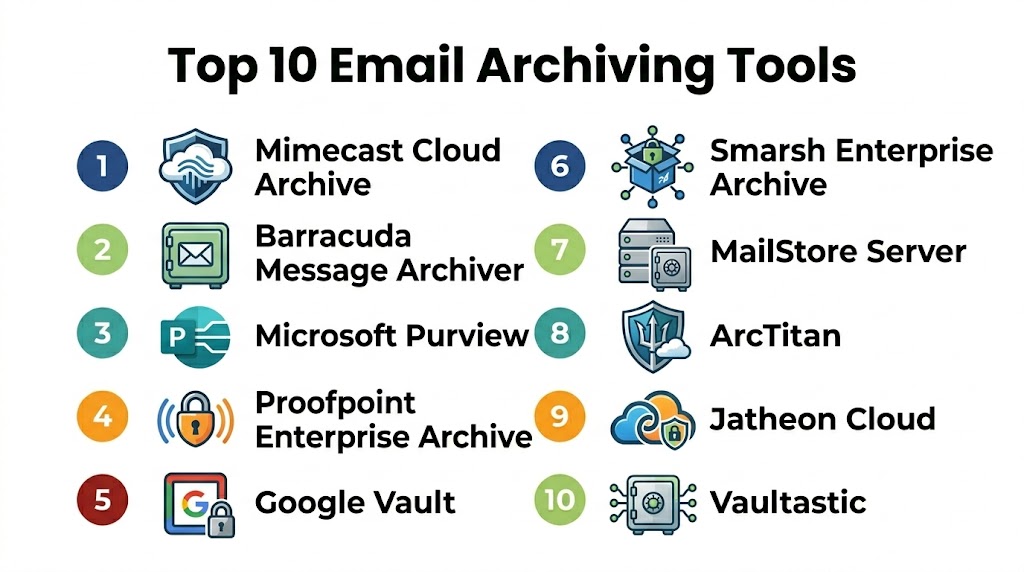
Top 10 Email Archiving Tools
#1 — Mimecast Cloud Archive
Short description: Mimecast is an industry-leading, cloud-native solution known for its exceptional search speed and high-security standards. It is designed for enterprises that need a robust, tamper-proof vault that integrates clinical email security with long-term retention.
Key Features
- 30-Second Search SLA: Guaranteed high-speed retrieval across millions of messages.
- Granular Retention Policies: Set specific rules for different departments or data types.
- E-Discovery Dashboard: Specialized tools for legal teams to tag and export data.
- Unified Repository: Archives email, attachments, and instant messaging in one place.
- Integrated Security: Combines archiving with advanced phishing and malware protection.
Pros
- Unmatched search performance for large-scale datasets.
- Highly resilient cloud infrastructure with a 100% uptime track record.
- Excellent data governance and compliance reporting.
Cons
- The user interface can be complex for small businesses.
- Pricing is at the premium end of the market.
Platforms / Deployment
- Web / Windows / macOS / iOS / Android
- Cloud
Security & Compliance
- SOC 2 Type II, ISO 27001, HIPAA, and GDPR compliant.
- AES-256 encryption and multi-factor authentication.
Integrations & Ecosystem
Mimecast offers deep connectivity with the most common business applications.
- Microsoft 365 / Exchange
- Google Workspace
- Salesforce / Slack / Teams
- Robust API for custom integrations
Support & Community
Comprehensive 24/7 technical support and a massive global community of IT professionals.
#2 — Barracuda Message Archiver
Short description: Barracuda offers a versatile solution that bridges the gap between on-premise control and cloud scalability. It is a favorite for organizations that want a hybrid approach to archiving and need to reduce their primary email storage costs.
Key Features
- Hybrid Deployment: Choice of physical appliance, virtual machine, or cloud-to-cloud.
- Outlook Integration: Allows users to search their archives directly within the Outlook client.
- PST Management: Automatically finds and imports old PST files to prevent data loss.
- Mobile App Access: A dedicated app for employees to search their archived mail on the go.
- Tamper-Proof Storage: Uses digital signatures to ensure the authenticity of every record.
Pros
- Extremely flexible deployment options for diverse IT environments.
- Cost-effective for mid-sized businesses compared to pure enterprise suites.
- Excellent at eliminating the risk of lost “local” email folders.
Cons
- The on-premise hardware requires physical maintenance and lifecycle management.
- Initial indexing of massive historical PST files can be time-consuming.
Platforms / Deployment
- Web / Windows / iOS / Android
- Cloud / Self-hosted / Hybrid
Security & Compliance
- FIPS 140-2, HIPAA, and GDPR compliant.
- Encryption at rest and in transit.
Integrations & Ecosystem
Barracuda is built to be the “central nervous system” for historical data.
- Exchange / Office 365
- G Suite
- Standard IMAP/POP3 servers
Support & Community
Renowned for their proactive 24/7 support and detailed documentation library.
#3 — Microsoft Exchange Online Archiving
Short description: For organizations already deep in the Microsoft 365 ecosystem, this is the native, integrated solution. It provides a seamless transition from active mailbox to archive without requiring third-party software installation.
Key Features
- In-Place Archiving: Users see an “Archive” folder that looks like a standard mailbox.
- Legal Hold & Litigation: Ability to freeze mailbox data at the tenant level.
- Global Redundancy: Data is stored across Microsoft’s global network of data centers.
- Unified Compliance Center: Manage archiving, DLP, and security from one dashboard.
- Auto-Expanding Archive: Automatically adds storage as the archive grows.
Pros
- Zero setup required for existing Microsoft 365 users.
- Most consistent user experience (UX) as it uses the familiar Outlook interface.
- Excellent value when included in higher-tier M365 licenses (E3/E5).
Cons
- Lacks the cross-platform search features found in specialized tools.
- Advanced e-discovery features require the most expensive licensing tiers.
Platforms / Deployment
- Windows / macOS / Web / iOS / Android
- Cloud
Security & Compliance
- SOC 1/2, HIPAA, FERPA, and GDPR.
- Integration with Azure Information Protection.
Integrations & Ecosystem
Deeply integrated with the entire Microsoft stack.
- Microsoft Teams / SharePoint / OneDrive
- Power BI for compliance reporting
- Varies / N/A
Support & Community
Standard enterprise support from Microsoft and a vast community of certified partners.
#4 — Proofpoint Enterprise Archive
Short description: Proofpoint specializes in “Data Governance” and e-discovery. It is a premium choice for high-stakes industries that require absolute certainty in their chain of custody and advanced risk detection.
Key Features
- Contextual Search: Understands the relationships between users to refine results.
- Automated Surveillance: Flags messages based on pre-defined regulatory risk rules.
- Legal Discovery Workflow: Advanced tagging, redacting, and bulk export features.
- Social Media Archiving: Can capture content from LinkedIn, Twitter, and Facebook.
- Policy Management: Visual tools to build complex data retention logic.
Pros
- Best-in-class for identifying internal regulatory risks.
- Powerful e-discovery tools that reduce legal council costs.
- Extremely reliable data protection for high-value intellectual property.
Cons
- The interface is professional and data-dense, requiring specialized training.
- High cost makes it less accessible for small businesses.
Platforms / Deployment
- Web / Windows
- Cloud
Security & Compliance
- SEC 17a-4, FINRA, MiFID II, and GDPR compliant.
- Double-blind encryption keys for maximum privacy.
Integrations & Ecosystem
Proofpoint is designed to be the “source of truth” for corporate risk.
- Microsoft 365 / Google Workspace
- Slack / Teams / Zoom
- Various financial trading platforms
Support & Community
High-level professional support with dedicated technical account managers for enterprise clients.
#5 — Google Vault
Short description: Google Vault is the native e-discovery and archiving solution for Google Workspace. It is a straightforward, effective tool for organizations that want to manage their data retention without leaving the Google ecosystem.
Key Features
- Integrated Search: Search across Drive, Gmail, Chat, and Groups in one go.
- Retention Labels: Use labels to define how long specific types of data are kept.
- Export for Legal: Package data into standard formats for legal review.
- Audit Trails: Detailed logs of every action performed within the Vault.
- Role-Based Access: Granular control over who can perform searches or exports.
Pros
- Exceptionally easy to use for anyone familiar with the Google interface.
- Seamless integration with Google Drive and Chat (Meet/Spaces).
- Included for free in Business Plus and Enterprise Workspace plans.
Cons
- Lacks the advanced “surveillance” and “risk flagging” of Proofpoint or Smarsh.
- Search results can sometimes be less granular than specialized enterprise tools.
Platforms / Deployment
- Web / iOS / Android
- Cloud
Security & Compliance
- ISO 27001, SOC 2/3, and HIPAA compliant.
- Protected by Google’s primary security architecture.
Integrations & Ecosystem
Designed exclusively for the Google Workspace environment.
- Gmail / Drive / Chat / Meet
- Google Cloud Platform for custom data analysis
- Varies / N/A
Support & Community
Google Workspace Enterprise support and a massive library of online help resources.
#6 — Smarsh Enterprise Archive
Short description: Smarsh is the “compliance-first” leader, trusted by 9 of the top 10 global banks. It is designed specifically for highly regulated financial and legal sectors that require multi-channel communications oversight.
Key Features
- 80+ Channels Supported: Archives everything from email to SMS and voice calls.
- Proactive Supervision: Automated flagging of policy violations in real-time.
- Case Management: Built-in workflow for legal teams to manage active investigations.
- Contextual Threading: Reconstructs full conversations across different apps (e.g., Email to Slack).
- AI Risk Scoring: Uses machine learning to prioritize alerts for compliance officers.
Pros
- The definitive choice for financial institutions under strict SEC/FINRA rules.
- Unrivaled breadth of supported communication channels.
- Modern, scalable cloud architecture with high-fidelity indexing.
Cons
- Can be “overkill” for organizations without heavy regulatory burdens.
- Implementation can be complex due to the depth of integration required.
Platforms / Deployment
- Web / Mobile
- Cloud
Security & Compliance
- FINRA, SEC, MiFID II, and global bank-grade security standards.
- SOC 2 Type II certified.
Integrations & Ecosystem
Smarsh is built to connect with the most complex trading and business platforms.
- Bloomberg / Reuters / Symphony
- Slack / Teams / Zoom / WhatsApp Business
- All major email providers
Support & Community
Expert compliance support and a deep library of regulatory educational content.
#7 — MailStore Server
Short description: MailStore is the world’s most popular software for SMBs that want simple, reliable, and affordable email archiving. It is famous for its “lightweight” feel and a one-time perpetual license model that appeals to budget-conscious IT teams.
Key Features
- Standard-Based Archiving: Works with virtually any email server (IMAP/POP3).
- De-duplication: Significant reduction in storage requirements by saving only one copy of attachments.
- Self-Service for Users: A simple client for users to search their own historical mail.
- Lightweight Indexing: Low system requirements for on-premise installation.
- PST/MBOX Export: Easy data portability if you ever need to move systems.
Pros
- Extremely affordable with a transparent pricing model.
- Fast deployment (often under 2 hours).
- Excellent for small businesses that don’t need “enterprise” bells and whistles.
Cons
- Lacks modern AI features and social media archiving.
- No native mobile app for on-the-go searching.
Platforms / Deployment
- Windows (Client/Server)
- Self-hosted
Security & Compliance
- HIPAA and GDPR compliant.
- Encryption of the archive database.
Integrations & Ecosystem
Focuses on broad compatibility with legacy and modern mail servers.
- Outlook / Thunderbird / SeaMonkey
- Google Workspace / Microsoft 365
- MDaemon / IceWarp / Kerio
Support & Community
Responsive email support and a very high rating on IT peer-review platforms.
#8 — TitanHQ (ArcTitan)
Short description: TitanHQ provides a cybersecurity-focused archiving solution designed for MSPs and small-to-mid-sized enterprises. It prioritizes malware protection and rapid retrieval in a cost-effective cloud package.
Key Features
- Malware Scanning: Every email is scanned for threats before being archived.
- Instant Retrieval: Search results load in milliseconds regardless of archive size.
- Encryption by Default: Every email is encrypted using individual keys.
- Outlook Add-in: Seamless user access within their primary mail app.
- Scalable Storage: Pay-as-you-go pricing that grows with your business.
Pros
- Excellent value for money for the small-to-mid market.
- High focus on cybersecurity and threat prevention.
- Very fast and responsive search interface.
Cons
- Does not offer deep social media or voice archiving.
- E-discovery tools are effective but less sophisticated than Smarsh or Proofpoint.
Platforms / Deployment
- Web
- Cloud
Security & Compliance
- HIPAA and GDPR compliant.
- Data is stored in regionally specific secure data centers.
Integrations & Ecosystem
Focuses on the most common cloud and server mail protocols.
- Microsoft 365 / Exchange
- Google Workspace
- Varies / N/A
Support & Community
Highly rated for their “human-to-human” customer support and MSP partner program.
#9 — Jatheon Cloud
Short description: Jatheon is known for its specialized focus on the education and government sectors. It offers an incredibly clean user interface and high-performance cloud storage that simplifies the complex world of public record requests.
Key Features
- Intuitive Search UI: Designed for non-technical users in HR or legal departments.
- Audit Trail Visualization: See exactly who accessed what and when in a graphical view.
- Public Record Compliance: Features specifically for FOIA and state-level data requests.
- Automated Redaction: Mask sensitive data in bulk before exporting for public release.
- Social Media Archiving: Native support for public-sector social channels.
Pros
- The most user-friendly interface for non-IT professionals.
- Exceptional for public-sector organizations (Schools, Local Gov).
- Strong 24/7 proactive monitoring of your archive health.
Cons
- Smaller integration library compared to the global giants.
- Less focus on financial-sector specific surveillance.
Platforms / Deployment
- Web / Mobile
- Cloud / Hybrid
Security & Compliance
- SOC 2 Type II and HIPAA.
- 256-bit encryption and data sovereignty options.
Integrations & Ecosystem
Jatheon bridges the gap between traditional mail and public records.
- G Suite / Microsoft 365
- Facebook / Twitter / YouTube (Public Sector)
- Varies / N/A
Support & Community
High-touch support with regular “check-in” calls to ensure compliance goals are met.
#10 — Vaultastic
Short description: Vaultastic is a highly scalable, “agnostic” cloud archive designed for organizations with diverse data sources. It stands out for its “Deep Store” feature, which uses lower-cost storage for data that is rarely accessed, saving on long-term costs.
Key Features
- Diverse Data Ingestion: Archives from any IMAP-enabled mail server.
- Multi-Tiered Storage: Move old data to “Deep Store” for significant cost savings.
- Compliance On-Demand: Features for GDPR right-to-be-forgotten and legal hold.
- High Availability: 99.99% uptime guarantee with multi-zone redundancy.
- Universal Search: Search across all historical accounts from a single dashboard.
Pros
- Excellent for cost-conscious companies with massive amounts of old data.
- Very flexible; not “locked in” to any one mail provider.
- Simple, transparent pricing based on the number of active users.
Cons
- The “Deep Store” retrieval can be slower than active-tier search.
- Fewer automated “risk detection” features than premium suites.
Platforms / Deployment
- Web
- Cloud
Security & Compliance
- GDPR and HIPAA ready.
- AES-256 bit encryption and secure identity management.
Integrations & Ecosystem
Vaultastic is built to be the “agnostic” vault for the cloud era.
- Microsoft 365 / Google Workspace
- Zimbra / Postfix / Sendmail
- Amazon S3 for custom backups
Support & Community
Growing library of educational webinars and responsive email/chat support.
Comparison Table (Top 10)
| Tool Name | Best For | Platform(s) Supported | Deployment | Standout Feature | Public Rating |
|---|---|---|---|---|---|
| Mimecast | Global Enterprises | Win, Mac, iOS, Android | Cloud | 30-Second Search SLA | N/A |
| Barracuda | Hybrid Infrastructure | Win, iOS, Android | Hybrid | Automatic PST Importing | N/A |
| Microsoft 365 | Native M365 Users | Win, Mac, Web | Cloud | Unified Compliance Center | 8.5 |
| Proofpoint | High-Stakes Risk | Web, Windows | Cloud | Contextual Risk Surveillance | N/A |
| Google Vault | Google Workspace | Web, iOS, Android | Cloud | Integrated Drive Search | 8.9 |
| Smarsh | Financial Compliance | Web, Mobile | Cloud | 80+ Communication Channels | N/A |
| MailStore | SMBs & Budget | Windows | Self-hosted | One-time Perpetual License | N/A |
| TitanHQ | MSPs & Security | Web | Cloud | Integrated Malware Scanning | N/A |
| Jatheon Cloud | Education/Gov | Web, Mobile | Cloud | FOIA Redaction Tools | N/A |
| Vaultastic | Diverse Data Sources | Web | Cloud | Multi-Tiered “Deep Store” | N/A |
Export to Sheets
Evaluation & Scoring of Email Archiving Tools
| Tool Name | Core (25%) | Ease (15%) | Integrations (15%) | Security (10%) | Performance (10%) | Support (10%) | Value (15%) | Weighted Total |
|---|---|---|---|---|---|---|---|---|
| Mimecast | 10 | 7 | 9 | 10 | 10 | 9 | 8 | 9.0 |
| Barracuda | 9 | 8 | 10 | 9 | 8 | 9 | 9 | 8.8 |
| Microsoft 365 | 8 | 10 | 10 | 10 | 9 | 8 | 10 | 8.9 |
| Proofpoint | 10 | 7 | 9 | 10 | 9 | 9 | 7 | 8.6 |
| Google Vault | 8 | 10 | 10 | 9 | 9 | 8 | 10 | 8.8 |
| Smarsh | 10 | 6 | 10 | 10 | 10 | 10 | 6 | 8.6 |
| MailStore | 7 | 9 | 8 | 8 | 9 | 9 | 10 | 8.2 |
| TitanHQ | 8 | 9 | 8 | 9 | 10 | 9 | 9 | 8.6 |
| Jatheon Cloud | 8 | 10 | 7 | 9 | 9 | 9 | 8 | 8.4 |
| Vaultastic | 7 | 8 | 9 | 8 | 8 | 8 | 10 | 7.9 |
Export to Sheets
How to Interpret the Scores
The scoring model above provides a comparative look at how these tools perform for their specific target audiences. A high Core (25%) score reflects the depth of features like immutability and e-discovery. The Weighted Total indicates the overall excellence of the tool. For example, Mimecast leads for pure performance and enterprise-grade search, while Microsoft 365 and Google Vault score high on Ease and Value because they are natively integrated into the suites many companies already pay for.
When using this table, prioritize the columns that match your role. If you are an IT Manager at an MSP, the Integrations and Support columns are your most important metrics. If you are a Compliance Officer in a bank, the Security and Core power of Smarsh or Proofpoint will be your primary drivers. The weighted total is a global benchmark, but your individual “best fit” may score lower on the total if you have a very niche requirement.
Which Email Archiving Tools Tool Is Right for You?
Solo / SMB
For a small business owner on a budget, MailStore Server is the undisputed champion. Its one-time license fee and lightweight setup provide all the essential compliance features without a recurring monthly burden. If you want a zero-maintenance cloud solution, TitanHQ offers an excellent balance of speed and price.
Mid-Market / MSPs
Organizations managing 100–1,000 employees should look at Barracuda Message Archiver or Vaultastic. These tools offer the flexibility to handle “messy” data (like old PST files) and diverse mail servers while providing the scalability needed for growth.
Public Sector / Education
If you are in government or education, Jatheon Cloud is designed for your workflow. Its focus on FOIA transparency and easy redaction tools makes it much more efficient for responding to public records requests than general corporate software.
Enterprise / Highly Regulated
Large organizations or financial institutions should prioritize Smarsh or Proofpoint. These are the only tools that offer the level of surveillance, multi-channel capture (SMS, WhatsApp, Trading Platforms), and AI-risk scoring required to satisfy global regulators.
Budget vs Premium
- Budget: MailStore (Perpetual license) and Vaultastic (Tiered storage) offer the highest utility at the lowest long-term cost.
- Premium: Mimecast and Proofpoint represent the “gold standard” where you pay for high-speed performance, enterprise support, and advanced risk detection.
Feature Depth vs Ease of Use
- Feature Depth: Smarsh and Proofpoint provide the most “manual” control and clinical-level surveillance.
- Ease of Use: Google Vault and Microsoft 365 are designed to be “invisible” and seamless for users within those ecosystems.
Frequently Asked Questions (FAQs)
1. What is the difference between email archiving and an email backup?
Email backup is for disaster recovery; it takes a periodic “snapshot” of your current mailbox so you can restore data if it’s deleted or corrupted. Email archiving is continuous and focused on retention; it captures every email the moment it is sent or received and stores it in a searchable, immutable vault for legal and compliance reasons. You typically need both to be fully protected.
2. Can I search through my archive if my main email server is down?
Yes, most top-tier cloud archiving tools (like Mimecast or Barracuda) provide “Email Continuity.” Because your archive is stored on a separate infrastructure, you can log into the archive portal to search, read, and sometimes even reply to historical emails even if Microsoft 365 or Gmail is experiencing an outage.
3. Are these tools actually HIPAA and GDPR compliant out of the box?
While these tools provide the features necessary for compliance (encryption, audit logs, data redaction), you must configure them correctly to be fully compliant. For example, under GDPR, you must be able to delete an archived email if a user exercises their “Right to be Forgotten,” a feature that tools like Vaultastic and Jatheon specifically highlight.
4. How long do I need to keep archived emails?
This depends entirely on your industry and location. Many financial services are required by the SEC to keep records for 7 years. Healthcare providers often need to keep data for much longer. General corporate law usually recommends 3 to 7 years to cover the statute of limitations for most lawsuits. Most tools allow you to set “auto-purge” rules to delete data once it hits these limits.
5. Can I archive my Teams and Slack chats with these tools?
Yes, but not with all of them. “Unified Communication Archiving” is a specialized feature. Tools like Smarsh, Mimecast, and Proofpoint have native connectors for Teams, Slack, and Zoom. Native tools like Google Vault and Microsoft 365 also archive their respective internal chat platforms automatically.
6. Do these tools handle old PST and MBOX files?
Yes. One of the biggest headaches for IT managers is the “local PST” file stored on an employee’s laptop. Tools like Barracuda and MailStore have specialized ingestion engines that scan your network to find these hidden files and pull them into the central, secure archive so they are searchable and safe.
7. Will an email archive slow down my computer?
On the contrary, it usually makes things faster. By moving millions of historical emails out of your active Outlook or Gmail inbox and into a separate archive, your primary mail application has less data to index and sync. This often leads to faster load times and fewer crashes for the end user.
8. Is the search really that much better than standard Outlook search?
Absolutely. Standard mail client searches often fail once a mailbox exceeds 50GB or if you are searching across multiple years. Professional archiving tools use enterprise-grade indexing engines (similar to a private Google Search) that can find a specific phrase in an attachment from five years ago in under 30 seconds.
9. Can I migrate my archive if I switch email providers?
Yes. Because these archives are stored independently from your mail provider, they act as a safety net. If you move your company from Exchange to Gmail, your historical archive stays intact and searchable in the tool (like Mimecast or Vaultastic), ensuring you don’t lose a single record during the transition.
10. How much does email archiving typically cost?
Pricing usually follows a “Per User, Per Month” model, ranging from $2 to $10 depending on the features. Some tools, like MailStore, offer a one-time perpetual license starting around $300 for small teams, which can be significantly cheaper in the long run if you don’t need cloud-native features.
Conclusion
Email archiving in 2026 is a fundamental pillar of corporate digital hygiene. Whether you choose the high-performance search of Mimecast, the native simplicity of Microsoft 365, or the budget-friendly power of MailStore, the goal is to transform your communication data from a liability into a strategic asset. By securing your digital history in a tamper-proof, searchable vault, you not only satisfy the demands of modern regulators but also provide your team with the “corporate memory” needed to innovate with confidence. Your next step should be to identify your primary compliance hurdle—whether it’s legal discovery speed or multi-channel chat oversight—and shortlist two tools from this guide for a 14-day trial.
