Introduction
Internet Filtering Software refers to a category of cybersecurity and content management tools designed to monitor, control, and restrict access to specific web content. These systems act as an intelligent gateway between a user’s device and the broader internet, analyzing web requests in real-time to block malicious domains, inappropriate material, or distracting platforms. In the digital landscape of 2026, these tools have transitioned from simple “blocklists” to sophisticated AI-driven engines capable of understanding the context and intent of web content, providing a necessary layer of defense against modern threats like zero-day phishing and AI-generated malware.
For organizations and families alike, internet filtering is no longer just about restriction; it is a mechanical necessity for security and productivity. For businesses, it ensures compliance with regional data regulations and protects corporate assets from data exfiltration. For families, it creates a “walled garden” that allows children to explore the educational benefits of the web while shielding them from high-risk content. Modern filtering solutions prioritize low-latency performance, ensuring that security checks do not disrupt the user experience, even for high-bandwidth activities like video conferencing or cloud-based engineering tasks.
Real-world use cases for these tools include:
- Enforcing “Acceptable Use Policies” (AUP) in a corporate environment to prevent the use of high-bandwidth streaming or gambling sites during work hours.
- Protecting remote and hybrid workforces from phishing attempts that bypass traditional email filters.
- Implementing CIPA (Children’s Internet Protection Act) compliance in schools and public libraries.
- Securing IoT (Internet of Things) devices on a network that cannot run traditional antivirus software.
- Preventing data leakage by blocking access to unauthorized file-sharing or “shadow IT” cloud storage platforms.
When evaluating these solutions, buyers should look for:
- AI-driven categorization that can identify new malicious sites in real-time.
- DNS-layer enforcement for proactive, low-latency protection.
- SSL/HTTPS inspection capabilities to see threats hidden in encrypted traffic.
- Granular policy controls based on user roles, departments, or time of day.
- Seamless deployment models for remote, office-based, and mobile devices.
- Detailed analytics and audit-ready reporting for compliance reviews.
- Low impact on internet speed and overall system performance.
- Native integration with existing security stacks (EHR, UEM, or Firewalls).
- Comprehensive coverage of both web browsers and non-browser applications.
- Transparent privacy policies regarding the handling of user browsing data.
Mandatory paragraph
- Best for: Global enterprises requiring unified security across distributed fleets, schools and educational institutions needing strict compliance, and families seeking a balance between online freedom and safety.
- Not ideal for: Ultra-small teams with zero technical oversight who may find enterprise configurations over-engineered, or users in jurisdictions where government-mandated filters already provide sufficient basic protection.
Key Trends in Internet Filtering Software for 2026 and Beyond
- Agentic AI Categorization: Modern filters now use agentic AI to “browse” and categorize new websites the moment they are registered, identifying sophisticated phishing traps that traditional crawlers miss.
- Zero-Trust Web Access: Filtering is increasingly integrated into Zero Trust architectures, where every web request is treated as a potential threat and verified based on user identity and device health.
- DNS-over-HTTPS (DoH) Inspection: As browsers move toward encrypted DNS by default, top-tier filtering tools have evolved to inspect DoH traffic to prevent “shadow DNS” from bypassing corporate policies.
- Hybrid-Work roaming Protection: There is a massive shift toward “roaming agents” that provide identical filtering policies whether a user is on the office fiber, home Wi-Fi, or a mobile hotspot.
- Behavioral Content Analysis: Rather than just blocking specific URLs, systems now analyze the behavior of a page—such as credential-stealing patterns—to block a site even if it is on a brand-new, unrated domain.
- Edge-Computing Filtering: To reduce latency, filtering logic is moving closer to the user via Global Edge Networks, ensuring that security checks occur in milliseconds at the nearest point of presence.
- Integrated Productivity Insights: Business filters are now doubling as productivity tools, providing managers with high-level data on “time-wasting” trends to help optimize workforce focus.
- Deep Application Control: Beyond just blocking “youtube.com,” modern filters can control specific actions within an app, such as allowing video viewing but blocking the comments section or file uploads.
How We Selected These Tools (Methodology)
The selection of the “Top 10” internet filtering software tools for this guide was based on a multi-layered evaluation of current market performance and technical capability:
- Market Reliability and Adoption: We analyzed which tools are currently the standard for global enterprises, ISPs, and educational networks.
- Threat Intelligence Quality: Preference was given to tools backed by massive threat research teams (like Cisco Talos or FortiGuard) that provide real-time updates.
- Deployment Versatility: We looked for solutions that offer a mix of DNS-layer, cloud-proxy, and endpoint-agent deployment options.
- Granularity of Control: The evaluation focused on the ability to set unique rules for different departments, users, and time windows.
- Performance Benchmarking: Only tools with a proven track record of minimal latency and high-speed DNS resolution were considered for the top spots.
- Security Posture Signals: We verified the presence of advanced features like SSL inspection, sandboxing, and malware prevention.
- Compliance Support: Tools were rated on their ability to generate the detailed logs and reports required for CIPA, GDPR, and HIPAA audits.
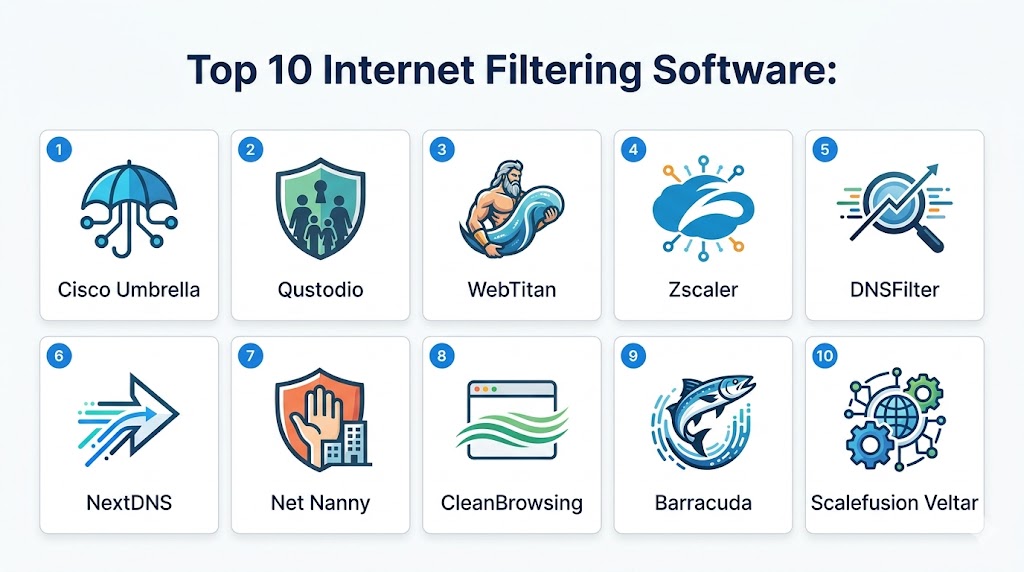
Top 10 Internet Filtering Software Tools
#1 — Cisco Umbrella
Short description: Cisco Umbrella is an enterprise-grade, cloud-delivered security platform that provides the first line of defense against threats on the internet. By utilizing DNS-layer enforcement, it stops users from reaching malicious domains before a connection is even established. It is designed for organizations of all sizes that need a scalable, high-performance way to secure their distributed workforce and branch offices.
Key Features
- DNS-Layer Enforcement: Blocks requests to malicious or unwanted domains before they reach the network gateway.
- Global Threat Intelligence: Powered by Cisco Talos, providing real-time updates on millions of newly discovered threats.
- Selective Proxying: Automatically routes traffic from “grey” or suspicious domains through a cloud-based proxy for deeper inspection.
- Roaming Client: Provides consistent protection for laptops and mobile devices when they leave the corporate network.
- Interactive Investigative API: Allows security teams to drill down into the context behind blocked domains for incident response.
Pros
- Exceptional performance with almost zero added latency due to its global anycast network.
- Unrivaled visibility into all internet traffic, regardless of port or protocol.
- Very simple to deploy; a basic network-wide filter can be active in minutes.
Cons
- The pricing structure can be complex and expensive for very small businesses.
- Some advanced features, like full-proxy SSL inspection, require higher-tier subscriptions.
- Granular reporting can sometimes be slower to generate for massive global data sets.
Platforms / Deployment
- Web / Windows / macOS / iOS / Android / ChromeOS
- Cloud / Network-level (DNS)
Security & Compliance
- DNS-layer security, SSL Inspection, Sandbox integration.
- CIPA, GDPR, HIPAA, SOC 2 compliant.
Integrations & Ecosystem
Cisco Umbrella is a core pillar of the Cisco SecureX ecosystem, allowing for unified security management.
- Deep integration with Cisco Meraki and SD-WAN hardware.
- SecureX for cross-platform threat hunting.
- Integration with major SIEM tools for log streaming.
Support & Community
Cisco provides world-class technical support, an extensive online knowledge base, and a dedicated community forum for network administrators and security professionals.
#2 — Qustodio
Short description: Qustodio is widely recognized as the top-tier internet filtering and parental control solution for families and educational environments. It combines deep web filtering with screen time management and app monitoring across all major platforms. It is designed to be intuitive enough for parents while providing the technical depth needed to manage a large group of users in a school setting.
Key Features
- AI-Powered Web Filtering: Real-time analysis of web content that goes beyond simple blocklists to identify dynamic threats.
- Screen Time Management: Allows for granular daily limits and “blackout” periods where the device is restricted.
- YouTube Monitoring: Specialized tracking of video search history and viewed content for safety.
- Safe Search Enforcement: Forces Google, Bing, and YouTube to operate in restricted mode at the system level.
- Panic Button: A mobile-specific feature that allows children to send their location to a parent in an emergency.
Pros
- The most intuitive and user-friendly administrative dashboard on the market.
- Excellent cross-platform compatibility ensures consistent rules on phones, tablets, and PCs.
- Provides very detailed activity reports that help identify behavioral trends.
Cons
- The free version is quite limited and only supports a single device.
- Premium pricing can be high for families with many devices to protect.
- The “Panic Button” and SMS tracking are only available on Android.
Platforms / Deployment
- Windows / macOS / iOS / Android / ChromeOS / Kindle
- Cloud
Security & Compliance
- Web Filtering, SSL-level monitoring.
- COPPA and GDPR compliant.
Integrations & Ecosystem
Qustodio focuses on its own unified ecosystem to provide a seamless experience across devices.
- Mobile app integration for real-time alerts.
- Email reporting system for weekly digests.
- Browser extension support for enhanced desktop filtering.
Support & Community
Qustodio offers a robust help center, email support, and a “Premium Care” tier for prioritized assistance and technical guidance.
#3 — WebTitan
Short description: WebTitan is a high-performance web filtering solution tailored for businesses, Managed Service Providers (MSPs), and schools. It offers a DNS-based architecture that provides proactive protection against malware, phishing, and ransomware. It is particularly well-regarded for its ease of management and its ability to scale effortlessly across thousands of users without requiring on-premise hardware.
Key Features
- Cloud-Based DNS Filtering: Fast and reliable web content control that works at the network’s entry point.
- SSL Inspection: Decrypts and inspects HTTPS traffic to identify hidden malware and policy violations.
- BYOD Protection: Secures employee-owned devices without requiring an agent, perfect for guest Wi-Fi.
- OTG (On-The-Go) Agent: Ensures filtering policies follow remote workers even when they are off the corporate network.
- API-Driven Architecture: Allows MSPs to integrate the filtering engine into their own management consoles.
Pros
- Very affordable professional-grade filtering with a transparent per-user model.
- Extremely easy to set up and manage, even for smaller IT teams.
- Highly effective at identifying and blocking zero-day phishing attacks.
Cons
- The reporting interface can feel slightly less modern than some cloud-native competitors.
- Initial setup of SSL inspection requires installing certificates on endpoints.
- Limited built-in app-level controls compared to full-proxy solutions like Zscaler.
Platforms / Deployment
- Web / Windows / macOS / iOS / Android
- Cloud / Virtual Appliance / Gateway
Security & Compliance
- DNS Security, SSL Inspection, Malware protection.
- CIPA, GDPR, HIPAA compliant.
Integrations & Ecosystem
WebTitan is designed to be highly interoperable, particularly for the MSP market.
- Integration with RMM and PSA tools for automated management.
- Active Directory and Azure AD integration for user-level policies.
- REST API for custom reporting and workflows.
Support & Community
WebTitan provides excellent technical support via phone and email, along with regular training webinars and a detailed technical wiki.
#4 — Zscaler Internet Access (ZIA)
Short description: Zscaler is a leader in the Secure Access Service Edge (SASE) market, offering a full-proxy cloud security platform. Unlike simple DNS filters, Zscaler inspects every byte of traffic, including encrypted content, across its massive global cloud network. It is designed for massive global enterprises that have moved away from traditional network perimeters and require a “security cloud” that follows the user.
Key Features
- Cloud-Native Full Proxy: Inspects all web traffic in real-time, providing deep content analysis.
- Cloud Sandbox: Detonates suspicious files in a safe environment before they reach the user’s device.
- Advanced Data Loss Prevention (DLP): Monitors and prevents the unauthorized transfer of sensitive data to the web.
- AI-Driven Threat Intelligence: Leverages data from millions of users to identify emerging attack patterns globally.
- Zero-Trust Browser Isolation: Renders risky websites in a remote container to prevent code from executing locally.
Pros
- Unmatched depth of security; it provides a level of inspection that DNS filters cannot match.
- Eliminates the need for expensive on-premise security appliances.
- Provides a perfectly consistent security posture for users regardless of their location.
Cons
- Complex configuration and high cost make it inaccessible for many small businesses.
- Requires a significant shift in network architecture (shifting toward SASE).
- The sheer number of features can lead to a steep learning curve for IT teams.
Platforms / Deployment
- Web / Windows / macOS / iOS / Android / Linux
- Cloud (Full Proxy)
Security & Compliance
- Full Proxy Security, Sandboxing, DLP, SSL Inspection.
- SOC 2, ISO 27001, HIPAA, FedRAMP High.
Integrations & Ecosystem
Zscaler is the core of the modern “Security Cloud” and integrates with all major enterprise platforms.
- Deep integration with Microsoft 365 and Azure.
- Integration with identity providers like Okta and Ping Identity.
- Connectivity with SIEM platforms for real-time log analysis.
Support & Community
Zscaler offers high-touch enterprise support, professional services for deployment, and a dedicated customer academy for technical certification.
#5 — DNSFilter
Short description: DNSFilter is a high-speed, AI-driven DNS security platform designed for organizations that want the performance of a DNS filter with the intelligence of a modern proxy. It is unique in its focus on “anycast” network speed and its use of a proprietary AI engine (Webroot) to categorize domains in real-time. It is a favorite for both small businesses and massive network providers.
Key Features
- AI Content Categorization: Uses machine learning to identify and categorize brand-new domains within seconds.
- Anycast Network Architecture: Provides incredibly fast DNS resolution by routing requests to the nearest of 30+ data centers.
- Custom Blocklists: Allows for easy whitelisting or blacklisting of individual domains or entire TLDs (Top-Level Domains).
- Roaming Client: A lightweight agent that provides filtering for laptops and mobile devices anywhere in the world.
- Scheduled Filtering: Allows admins to set different filtering rules for work hours versus leisure time.
Pros
- One of the fastest DNS filtering experiences on the market with minimal impact on browsing.
- Very intuitive, modern administrative dashboard that simplifies complex tasks.
- Extremely effective at blocking malware and botnet command-and-control traffic.
Cons
- DNS-level filtering cannot inspect the specific content inside an encrypted webpage.
- Lacks the deep application controls (e.g., blocking file uploads) found in full proxies.
- The free tier is limited in its query volume and reporting depth.
Platforms / Deployment
- Web / Windows / macOS / iOS / Android / ChromeOS
- Cloud / Network-level (DNS)
Security & Compliance
- DNS Security, AI-driven threat intelligence.
- CIPA, GDPR, HIPAA compliant.
Integrations & Ecosystem
DNSFilter focuses on a streamlined API-first approach for easy integration.
- Active Directory and Azure AD for user-based filtering.
- Zapier integration for automated alerts and workflows.
- Public API for custom data exports and management.
Support & Community
DNSFilter provides excellent documentation, a responsive support ticket system, and regular blog updates on the current threat landscape.
#6 — NextDNS
Short description: NextDNS is a modern, privacy-focused DNS resolver that brings enterprise-level internet filtering to the individual and small team level. It offers an incredible degree of customization, allowing users to block ads, trackers, and malicious sites with a single click. It is designed for tech-savvy users and families who want total control over their DNS traffic without installing heavy software.
Key Features
- Privacy-First Filtering: Blocks thousands of trackers and advertisements at the DNS level.
- Custom Blocklists: Allows users to choose from hundreds of community-maintained lists for security and privacy.
- Native Parental Controls: Simple toggles to block social media, gaming, or pornography across the entire network.
- Detailed Real-Time Logs: Provides a high-fidelity view of every DNS request made by your devices.
- Analytics Dashboard: Aggregates data to show which domains are being blocked and which devices are the most active.
Pros
- The most customizable and transparent DNS filter available for consumers.
- Works on almost any device, including smart TVs and game consoles, via DNS settings.
- Extremely lightweight and does not require a background application to function.
Cons
- The sheer number of options can be overwhelming for non-technical users.
- Free tier is limited to 300,000 queries per month, which a single busy home can exceed.
- Requires manual configuration on routers or devices to protect the whole network.
Platforms / Deployment
- Web / Windows / macOS / iOS / Android / Linux / Router
- Cloud (DNS)
Security & Compliance
- DNS Security, Ad/Tracker blocking.
- GDPR and CCPA compliant.
Integrations & Ecosystem
NextDNS is a standalone tool that integrates seamlessly with standard internet protocols.
- Supports DNS-over-HTTPS (DoH) and DNS-over-TLS (DoT).
- Integration with CLI for Linux and advanced network setups.
- Exportable logs for custom analysis.
Support & Community
NextDNS has a very active community forum and a detailed help section, though personal technical support is more limited than enterprise tools.
#7 — Net Nanny
Short description: Net Nanny is a pioneer in the parental control space, famous for its real-time content analysis engine. Unlike tools that only block based on a URL list, Net Nanny analyzes the actual words and context on a page to block inappropriate content dynamically. It is designed for parents who want the highest level of accuracy in protecting their children from evolving web threats.
Key Features
- Dynamic Content Analysis: Inspects web content in real-time to block harmful material on uncategorized or new sites.
- Pornography Filtering: Specialized engine that identifies and blocks adult content with high precision.
- Screen Time Management: Allows parents to set strict “internet schedules” for each child’s profile.
- Parental Dashboard: Provides a real-time feed of search history and blocked alerts on the parent’s device.
- Location Tracking: Shows the real-time location of children’s mobile devices on a map.
Pros
- The best-in-class for real-time text analysis and dynamic blocking.
- Provides very specific alerts (e.g., notifying a parent if a child searches for “suicide” or “drugs”).
- Easy-to-use “Family Feed” that summarizes daily online activity.
Cons
- Can be more resource-intensive on older devices compared to DNS filters.
- Does not offer as many advanced network-level features for business use.
- iOS functionality is more limited due to Apple’s system restrictions.
Platforms / Deployment
- Windows / macOS / iOS / Android / Kindle
- Cloud / Endpoint Agent
Security & Compliance
- Real-time Content Filtering, Safe Search.
- COPPA and GDPR compliant.
Integrations & Ecosystem
Net Nanny focuses on a closed, secure ecosystem for family safety.
- Parent/Child app synchronization.
- Email and push notification alert system.
- Secure cloud backup of activity logs.
Support & Community
Net Nanny offers a detailed help portal, email support, and a wealth of educational articles for parents navigating the digital world.
#8 — CleanBrowsing
Short description: CleanBrowsing is a specialized DNS-based filtering service that prioritizes security and family safety through “forced” SafeSearch and strict content controls. It offers several pre-configured filter levels (Security, Adult, Family) that can be deployed instantly. It is ideal for families, schools, and small businesses that want a “set it and forget it” solution with zero configuration.
Key Features
- Forced SafeSearch: Enforces restricted mode on all major search engines and video platforms at the DNS level.
- One-Click Filtering Toggles: Allows for instant blocking of broad categories like “Pornography” or “Tor Exit Nodes.”
- Malware & Phishing Protection: Blocks access to known malicious domains by default on all filter levels.
- Custom Domain Blocking: Allows paid users to add their own specific domains to the blocklist.
- Network-Wide Protection: A single router-level change protects every device in the home or office.
Pros
- The easiest filtering solution to set up; no software installation is required.
- Highly effective at enforcing SafeSearch across an entire household.
- Extremely fast DNS resolution with a global footprint.
Cons
- The free tier lacks the granular analytics and reporting of paid versions.
- DNS-level filtering cannot monitor activity inside encrypted apps (like Instagram or TikTok).
- Limited customization options in the basic tiers.
Platforms / Deployment
- Web / Windows / macOS / iOS / Android / Router
- Cloud (DNS)
Security & Compliance
- DNS Security, SafeSearch Enforcement.
- CIPA and GDPR compliant.
Integrations & Ecosystem
CleanBrowsing is built on open standards and works with any internet-connected device.
- Supports encrypted DNS (DoH/DoT).
- Integration with most modern router firmware.
- Basic analytics for paid subscribers.
Support & Community
CleanBrowsing offers a detailed knowledge base and responsive email support for its subscribers.
#9 — Barracuda Web Security Gateway
Short description: Barracuda is a veteran in the enterprise security hardware and software space. Its Web Security Gateway provides an industrial-strength filtering solution that combines on-premise appliances with cloud-based management. it is designed for organizations that require deep SSL inspection, application control, and comprehensive protection against data theft.
Key Features
- Deep Content Inspection: Analyzes the actual content of files and pages, even when encrypted.
- Social Media Control: Allows admins to control access to specific social platforms or specific features within them.
- Integrated Malware Protection: Uses a multi-layered engine to scan all incoming traffic for viruses and spyware.
- Application Blocking: Identifies and blocks over 1,200 non-web applications, such as P2P file sharing or IM clients.
- Comprehensive Compliance Reporting: Generates detailed, audit-ready reports on every aspect of internet usage.
Pros
- Excellent for organizations that prefer the control and performance of a physical hardware appliance.
- Unrivaled at managing and monitoring social media usage in the workplace.
- No per-user licensing fees for the hardware-based versions, making it cost-effective at scale.
Cons
- The physical hardware requires space, power, and maintenance in a server room.
- The interface can feel more traditional and less “modern” than pure cloud competitors.
- Initial setup and tuning require a higher level of technical expertise.
Platforms / Deployment
- Windows / macOS / iOS / Android
- Hardware Appliance / Virtual Appliance / Cloud
Security & Compliance
- Full Proxy Security, SSL Inspection, Application Control.
- CIPA, GDPR, HIPAA, SOC 2 compliant.
Integrations & Ecosystem
Barracuda integrates deeply with the rest of the Barracuda security fabric.
- Integration with Barracuda Firewall for unified threat management.
- Active Directory and LDAP integration for user policies.
- Connectivity with Barracuda’s cloud-based threat intelligence network.
Support & Community
Barracuda offers 24/7 technical support, on-site installation services, and a comprehensive online documentation portal.
#10 — Scalefusion Veltar
Short description: Scalefusion Veltar is a modern web content filtering solution built directly into a Unified Endpoint Management (UEM) platform. This unique approach allows IT teams to manage both the device and its internet access from a single console. It is designed for enterprises that manage large fleets of corporate-owned or BYOD devices and need consistent filtering across all of them.
Key Features
- UEM-Integrated Filtering: Combines device management with internet control for a “single pane of glass” experience.
- Category-Based Web Filtering: Allows admins to block or allow broad classes of websites with a single click.
- Real-Time Violation Alerts: Notifies admins immediately if a user attempts to access a blocked or high-risk site.
- Kiosk Mode Filtering: Restricts devices to a single website or a set of whitelisted domains for public or specific task use.
- In-Depth Usage Analytics: Provides detailed reports on top visited sites, blocked attempts, and data consumption.
Pros
- The best choice for organizations that already use or need a mobile device management (MDM) solution.
- Extremely easy to roll out policies across thousands of devices simultaneously.
- Provides deep control over the entire device experience, not just the browser.
Cons
- Over-engineered if you only need a simple web filter and not full device management.
- Requires an agent to be installed on every endpoint for full functionality.
- Pricing is based on a “per-device” model, which can scale up for large organizations.
Platforms / Deployment
- Windows / macOS / iOS / Android / ChromeOS / Linux
- Cloud / Managed Service
Security & Compliance
- Endpoint-level Filtering, Device Hardening.
- GDPR and HIPAA compliant.
Integrations & Ecosystem
Veltar is built into the broader Scalefusion device management platform.
- Deep integration with Apple Business Manager and Android Enterprise.
- Integration with Microsoft Entra ID (Azure AD).
- Log streaming to major security analytics platforms.
Support & Community
Scalefusion offers 24/7 live chat support, dedicated account managers for enterprise clients, and a detailed knowledge base.
H2: Comparison Table (Top 10)
| Tool Name | Best For | Platform(s) Supported | Deployment | Standout Feature | Public Rating |
|---|---|---|---|---|---|
| Cisco Umbrella | Global Enterprises | Web, Win, Mac, Mobile | Cloud / DNS | DNS-Layer Speed | 4.8/5 |
| Qustodio | Families & Schools | Win, Mac, iOS, Android | Cloud | Full Monitoring Suite | 4.6/5 |
| WebTitan | SMBs & MSPs | Win, Mac, iOS, Android | Cloud / Gateway | SSL Inspection | 4.7/5 |
| Zscaler | Remote Workforces | Win, Mac, iOS, Android | Cloud (Full Proxy) | Zero Trust Browser Isolation | 4.8/5 |
| DNSFilter | Fast AI Filtering | Win, Mac, iOS, Android | Cloud / DNS | Real-Time AI Categorization | 4.7/5 |
| NextDNS | Privacy Purists | Win, Mac, Linux, Router | Cloud (DNS) | 100% Customizable Blocklists | 4.9/5 |
| Net Nanny | Dynamic Content | Win, Mac, iOS, Android | Cloud / Agent | Real-Time Text Analysis | 4.5/5 |
| CleanBrowsing | Forced SafeSearch | Router, Win, Mac, Mobile | Cloud (DNS) | Zero-Config SafeSearch | 4.7/5 |
| Barracuda | Social Media Control | Hardware, Cloud | Hybrid | App-Level Control | 4.6/5 |
| Scalefusion Veltar | Managed Devices | Win, Mac, iOS, Android | Cloud (UEM) | Integrated MDM Control | 4.6/5 |
H2: Evaluation & Scoring of Internet Filtering Software
| Tool Name | Core (25%) | Ease (15%) | Integrations (15%) | Security (10%) | Performance (10%) | Support (10%) | Value (15%) | Weighted Total |
|---|---|---|---|---|---|---|---|---|
| Cisco Umbrella | 10 | 9 | 10 | 10 | 10 | 9 | 7 | 9.35 |
| Qustodio | 9 | 10 | 7 | 8 | 9 | 8 | 8 | 8.45 |
| WebTitan | 9 | 9 | 9 | 9 | 8 | 9 | 9 | 8.95 |
| Zscaler | 10 | 6 | 9 | 10 | 9 | 9 | 6 | 8.55 |
| DNSFilter | 9 | 10 | 8 | 9 | 10 | 8 | 9 | 9.05 |
| NextDNS | 8 | 9 | 7 | 10 | 10 | 7 | 10 | 8.65 |
| Net Nanny | 9 | 8 | 6 | 7 | 8 | 7 | 7 | 7.60 |
| CleanBrowsing | 7 | 10 | 7 | 8 | 10 | 7 | 10 | 8.35 |
| Barracuda | 9 | 7 | 8 | 9 | 8 | 9 | 8 | 8.30 |
| Scalefusion Veltar | 8 | 9 | 10 | 8 | 9 | 9 | 8 | 8.55 |
How to Interpret These Scores
These scores are designed to help you find the best tool for your specific operational context. Core Features evaluates the breadth of the filtering engine, while Ease of Use reflects the simplicity of the administrative dashboard. Performance is critical for high-bandwidth environments, where DNS-based tools like Cisco Umbrella and DNSFilter excel. Value represents the return on investment; for instance, NextDNS and CleanBrowsing offer incredible utility for a very low cost, making them ideal for budget-conscious families.
H2: Which Internet Filtering Software Tool Is Right for You?
H3: Solo / Freelancer
For the independent professional, NextDNS is the premier choice. It offers enterprise-grade privacy and ad-blocking without the overhead of complex software. You can manage your home office network for a few dollars a month, ensuring a clean, distraction-free browsing experience across all your personal and professional devices.
H3: SMB
For a small business with 10–50 employees, WebTitan or DNSFilter provide the best balance of protection and simplicity. They are affordable, require zero hardware, and offer the granular reporting needed to ensure that employees are staying productive while remaining safe from phishing and malware.
H3: Mid-Market
Growing organizations with a mix of office-based and remote teams should look toward Scalefusion Veltar. By integrating filtering with device management, you can ensure that every corporate laptop or phone is secured the moment it is powered on, regardless of where the employee is working.
H3: Enterprise
Global enterprises with strict security and compliance requirements should prioritize Cisco Umbrella or Zscaler. These platforms offer the depth of inspection, threat intelligence, and global scale required to secure massive, distributed networks against sophisticated cyber threats.
H3: Budget vs Premium
CleanBrowsing and NextDNS are the champions of the budget-conscious, offering robust basic filtering for free or very low costs. On the premium side, Zscaler and Cisco Umbrella represent a significant investment but provide a level of deep-packet inspection and advanced threat defense that “budget” tools cannot match.
H3: Feature Depth vs Ease of Use
If you need deep, surgical control over every application and file upload, Zscaler and Barracuda offer the most depth. If you want a tool that you can set up in ten minutes and never touch again, Qustodio and Cisco Umbrella lead the market in intuitive design.
H3: Integrations & Scalability
For organizations already using Cisco hardware, Cisco Umbrella is the most scalable choice. For MSPs managing hundreds of different clients, WebTitan offers the best multi-tenant integrations for automated management.
H3: Security & Compliance Needs
For schools and libraries where CIPA compliance is a legal requirement, Qustodio and CleanBrowsing provide the most straightforward “compliance-ready” templates. For high-security financial or healthcare firms, Zscaler provides the zero-trust framework needed for modern regulatory audits.
H2: Frequently Asked Questions (FAQs) “numbering”
1. What is the difference between DNS filtering and proxy-based filtering?
DNS filtering works at the phonebook level of the internet; it blocks a request to a malicious “domain.com” before the connection is even made. It is extremely fast and has zero impact on browsing speed. Proxy-based filtering, like Zscaler, actually sits in the middle of the connection, decrypting and inspecting the actual content of the page. While slower and more complex, it provides much deeper security by identifying threats hidden inside legitimate websites.
2. Can internet filtering software block specific apps like TikTok or YouTube?
Yes, most modern filters have “Application Control” features. They can identify the traffic patterns of specific apps even if they don’t use a standard web browser. Advanced tools can even be granular—for example, allowing access to YouTube for educational videos but blocking the comments section or preventing the use of the “shorts” feed to minimize distractions.
3. How do these tools handle remote workers who aren’t on the office network?
Modern filtering solutions use “Roaming Clients” or “Endpoint Agents.” These are lightweight applications installed on the user’s laptop or phone. They ensure that no matter what Wi-Fi the user connects to (home, coffee shop, or hotel), the web traffic is still routed through the filtering engine and all security policies are enforced.
4. Will internet filtering software slow down my internet connection?
DNS-based filters, such as Cisco Umbrella and NextDNS, typically have no noticeable impact on speed and can actually make your internet feel faster by resolving addresses more efficiently than your ISP. Full-proxy solutions can add a small amount of “latency” because they have to inspect the data packets, but modern “edge-cloud” networks have reduced this to a level that is imperceptible to most users.
5. Is it possible for tech-savvy users to bypass these filters?
While no filter is 100% un-bypassable, modern enterprise tools are very difficult to circumvent. They can block known VPNs, detect “DNS-over-HTTPS” bypass attempts, and prevent the changing of DNS settings on the device. For families, using a tool that installs an agent on the device (like Qustodio) is much harder for a child to bypass than a simple router change.
6. Can I set different filtering rules for different times of the day?
Yes, this is a standard feature in tools like Qustodio, Net Nanny, and DNSFilter. You can set “Work Time” or “Study Time” rules that block social media and gaming, and then automatically switch to “Relax Time” rules in the evening that allow more freedom while still maintaining basic security and safety blocks.
7. Does internet filtering software respect user privacy?
Privacy varies by vendor. Consumer-focused tools like NextDNS and MyTherapy (for health) are often “privacy-first,” meaning they don’t sell your data. Enterprise tools log detailed traffic for security audits but are typically governed by strict corporate privacy agreements. Always check the vendor’s privacy policy to see how long they store your logs and if they share them with third parties.
8. What is “SafeSearch” and how do these tools enforce it?
SafeSearch is a feature provided by Google, Bing, and YouTube that filters out explicit content from search results. Internet filtering software can “force” this on at the network level. This means that even if a user tries to turn off SafeSearch in their browser settings, the filtering software overrides that choice and ensures the search results remain clean.
9. Do I need to buy a physical hardware appliance for my office?
In 2026, the trend is overwhelmingly toward cloud-based filtering. While hardware appliances (like Barracuda) still offer unrivaled performance for massive local networks, most SMBs and even large enterprises are moving to “cloud-native” solutions. This eliminates the need for hardware maintenance and provides easier protection for remote and hybrid workers.
10. Can these tools help prevent ransomware and phishing?
Absolutely. Most ransomware attacks begin with a user clicking a link in a phishing email. By blocking access to the malicious domain or the “command-and-control” server the ransomware uses to communicate, internet filtering software can stop an attack in its tracks before the encryption process even begins.
H2: Conclusion “6-8 line, one pareghraph”
Selecting the right Internet Filtering Software is a foundational step in securing a modern digital environment, whether for a global enterprise or a private household. The shift toward AI-driven, DNS-layer protection ensures that users are shielded from sophisticated threats without sacrificing the speed and flexibility required for today’s web. While enterprise leaders may prioritize the deep inspection of Zscaler or Cisco Umbrella, families and small businesses can find immense value in the intuitive, high-speed filtering of Qustodio or NextDNS. Ultimately, the “best” tool is the one that aligns with your specific compliance needs and technical oversight capabilities. We recommend starting with a 14-day trial of a cloud-based solution to validate its performance and policy granularity before committing to a full deployment.
