Introduction
Online Proctoring Tools are software platforms that monitor, secure, and validate online exams conducted remotely. They act as virtual invigilators, using technologies like webcam monitoring, screen recording, AI behavior analysis, and identity verification to ensure exam integrity and prevent cheating.
With the rapid growth of remote learning, global hiring, and certification programs, online assessments have become the norm. However, maintaining fairness and credibility in remote exams is a major challenge. Online proctoring tools solve this by combining automation, AI, and human oversight to create secure, scalable, and reliable testing environments.
Common use cases include:
- University and school online examinations
- Certification and licensing exams
- Remote hiring and skill assessments
- Corporate training evaluations
- Competitive and entrance exams
Key evaluation criteria:
- Identity verification and authentication methods
- AI-based cheating detection capabilities
- Browser lockdown and system control
- Real-time monitoring and recording
- Integration with LMS and assessment tools
- Scalability for large exam volumes
- Data security and compliance
- Ease of use for candidates and administrators
Best for: Educational institutions, certification bodies, enterprises, and recruitment teams conducting remote assessments at scale.
Not ideal for: Low-stakes tests or environments where strict monitoring is unnecessary.
Key Trends in Online Proctoring Tools
- AI-driven behavior analysis for detecting suspicious activities
- Multi-layer authentication including biometric verification
- Hybrid proctoring combining AI and human invigilators
- Cloud-based scalable proctoring platforms
- Real-time monitoring with video, audio, and screen tracking
- Integration with LMS and recruitment platforms
- Privacy-focused features and compliance improvements
- Automated reporting and audit logs
- Mobile and cross-device compatibility
- Customizable proctoring levels based on exam type
How We Selected These Tools Methodology
- Evaluated market adoption across education and enterprise sectors
- Assessed core proctoring features and anti-cheating capabilities
- Reviewed scalability and performance under large exam loads
- Considered security and compliance readiness
- Analyzed integration with LMS and hiring platforms
- Evaluated usability for candidates and administrators
- Included both AI-based and live proctoring solutions
- Balanced enterprise-grade and flexible platforms
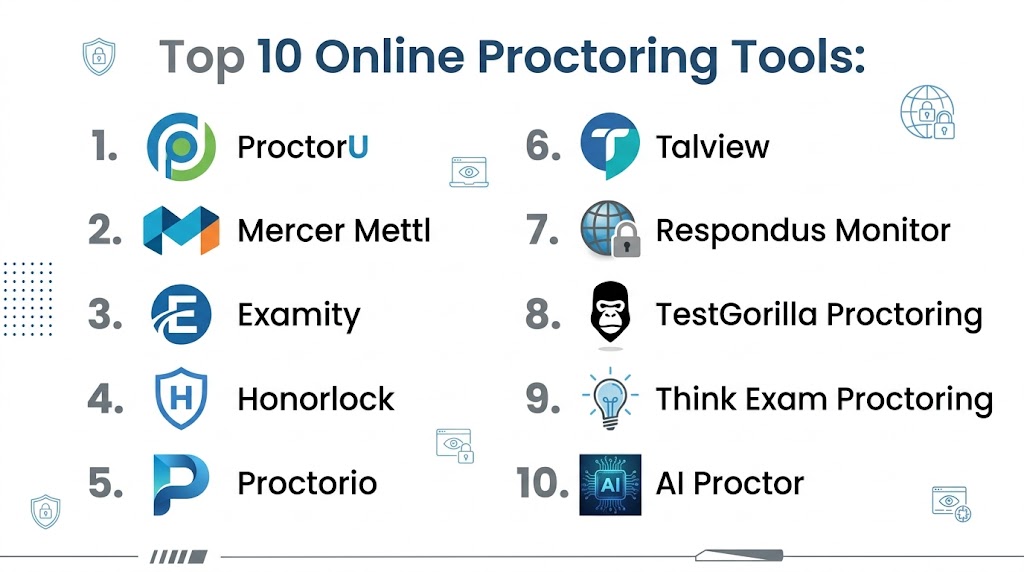
Top 10 Online Proctoring Tools Tools
#1 — ProctorU
Short description:
ProctorU is a leading online proctoring solution offering live human proctoring and automated monitoring. It is widely used by universities and certification providers. The platform ensures secure exam environments with real-time supervision. It is ideal for high-stakes assessments.
Key Features
- Live proctoring
- Identity verification
- Screen monitoring
- Browser lockdown
- Real-time alerts
- Recording and audit logs
Pros
- Strong security
- Human oversight
- Trusted platform
Cons
- Higher cost
- Scheduling required
- Privacy concerns
Platforms / Deployment
Cloud
Security & Compliance
Encryption, audit logs
Integrations & Ecosystem
Integrates with LMS and testing platforms.
- APIs
- LMS integrations
Support & Community
Enterprise-level support
#2 — Mercer Mettl
Short description:
Mercer Mettl provides AI-powered proctoring with strong analytics and assessment capabilities. It is widely used for hiring and certification exams. The platform supports scalable testing environments. It offers flexible proctoring modes.
Key Features
- AI proctoring
- Identity verification
- Browser lockdown
- Behavioral analytics
- Reporting tools
Pros
- Scalable
- Strong analytics
- Flexible
Cons
- Pricing varies
- Setup required
- Complex interface
Platforms / Deployment
Cloud
Security & Compliance
Not publicly stated
Integrations & Ecosystem
Integrates with HR and assessment systems.
- APIs
- LMS integrations
Support & Community
Good support
#3 — Examity
Short description:
Examity offers live and automated proctoring solutions for educational institutions. It supports secure online exams with real-time monitoring. The platform is widely used in higher education. It provides flexible proctoring options.
Key Features
- Live and AI proctoring
- Identity verification
- Screen recording
- Real-time monitoring
- Reporting tools
Pros
- Flexible modes
- Reliable
- Strong monitoring
Cons
- Expensive
- Requires scheduling
- Limited customization
Platforms / Deployment
Cloud
Security & Compliance
Not publicly stated
Integrations & Ecosystem
Supports LMS and assessment integrations.
- APIs
- LMS integrations
Support & Community
Enterprise support
#4 — Honorlock
Short description:
Honorlock is an AI-based proctoring platform focused on automated monitoring and fraud detection. It uses browser extensions and AI algorithms. The platform is widely used in universities. It emphasizes ease of use and security.
Key Features
- AI monitoring
- Browser lockdown
- Identity verification
- Real-time alerts
- Recording
Pros
- Easy to use
- Automated
- Scalable
Cons
- Privacy concerns
- Limited human oversight
- Browser dependency
Platforms / Deployment
Cloud
Security & Compliance
Not publicly stated
Integrations & Ecosystem
Integrates with LMS platforms.
- APIs
- LMS integrations
Support & Community
Good support
#5 — Proctorio
Short description:
Proctorio is a fully automated proctoring solution with advanced AI capabilities. It provides secure exam environments with customizable settings. The platform is widely used for remote assessments. It supports scalable deployments.
Key Features
- AI proctoring
- Browser lockdown
- Screen monitoring
- Recording and analytics
- Custom settings
Pros
- Fully automated
- Scalable
- Flexible
Cons
- Privacy concerns
- Requires configuration
- Learning curve
Platforms / Deployment
Cloud
Security & Compliance
Not publicly stated
Integrations & Ecosystem
Supports integration with LMS and exam systems.
- APIs
- LMS integrations
Support & Community
Standard support
#6 — Talview
Short description:
Talview combines proctoring with video interviewing and assessment tools. It is widely used for recruitment and certification. The platform supports AI-driven monitoring. It is suitable for enterprise use.
Key Features
- AI proctoring
- Video monitoring
- Identity verification
- Browser lockdown
- Reporting tools
Pros
- Multi-purpose platform
- Scalable
- Strong AI
Cons
- Complex setup
- Pricing varies
- Requires training
Platforms / Deployment
Cloud
Security & Compliance
Not publicly stated
Integrations & Ecosystem
Integrates with recruitment and LMS systems.
- APIs
- ATS integrations
Support & Community
Enterprise support
#7 — Respondus Monitor
Short description:
Respondus Monitor is a proctoring solution integrated with lockdown browsers. It is widely used in educational institutions. The platform provides automated monitoring. It ensures exam integrity.
Key Features
- Webcam monitoring
- Browser lockdown
- AI detection
- Recording tools
- LMS integration
Pros
- Easy integration
- Reliable
- Widely used
Cons
- Limited advanced features
- Privacy concerns
- Basic analytics
Platforms / Deployment
Cloud
Security & Compliance
Not publicly stated
Integrations & Ecosystem
Integrates with LMS platforms.
- LMS integrations
- APIs
Support & Community
Good support
#8 — TestGorilla Proctoring
Short description:
TestGorilla includes proctoring features within its assessment platform. It is designed for hiring and recruitment. The platform focuses on simplicity and automation. It supports secure assessments.
Key Features
- AI monitoring
- Screen recording
- Identity verification
- Reporting tools
- Assessment integration
Pros
- Easy to use
- Integrated platform
- Affordable
Cons
- Limited advanced features
- Smaller ecosystem
- Basic customization
Platforms / Deployment
Cloud
Security & Compliance
Not publicly stated
Integrations & Ecosystem
Integrates with hiring systems.
- APIs
- ATS integrations
Support & Community
Standard support
#9 — Think Exam Proctoring
Short description:
Think Exam provides a combined platform for exam creation and proctoring. It offers AI monitoring and live proctoring options. The platform is widely used in education and corporate training. It supports scalability.
Key Features
- AI and live proctoring
- Browser lockdown
- Identity verification
- Analytics and reporting
- Exam creation tools
Pros
- Flexible modes
- Scalable
- Integrated solution
Cons
- Requires setup
- Pricing varies
- Learning curve
Platforms / Deployment
Cloud
Security & Compliance
Encryption and compliance controls
Integrations & Ecosystem
Integrates with LMS and enterprise systems.
- APIs
- LMS integrations
Support & Community
Good support
#10 — AI Proctor
Short description:
AI Proctor is an automated proctoring solution designed for secure remote exams. It uses AI to detect cheating and monitor behavior. The platform is suitable for institutions needing scalable solutions. It reduces reliance on human proctors.
Key Features
- AI monitoring
- Behavior detection
- Identity verification
- Real-time alerts
- Reporting tools
Pros
- Automated
- Scalable
- Cost-effective
Cons
- Limited human oversight
- Accuracy concerns
- Smaller ecosystem
Platforms / Deployment
Cloud
Security & Compliance
Not publicly stated
Integrations & Ecosystem
Supports integration with exam systems.
- APIs
- System integrations
Support & Community
Standard support
Comparison Table
| Tool Name | Best For | Platform Supported | Deployment | Standout Feature | Public Rating |
|---|---|---|---|---|---|
| ProctorU | High-stakes exams | Web | Cloud | Live proctoring | N/A |
| Mercer Mettl | Hiring and certification | Web | Cloud | AI analytics | N/A |
| Examity | Universities | Web | Cloud | Flexible proctoring | N/A |
| Honorlock | Automated monitoring | Web | Cloud | AI detection | N/A |
| Proctorio | Scalable exams | Web | Cloud | Full automation | N/A |
| Talview | Recruitment | Web | Cloud | Multi-purpose platform | N/A |
| Respondus | Education | Web | Cloud | Lockdown browser | N/A |
| TestGorilla | Hiring tests | Web | Cloud | Simplicity | N/A |
| Think Exam | Integrated exams | Web | Cloud | All-in-one platform | N/A |
| AI Proctor | Automated exams | Web | Cloud | AI monitoring | N/A |
Evaluation and Scoring of Online Proctoring Tools
| Tool Name | Core | Ease | Integrations | Security | Performance | Support | Value | Weighted Total |
|---|---|---|---|---|---|---|---|---|
| ProctorU | 9 | 7 | 8 | 9 | 9 | 8 | 6 | 8.3 |
| Mercer Mettl | 9 | 7 | 9 | 9 | 9 | 8 | 7 | 8.5 |
| Examity | 9 | 7 | 8 | 9 | 8 | 8 | 6 | 8.2 |
| Honorlock | 8 | 8 | 8 | 8 | 8 | 7 | 7 | 7.9 |
| Proctorio | 9 | 7 | 8 | 8 | 9 | 7 | 7 | 8.2 |
| Talview | 9 | 7 | 9 | 8 | 8 | 8 | 7 | 8.3 |
| Respondus | 8 | 8 | 8 | 8 | 8 | 7 | 7 | 7.9 |
| TestGorilla | 7 | 9 | 7 | 7 | 7 | 7 | 8 | 7.6 |
| Think Exam | 8 | 8 | 8 | 8 | 8 | 7 | 7 | 7.9 |
| AI Proctor | 7 | 8 | 7 | 7 | 8 | 7 | 8 | 7.5 |
How to interpret these scores:
These scores provide a comparative view of each tool across critical categories such as core functionality, usability, integrations, and security. Higher scores indicate stronger overall capability, but they should not be considered absolute rankings. Enterprise platforms typically score higher in security, performance, and scalability, while simpler tools perform better in ease of use and cost efficiency. The weighted total balances multiple criteria to give a realistic comparison across different use cases. Decision-makers should focus on priorities such as exam security, scalability, or ease of deployment depending on their needs. These scores are best used as a guideline and should be validated through real-world testing before making a final decision.
Which Online Proctoring Tool Is Right for You
Solo Freelancer
Use lightweight tools like TestGorilla or AI Proctor for simple assessments and hiring tests.
SMB
Choose Honorlock or Respondus for ease of use and balanced features.
Mid Market
Mercer Mettl or Talview provide scalability and strong integrations.
Enterprise
ProctorU, Examity, and Proctorio offer advanced security and monitoring capabilities.
Budget vs Premium
Budget tools focus on automation and simplicity, while premium tools provide advanced monitoring and compliance.
Feature Depth vs Ease of Use
Advanced tools offer deeper monitoring but require setup, while simpler tools prioritize usability.
Integrations and Scalability
API-driven platforms are ideal for scaling and integrating with LMS and HR systems.
Security and Compliance Needs
High-stakes exams require tools with strong authentication, monitoring, and audit capabilities.
Frequently Asked Questions
1 What are online proctoring tools
Online proctoring tools are platforms that monitor and secure remote exams to prevent cheating. They act as virtual invigilators using AI and monitoring technologies. They ensure fairness and integrity. They are widely used in education and hiring.
2 How do these tools detect cheating
They use webcam monitoring, screen recording, and AI behavior analysis to detect suspicious activities. They flag unusual actions such as tab switching or multiple people in view. Alerts are reviewed by proctors. This ensures exam integrity.
3 Are online proctoring tools secure
Most tools include encryption, authentication, and monitoring features to secure exams. Security depends on the platform. Institutions should choose trusted providers. Compliance is important.
4 Can these tools work without human proctors
Yes, many tools offer fully automated AI proctoring. Some also provide hybrid models combining AI and human oversight. This improves accuracy. Flexibility is key.
5 Do they support large-scale exams
Yes, modern tools are designed to handle thousands of candidates simultaneously. Cloud infrastructure ensures scalability. Performance depends on the platform. Large institutions rely on these tools.
6 Can they integrate with LMS
Most tools integrate with learning systems for seamless exam management. This improves workflow efficiency. API support is important. Integration capabilities vary.
7 Are there privacy concerns
Yes, these tools collect video, audio, and screen data, which raises privacy concerns. Institutions must ensure compliance with data regulations. Choosing secure platforms is essential.
8 What industries use online proctoring
Education, certification bodies, and enterprises use these tools for exams and assessments. Recruitment teams also use them for hiring tests. Adoption is growing rapidly. They are essential for remote evaluations.
9 How much do these tools cost
Pricing varies based on features, usage, and scale. Some tools charge per exam, while others offer subscription models. Enterprise solutions are more expensive. Cost should match requirements.
10 How do I choose the right tool
Evaluate features such as monitoring, security, integrations, and scalability. Consider your use case and exam type. Test multiple tools before deciding. Choose one that aligns with your needs.
Conclusion
Online proctoring tools have become essential for ensuring fairness, security, and credibility in remote assessments by combining AI, automation, and human oversight to replicate traditional exam environments in a digital format. These platforms enable institutions and organizations to conduct scalable, secure, and efficient exams without geographical limitations, while reducing the risk of cheating and maintaining compliance with academic and professional standards. While enterprise-grade solutions provide advanced monitoring, analytics, and scalability for high-stakes exams, simpler tools offer ease of use and cost efficiency for smaller assessments. The best choice depends on your specific requirements, including exam type, scale, and security needs. Organizations should shortlist a few tools, run pilot tests, and evaluate integrations and performance before finalizing a solution to ensure long-term success and reliability.
