Introduction
Emergency Notification Systems (ENS) are software platforms that enable organizations to send critical alerts and mass notifications in real time across multiple communication channels, such as SMS, email, voice, push notifications, and digital signage. These systems are designed to rapidly inform employees, students, residents, or stakeholders about emergencies — including natural disasters, security threats, facility closures, system outages, and urgent operational alerts.
In today’s world of distributed workforces, campus communities, and global operations, speed and reliability matter. Whether it’s a severe weather warning, cybersecurity incident, or active threat situation, organizations need tools that can reach audiences instantly and confirm receipt. Emergency Notification Systems help organizations reduce risk, support safety protocols, and maintain continuity during crises.
Common use cases include:
- Mass alerts during safety threats
- Weather and natural disaster warnings
- Facility evacuation or lockdown notifications
- IT service outages and operational alerts
- Health and pandemic advisories
What buyers should evaluate:
- Multi‑channel delivery (SMS, voice, email, app push)
- Scalability and audience reach
- Speed and delivery guarantees
- Confirmation and response tracking
- Geographic and group targeting
- Integrations with safety systems and directories
- Reliability and redundancy
- Reporting and audit trails
- Ease of use and automation
- 24/7 support options
Best for: Security teams, HR leaders, campus safety departments, IT operations, emergency management professionals, and organizations with dispersed people and locations.
Not ideal for: Very small teams without distributed audiences or those with no need for real‑time alerts.
Key Trends in Emergency Notification Systems
- Unified critical communication platforms
- Two‑way messaging and response tracking
- Geo‑fencing and location‑based alerts
- API integrations with safety, HR, and facility systems
- Mobile‑first push notifications
- Redundant delivery paths (SMS + voice + email)
- Automation of pre‑configured emergency workflows
- Real‑time dashboards and incident analytics
- AI‑assisted alert prioritization
- Compliance with government and industry frameworks
How We Selected These Tools (Methodology)
- Evaluated multipath delivery capabilities
- Assessed speed, reliability, and scalability
- Reviewed ease of use and onboarding
- Considered integrations with enterprise systems
- Analyzed reporting and audit features
- Evaluated global and multi‑location support
- Assessed mobile and app‑based notification features
- Considered support quality and SLA options
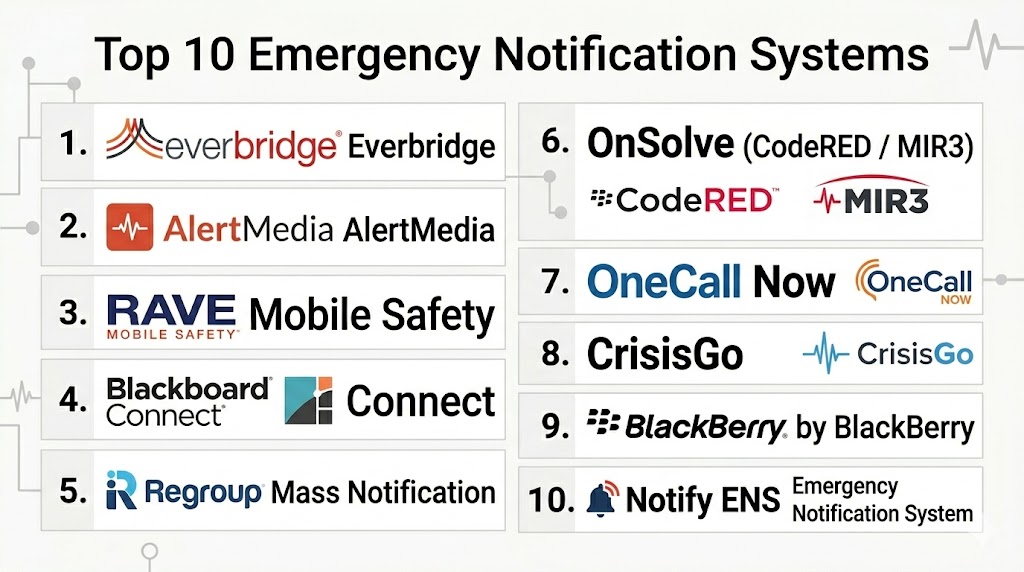
Top 10 Emergency Notification Systems
#1 — Everbridge
Short description:
Everbridge is a market‑leading emergency notification and critical communication platform used globally by enterprises and governments. It supports rapid multi‑channel alerts, two‑way messaging, and geolocation targeting.
Key Features
- SMS, voice, email, app push notifications
- Geo‑fenced alerts
- Two‑way messaging
- Response tracking
- Automated workflows
Pros
- Highly reliable
- Global scalability
Cons
- Premium pricing
- Complex initial setup
Platforms / Deployment
Web / Mobile
Cloud
Security & Compliance
SSO, encryption
GDPR readiness
Integrations & Ecosystem
Integrates with directories, HR systems, and safety tools.
Support & Community
24/7 enterprise support.
#2 — AlertMedia
Short description:
AlertMedia provides a user‑friendly emergency notification system with multi‑channel delivery and real‑time reporting. It focuses on fast deployment and ease of use for corporate safety and operations teams.
Key Features
- SMS, voice, email, mobile app alerts
- Two‑way communication
- Real‑time dashboards
- Audience targeting
- Automated alerts
Pros
- Easy setup
- Intuitive UI
Cons
- Limited advanced analytics
- Pricing varies by module
Platforms / Deployment
Web / Mobile
Cloud
Security & Compliance
Encryption
Integrations & Ecosystem
API access and directory sync.
Support & Community
Responsive support.
#3 — Rave Mobile Safety
Short description:
Rave Mobile Safety provides emergency notification, panic alerting, and safety workflows designed for campuses, public safety, and enterprises. It supports multi‑channel delivery and safety automation.
Key Features
- SMS, voice, email alerts
- Panic alerting
- Safety workflows
- Two‑way messaging
Pros
- Strong campus focus
- Safety automation
Cons
- Complex configuration
- Enterprise focus
Platforms / Deployment
Web / Mobile
Cloud
Security & Compliance
Encryption
Integrations & Ecosystem
- Public safety systems
- HR systems
Support & Community
Enterprise support.
#4 — Blackboard Connect
Short description:
Blackboard Connect is an emergency notification platform widely used in education and government to broadcast alerts to students, staff, and citizens. It supports multiple communication channels and group segmentation.
Key Features
- SMS, email, voice alerts
- Audience segmentation
- Scheduled notifications
- Reporting dashboards
Pros
- Education market fit
- Group targeting
Cons
- Limited enterprise features
- UI dated
Platforms / Deployment
Web
Cloud
Security & Compliance
Encryption
Integrations & Ecosystem
Directory integrations.
Support & Community
Education‑centric support.
#5 — Regroup Mass Notification
Short description:
Regroup Mass Notification delivers emergency alerts via text, voice, email, mobile app, and digital signage. It offers flexible targeting and automation for enterprise and campus safety teams.
Key Features
- Multi‑channel alerts
- Schedulers and automation
- Group targeting
- Real‑time dashboards
Pros
- Flexible delivery options
- Good automation
Cons
- Analytics could improve
- Pricing based on scale
Platforms / Deployment
Web / Mobile
Cloud
Security & Compliance
Encryption
Integrations & Ecosystem
API and directory sync.
Support & Community
24/7 support available.
#6 — OnSolve (CodeRED / MIR3)
Short description:
OnSolve provides emergency mass notification through its CodeRED and MIR3 offerings. It supports multi‑channel delivery, geo‑targeting, and response tracking for public safety and enterprise alerts.
Key Features
- SMS, voice, app push alerts
- Geo‑targeting
- Two‑way messaging
- Real‑time reporting
Pros
- Strong geo‑alerting
- Scalable for large audiences
Cons
- Users report UI complexity
- Pricing tiers
Platforms / Deployment
Web / Mobile
Cloud
Security & Compliance
Encryption
Integrations & Ecosystem
GIS and HR integrations.
Support & Community
Enterprise support.
#7 — OneCall Now
Short description:
OneCall Now is a mass notification service focused on fast voice and text alerts for organizations with distributed audiences. It offers simple workflows and tiered delivery options.
Key Features
- SMS and voice alerts
- Group messaging
- Schedule alerts
- Delivery confirmations
Pros
- Affordable plans
- Easy use
Cons
- Limited advanced features
- Basic analytics
Platforms / Deployment
Web
Cloud
Security & Compliance
Encryption
Integrations & Ecosystem
Basic API.
Support & Community
Standard support.
#8 — CrisisGo
Short description:
CrisisGo combines emergency notifications with safety check‑ins and incident management. It supports real‑time alerts and safety workflows for schools, organizations, and campuses.
Key Features
- Mass notifications
- Safety check‑ins
- Two‑way communication
- Incident reporting
Pros
- Combines alerts with workflow
- Designed for campuses
Cons
- Smaller ecosystem
- Features vary
Platforms / Deployment
Web / Mobile
Cloud
Security & Compliance
Encryption
Integrations & Ecosystem
Directory sync.
Support & Community
Education support.
#9 — AtHoc by BlackBerry
Short description:
AtHoc provides an enterprise‑grade emergency notification and crisis communication platform with advanced targeting, secure delivery, and integration with operational systems.
Key Features
- Secure alerts
- Two‑way communication
- Geo‑fencing
- Incident management
Pros
- Strong security
- Enterprise fit
Cons
- Premium cost
- Complex setup
Platforms / Deployment
Web / Mobile
Cloud
Security & Compliance
SSO, encryption
Integrations & Ecosystem
HR, GIS, operational tools.
Support & Community
Enterprise support.
#10 — Notify Emergency Notification System
Short description:
Notify Emergency Notification System provides multi‑channel alerting with SMS, voice, email, and app push delivery. It supports group segmentation and real‑time delivery tracking.
Key Features
- SMS alerts
- Voice broadcasts
- App push
- Group targeting
Pros
- Simple and effective
- Affordable tiers
Cons
- Limited advanced workflows
- Smaller ecosystem
Platforms / Deployment
Web / Mobile
Cloud
Security & Compliance
Encryption
Integrations & Ecosystem
Basic API.
Support & Community
Standard support.
Comparison Table
| Tool Name | Best For | Platform(s) Supported | Deployment | Standout Feature | Public Rating |
|---|---|---|---|---|---|
| Everbridge | Global enterprise | Web/Mobile | Cloud | Geo‑alerts & scale | N/A |
| AlertMedia | Corporate teams | Web/Mobile | Cloud | Ease of use | N/A |
| Rave Mobile Safety | Campus & enterprise | Web/Mobile | Cloud | Panic alerts & safety | N/A |
| Blackboard Connect | Education | Web | Cloud | Group segmentation | N/A |
| Regroup | All sizes | Web/Mobile | Cloud | Flexible delivery | N/A |
| OnSolve | Public safety | Web/Mobile | Cloud | Geo‑targeting | N/A |
| OneCall Now | SMB | Web | Cloud | Affordability | N/A |
| CrisisGo | Schools & orgs | Web/Mobile | Cloud | Safety workflows | N/A |
| AtHoc | Enterprise security | Web/Mobile | Cloud | Secure messaging | N/A |
| Notify ENS | SMB | Web/Mobile | Cloud | Simple alerts | N/A |
Evaluation & Scoring of Emergency Notification Systems
| Tool Name | Core | Ease | Integrations | Security | Performance | Support | Value | Weighted Total |
|---|---|---|---|---|---|---|---|---|
| Everbridge | 9 | 7 | 9 | 9 | 9 | 9 | 7 | 8.4 |
| AlertMedia | 8 | 9 | 8 | 8 | 8 | 8 | 8 | 8.3 |
| Rave | 8 | 7 | 8 | 8 | 8 | 8 | 7 | 8.0 |
| Blackboard | 7 | 8 | 7 | 8 | 7 | 8 | 9 | 7.8 |
| Regroup | 8 | 8 | 8 | 8 | 8 | 8 | 8 | 8.0 |
| OnSolve | 8 | 7 | 9 | 8 | 8 | 8 | 7 | 8.0 |
| OneCall Now | 7 | 9 | 6 | 8 | 7 | 8 | 9 | 7.7 |
| CrisisGo | 7 | 9 | 7 | 8 | 7 | 8 | 8 | 7.9 |
| AtHoc | 9 | 6 | 9 | 9 | 9 | 9 | 7 | 8.3 |
| Notify ENS | 7 | 8 | 6 | 8 | 7 | 8 | 9 | 7.7 |
How to interpret scores:
Scores reflect each tool’s balance of rapid alerting, reliability, integrations, security, support, and overall value. Enterprise systems shine in scalability and targeting, while user‑friendly platforms excel in adoption and ease of use. Organizations should assess their audience size, communication channels, and compliance needs to guide selection.
Which Emergency Notification System Is Right for You?
Solo / Small Teams
OneCall Now and Notify ENS provide affordability and straightforward alerting.
SMB / Growing Teams
AlertMedia and Regroup balance usability with robust delivery options.
Mid‑Market / Large Organizations
Rave Mobile Safety and Blackboard Connect serve larger audiences with segmentation and workflows.
Enterprise & Public Safety
Everbridge and AtHoc deliver scalable, secure alerting with geo‑targeting and redundancy.
Budget vs Premium
OneCall Now and Notify ENS serve budget needs; Everbridge and AtHoc are premium.
Feature Depth vs Ease of Use
Everbridge offers depth; AlertMedia offers ease of use.
Integrations & Scalability
Everbridge, AtHoc, and OnSolve lead in integration and scaling.
Security & Compliance Needs
Enterprise systems provide stronger encryption, audit trails, and compliance support.
Frequently Asked Questions (FAQs)
1. What is an emergency notification system?
An emergency notification system rapidly delivers critical alerts to people during emergencies — using SMS, voice, email, and app pushes. It ensures urgent messages reach audiences instantly across channels.
2. Why do organizations need ENS?
ENS tools improve safety and continuity by rapidly communicating emergencies to distributed audiences, helping protect people, assets, and operations.
3. What channels do these tools use?
Major channels include SMS, voice calls, emails, mobile app push notifications, and integrations like digital signage or phone systems.
4. How do ENS platforms confirm delivery?
Many systems track delivery confirmations and responses, enabling administrators to see who received and acknowledged alerts.
5. Can emergency alerts be automated?
Yes, modern systems support automated alert workflows triggered by certain criteria like weather alerts, system outages, or predefined events.
6. What industries benefit most?
Education, healthcare, government, manufacturing, logistics, and enterprise operations benefit from rapid and scalable emergency alerts.
7. Are these tools mobile‑friendly?
Yes, mobile access is critical, and most ENS platforms offer apps with push notifications and real‑time alerts.
8. Can alerts be geo‑targeted?
Many ENS platforms support geo‑fencing to send alerts to people within a specific geographic area.
9. What integrations matter most?
Integrations with HR systems, safety platforms, IoT sensors, and directories help automate notifications and reach the right people.
10. How reliable are these systems?
Top ENS platforms use redundant delivery paths and cloud infrastructure to ensure high reliability and uptime during crises.
Conclusion
Emergency Notification Systems are essential tools for organizations prioritizing safety, communication, and operational resilience. Whether you need basic mass alerts for a small team or enterprise‑grade geo‑targeted alerts for global operations, these platforms enable rapid, reliable delivery of critical messages across channels. By evaluating features like multi‑channel delivery, response tracking, geo‑targeting, and integration ability, you can select the right ENS platform that fits your organization’s size, audience, and risk profile. Shortlist a few candidates, test alert workflows, and validate delivery reliability to ensure readiness when emergencies strike.

This article offers a clear and informative comparison of emergency notification systems, making it easy to understand their capabilities and identify the right solution for timely communication and alerts.