Introduction
Appointment Scheduling Software is a digital tool that allows businesses and professionals to automate booking, manage calendars, and streamline appointment workflows. Instead of back-and-forth emails or phone calls, customers can book available time slots online, while the system automatically updates calendars and sends confirmations.
In modern business environments, these tools are essential for improving efficiency, reducing no-shows, and enhancing customer experience. Advanced platforms now include automation, integrations, payments, and analytics to optimize scheduling operations. Many tools also provide self-service booking, calendar sync, and automated reminders—core features that significantly reduce manual work and improve reliability
Common use cases include:
- Client meeting scheduling
- Healthcare appointment booking
- Service-based business management
- Sales demos and consultations
- Coaching and consulting sessions
When evaluating appointment scheduling software, buyers should consider:
- Self-service booking capabilities
- Calendar synchronization
- Automated reminders and notifications
- Integration with CRM and tools
- Payment and billing support
- Multi-user and team scheduling
- Customization and branding
- Analytics and reporting
Best for: SMBs, service providers, consultants, healthcare clinics, and sales teams needing automated booking and scheduling efficiency.
Not ideal for: Individuals with minimal scheduling needs or businesses relying solely on manual appointment tracking.
Key Trends in Appointment Scheduling Software
- AI-driven scheduling assistants optimizing availability
- Integration with video conferencing platforms
- Growth of self-service booking pages
- Automated reminders reducing no-shows
- Payment-enabled booking systems
- Mobile-first scheduling experiences
- Calendar sync across multiple platforms
- Workflow automation for bookings and follow-ups
- Data analytics for business insights
- Integration with CRM and sales tools
How We Selected These Tools Methodology
We evaluated the top appointment scheduling software based on:
- Market adoption and popularity
- Feature completeness including automation and booking
- Ease of use and onboarding
- Integration capabilities
- Performance and reliability
- Security and data protection
- Scalability for teams and businesses
- Pricing flexibility
- Vendor ecosystem and support
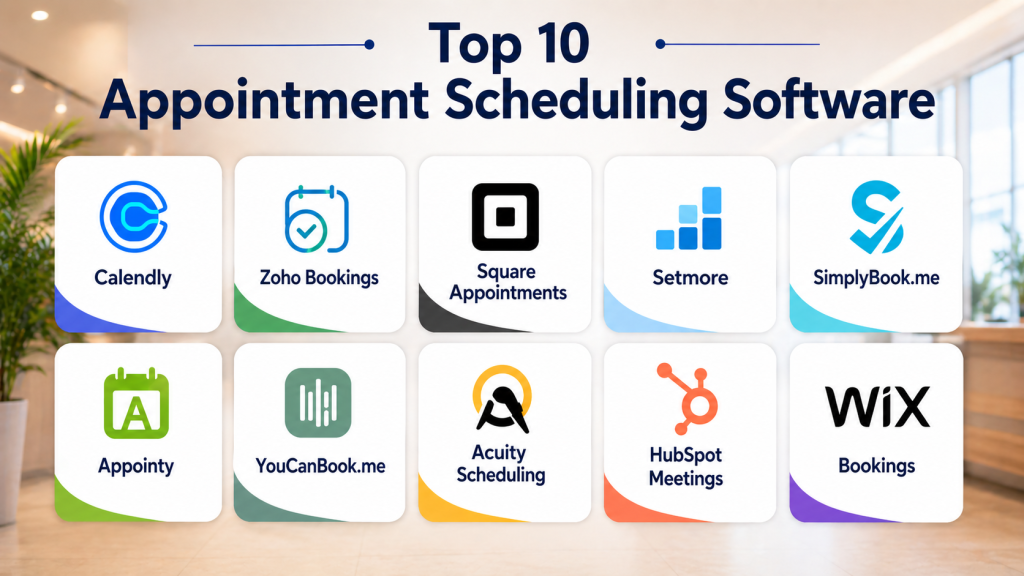
Top 10 Appointment Scheduling Software Tools
#1 — Calendly
Short description: A widely used scheduling platform that simplifies meeting bookings through automated availability sharing and integrations. It is ideal for individuals, teams, and sales professionals.
Key Features
- Self-service booking links
- Calendar synchronization
- Automated reminders
- Meeting routing
- Time zone detection
- Integration with video tools
Pros
- Extremely easy to use
- Strong integrations
Cons
- Limited customization in free plan
- Advanced features require upgrade
Platforms / Deployment
Web / Android / iOS / Cloud
Security & Compliance
Encryption, access controls
Integrations & Ecosystem
Calendly integrates with popular tools for productivity and communication.
- Google Calendar and Outlook
- Zoom and Teams
- CRM integrations
- API support
Support & Community
Strong documentation and large user base
#2 — Zoho Bookings
Short description: A flexible scheduling tool designed for businesses using the Zoho ecosystem, offering customization and automation.
Key Features
- Booking page customization
- Calendar sync
- Automated notifications
- Team scheduling
- Payment integration
- Reporting
Pros
- Highly customizable
- Strong ecosystem
Cons
- Best suited for Zoho users
- UI learning curve
Platforms / Deployment
Web / Cloud
Security & Compliance
Not publicly stated
Integrations & Ecosystem
Integrates deeply with Zoho and external tools
- CRM integrations
- Payment gateways
- API support
Support & Community
Good support and documentation
#3 — Square Appointments
Short description: A scheduling tool combined with payment processing, ideal for service-based businesses like salons and clinics.
Key Features
- Online booking
- Payment processing
- Staff scheduling
- Automated reminders
- Reporting
- Customer management
Pros
- Built-in payments
- Easy to use
Cons
- Limited customization
- Best for small businesses
Platforms / Deployment
Web / Android / iOS / Cloud
Security & Compliance
Not publicly stated
Integrations & Ecosystem
Supports integrations with payment and business tools
- POS systems
- CRM tools
- APIs
Support & Community
Reliable support
#4 — Setmore
Short description: A user-friendly scheduling platform offering free plans and essential features for small businesses.
Key Features
- Online booking
- Calendar sync
- Automated reminders
- Payment integration
- Multi-user scheduling
- Reporting
Pros
- Free plan available
- Easy setup
Cons
- Limited advanced features
- Branding restrictions
Platforms / Deployment
Web / Android / iOS
Security & Compliance
Not publicly stated
Integrations & Ecosystem
Supports integrations with business tools
- Payment gateways
- CRM tools
- API support
Support & Community
Good support
#5 — SimplyBook.me
Short description: A comprehensive scheduling solution offering customization, booking pages, and payment features.
Key Features
- Custom booking page
- Payment integration
- Appointment management
- Notifications
- Multi-location support
- Analytics
Pros
- Feature-rich
- Strong customization
Cons
- Complex setup
- Pricing varies
Platforms / Deployment
Web / Cloud
Security & Compliance
Not publicly stated
Integrations & Ecosystem
Supports integrations with business tools
- APIs
- CRM systems
- Payment gateways
Support & Community
Reliable support
#6 — Appointy
Short description: A cloud-based scheduling solution designed for SMBs with automation and customer management features.
Key Features
- Online scheduling
- Automated reminders
- Customer database
- Payment processing
- Reporting
- Multi-location support
Pros
- Affordable
- Easy to use
Cons
- Limited advanced features
- UI limitations
Platforms / Deployment
Web / Cloud
Security & Compliance
Not publicly stated
Integrations & Ecosystem
Supports integrations with business tools
- CRM integrations
- API support
Support & Community
Good support
#7 — YouCanBook.me
Short description: A simple scheduling tool focused on quick setup and seamless calendar integration.
Key Features
- Calendar integration
- Custom booking pages
- Automated notifications
- Time zone support
- Scheduling rules
- Reporting
Pros
- Simple interface
- Fast setup
Cons
- Limited advanced features
- Basic analytics
Platforms / Deployment
Web / Cloud
Security & Compliance
Not publicly stated
Integrations & Ecosystem
Integrates with calendars and tools
- Google Calendar
- APIs
- CRM tools
Support & Community
Reliable support
#8 — Acuity Scheduling
Short description: A powerful scheduling platform designed for service businesses with advanced booking and payment features.
Key Features
- Appointment booking
- Payment processing
- Automated reminders
- Custom forms
- Calendar sync
- Multi-service scheduling
Pros
- Advanced features
- Flexible pricing
Cons
- Learning curve
- Premium features cost extra
Platforms / Deployment
Web / Cloud
Security & Compliance
Not publicly stated
Integrations & Ecosystem
Supports integrations with business tools
- Payment systems
- CRM integrations
- APIs
Support & Community
Strong support
#9 — HubSpot Meetings
Short description: A scheduling tool integrated with CRM, ideal for sales and marketing teams.
Key Features
- Meeting scheduling
- CRM integration
- Automated reminders
- Calendar sync
- Reporting
- Team scheduling
Pros
- CRM integration
- Easy to use
Cons
- Limited standalone features
- Requires HubSpot ecosystem
Platforms / Deployment
Web / Cloud
Security & Compliance
Not publicly stated
Integrations & Ecosystem
Integrates with CRM and business tools
- HubSpot CRM
- APIs
- Marketing tools
Support & Community
Strong support
#10 — Wix Bookings
Short description: A scheduling solution integrated with Wix websites, enabling businesses to manage bookings directly from their site.
Key Features
- Online booking
- Website integration
- Payment support
- Notifications
- Scheduling management
- Reporting
Pros
- Easy website integration
- All-in-one solution
Cons
- Limited outside Wix
- Customization constraints
Platforms / Deployment
Web / Cloud
Security & Compliance
Not publicly stated
Integrations & Ecosystem
Integrates with Wix ecosystem
- Website tools
- Payment gateways
- APIs
Support & Community
Good support
Comparison Table
| Tool Name | Best For | Platform Supported | Deployment | Standout Feature | Public Rating |
|---|---|---|---|---|---|
| Calendly | Individuals & teams | Web Mobile | Cloud | Ease of use | N/A |
| Zoho Bookings | Zoho users | Web | Cloud | Customization | N/A |
| Square Appointments | Service businesses | Web Mobile | Cloud | Payments | N/A |
| Setmore | SMB | Web Mobile | Cloud | Free plan | N/A |
| SimplyBook.me | Custom workflows | Web | Cloud | Custom booking | N/A |
| Appointy | SMB | Web | Cloud | Automation | N/A |
| YouCanBook.me | Simplicity | Web | Cloud | Quick setup | N/A |
| Acuity Scheduling | Service businesses | Web | Cloud | Advanced features | N/A |
| HubSpot Meetings | Sales teams | Web | Cloud | CRM integration | N/A |
| Wix Bookings | Website users | Web | Cloud | Website integration | N/A |
Evaluation & Scoring of Appointment Scheduling Software
| Tool Name | Core | Ease | Integrations | Security | Performance | Support | Value | Weighted Total |
|---|---|---|---|---|---|---|---|---|
| Calendly | 9 | 9 | 9 | 8 | 9 | 9 | 8 | 8.8 |
| Zoho Bookings | 9 | 8 | 9 | 8 | 8 | 8 | 8 | 8.5 |
| Square Appointments | 8 | 9 | 8 | 7 | 8 | 8 | 9 | 8.3 |
| Setmore | 8 | 9 | 7 | 7 | 8 | 8 | 9 | 8.2 |
| SimplyBook.me | 9 | 7 | 8 | 7 | 8 | 7 | 8 | 8.0 |
| Appointy | 8 | 8 | 7 | 7 | 8 | 7 | 8 | 7.9 |
| YouCanBook.me | 7 | 9 | 7 | 7 | 7 | 7 | 8 | 7.7 |
| Acuity | 9 | 8 | 8 | 7 | 8 | 8 | 7 | 8.1 |
| HubSpot | 8 | 8 | 9 | 7 | 8 | 8 | 8 | 8.1 |
| Wix Bookings | 7 | 8 | 7 | 7 | 7 | 7 | 8 | 7.6 |
These scores are comparative and highlight strengths across usability, integrations, and value. Higher scores indicate broader capabilities, while lower scores may reflect niche focus.
Which Appointment Scheduling Software Is Right for You
Solo / Freelancer
Calendly and YouCanBook.me are simple, fast, and effective for individuals.
SMB
Setmore and Appointy offer affordable and scalable solutions.
Mid-Market
Zoho Bookings and Acuity provide advanced features and customization.
Enterprise
HubSpot Meetings and SimplyBook.me are ideal for integrated workflows.
Budget vs Premium
Budget tools offer basic scheduling, while premium tools provide automation and analytics.
Feature Depth vs Ease of Use
Advanced platforms offer customization, while simple tools focus on usability.
Integrations & Scalability
Choose tools with strong API and ecosystem support.
Security & Compliance Needs
Organizations should prioritize encryption, access control, and compliance readiness.
Frequently Asked Questions FAQs
1. What is appointment scheduling software
It is a tool that allows customers to book appointments online while helping businesses manage schedules efficiently.
2. How does it reduce no-shows
It sends automated reminders via email or SMS, ensuring customers remember their appointments.
3. Can it integrate with calendars
Yes, most tools sync with Google Calendar or Outlook to avoid double bookings.
4. Is it suitable for small businesses
Yes, many tools offer free or affordable plans tailored for SMBs.
5. Can customers book appointments themselves
Yes, self-service booking is a core feature that improves convenience.
6. Does it support payments
Many tools allow online payments during booking, improving revenue flow.
7. Is it secure
Security depends on the platform, but most include encryption and authentication features.
8. Can it handle multiple staff members
Yes, many platforms support team scheduling and resource management.
9. What industries use it
It is used in healthcare, consulting, retail, and professional services.
10. Is it scalable
Yes, modern platforms are designed to scale with business growth and multiple locations.
Conclusion
Appointment Scheduling Software has become an essential tool for modern businesses by simplifying booking processes, reducing manual effort, and improving customer experience. These platforms go beyond basic scheduling by offering automation, integrations, and analytics that help businesses operate more efficiently. Choosing the right tool depends on your business size, complexity, and integration needs. Simple tools work well for individuals and small teams, while advanced platforms provide deeper customization and scalability for growing organizations. It is important to evaluate usability, features, and long-term value before making a decision. Start by shortlisting a few options, testing them in real scenarios, and ensuring they integrate with your existing systems. A well-chosen scheduling solution can significantly enhance productivity, customer satisfaction, and operational efficiency.

One feature that often has the biggest day-to-day impact is automated reminders. They not only reduce missed appointments but also help create a smoother experience for both businesses and customers without adding extra administrative work.