Introduction
CCTV Monitoring Software is a centralized platform used to monitor, record, manage, and analyze video feeds from surveillance cameras. It acts as the control layer of a CCTV system, enabling users to view live footage, store recordings, and detect events in real time. These systems connect cameras to a central interface where security teams or users can observe activity and respond quickly to incidents.
Modern CCTV software has evolved far beyond basic monitoring. Today’s platforms include AI-powered analytics, motion detection, automated alerts, and remote access via mobile or web dashboards. These capabilities are critical for improving safety, preventing incidents, and enhancing operational efficiency across residential, commercial, and industrial environments.
Common use cases include:
- Real-time monitoring of premises
- Intrusion detection and alerting
- Remote surveillance via mobile apps
- Video evidence collection and playback
- Multi-site security management
When evaluating CCTV monitoring software, buyers should consider:
- Camera compatibility and scalability
- Real-time monitoring and playback capabilities
- AI analytics and automation features
- Storage and video retention options
- Integration with other security systems
- Security and access control
- Ease of deployment and usability
- Cost and licensing model
Best for: Security teams, enterprises, retail stores, warehouses, residential complexes, and organizations managing multiple camera networks.
Not ideal for: Small setups with only a few cameras where basic DVR or NVR systems are sufficient.
Key Trends in CCTV Monitoring Software
- AI-powered video analytics for detecting threats and anomalies
- Cloud-based and hybrid deployment models for remote access
- Edge AI processing reducing latency and bandwidth usage
- Integration with IoT devices and smart security systems
- Real-time alerts and automated incident response
- Mobile-first dashboards for monitoring on the go
- Subscription-based pricing replacing perpetual licenses
- Advanced search capabilities using AI indexing
- Cybersecurity enhancements like encryption and RBAC
- Integration with access control and alarm systems
How We Selected These Tools Methodology
We evaluated the top CCTV monitoring software based on:
- Industry adoption and market reputation
- Feature completeness including monitoring and analytics
- Scalability across multiple camera networks
- Performance and reliability under high workloads
- Integration with cameras and third-party systems
- Security features and access controls
- Ease of use and deployment flexibility
- Vendor support and ecosystem strength
- Innovation in AI and automation capabilities
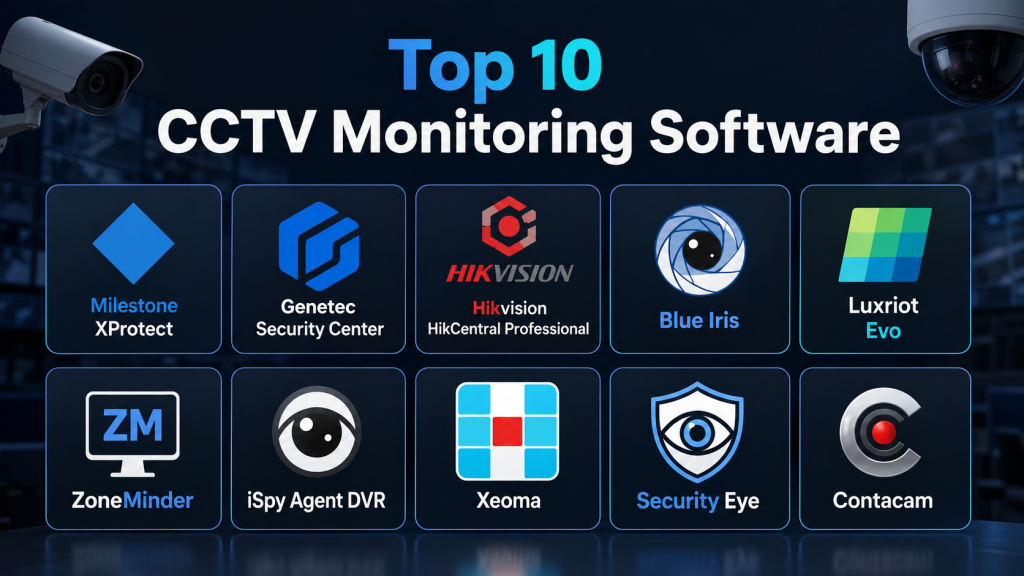
Top 10 CCTV Monitoring Software Tools
#1 — Milestone XProtect
Short description: A professional-grade open-platform CCTV monitoring software widely used for enterprise and large-scale deployments. It supports a wide range of cameras and offers advanced analytics and scalability.
Key Features
- Centralized video monitoring
- Multi-camera management
- Advanced analytics support
- Scalable architecture
- Remote access
- Role-based access control
Pros
- Highly scalable
- Strong integration ecosystem
Cons
- Complex setup
- Licensing can be expensive
Platforms / Deployment
Windows / Web / Hybrid
Security & Compliance
Encryption, RBAC, audit logs
Integrations & Ecosystem
Supports thousands of devices and integrations
- IP camera compatibility
- API integrations
- Analytics extensions
Support & Community
Strong enterprise support
#2 — Genetec Security Center
Short description: A unified security platform combining CCTV monitoring, access control, and analytics into one system for enterprise environments.
Key Features
- Unified security dashboard
- AI analytics
- Multi-site monitoring
- Event management
- Video playback
- Access control integration
Pros
- Comprehensive platform
- Strong enterprise capabilities
Cons
- Expensive
- Complex implementation
Platforms / Deployment
Windows / Hybrid
Security & Compliance
Not publicly stated
Integrations & Ecosystem
Integrates with multiple security systems
- IoT devices
- Access control systems
- APIs
Support & Community
Enterprise-grade support
#3 — Hikvision HikCentral Professional
Short description: A centralized CCTV monitoring solution designed for large deployments with strong device compatibility and video analytics features.
Key Features
- Centralized monitoring
- Event-driven alerts
- Video wall support
- User management
- Multi-site control
- Alarm integration
Pros
- Cost-effective for large setups
- Feature-rich
Cons
- Requires ecosystem alignment
- Limited flexibility outside ecosystem
Platforms / Deployment
Windows / Hybrid
Security & Compliance
Not publicly stated
Integrations & Ecosystem
Supports Hikvision devices and integrations
- Camera ecosystem
- API support
- Alarm systems
Support & Community
Strong vendor support
#4 — Blue Iris
Short description: A cost-effective CCTV monitoring software designed for small to mid-sized deployments with strong customization capabilities.
Key Features
- Multi-camera monitoring
- Motion detection
- Recording and playback
- Alerts and notifications
- Remote access
- Custom configuration
Pros
- Affordable
- Highly customizable
Cons
- Windows-only
- Requires technical setup
Platforms / Deployment
Windows / Local
Security & Compliance
Not publicly stated
Integrations & Ecosystem
Supports multiple camera brands
- IP camera support
- API integrations
- Plugin support
Support & Community
Active user community
#5 — Luxriot Evo
Short description: A scalable CCTV monitoring platform offering advanced video management and analytics capabilities.
Key Features
- Real-time monitoring
- Video recording
- Analytics support
- Multi-camera management
- Alerts
- Remote access
Pros
- Scalable solution
- Flexible deployment
Cons
- UI may require learning
- Licensing complexity
Platforms / Deployment
Windows / Hybrid
Security & Compliance
Not publicly stated
Integrations & Ecosystem
Supports multiple devices
- Camera integrations
- API support
- Analytics tools
Support & Community
Reliable support
#6 — ZoneMinder
Short description: An open-source CCTV monitoring software designed for users who need a flexible and cost-effective surveillance solution.
Key Features
- Motion detection
- Recording and monitoring
- Multi-camera support
- Web interface
- Custom zones
- Open-source flexibility
Pros
- Free and open-source
- Highly customizable
Cons
- Requires technical expertise
- Limited enterprise features
Platforms / Deployment
Linux / Self-hosted
Security & Compliance
User-managed
Integrations & Ecosystem
Supports standard cameras and integrations
- API support
- Plugin ecosystem
- IoT integration
Support & Community
Strong open-source community
#7 — iSpy Agent DVR
Short description: A modern CCTV monitoring solution offering cloud connectivity, remote access, and AI features.
Key Features
- Remote monitoring
- AI detection
- Alerts
- Recording and playback
- Multi-device support
- Cloud integration
Pros
- Easy to use
- Strong remote features
Cons
- Subscription for advanced features
- Cloud dependency
Platforms / Deployment
Windows / Web / Cloud
Security & Compliance
Not publicly stated
Integrations & Ecosystem
Supports various integrations
- IoT devices
- API support
- Cloud services
Support & Community
Active community
#8 — Xeoma
Short description: A flexible and cross-platform CCTV monitoring software with modular architecture and easy setup.
Key Features
- Modular design
- Motion detection
- Remote access
- Multi-platform support
- Video recording
- Alerts
Pros
- Easy setup
- Cross-platform
Cons
- Limited advanced analytics
- UI simplicity
Platforms / Deployment
Windows / Linux / macOS
Security & Compliance
Not publicly stated
Integrations & Ecosystem
Supports various camera systems
- API support
- IoT integration
- Plugin ecosystem
Support & Community
Good support
#9 — Security Eye
Short description: A lightweight CCTV monitoring software designed for small-scale deployments with basic monitoring features.
Key Features
- Motion detection
- Recording
- Alerts
- Multi-camera support
- Remote access
- Scheduling
Pros
- Easy to use
- Free version available
Cons
- Limited advanced features
- Windows-only
Platforms / Deployment
Windows / Local
Security & Compliance
Not publicly stated
Integrations & Ecosystem
Supports basic camera integrations
- IP cameras
- API support
- Plugins
Support & Community
Basic support
#10 — ContaCam
Short description: A simple and lightweight CCTV monitoring software focused on ease of use and basic surveillance needs.
Key Features
- Motion detection
- Recording
- Remote access
- Multi-camera support
- Scheduling
- Alerts
Pros
- Free and lightweight
- Easy setup
Cons
- Limited scalability
- Basic functionality
Platforms / Deployment
Windows / Local
Security & Compliance
Not publicly stated
Integrations & Ecosystem
Supports basic integrations
- IP camera support
- API support
- Basic plugins
Support & Community
Limited support
Comparison Table
| Tool Name | Best For | Platform Supported | Deployment | Standout Feature | Public Rating |
|---|---|---|---|---|---|
| Milestone XProtect | Enterprise | Windows Web | Hybrid | Open platform | N/A |
| Genetec Security Center | Enterprise security | Windows | Hybrid | Unified system | N/A |
| HikCentral | Large deployments | Windows | Hybrid | Centralized control | N/A |
| Blue Iris | SMB users | Windows | Local | Customization | N/A |
| Luxriot Evo | Scalable setups | Windows | Hybrid | Flexibility | N/A |
| ZoneMinder | Open-source users | Linux | Self-hosted | Free solution | N/A |
| iSpy Agent DVR | Remote monitoring | Windows Web | Cloud | AI features | N/A |
| Xeoma | Cross-platform users | Multi platform | Hybrid | Modular design | N/A |
| Security Eye | Small setups | Windows | Local | Simplicity | N/A |
| ContaCam | Basic users | Windows | Local | Lightweight | N/A |
Evaluation & Scoring of CCTV Monitoring Software
| Tool Name | Core | Ease | Integrations | Security | Performance | Support | Value | Weighted Total |
|---|---|---|---|---|---|---|---|---|
| Milestone | 9 | 7 | 10 | 8 | 9 | 9 | 8 | 8.7 |
| Genetec | 9 | 7 | 9 | 8 | 9 | 9 | 7 | 8.5 |
| HikCentral | 8 | 8 | 8 | 7 | 8 | 8 | 8 | 8.1 |
| Blue Iris | 8 | 7 | 7 | 7 | 8 | 7 | 9 | 7.9 |
| Luxriot | 8 | 7 | 8 | 7 | 8 | 7 | 8 | 7.9 |
| ZoneMinder | 7 | 6 | 7 | 6 | 7 | 7 | 9 | 7.2 |
| iSpy | 8 | 8 | 7 | 7 | 8 | 7 | 8 | 7.9 |
| Xeoma | 7 | 8 | 7 | 6 | 7 | 7 | 8 | 7.4 |
| Security Eye | 6 | 9 | 6 | 6 | 7 | 6 | 9 | 7.1 |
| ContaCam | 6 | 9 | 6 | 6 | 7 | 6 | 9 | 7.1 |
These scores are comparative and reflect typical usage scenarios. Higher scores indicate broader capabilities and scalability, while lower scores highlight simpler or niche tools. Always align scores with your specific requirements.
Which CCTV Monitoring Software Is Right for You
Solo / Freelancer
ContaCam and Security Eye are simple and free tools for basic monitoring.
SMB
Blue Iris and iSpy Agent DVR provide strong features at reasonable cost.
Mid-Market
Luxriot Evo and Xeoma offer scalability with balanced complexity.
Enterprise
Milestone XProtect and Genetec Security Center are ideal for large deployments.
Budget vs Premium
Budget tools focus on basic monitoring, while premium tools offer AI and automation.
Feature Depth vs Ease of Use
Advanced platforms provide deep features but require expertise, while simpler tools prioritize usability.
Integrations & Scalability
Choose platforms with strong API and camera compatibility for future growth.
Security & Compliance Needs
Enterprises should prioritize encryption, access control, and audit logging.
Frequently Asked Questions FAQs
1. What is CCTV monitoring software
CCTV monitoring software allows users to manage and monitor camera feeds from a centralized system. It enables real-time viewing, recording, and analysis of video footage. Advanced tools also include alerts and automation features.
2. How does CCTV software work
It connects cameras to a central system where footage is recorded and displayed. Users can access live feeds or recorded videos remotely through apps or dashboards.
3. Can I monitor CCTV remotely
Yes, most modern software supports remote monitoring through mobile apps or web dashboards. This allows users to view footage from anywhere.
4. What features should I look for
Key features include live monitoring, recording, motion detection, alerts, analytics, and integration with other systems.
5. Is CCTV software secure
Most platforms include encryption and access controls. However, users should follow best practices like regular updates and secure passwords.
6. Do I need special hardware
Yes, CCTV software requires compatible cameras and sometimes servers or storage devices.
7. Can I use AI in CCTV systems
Yes, many modern systems use AI for detecting objects, people, and unusual behavior.
8. How much does CCTV software cost
Pricing varies depending on features, number of cameras, and deployment type. Enterprise solutions are typically more expensive.
9. Can I scale the system later
Yes, most platforms are scalable and allow adding more cameras and features as needed.
10. What industries use CCTV software
It is widely used in retail, manufacturing, healthcare, transportation, and residential security.
Conclusion
CCTV Monitoring Software has become a critical component of modern security systems by enabling centralized monitoring, intelligent analytics, and real-time response capabilities. These platforms go beyond simple video recording and provide advanced tools for detecting threats, managing multiple locations, and improving operational visibility. The right solution depends on your scale, budget, and technical requirements. Enterprise users benefit from powerful and scalable platforms, while smaller setups can rely on lightweight and cost-effective tools. It is important to evaluate compatibility, security features, and long-term scalability before making a decision. Start by shortlisting a few options and testing them in real-world scenarios. A well-chosen CCTV monitoring solution can significantly enhance safety, efficiency, and peace of mind.

One thing that often proves valuable in real-world use is how quickly operators can find and review important footage. Strong search and playback capabilities can save a lot of time when responding to incidents or investigating specific events.