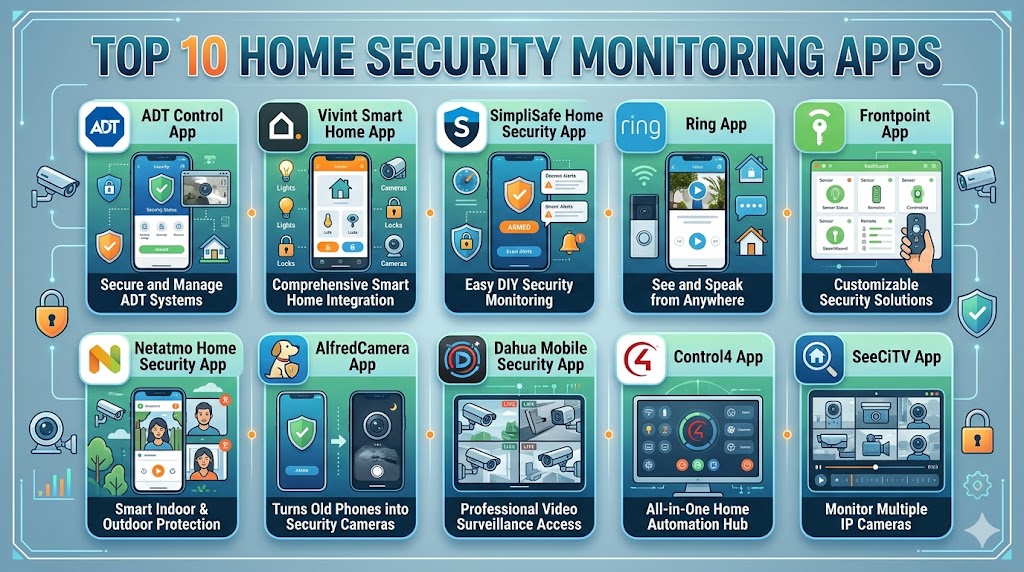
Introduction
Home Security Monitoring Apps are mobile applications that allow users to monitor their homes in real time, receive alerts, and control security systems remotely. These apps connect with cameras, sensors, alarms, and smart devices to provide a centralized view of home security from anywhere. With increasing adoption of connected devices and remote lifestyles, these apps have become essential tools for modern home protection.
Today’s security apps go beyond basic surveillance. They offer AI-powered motion detection, real-time alerts, two-way communication, and automation features that enhance safety and convenience. Users can view live video feeds, arm or disarm systems, and respond to incidents instantly from their smartphones.
Common use cases include:
- Real-time home monitoring and alerts
- Remote control of alarms and cameras
- Motion detection and intrusion alerts
- Smart automation for security routines
- Multi-property monitoring
When evaluating home security apps, buyers should consider:
- Video quality and live streaming
- Alert accuracy and notification speed
- Integration with smart home ecosystems
- Ease of use and interface
- Automation and customization
- Data privacy and security
- Subscription costs
- Scalability across devices
Best for: Homeowners, renters, property managers, and families who want remote monitoring, real-time alerts, and smart automation for safety.
Not ideal for: Users with minimal security needs or those who prefer offline, non-connected systems.
Key Trends in Home Security Monitoring Apps
- AI-powered threat detection reducing false alarms
- Real-time alerts with advanced motion detection
- Cloud and local storage hybrid models
- Integration with smart home ecosystems
- Voice assistant integration for hands-free control
- Multi-device and multi-location monitoring
- Edge AI for faster detection and privacy
- Subscription-based premium monitoring services
- Video analytics and object recognition
- Enhanced mobile dashboards and UX
How We Selected These Tools Methodology
We evaluated the top home security monitoring apps based on:
- Market adoption and popularity among users
- Feature completeness including monitoring and automation
- Reliability and performance in real-world usage
- Security features and privacy controls
- Integration with smart home ecosystems
- Ease of use and onboarding experience
- Scalability across devices and properties
- Vendor support and ecosystem strength
- Innovation in AI and automation capabilities
Top 10 Home Security Monitoring Apps Tools
#1 — ADT Control App
Short description: A comprehensive security app designed for ADT systems, offering real-time monitoring, automation, and integration with smart home devices. It is ideal for users seeking professional-grade security with strong reliability.
Key Features
- Real-time video monitoring
- Remote arm and disarm
- Smart alerts and notifications
- Automation and scheduling
- Multi-device integration
- Activity timeline
Pros
- Highly reliable system
- Strong professional monitoring
Cons
- Requires subscription
- Limited flexibility outside ecosystem
Platforms / Deployment
Android / iOS / Cloud
Security & Compliance
Encryption, secure authentication
Integrations & Ecosystem
Integrates with smart home devices and automation systems
- Smart home integrations
- API support
- IoT device connectivity
Support & Community
Strong enterprise-level support
#2 — Vivint Smart Home App
Short description: A powerful home security app offering integrated monitoring, automation, and device control across smart home systems.
Key Features
- Live video streaming
- Smart automation routines
- Remote system control
- Alerts and notifications
- Multi-device management
- AI-powered detection
Pros
- Strong automation features
- Unified smart home control
Cons
- Premium pricing
- Requires ecosystem investment
Platforms / Deployment
Android / iOS / Cloud
Security & Compliance
Not publicly stated
Integrations & Ecosystem
Supports multiple smart home integrations
- IoT devices
- Smart home platforms
- API integrations
Support & Community
Reliable support
#3 — SimpliSafe Home Security App
Short description: A user-friendly app designed for easy setup and real-time monitoring, making it suitable for beginners and homeowners.
Key Features
- Remote system control
- Live video streaming
- Instant notifications
- Timeline tracking
- Alarm management
- Camera integration
Pros
- Easy to use
- Flexible monitoring options
Cons
- Limited advanced features
- Subscription required for full features
Platforms / Deployment
Android / iOS / Cloud
Security & Compliance
Not publicly stated
Integrations & Ecosystem
Integrates with smart home devices and sensors
- IoT compatibility
- API support
- Smart home ecosystem
Support & Community
Good support resources
#4 — Ring App
Short description: A popular security app focused on video monitoring, doorbell cameras, and smart alerts with strong ecosystem integration.
Key Features
- Live video streaming
- Motion alerts
- Two-way audio
- Cloud video storage
- Device control
- Smart notifications
Pros
- Strong video monitoring
- Easy setup
Cons
- Subscription for storage
- Privacy concerns
Platforms / Deployment
Android / iOS / Cloud
Security & Compliance
Encryption, account security
Integrations & Ecosystem
Supports wide integrations
- Smart home devices
- Voice assistants
- API support
Support & Community
Large user base
#5 — Frontpoint App
Short description: A customizable security app offering real-time alerts, automation, and monitoring for residential users.
Key Features
- Instant notifications
- Remote control
- Automation routines
- Video monitoring
- Smart alerts
- Activity tracking
Pros
- Customizable alerts
- Strong monitoring features
Cons
- Subscription required
- Limited ecosystem
Platforms / Deployment
Android / iOS / Cloud
Security & Compliance
Not publicly stated
Integrations & Ecosystem
Supports integration with smart home systems
- IoT integrations
- API support
- Smart ecosystem
Support & Community
Reliable support
#6 — Arlo Secure App
Short description: A feature-rich security app focused on camera monitoring, AI detection, and cloud-based video management.
Key Features
- AI motion detection
- Live streaming
- Smart alerts
- Video storage
- Automation features
- Remote control
Pros
- Strong camera features
- AI detection capabilities
Cons
- Subscription required
- Cloud dependency
Platforms / Deployment
Android / iOS / Cloud
Security & Compliance
Not publicly stated
Integrations & Ecosystem
Supports integration with smart home devices
- IoT integrations
- API support
- Smart ecosystem
Support & Community
Active support
#7 — Wyze App
Short description: A budget-friendly security app offering camera monitoring, alerts, and automation for home users.
Key Features
- Live video streaming
- Motion detection
- Alerts and notifications
- Automation routines
- Device control
- Remote access
Pros
- Affordable
- Easy to use
Cons
- Limited advanced features
- Cloud dependency
Platforms / Deployment
Android / iOS / Cloud
Security & Compliance
Not publicly stated
Integrations & Ecosystem
Supports smart home integrations
- IoT compatibility
- API support
- Smart ecosystem
Support & Community
Growing community
#8 — Blink Home Monitor App
Short description: A simple and efficient app for monitoring Blink cameras with real-time alerts and remote access.
Key Features
- Live video monitoring
- Motion alerts
- Remote control
- Device management
- Cloud storage
- Notifications
Pros
- Easy setup
- Reliable performance
Cons
- Limited advanced features
- Subscription for storage
Platforms / Deployment
Android / iOS / Cloud
Security & Compliance
Not publicly stated
Integrations & Ecosystem
Supports integration with smart devices
- IoT integration
- API support
- Smart ecosystem
Support & Community
Reliable support
#9 — Reolink App
Short description: A versatile security app offering video monitoring, alerts, and control for Reolink cameras and systems.
Key Features
- Live streaming
- Motion detection
- Alerts
- Playback features
- Remote access
- Multi-device support
Pros
- Strong video features
- Flexible deployment
Cons
- Limited automation
- Requires hardware
Platforms / Deployment
Android / iOS / Cloud
Security & Compliance
Not publicly stated
Integrations & Ecosystem
Supports integration with cameras and devices
- IoT integration
- API support
- Smart ecosystem
Support & Community
Good support
#10 — Eufy Security App
Short description: A privacy-focused security app offering local storage, AI detection, and camera monitoring without mandatory subscriptions.
Key Features
- Local storage support
- AI detection
- Live monitoring
- Alerts and notifications
- Remote access
- Automation features
Pros
- No mandatory subscription
- Strong privacy focus
Cons
- Limited cloud features
- Smaller ecosystem
Platforms / Deployment
Android / iOS / Cloud / Local
Security & Compliance
Not publicly stated
Integrations & Ecosystem
Supports smart home integrations
- IoT devices
- API support
- Smart ecosystem
Support & Community
Good support
Comparison Table
| Tool Name | Best For | Platform Supported | Deployment | Standout Feature | Public Rating |
|---|---|---|---|---|---|
| ADT Control | Enterprise security | Android iOS | Cloud | Professional monitoring | N/A |
| Vivint | Smart automation | Android iOS | Cloud | Unified system | N/A |
| SimpliSafe | Beginners | Android iOS | Cloud | Easy setup | N/A |
| Ring | Video monitoring | Android iOS | Cloud | Camera ecosystem | N/A |
| Frontpoint | Custom alerts | Android iOS | Cloud | Alert customization | N/A |
| Arlo Secure | AI cameras | Android iOS | Cloud | AI detection | N/A |
| Wyze | Budget users | Android iOS | Cloud | Affordable solution | N/A |
| Blink | Simple monitoring | Android iOS | Cloud | Easy setup | N/A |
| Reolink | Camera users | Android iOS | Cloud | Playback control | N/A |
| Eufy | Privacy users | Android iOS | Hybrid | Local storage | N/A |
Evaluation & Scoring of Home Security Monitoring Apps
| Tool Name | Core | Ease | Integrations | Security | Performance | Support | Value | Weighted Total |
|---|---|---|---|---|---|---|---|---|
| ADT | 9 | 8 | 8 | 8 | 9 | 9 | 7 | 8.4 |
| Vivint | 9 | 8 | 9 | 8 | 8 | 8 | 7 | 8.3 |
| SimpliSafe | 8 | 9 | 7 | 7 | 8 | 8 | 8 | 8.1 |
| Ring | 8 | 9 | 9 | 7 | 8 | 8 | 8 | 8.3 |
| Frontpoint | 8 | 8 | 7 | 7 | 8 | 8 | 8 | 7.9 |
| Arlo | 8 | 8 | 8 | 7 | 8 | 7 | 8 | 8.0 |
| Wyze | 7 | 9 | 7 | 6 | 7 | 7 | 9 | 7.8 |
| Blink | 7 | 9 | 7 | 6 | 7 | 7 | 8 | 7.7 |
| Reolink | 7 | 8 | 7 | 6 | 8 | 7 | 8 | 7.6 |
| Eufy | 8 | 8 | 7 | 8 | 8 | 7 | 8 | 8.0 |
These scores are comparative and based on typical usage scenarios. Higher scores indicate broader capabilities and stronger performance, while lower scores may reflect trade-offs or specialization.
Which Home Security Monitoring App Is Right for You
Solo / Freelancer
Wyze and Blink are simple, affordable, and easy to deploy.
SMB
Ring and SimpliSafe provide a good balance of features and usability.
Mid-Market
Arlo and Frontpoint offer better automation and monitoring capabilities.
Enterprise
ADT and Vivint deliver advanced security with professional monitoring.
Budget vs Premium
Budget apps focus on basic monitoring, while premium apps provide automation and AI features.
Feature Depth vs Ease of Use
Advanced apps offer customization, while simpler apps prioritize ease of use.
Integrations & Scalability
Choose apps with strong ecosystem support for future expansion.
Security & Compliance Needs
Privacy-focused users should consider apps with local storage and strong encryption.
Frequently Asked Questions FAQs
1. What is a home security monitoring app
A home security monitoring app allows users to monitor their property remotely using cameras and sensors. It provides real-time alerts and lets users take action like triggering alarms or viewing live feeds.
2. Do these apps require subscriptions
Many apps offer basic features for free, but advanced features like cloud storage and monitoring often require subscriptions. Pricing varies depending on the provider.
3. Can I monitor multiple locations
Yes, most apps support multi-location monitoring. This is useful for users managing multiple properties or offices.
4. Are these apps secure
Most apps include encryption and authentication features. However, users should follow best practices like updating apps and using secure passwords.
5. Do I need special hardware
Yes, most apps require compatible cameras, sensors, or alarm systems. The app acts as the control interface.
6. Can I get alerts in real time
Yes, most apps provide instant notifications for motion detection, alarms, and other events. Alert accuracy varies by platform.
7. Can these apps integrate with smart home systems
Yes, many apps integrate with smart home ecosystems. This allows users to automate security with lighting, locks, and other devices.
8. Can I view live video remotely
Yes, live streaming is a core feature of most security apps. Users can monitor their home from anywhere using mobile devices.
9. What is the best app for beginners
SimpliSafe and Ring are beginner-friendly options with simple setup and easy-to-use interfaces.
10. Can I expand my system later
Yes, most platforms are scalable. Users can add more devices and features over time.
Conclusion
Home Security Monitoring Apps have become essential tools for protecting homes in an increasingly connected world. These apps provide real-time visibility, instant alerts, and remote control, allowing users to respond quickly to potential threats. Modern platforms combine AI-powered detection, automation, and smart home integration to deliver a more proactive approach to security. However, the best app depends on your needs, whether it is affordability, advanced automation, or privacy-focused features. Beginners may prefer simple and easy-to-use apps, while advanced users can benefit from customizable and scalable platforms. It is important to evaluate compatibility, security features, and long-term costs before choosing a solution. Start by testing a few apps with your existing setup and expand gradually. A well-chosen security app can significantly improve safety, convenience, and peace of mind.

One feature that can make a real difference is the quality of notifications. Timely and accurate alerts help homeowners respond quickly to important events without being overwhelmed by unnecessary notifications.