Introduction
Business Intelligence tools help organizations analyze data, create dashboards, and generate actionable insights for better decision-making. These platforms transform raw data into visual reports, enabling teams to understand trends, monitor performance, and make data-driven decisions.
In today’s competitive landscape, organizations rely heavily on data to guide strategy. Without BI tools, data remains fragmented and difficult to interpret. Modern BI platforms provide interactive dashboards, real-time analytics, AI-driven insights, and seamless integration with data sources, making them essential for businesses of all sizes.
Real-world use cases:
- Creating executive dashboards for performance tracking
- Analyzing sales and marketing data
- Monitoring business KPIs in real-time
- Generating reports for stakeholders
- Supporting predictive analytics and forecasting
What buyers should evaluate:
- Data visualization capabilities
- Integration with data sources
- Real-time analytics support
- Ease of use and user interface
- Scalability across datasets
- AI and advanced analytics features
- Collaboration and sharing capabilities
- Security and governance features
- Customization and flexibility
- Pricing and deployment options
Best for: Business analysts, data analysts, executives, and organizations seeking data-driven decision-making
Not ideal for: Organizations with minimal data requirements or no analytics needs
Key Trends in Business Intelligence Tools
- AI-driven insights and predictive analytics
- Self-service BI for non-technical users
- Cloud-native BI platforms
- Real-time data analytics and dashboards
- Integration with modern data stacks
- Embedded analytics in applications
- Natural language query capabilities
- Data storytelling and visualization enhancements
- Increased focus on data governance
- Automation of reporting workflows
How We Selected These Tools Methodology
- Market adoption and popularity
- Feature completeness and capabilities
- Ease of use and user experience
- Integration with data ecosystems
- Scalability and performance
- Innovation and roadmap
- Support and documentation quality
- Fit across SMB and enterprise use cases
- Visualization and analytics strength
- Value for money
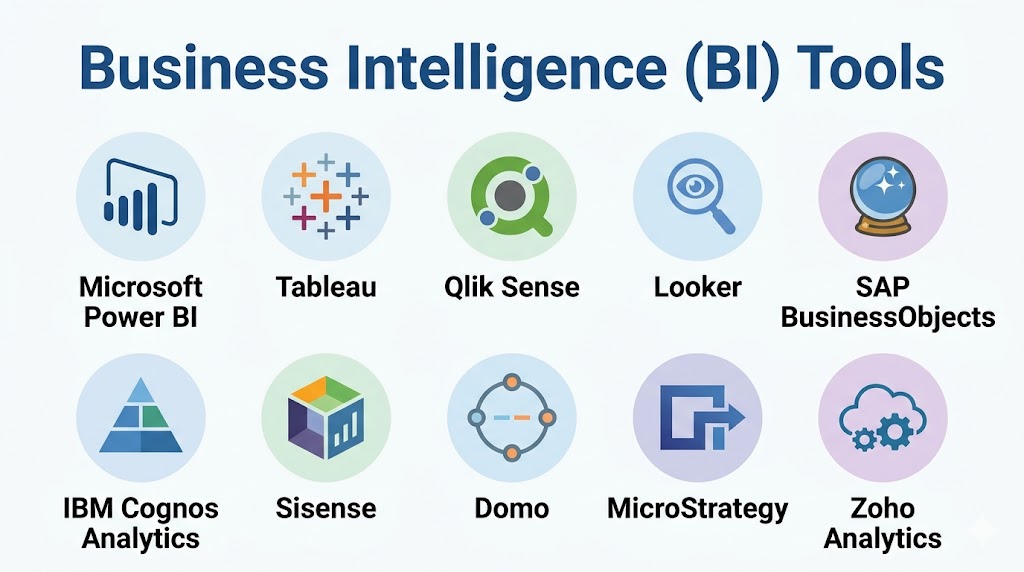
Top 10 Business Intelligence Tools
#1 — Microsoft Power BI
Short description:
Microsoft Power BI is a leading BI platform that provides powerful data visualization and analytics capabilities. It integrates with Microsoft ecosystem. It supports real-time dashboards. It offers AI features. It is scalable. It is widely used across industries.
Key Features
- Interactive dashboards
- Data visualization
- AI insights
- Integration
- Real-time analytics
Pros
- Easy to use
- Affordable
- Strong ecosystem
Cons
- Limited customization
- Performance issues with large datasets
Platforms / Deployment
- Web / Windows / Mobile
- Cloud
Security & Compliance
- RBAC
- Compliance Not publicly stated
Integrations & Ecosystem
Integrates with Microsoft tools and data platforms.
- Excel
- Azure
- APIs
Support & Community
Strong community and enterprise support.
#2 — Tableau
Short description:
Tableau is a powerful BI tool known for its advanced data visualization. It enables interactive dashboards. It supports large datasets. It integrates with multiple data sources. It is scalable. It is widely used by enterprises.
Key Features
- Advanced visualization
- Data exploration
- Integration
- Real-time analytics
- Reporting
Pros
- Strong visualization
- Scalable
- Flexible
Cons
- Expensive
- Learning curve
Platforms / Deployment
- Web / Desktop / Mobile
- Cloud / On-prem
Security & Compliance
- RBAC
- Compliance Not publicly stated
Integrations & Ecosystem
Supports integration with various data sources.
- Databases
- APIs
Support & Community
Strong global community.
#3 — Qlik Sense
Short description:
Qlik Sense provides associative data analytics and interactive dashboards. It enables data exploration. It supports AI-driven insights. It integrates with multiple systems. It is scalable. It is widely used.
Key Features
- Associative analytics
- Data visualization
- AI insights
- Integration
- Reporting
Pros
- Powerful analytics
- Flexible
- Scalable
Cons
- Complex interface
- Cost
Platforms / Deployment
- Web / Mobile
- Cloud / On-prem
Security & Compliance
- RBAC
- Compliance Not publicly stated
Integrations & Ecosystem
Integrates with data platforms and APIs.
- Databases
- APIs
Support & Community
Active community and enterprise support.
#4 — Looker
Short description:
Looker is a cloud-based BI platform focused on data modeling and analytics. It integrates with modern data warehouses. It provides real-time insights. It is scalable. It supports embedded analytics.
Key Features
- Data modeling
- Real-time analytics
- Integration
- Embedded analytics
- Reporting
Pros
- Strong integration
- Scalable
- Modern platform
Cons
- Learning curve
- Cost
Platforms / Deployment
- Web
- Cloud
Security & Compliance
- RBAC
- Compliance Not publicly stated
Integrations & Ecosystem
Integrates with cloud data platforms.
- BigQuery
- APIs
Support & Community
Strong enterprise support.
#5 — SAP BusinessObjects
Short description:
SAP BusinessObjects provides enterprise BI capabilities with strong reporting features. It integrates with SAP ecosystem. It supports analytics and dashboards. It is scalable. It is widely used in enterprises.
Key Features
- Reporting
- Analytics
- Integration
- Dashboarding
- Data management
Pros
- Strong SAP integration
- Scalable
- Reliable
Cons
- Complex
- Expensive
Platforms / Deployment
- Web / Desktop
- On-prem / Cloud
Security & Compliance
- RBAC
- Compliance Not publicly stated
Integrations & Ecosystem
Integrates with SAP systems and enterprise tools.
- ERP systems
- APIs
Support & Community
Enterprise support.
#6 — IBM Cognos Analytics
Short description:
IBM Cognos provides AI-powered analytics and reporting. It supports dashboards and data exploration. It integrates with IBM ecosystem. It is scalable. It offers strong performance.
Key Features
- AI analytics
- Reporting
- Dashboards
- Integration
- Data exploration
Pros
- Strong analytics
- Scalable
- Reliable
Cons
- Complex interface
- Cost
Platforms / Deployment
- Web / Mobile
- Cloud / On-prem
Security & Compliance
- RBAC
- Compliance Not publicly stated
Integrations & Ecosystem
Integrates with enterprise data systems.
- Databases
- APIs
Support & Community
Enterprise support available.
#7 — Sisense
Short description:
Sisense provides embedded analytics and BI capabilities. It supports dashboards and reporting. It integrates with data platforms. It is scalable. It is suitable for developers and enterprises.
Key Features
- Embedded analytics
- Data visualization
- Integration
- Reporting
- APIs
Pros
- Flexible
- Scalable
- Developer-friendly
Cons
- Cost
- Setup complexity
Platforms / Deployment
- Web
- Cloud
Security & Compliance
- RBAC
- Compliance Not publicly stated
Integrations & Ecosystem
Integrates with modern data stacks.
- APIs
- Databases
Support & Community
Growing ecosystem.
#8 — Domo
Short description:
Domo is a cloud-based BI platform that provides dashboards and analytics. It supports real-time data insights. It integrates with SaaS tools. It is scalable. It is easy to use.
Key Features
- Dashboards
- Real-time analytics
- Integration
- Alerts
- Reporting
Pros
- Easy to use
- Cloud-native
- Scalable
Cons
- Expensive
- Limited customization
Platforms / Deployment
- Web / Mobile
- Cloud
Security & Compliance
- RBAC
- Compliance Not publicly stated
Integrations & Ecosystem
Integrates with SaaS applications.
- SaaS tools
- APIs
Support & Community
Good support.
#9 — MicroStrategy
Short description:
MicroStrategy provides enterprise BI with strong analytics capabilities. It supports dashboards and reporting. It integrates with data systems. It is scalable. It offers strong performance.
Key Features
- Analytics
- Reporting
- Dashboards
- Integration
- Mobile BI
Pros
- Scalable
- Reliable
- Strong performance
Cons
- Complex
- Cost
Platforms / Deployment
- Web / Mobile
- Cloud / On-prem
Security & Compliance
- RBAC
- Compliance Not publicly stated
Integrations & Ecosystem
Integrates with enterprise data systems.
- Databases
- APIs
Support & Community
Enterprise support.
#10 — Zoho Analytics
Short description:
Zoho Analytics provides BI capabilities with strong ease of use. It supports dashboards and reporting. It integrates with Zoho ecosystem. It is scalable. It is suitable for SMBs.
Key Features
- Data visualization
- Reporting
- Integration
- Dashboards
- Automation
Pros
- Affordable
- Easy to use
- Scalable
Cons
- Limited advanced features
- Smaller ecosystem
Platforms / Deployment
- Web / Mobile
- Cloud
Security & Compliance
- RBAC
- Compliance Not publicly stated
Integrations & Ecosystem
Integrates with Zoho apps and data sources.
- SaaS tools
- APIs
Support & Community
Good support for SMBs.
Comparison Table
| Tool | Best For | Platform | Deployment | Standout Feature | Rating |
|---|---|---|---|---|---|
| Power BI | SMB | Multi | Cloud | Ease of use | N/A |
| Tableau | Enterprise | Multi | Hybrid | Visualization | N/A |
| Qlik | Enterprise | Multi | Hybrid | Analytics | N/A |
| Looker | Cloud teams | Web | Cloud | Modeling | N/A |
| SAP | Enterprise | Multi | Hybrid | SAP integration | N/A |
| IBM | Enterprise | Multi | Hybrid | AI analytics | N/A |
| Sisense | Devs | Web | Cloud | Embedded BI | N/A |
| Domo | SMB | Multi | Cloud | Real-time | N/A |
| MicroStrategy | Enterprise | Multi | Hybrid | Performance | N/A |
| Zoho | SMB | Multi | Cloud | Affordability | N/A |
Evaluation & Scoring of BI Tools
| Tool | Core | Ease | Integration | Security | Performance | Support | Value | Weighted Total |
|---|---|---|---|---|---|---|---|---|
| Power BI | 9 | 10 | 9 | 9 | 8 | 9 | 10 | 9.2 |
| Tableau | 10 | 8 | 9 | 9 | 9 | 9 | 7 | 9.0 |
| Qlik | 9 | 8 | 9 | 9 | 9 | 8 | 7 | 8.7 |
| Looker | 9 | 8 | 9 | 9 | 9 | 8 | 7 | 8.7 |
| SAP | 9 | 7 | 9 | 9 | 9 | 9 | 6 | 8.5 |
| IBM | 9 | 7 | 8 | 9 | 9 | 8 | 7 | 8.4 |
| Sisense | 8 | 8 | 9 | 8 | 8 | 8 | 8 | 8.3 |
| Domo | 8 | 9 | 8 | 8 | 8 | 8 | 7 | 8.1 |
| MicroStrategy | 9 | 7 | 8 | 9 | 9 | 8 | 7 | 8.3 |
| Zoho | 8 | 9 | 8 | 8 | 8 | 8 | 9 | 8.4 |
Scoring is comparative and based on features, usability, integrations, and value. Higher scores indicate stronger overall performance, but the best tool depends on your needs.
Which BI Tool Is Right for You
Solo / Freelancer
- Zoho Analytics
SMB
- Power BI, Zoho Analytics
Mid-Market
- Qlik Sense, Domo
Enterprise
- Tableau, SAP, MicroStrategy
Budget vs Premium
- Budget option is Zoho Analytics
- Premium option is Tableau
Feature Depth vs Ease of Use
- Easy option is Power BI
- Advanced option is Tableau
Integrations & Scalability
- Strong integration offered by Power BI
Security & Compliance Needs
- Enterprise-grade option is SAP
Frequently Asked Questions
1. What are BI tools
BI tools help analyze and visualize data. They provide dashboards and reports. They support decision-making. They transform raw data into insights.
2. Why are BI tools important
They help organizations make data-driven decisions. They improve efficiency. They provide visibility into performance. They support strategy.
3. How do BI tools work
They connect to data sources. They process and visualize data. They provide dashboards and reports. They enable analysis.
4. Who should use BI tools
Analysts, managers, and executives use BI tools. Organizations benefit from insights. They help improve decision-making.
5. Are BI tools scalable
Yes, they support large datasets and enterprise environments. They scale with business needs. They ensure reliable analytics.
6. Do BI tools integrate with other systems
Yes, they integrate with databases and SaaS tools. This creates a unified data ecosystem. Integration improves workflows.
7. Are BI tools secure
They include access controls and governance features. They protect data. Proper setup ensures security. They reduce risks.
8. Are BI tools difficult to use
Some tools are easy while others require training. Modern tools focus on usability. Self-service BI is growing.
9. What are alternatives to BI tools
Alternatives include spreadsheets and manual reporting. However, they lack scalability. BI tools provide automation and insights.
10. Are BI tools expensive
Pricing varies widely. Some tools are affordable. Enterprise tools can be costly. Investment depends on needs.
Conclusion
Business Intelligence tools play a crucial role in helping organizations turn data into actionable insights. By providing powerful visualization, reporting, and analytics capabilities, these tools enable teams to make informed decisions and drive business growth.Choosing the right BI tool depends on your organization’s size, budget, and analytical needs. Platforms like Power BI and Tableau offer strong capabilities, while tools like Zoho Analytics provide cost-effective solutions for smaller teams. The best approach is to evaluate your requirements, test tools, and ensure they align with your data strategy before making a decision.
