Introduction
User Onboarding Tools are software platforms that help organizations guide new users through applications and digital products efficiently. They ensure that users quickly understand workflows, features, and value, reducing churn while improving satisfaction and engagement. For modern SaaS companies and digital teams, providing a seamless onboarding experience is critical to retaining customers and boosting lifetime value.
Real-world use cases include:
- Guiding new employees through enterprise software and internal tools.
- Helping customers adopt SaaS products with interactive walkthroughs and tooltips.
- Educating users in fintech, healthcare, and productivity apps while maintaining compliance.
- Supporting developers in understanding APIs and developer platforms.
- Reducing support tickets by providing contextual guidance directly in the app.
Evaluation criteria buyers should consider:
- Ease of use for admins and end-users
- Ability to create interactive guides, tooltips, and walkthroughs
- AI-driven personalization and behavioral triggers
- Integration capabilities with CRM, analytics, and support systems
- Security and compliance (SSO, MFA, GDPR, SOC 2)
- Scalability for SMBs to enterprise deployments
- Performance and reliability
- Cost-effectiveness
- Support, documentation, and community ecosystem
- Reporting and analytics to track adoption success
Best for: Product managers, customer success teams, SaaS companies, HR departments, and enterprises aiming to improve user adoption and retention.
Not ideal for: Organizations with minimal digital products, internal-only tools, or teams relying exclusively on live training and documentation.
Key Trends in User Onboarding Tools
- AI-driven personalized onboarding flows tailored to individual user behavior
- Embedded in-app guidance replacing static manuals and emails
- Cross-platform support for web, mobile, and desktop
- Automated onboarding sequences triggered by lifecycle events
- Integration-first tools connecting with CRM, analytics, and support systems
- Privacy and compliance-first onboarding for regulated industries
- Real-time dashboards for adoption metrics and engagement tracking
- Hybrid deployment models with cloud and on-premise options
- Gamification to improve engagement and retention
- Flexible subscription and usage-based pricing models
How We Selected These Tools
- Evaluated market adoption and mindshare across SMBs and enterprise users
- Assessed feature completeness including guided tours, analytics, and AI personalization
- Considered reliability and performance, including uptime and speed
- Reviewed security posture, including authentication, encryption, and compliance certifications
- Analyzed integration capabilities with CRM, analytics, and support platforms
- Evaluated customer fit across company sizes, industries, and user personas
- Considered support quality, including documentation and training programs
- Factored in innovation, including AI, automation, and multi-platform support
- Evaluated pricing flexibility for startups, SMBs, and enterprises
- Prioritized tools with long-term viability and product roadmaps
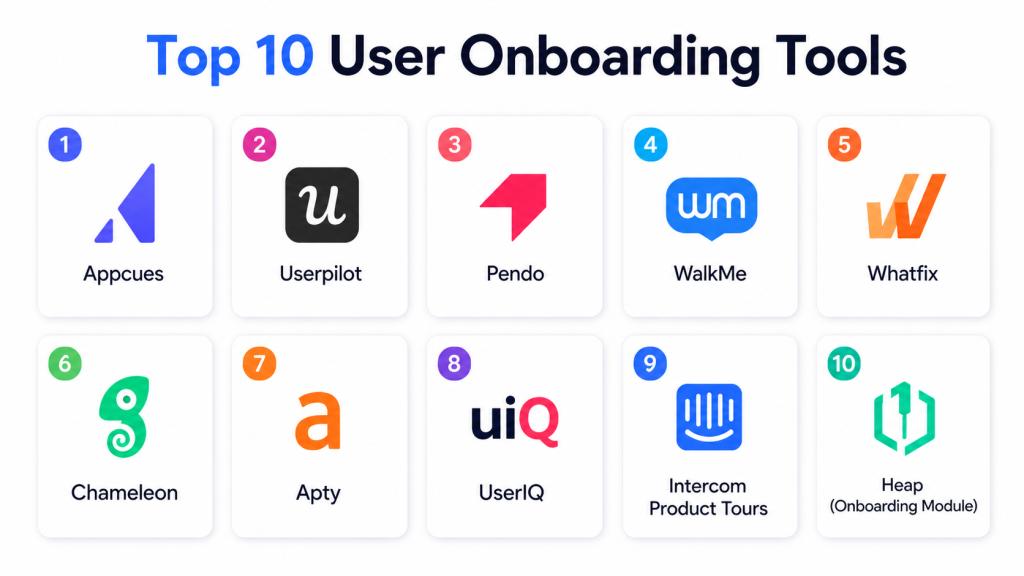
Top 10 User Onboarding Tools
#1 — Appcues
Short description: Appcues is a no-code onboarding platform that allows teams to create personalized in-app experiences. It is ideal for SaaS companies seeking to boost feature adoption and reduce churn by delivering interactive walkthroughs, tooltips, and analytics-driven insights.
Key Features
- Drag-and-drop onboarding builder
- Personalized user segmentation
- Tooltips, modals, and walkthroughs
- Analytics for feature adoption
- A/B testing for onboarding flows
Pros
- Quick setup without developers
- Powerful analytics for measuring adoption success
- Flexible targeting for different user segments
Cons
- Can be costly for large user volumes
- Limited offline capabilities
- Custom styling may require extra effort
Platforms / Deployment
- Web / iOS / Android
- Cloud
Security & Compliance
- Not publicly stated
Integrations & Ecosystem
Integrates with CRM, analytics, and support platforms:
- Salesforce, HubSpot
- Intercom, Zendesk
- Google Analytics, Segment, Mixpanel
Support & Community
- Comprehensive documentation, live chat, and community forums
#2 — Userpilot
Short description: Userpilot enables behavior-driven onboarding experiences without coding. SaaS and B2B platforms can create tooltips, modals, and interactive walkthroughs to improve user adoption and engagement efficiently.
Key Features
- Behavior-triggered onboarding flows
- Tooltips, modals, and checklists
- Product analytics
- NPS and feedback collection
- No-code interface for non-technical teams
Pros
- Easy to design and modify flows
- Strong analytics for adoption tracking
- Non-technical teams can manage onboarding independently
Cons
- Limited multi-language support
- Pricing can increase at scale
- Advanced customization may need developer support
Platforms / Deployment
- Web / iOS / Android
- Cloud
Security & Compliance
- Not publicly stated
Integrations & Ecosystem
Integrates with CRM, analytics, and automation tools:
- HubSpot, Salesforce
- Intercom, Drift
- Segment, Mixpanel
Support & Community
- Knowledge base, email support, and webinars
#3 — Pendo
Short description: Pendo combines onboarding, analytics, and in-app guidance in one platform. It suits medium to large enterprises seeking actionable insights and personalized onboarding experiences for improved user engagement.
Key Features
- Guided onboarding flows and in-app messaging
- Advanced product analytics
- NPS and survey capabilities
- Multi-platform support
- Segment-based personalization
Pros
- Deep insights into user engagement
- Robust targeting and personalization
- Enterprise scalability
Cons
- Higher cost for small teams
- Learning curve for full feature usage
- Complex UI for some users
Platforms / Deployment
- Web / iOS / Android
- Cloud
Security & Compliance
- SOC 2, GDPR
Integrations & Ecosystem
- Salesforce, Marketo
- Segment, Slack
- Jira, Zendesk
Support & Community
- Enterprise-level support, webinars, and community forums
#4 — WalkMe
Short description: WalkMe is an enterprise-grade digital adoption platform offering AI-guided onboarding, analytics, and automation. Ideal for large organizations deploying complex software across multiple platforms and languages.
Key Features
- Interactive walkthroughs and tooltips
- Task automation and engagement tracking
- AI-driven personalization
- Multi-platform and multilingual support
- Advanced analytics dashboards
Pros
- Enterprise-grade customization
- AI-powered guidance
- Strong reporting and analytics
Cons
- High cost for small teams
- Implementation can be lengthy
- Overkill for simple onboarding needs
Platforms / Deployment
- Web / iOS / Android / Windows / macOS
- Cloud / Hybrid
Security & Compliance
- SOC 2, ISO 27001, GDPR
Integrations & Ecosystem
- Salesforce, SAP, Oracle
- ServiceNow, Jira
- Slack, Microsoft Teams
Support & Community
- Dedicated account managers, extensive documentation
#5 — Whatfix
Short description: Whatfix provides interactive onboarding and product adoption solutions for enterprises and SMBs. It offers AI-driven guidance, self-help flows, and analytics dashboards for accelerated user adoption.
Key Features
- Interactive walkthroughs and tooltips
- Multi-device and multi-language support
- Adoption analytics dashboards
- Self-help and in-app guidance
- AI-driven recommendations
Pros
- Quick deployment without coding
- Supports global audiences
- Comprehensive adoption analytics
Cons
- Advanced reporting requires learning
- Pricing may be high for large deployments
- Some integrations require setup
Platforms / Deployment
- Web / iOS / Android
- Cloud / Hybrid
Security & Compliance
- SOC 2, GDPR
Integrations & Ecosystem
- Salesforce, ServiceNow
- Jira, Slack
- LMS platforms
Support & Community
- Email and chat support, community forums
#6 — Chameleon
Short description: Chameleon enables SaaS startups to create product tours, tooltips, and announcements quickly. It emphasizes simplicity and rapid deployment to improve early-stage user adoption and engagement.
Key Features
- Customizable product tours and tooltips
- Announcements and banners
- User segmentation for targeting
- Analytics on engagement
- No-code deployment
Pros
- Lightweight and fast to implement
- Ideal for startups and small SaaS products
- Flexible targeting options
Cons
- Limited enterprise analytics
- Fewer integrations than larger platforms
- No AI personalization
Platforms / Deployment
- Web
- Cloud
Security & Compliance
- Not publicly stated
Integrations & Ecosystem
- Segment, Mixpanel
- Intercom, HubSpot
Support & Community
- Documentation, email support, community forum
#7 — Apty
Short description: Apty is designed for enterprise digital adoption with onboarding, compliance, and analytics features. It supports SaaS and ERP platforms with complex workflows and governance requirements.
Key Features
- Onboarding flows and tooltips
- Task automation and alerts
- Analytics and reporting
- Compliance monitoring
- Multi-platform support
Pros
- Enterprise-grade compliance
- Strong analytics capabilities
- Supports complex workflows
Cons
- Implementation can be complex
- Less intuitive than lightweight tools
- Pricing targeted at enterprises
Platforms / Deployment
- Web / Windows / macOS
- Cloud / Hybrid
Security & Compliance
- SOC 2, GDPR
Integrations & Ecosystem
- Salesforce, SAP
- Workday, ServiceNow
- Slack, Microsoft Teams
Support & Community
- Enterprise support, documentation, training programs
#8 — Inline Manual
Short description: Inline Manual is a no-code platform for interactive guides and tutorials. It is ideal for SaaS teams needing fast onboarding deployment without technical dependencies.
Key Features
- Drag-and-drop flow builder
- Contextual tooltips and modals
- Segmentation-based targeting
- Analytics for user behavior
- Multi-language support
Pros
- Quick implementation
- Flexible targeting
- No-code solution for non-technical teams
Cons
- Limited enterprise analytics
- No AI personalization
- Custom styling may require effort
Platforms / Deployment
- Web
- Cloud
Security & Compliance
- Not publicly stated
Integrations & Ecosystem
- Intercom, HubSpot
- Segment, Mixpanel
Support & Community
- Email support, documentation, community forum
#9 — Userflow
Short description: Userflow offers interactive product tours, onboarding checklists, and analytics. It focuses on SaaS products aiming for self-service onboarding and improved engagement.
Key Features
- Guided flows and checklists
- Engagement analytics
- Custom branding and styling
- No-code deployment
- User segmentation and targeting
Pros
- Easy setup and integration
- Clean, modern interface
- Supports both marketing and product teams
Cons
- Limited AI personalization
- Advanced analytics may require external tools
- Mobile onboarding less mature
Platforms / Deployment
- Web / iOS / Android
- Cloud
Security & Compliance
- Not publicly stated
Integrations & Ecosystem
- Intercom, HubSpot
- Segment, Mixpanel
Support & Community
- Documentation, email support, community forum
#10 — Nickelled
Short description: Nickelled allows SMBs and startups to create interactive guides and walkthroughs quickly. It is simple, affordable, and ideal for fast onboarding with minimal complexity.
Key Features
- Step-by-step product tours
- Inline tooltips
- Segmentation for targeting
- Analytics for user behavior
- Quick, no-code setup
Pros
- Fast and simple deployment
- Affordable for small teams
- Easy for non-technical users
Cons
- Limited advanced analytics
- No mobile app support
- Minimal AI personalization
Platforms / Deployment
- Web
- Cloud
Security & Compliance
- Not publicly stated
Integrations & Ecosystem
- Intercom, HubSpot
- Google Analytics, Mixpanel
Support & Community
- Email support, documentation, community forum
Comparison Table (Top 10)
| Tool Name | Best For | Platform(s) Supported | Deployment | Standout Feature | Public Rating |
|---|---|---|---|---|---|
| Appcues | SaaS, product teams | Web / iOS / Android | Cloud | No-code onboarding builder | N/A |
| Userpilot | SaaS, B2B platforms | Web / iOS / Android | Cloud | Behavioral triggers | N/A |
| Pendo | Mid-large enterprises | Web / iOS / Android | Cloud | Analytics + onboarding combo | N/A |
| WalkMe | Large enterprises | Web / iOS / Android | Cloud / Hybrid | AI-guided onboarding | N/A |
| Whatfix | Enterprises & SMBs | Web / iOS / Android | Cloud / Hybrid | AI flow recommendations | N/A |
| Chameleon | SaaS startups | Web | Cloud | Lightweight tours & tooltips | N/A |
| Apty | ERP & SaaS enterprises | Web / Windows / macOS | Cloud / Hybrid | Compliance and automation | N/A |
| Inline Manual | SaaS product teams | Web | Cloud | No-code onboarding flows | N/A |
| Userflow | SaaS self-service adoption | Web / iOS / Android | Cloud | Onboarding checklists | N/A |
| Nickelled | SMBs and startups | Web | Cloud | Quick interactive guides | N/A |
Frequently Asked Questions (FAQs)
1. What are the pricing models for User Onboarding Tools?
Most tools offer per-user subscriptions, usage-based pricing, or tiered enterprise plans. Costs vary depending on features, number of users, and deployment scale.
2. How long does implementation usually take?
Lightweight tools can be deployed in hours, whereas enterprise-grade solutions may take several weeks for full setup and integrations.
3. Can non-technical teams create onboarding flows?
Yes, drag-and-drop builders allow marketers, product managers, and customer success teams to design flows without coding.
4. Are these tools secure for regulated industries?
Enterprise solutions often support SOC 2, GDPR, and ISO certifications. Always verify compliance for healthcare, finance, or government sectors.
5. How is onboarding success measured?
Metrics include flow completion rates, feature engagement, retention, NPS, and feedback captured in dashboards.
6. Do these tools integrate with other software?
Yes, most integrate with CRM, analytics, support platforms, and automation tools to optimize adoption tracking.
7. Are these solutions scalable?
Enterprise platforms can handle thousands of users efficiently, while lightweight tools suit SMBs and startups.
8. Can these tools be used for mobile apps?
Many platforms support web, iOS, and Android. Some lightweight tools are web-only.
9. What common mistakes should I avoid?
Avoid overwhelming users, skipping analytics, neglecting segmentation, and ignoring mobile onboarding.
10. Are there alternatives to dedicated onboarding tools?
Alternatives include live training, documentation portals, interactive tutorials, and in-app FAQs, though they usually lack automation and analytics.
Conclusion
Choosing the right User Onboarding Tool depends on company size, product complexity, and desired level of automation. Startups and SMBs benefit from lightweight tools like Chameleon and Nickelled, while enterprises gain value from AI-driven solutions like WalkMe, Pendo, and Whatfix. For successful adoption, shortlist 2–3 tools, run pilot programs, validate integrations and security, and scale based on performance. Effective onboarding reduces churn, increases engagement, and drives long-term product success.

This was a great read. The article does a good job of comparing user onboarding tools in a simple and organized way, making it easier to identify the right solution for different onboarding goals.