Introduction
Workspace Analytics Tools are software platforms that help organizations track, measure, and optimize how office spaces are being used. They collect data from desk bookings, sensors, WiFi, badge access, and calendars to provide insights into occupancy, utilization, and employee behavior patterns.
In modern hybrid workplaces, these tools are essential for understanding how often spaces are used, which areas are underutilized, and how to improve real estate efficiency. They replace guesswork with real-time data, helping companies reduce costs and design better work environments.
Common use cases include:
- Tracking office occupancy and attendance
- Measuring desk and meeting room utilization
- Optimizing hybrid workplace strategies
- Reducing real estate costs
- Improving space planning and design
Key evaluation criteria:
- Real-time occupancy tracking
- Data accuracy from sensors and systems
- Integration with workplace tools
- Ease of dashboards and reporting
- AI-driven insights and forecasting
- Scalability across locations
- Security and privacy compliance
- Support for hybrid work models
- Deployment flexibility
- Analytics depth and visualization
Best for: Enterprises, hybrid workplaces, facility managers, and organizations optimizing office space usage.
Not ideal for: Fully remote companies with no physical office infrastructure.
Key Trends in Workspace Analytics Tools
- AI-powered occupancy forecasting and insights
- Sensor-based real-time tracking systems
- Hybrid work optimization dashboards
- Integration with desk booking and HR systems
- Privacy-first anonymous data collection
- Heatmaps for space utilization visualization
- Predictive analytics for space planning
- Cloud-based workplace intelligence platforms
- IoT-enabled smart office tracking systems
- Data-driven real estate optimization strategies
How We Selected These Tools
- Strong adoption in enterprise workplace management
- Accurate occupancy and utilization tracking
- Integration with sensors, booking systems, and calendars
- Real-time analytics and reporting capabilities
- Ease of dashboard usage for decision-makers
- Scalability for global organizations
- Innovation in AI and automation
- Vendor reliability and support quality
- Compatibility with hybrid workplace models
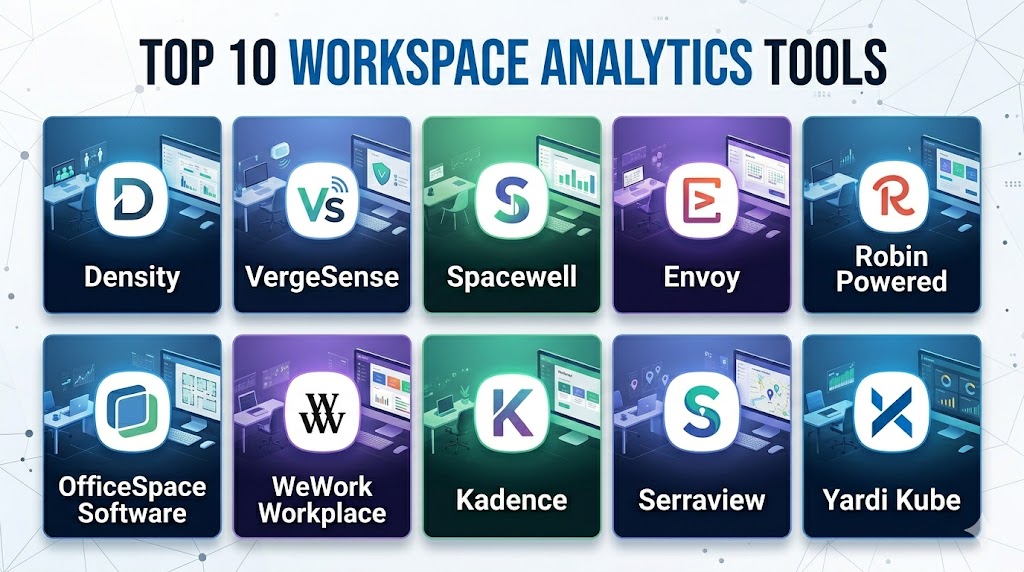
Top 10 Workspace Analytics Tools
#1 — Density
Short description: A sensor-based workplace analytics platform that measures real-time occupancy and space utilization using anonymous data.
Key Features
- Occupancy sensors
- Real-time analytics
- Space utilization tracking
- Heatmaps and dashboards
- API integrations
Pros
- Highly accurate data
- Real-time insights
- Strong enterprise adoption
Cons
- Hardware required
- Higher setup cost
- Complex deployment
Platforms / Deployment
Cloud + Hardware sensors
Security & Compliance
Anonymous occupancy tracking
Not publicly stated certifications
Integrations & Ecosystem
- Workplace management tools
- APIs
- Desk booking systems
Support & Community
Enterprise-level support
#2 — VergeSense
Short description: An AI-powered occupancy analytics platform that uses smart sensors to track office space usage in real time.
Key Features
- AI occupancy detection
- Desk and room tracking
- Space utilization analytics
- Heatmaps
- Forecasting tools
Pros
- High accuracy
- Strong AI capabilities
- Scalable
Cons
- Hardware dependency
- Expensive setup
- Enterprise-focused
Platforms / Deployment
Cloud + Sensors
Security & Compliance
Not publicly stated
Integrations & Ecosystem
- Workplace platforms
- APIs
- Desk booking systems
Support & Community
Strong enterprise support
#3 — Spacewell
Short description: A workplace management platform offering occupancy analytics, space planning, and facility optimization tools.
Key Features
- Occupancy tracking
- Space planning
- IoT integration
- Analytics dashboards
- Facility management tools
Pros
- Strong analytics suite
- End-to-end workplace solution
- Scalable
Cons
- Complex setup
- Higher cost
- Learning curve
Platforms / Deployment
Cloud + Hybrid
Security & Compliance
Not publicly stated
Integrations & Ecosystem
- IoT devices
- Workplace tools
- APIs
Support & Community
Enterprise-grade support
#4 — Envoy
Short description: A workplace platform that provides occupancy insights, desk booking, and visitor management features.
Key Features
- Desk and room analytics
- Occupancy tracking
- Workplace insights
- Visitor management integration
- Reporting dashboards
Pros
- Easy to use
- Strong integrations
- Flexible deployment
Cons
- Pricing varies
- Limited deep AI analytics
- Setup required
Platforms / Deployment
Cloud
Security & Compliance
Not publicly stated
Integrations & Ecosystem
- Google Workspace
- Microsoft 365
- APIs
Support & Community
Reliable support
#5 — Robin Powered
Short description: A hybrid workplace platform combining desk booking with analytics for office space optimization.
Key Features
- Desk booking analytics
- Occupancy insights
- Hybrid scheduling
- Space optimization
- Reporting tools
Pros
- Strong hybrid features
- Easy adoption
- Clean UI
Cons
- Limited sensor integration
- Pricing varies
- Enterprise focus
Platforms / Deployment
Cloud
Security & Compliance
Not publicly stated
Integrations & Ecosystem
- Microsoft Teams
- Google Calendar
- Slack
Support & Community
Strong support
#6 — OfficeSpace Software
Short description: A workplace analytics platform focused on space utilization, planning, and workplace intelligence.
Key Features
- Utilization dashboards
- Heatmaps
- Space planning tools
- Occupancy tracking
- Reporting analytics
Pros
- Strong analytics depth
- Enterprise-ready
- Scalable
Cons
- Complex setup
- Higher cost
- Requires training
Platforms / Deployment
Cloud
Security & Compliance
Not publicly stated
Integrations & Ecosystem
- Workplace systems
- APIs
- HR tools
Support & Community
Enterprise support
#7 — WeWork Workplace
Short description: A hybrid workplace platform offering desk booking and workspace analytics for distributed teams.
Key Features
- Desk utilization tracking
- Hybrid scheduling
- Space insights
- Mobile app access
- Reporting tools
Pros
- Easy UX
- Strong hybrid focus
- Mobile-first
Cons
- Limited enterprise analytics depth
- Pricing varies
- Ecosystem dependency
Platforms / Deployment
Cloud
Security & Compliance
Not publicly stated
Integrations & Ecosystem
- Calendar tools
- Workplace systems
Support & Community
Good support
#8 — Kadence
Short description: A modern workplace analytics platform focused on hybrid scheduling and space optimization.
Key Features
- Occupancy analytics
- Hybrid planning tools
- Desk booking integration
- Utilization insights
- Reporting dashboards
Pros
- AI-driven insights
- Clean interface
- Strong hybrid support
Cons
- Pricing varies
- Setup required
- Limited legacy integrations
Platforms / Deployment
Cloud
Security & Compliance
Not publicly stated
Integrations & Ecosystem
- Microsoft Teams
- Google Workspace
Support & Community
Good SMB and enterprise support
#9 — Serraview
Short description: A workplace management and analytics platform focused on large enterprise space optimization.
Key Features
- Space utilization tracking
- Occupancy analytics
- Real estate planning
- Scenario modeling
- Reporting dashboards
Pros
- Enterprise-grade
- Strong planning tools
- Scalable
Cons
- Complex setup
- Higher cost
- Requires training
Platforms / Deployment
Cloud
Security & Compliance
Not publicly stated
Integrations & Ecosystem
- Enterprise systems
- APIs
Support & Community
Enterprise support
#10 — Yardi Kube
Short description: A workspace management platform offering analytics, desk booking, and coworking space optimization.
Key Features
- Desk booking analytics
- Occupancy tracking
- Space utilization insights
- Billing integration
- Reporting tools
Pros
- Strong coworking focus
- Integrated billing
- Easy management
Cons
- Limited AI features
- Pricing varies
- Smaller ecosystem
Platforms / Deployment
Cloud
Security & Compliance
Not publicly stated
Integrations & Ecosystem
- Property management systems
- APIs
Support & Community
Good support
Comparison Table
| Tool Name | Best For | Platform Supported | Deployment | Standout Feature | Public Rating |
|---|---|---|---|---|---|
| Density | Sensor analytics | Cloud + Hardware | Hybrid | Real-time occupancy | N/A |
| VergeSense | AI occupancy | Cloud + Sensors | Hybrid | AI tracking | N/A |
| Spacewell | Facility management | Cloud | Hybrid | IoT integration | N/A |
| Envoy | Workplace insights | Cloud | Cloud | Desk + visitor analytics | N/A |
| Robin | Hybrid offices | Cloud | Cloud | Space optimization | N/A |
| OfficeSpace | Enterprise planning | Cloud | Cloud | Heatmaps | N/A |
| WeWork Workplace | Hybrid teams | Cloud | Cloud | Mobile UX | N/A |
| Kadence | Smart workplaces | Cloud | Cloud | AI insights | N/A |
| Serraview | Enterprise real estate | Cloud | Cloud | Scenario planning | N/A |
| Yardi Kube | Coworking spaces | Cloud | Cloud | Billing + analytics | N/A |
Evaluation & Scoring
| Tool Name | Core | Ease | Integrations | Security | Performance | Support | Value | Weighted Total |
|---|---|---|---|---|---|---|---|---|
| Density | 10 | 7 | 9 | 8 | 10 | 8 | 6 | 8.5 |
| VergeSense | 10 | 7 | 9 | 8 | 10 | 8 | 6 | 8.5 |
| Spacewell | 9 | 7 | 8 | 7 | 9 | 8 | 7 | 8.1 |
| Envoy | 8 | 9 | 9 | 7 | 8 | 8 | 7 | 8.2 |
| Robin | 8 | 9 | 9 | 7 | 8 | 8 | 8 | 8.3 |
| OfficeSpace | 9 | 7 | 8 | 7 | 9 | 8 | 7 | 8.1 |
| WeWork | 8 | 9 | 8 | 7 | 8 | 8 | 8 | 8.2 |
| Kadence | 9 | 8 | 9 | 7 | 8 | 8 | 7 | 8.2 |
| Serraview | 9 | 7 | 8 | 8 | 9 | 8 | 6 | 8.0 |
| Yardi Kube | 8 | 8 | 7 | 7 | 8 | 7 | 8 | 7.9 |
Frequently Asked Questions
1. What is workspace analytics software
It is a tool that tracks how office spaces are used. It provides occupancy and utilization data. It helps optimize workplace efficiency.
2. How does it collect data
It uses sensors, WiFi, badge systems, and booking data. This allows real-time occupancy tracking.
3. Why is it important
It helps reduce wasted office space and improve efficiency. It supports hybrid work models.
4. Is it suitable for small companies
Yes, but it is most valuable for medium and large offices.
5. Does it use AI
Yes, many modern tools use AI for forecasting and optimization.
6. Is hardware required
Some tools require sensors, while others rely on software data only.
7. Can it integrate with workplace tools
Yes, most tools integrate with calendar and workplace platforms.
8. Is it secure
Most platforms use anonymous or encrypted data tracking.
9. Can it improve productivity
Yes, by optimizing space and reducing friction in office usage.
10. What is the biggest benefit
Better decision-making using real-time workplace data.
Conclusion
Workspace Analytics Tools are becoming essential in modern hybrid workplaces where office space efficiency and employee experience matter more than ever. These platforms transform raw occupancy data into actionable insights that help organizations reduce costs, improve collaboration, and design smarter offices.Choosing the right tool depends on your workplace size, data needs, and integration requirements. Sensor-heavy platforms offer deep accuracy, while software-based tools provide easier deployment. The best strategy is to evaluate both and test them in real environments. A well-implemented workspace analytics system can significantly improve operational efficiency and long-term workplace planning.
