Introduction
Event Management Software is a category of tools designed to help organizations plan, execute, and analyze events from a single centralized platform. It replaces scattered spreadsheets, emails, and manual coordination with a structured system that handles everything from registrations and ticketing to attendee engagement and post-event reporting.
These platforms have become essential because modern events—whether corporate conferences, webinars, or large festivals—require coordination across multiple workflows like marketing, logistics, and communication. A unified system ensures efficiency, reduces errors, and enhances the attendee experience.
Common use cases include:
- Event planning and scheduling
- Ticketing and attendee registration
- Marketing and email campaigns
- On-site check-ins and badge printing
- Post-event analytics and reporting
Key evaluation criteria:
- Registration and ticketing capabilities
- Event marketing and CRM integration
- Attendee engagement tools
- Ease of use
- Automation and workflows
- Scalability for large events
- Analytics and reporting
- Integration ecosystem
- Virtual and hybrid event support
- Security and data privacy
Best for: Event organizers, marketing teams, enterprises, and agencies managing in-person, virtual, or hybrid events.
Not ideal for: Very small gatherings where manual coordination is sufficient.
Key Trends in Event Management Software
- AI-powered attendee engagement and matchmaking
- Hybrid and virtual event support becoming standard
- Mobile-first event experiences and apps
- Automation of registration, communication, and workflows
- Data-driven analytics for event ROI
- Integration with CRM, marketing, and payment tools
- Gamification and networking features
- Real-time dashboards for event performance
- Cloud-based platforms replacing legacy systems
- Enhanced security and compliance capabilities
How We Selected These Tools
- Strong adoption across event and hospitality industries
- Comprehensive feature coverage across event lifecycle
- Reliability under high attendee volumes
- Integration with CRM, marketing, and payment systems
- Ease of use for organizers and staff
- Scalability for different event sizes
- Innovation in automation and engagement tools
- Vendor support and onboarding quality
- Suitability across SMBs and enterprises
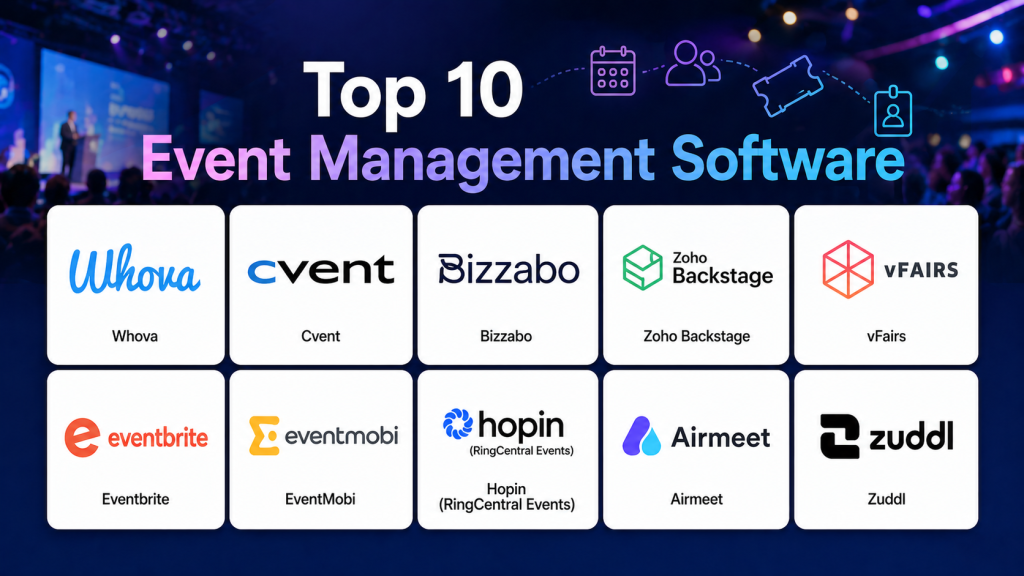
Top 10 Event Management Software Tools
#1 — Whova
Short description: A comprehensive event platform known for attendee engagement, networking features, and mobile-first event experiences.
Key Features
- Event app with networking tools
- Agenda management
- Attendee engagement features
- Analytics dashboard
- Virtual event support
Pros
- Strong engagement tools
- Easy to use
- High adoption
Cons
- Pricing varies
- Setup required
- Limited customization
Platforms / Deployment
Web, iOS, Android
Cloud
Security & Compliance
Not publicly stated
Integrations & Ecosystem
Integrates with CRM and marketing tools.
- CRM tools
- APIs
Support & Community
Strong support and onboarding
#2 — Cvent
Short description: An enterprise-grade event management platform offering full lifecycle event planning, marketing, and analytics.
Key Features
- Event registration
- Marketing automation
- Venue sourcing
- Analytics
- Attendee management
Pros
- Enterprise-ready
- Comprehensive features
- Scalable
Cons
- Complex setup
- Expensive
- Requires training
Platforms / Deployment
Web
Cloud
Security & Compliance
Not publicly stated
Integrations & Ecosystem
Integrates with enterprise systems and CRM tools.
- CRM tools
- Marketing platforms
Support & Community
Enterprise-level support
#3 — Bizzabo
Short description: A modern event platform focused on engagement, networking, and analytics for corporate and hybrid events.
Key Features
- Event website builder
- Networking tools
- Ticketing
- Analytics
- Marketing automation
Pros
- User-friendly
- Strong engagement features
- Scalable
Cons
- Pricing varies
- Setup required
- Not ideal for small events
Platforms / Deployment
Web
Cloud
Security & Compliance
Not publicly stated
Integrations & Ecosystem
Supports integrations with CRM and marketing tools.
- CRM systems
- APIs
Support & Community
Reliable support
#4 — Zoho Backstage
Short description: An all-in-one event management solution offering ticketing, marketing, and analytics in a unified platform.
Key Features
- Ticketing and registration
- Event website builder
- Marketing tools
- Analytics
- Workflow automation
Pros
- Affordable
- Easy to use
- Strong integration ecosystem
Cons
- Limited enterprise features
- Customization limits
- Smaller ecosystem
Platforms / Deployment
Web
Cloud
Security & Compliance
Not publicly stated
Integrations & Ecosystem
Integrates with Zoho ecosystem and external tools.
- CRM tools
- Payment systems
Support & Community
Good SMB support
#5 — vFairs
Short description: A virtual and hybrid event platform designed for conferences, trade shows, and large-scale digital events.
Key Features
- Virtual event environment
- Networking tools
- Analytics
- Event marketing
- Custom branding
Pros
- Strong virtual features
- Scalable
- Interactive
Cons
- Complex setup
- Pricing varies
- Requires training
Platforms / Deployment
Web
Cloud
Security & Compliance
Not publicly stated
Integrations & Ecosystem
Integrates with CRM and event tools.
- CRM tools
- APIs
Support & Community
Enterprise-level support
#6 — Eventbrite
Short description: A widely used event platform focused on ticketing, event discovery, and attendee management.
Key Features
- Ticketing and registration
- Payment processing
- Event promotion
- Analytics
- Mobile check-in
Pros
- Large audience reach
- Easy setup
- Strong marketing tools
Cons
- Service fees
- Limited customization
- Marketplace competition
Platforms / Deployment
Web, iOS, Android
Cloud
Security & Compliance
Not publicly stated
Integrations & Ecosystem
Integrates with marketing and payment tools.
- Payment gateways
- CRM tools
Support & Community
Global support
#7 — EventMobi
Short description: A mobile-first event platform that enhances attendee engagement through apps and networking features.
Key Features
- Event app
- Agenda management
- Networking tools
- Analytics
- Hybrid event support
Pros
- Strong mobile experience
- Easy to use
- Good engagement tools
Cons
- Pricing varies
- Limited enterprise depth
- Setup required
Platforms / Deployment
Web, Mobile
Cloud
Security & Compliance
Not publicly stated
Integrations & Ecosystem
Supports integration with event and CRM tools.
- CRM systems
- APIs
Support & Community
Reliable support
#8 — Hopin
Short description: A virtual and hybrid event platform designed for large-scale online events and conferences.
Key Features
- Virtual event hosting
- Networking tools
- Ticketing
- Analytics
- Streaming
Pros
- Strong virtual capabilities
- Scalable
- Interactive
Cons
- Pricing varies
- Complex setup
- Requires training
Platforms / Deployment
Web
Cloud
Security & Compliance
Not publicly stated
Integrations & Ecosystem
Integrates with streaming and CRM tools.
- CRM systems
- APIs
Support & Community
Enterprise support
#9 — Airmeet
Short description: A virtual event platform focused on networking, webinars, and community-driven events.
Key Features
- Virtual events
- Networking tables
- Analytics
- Engagement tools
- Webinar support
Pros
- Strong networking features
- Easy to use
- Affordable
Cons
- Limited enterprise features
- Smaller ecosystem
- Basic integrations
Platforms / Deployment
Web
Cloud
Security & Compliance
Not publicly stated
Integrations & Ecosystem
Supports integrations with CRM and marketing tools.
- CRM tools
- APIs
Support & Community
Good SMB support
#10 — Zuddl
Short description: A modular event platform designed for enterprises running hybrid and large-scale events.
Key Features
- Hybrid event support
- Registration and ticketing
- Networking tools
- Analytics
- Automation
Pros
- Highly scalable
- Strong integrations
- Enterprise-ready
Cons
- Complex setup
- Pricing varies
- Requires training
Platforms / Deployment
Web
Cloud
Security & Compliance
Not publicly stated
Integrations & Ecosystem
Integrates with CRM and enterprise systems.
- CRM systems
- APIs
Support & Community
Enterprise-level support
Comparison Table
| Tool Name | Best For | Platform Supported | Deployment | Standout Feature | Public Rating |
|---|---|---|---|---|---|
| Whova | Engagement | Web, Mobile | Cloud | Networking tools | N/A |
| Cvent | Enterprise | Web | Cloud | Full event suite | N/A |
| Bizzabo | Hybrid events | Web | Cloud | Engagement | N/A |
| Zoho Backstage | SMB | Web | Cloud | Affordability | N/A |
| vFairs | Virtual events | Web | Cloud | Virtual environment | N/A |
| Eventbrite | Ticketing | Web, Mobile | Cloud | Marketplace reach | N/A |
| EventMobi | Mobile-first | Web, Mobile | Cloud | Event apps | N/A |
| Hopin | Virtual events | Web | Cloud | Streaming | N/A |
| Airmeet | Webinars | Web | Cloud | Networking tables | N/A |
| Zuddl | Enterprise hybrid | Web | Cloud | Scalability | N/A |
Evaluation & Scoring
| Tool Name | Core | Ease | Integrations | Security | Performance | Support | Value | Weighted Total |
|---|---|---|---|---|---|---|---|---|
| Whova | 9 | 9 | 8 | 7 | 9 | 8 | 8 | 8.5 |
| Cvent | 10 | 7 | 9 | 8 | 9 | 8 | 6 | 8.3 |
| Bizzabo | 9 | 8 | 9 | 7 | 8 | 8 | 7 | 8.1 |
| Zoho Backstage | 8 | 9 | 8 | 6 | 8 | 7 | 9 | 8.1 |
| vFairs | 9 | 7 | 8 | 7 | 9 | 8 | 7 | 8.1 |
| Eventbrite | 9 | 9 | 8 | 7 | 9 | 8 | 7 | 8.4 |
| EventMobi | 8 | 9 | 7 | 6 | 8 | 7 | 8 | 7.9 |
| Hopin | 9 | 7 | 8 | 7 | 9 | 8 | 7 | 8.1 |
| Airmeet | 8 | 9 | 7 | 6 | 8 | 7 | 8 | 7.9 |
| Zuddl | 9 | 7 | 9 | 7 | 9 | 8 | 7 | 8.2 |
These scores are comparative and reflect overall capabilities. The best tool depends on your event type, scale, and integration needs.
Which Event Management Software Is Right for You
Solo / Small Events
Zoho Backstage and Eventbrite are simple and affordable.
SMB
Whova and Airmeet provide strong usability and engagement.
Mid-Market
Bizzabo and EventMobi offer scalability and hybrid capabilities.
Enterprise
Cvent, vFairs, and Zuddl are ideal for large-scale events.
Budget vs Premium
Budget users should consider Zoho Backstage, while premium users can explore Cvent.
Feature Depth vs Ease of Use
Advanced platforms offer deeper features but require training.
Integrations & Scalability
Choose tools with strong CRM and marketing integrations.
Security & Compliance Needs
Enterprise users should prioritize platforms with strong data controls.
Frequently Asked Questions
1. What is event management software
It is a platform that helps plan, run, and analyze events from a single system. It replaces manual processes with automation. This improves efficiency and organization.
2. What features should it include
It should include registration, ticketing, scheduling, communication, and analytics. Advanced tools also offer networking and virtual event features. These features ensure end-to-end event management.
3. Is it suitable for small events
Yes, many tools are designed for small events. They are easy to use and affordable. Advanced platforms may not be necessary.
4. Can it handle hybrid events
Yes, most modern platforms support both in-person and virtual events. This allows flexibility. Hybrid events are now common.
5. How does it improve event planning
It centralizes workflows and automates repetitive tasks. This reduces manual effort and errors. It improves coordination.
6. Can it integrate with CRM
Yes, most platforms integrate with CRM and marketing tools. This improves attendee management. Integration is essential for scaling.
7. How long does implementation take
Cloud-based tools can be implemented quickly. Complex setups may take longer. Training is often required.
8. Can it improve attendee engagement
Yes, features like networking, mobile apps, and notifications enhance engagement. This improves event success.
9. What are common mistakes
Choosing tools without integration support is common. Ignoring scalability can cause issues. Always plan ahead.
10. Is it cloud-based
Most modern platforms are cloud-based. This allows real-time updates and remote access.
Conclusion
Event Management Software has become a cornerstone for modern event planning, enabling organizations to manage complex workflows efficiently from a single platform. By combining registration, marketing, engagement, and analytics into one system, these tools significantly improve operational efficiency and attendee experience. The right solution depends on your event size, format, and technical requirements. Instead of focusing only on features, evaluate usability, scalability, and integration capabilities. Shortlist a few platforms, test them in real scenarios, and ensure they align with your workflows. A well-chosen event management system can streamline operations, boost engagement, and deliver measurable success for every event.

One thing that often determines the success of an event platform is how well it handles last-minute changes. The ability to quickly update schedules, communicate with attendees, and keep everyone informed can make event execution much smoother.