Introduction
Live streaming studio software enables creators, businesses, and media teams to broadcast video content in real time across platforms like YouTube, Twitch, LinkedIn, and custom websites. These tools act as a control center for live production—allowing users to switch between cameras, add overlays, manage audio, and interact with audiences.
With the rapid growth of live content—from gaming and webinars to virtual events and commerce—modern streaming studios have evolved into full production suites. They now include AI-powered scene switching, cloud streaming, audience engagement tools, and multi-platform broadcasting capabilities.
Common Use Cases
- Live streaming on social media platforms
- Webinars and virtual events
- Gaming and esports broadcasting
- Online education and coaching sessions
- Live product demos and e-commerce streams
What Buyers Should Evaluate
- Multi-streaming capabilities
- Video quality and encoding performance
- Scene switching and production tools
- Audio mixing and control
- Ease of use vs advanced features
- Integration with streaming platforms
- Hardware compatibility (cameras, microphones)
- Cloud vs local deployment
- Collaboration and remote streaming features
- Pricing and scalability
Best for: Content creators, streamers, educators, marketers, and media production teams.
Not ideal for: Users who only need simple video recording or basic video calls.
Key Trends in Live Streaming Studio Software
- AI-powered automation for scene switching and production
- Cloud-based live streaming studios
- Multi-platform streaming (simulcasting)
- Integration with e-commerce and live selling tools
- Real-time audience engagement features (chat, polls)
- Growth of browser-based streaming tools
- Increased support for 4K and high-quality streaming
- Remote collaboration for distributed teams
- Automation of overlays, captions, and graphics
- Hybrid workflows combining local and cloud production
How We Selected These Tools (Methodology)
- Industry adoption among creators and businesses
- Feature completeness (streaming, production, engagement)
- Performance and reliability
- Ease of use for beginners and professionals
- Integration with major platforms
- Flexibility for different use cases
- Community and support ecosystem
- Platform availability
- Innovation (AI, cloud streaming, automation)
- Suitability across individual and enterprise users
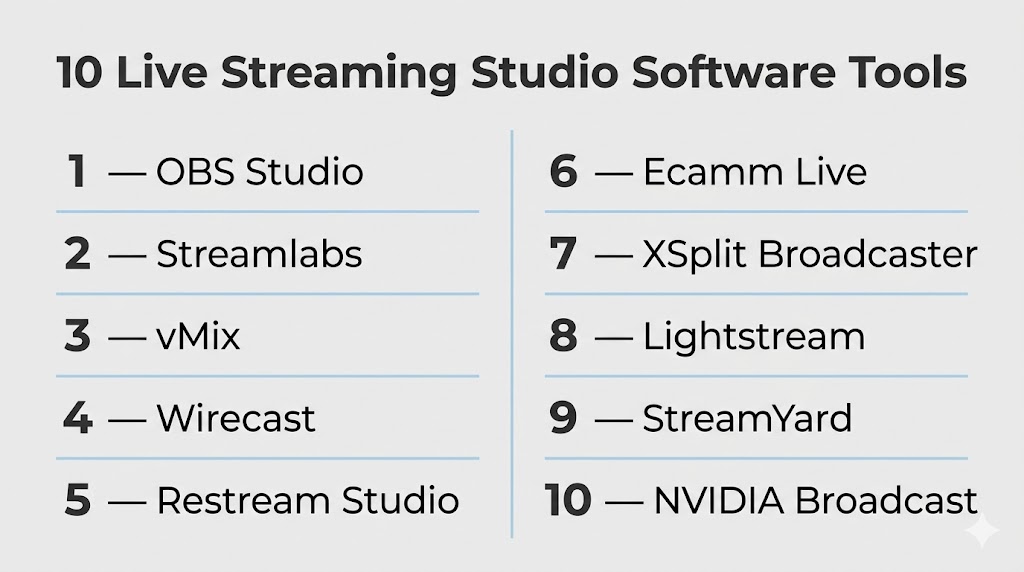
Top 10 Live Streaming Studio Software Tools
#1 — OBS Studio
Short description: A free, open-source streaming software widely used for live streaming and recording.
Key Features
- Multi-source scene composition
- Real-time video/audio mixing
- Customizable transitions
- Plugin support
- High-performance encoding
- Cross-platform support
Pros
- Free and highly flexible
- Large plugin ecosystem
Cons
- Steep learning curve
- No built-in cloud features
Platforms / Deployment
Windows / macOS / Linux
Local
Security & Compliance
Varies / N/A
Integrations & Ecosystem
Highly extensible through plugins and integrations.
- Streaming platforms
- Custom plugins
- Hardware devices
Support & Community
Very large open-source community with extensive tutorials.
#2 — Streamlabs
Short description: A user-friendly streaming tool built on OBS, designed for content creators and gamers.
Key Features
- Pre-built themes and overlays
- Multi-stream support
- Integrated alerts and widgets
- Cloud backup
- Chat management
- Monetization tools
Pros
- Easy to set up
- Built-in creator tools
Cons
- Resource-intensive
- Some features behind paywall
Platforms / Deployment
Windows / macOS
Cloud / Local
Security & Compliance
Not publicly stated
Integrations & Ecosystem
Supports integrations with streaming platforms and monetization tools.
Support & Community
Strong creator-focused community.
#3 — vMix
Short description: A professional live production software for high-quality streaming and broadcasting.
Key Features
- Multi-camera support
- Live switching and transitions
- 4K streaming support
- Instant replay
- Built-in graphics tools
- Remote guest support
Pros
- Broadcast-level features
- High performance
Cons
- Windows-only
- Expensive
Platforms / Deployment
Windows
Local
Security & Compliance
Not publicly stated
Integrations & Ecosystem
Supports hardware integration and streaming platforms.
Support & Community
Professional user base with strong documentation.
#4 — Wirecast
Short description: A professional streaming studio software for live events and production teams.
Key Features
- Multi-camera production
- Live switching
- Built-in graphics and titles
- Recording and streaming
- Guest streaming
- Social media integration
Pros
- Professional-grade features
- Reliable performance
Cons
- Expensive
- High system requirements
Platforms / Deployment
Windows / macOS
Local
Security & Compliance
Not publicly stated
Integrations & Ecosystem
Supports integration with major streaming platforms.
Support & Community
Professional support and resources.
#5 — Restream Studio
Short description: A browser-based streaming studio for multi-platform broadcasting.
Key Features
- Multi-streaming
- Browser-based interface
- Guest invitations
- Chat aggregation
- Branding tools
- Analytics
Pros
- No installation required
- Easy multi-streaming
Cons
- Limited advanced production features
- Internet-dependent
Platforms / Deployment
Web
Cloud
Security & Compliance
Not publicly stated
Integrations & Ecosystem
Supports major streaming platforms and social media.
Support & Community
Growing user base.
#6 — Ecamm Live
Short description: A Mac-focused streaming tool for creators and professionals.
Key Features
- Multi-camera support
- Screen sharing
- Live switching
- Overlay support
- Interview mode
- Recording tools
Pros
- Optimized for macOS
- Easy to use
Cons
- Mac-only
- Paid software
Platforms / Deployment
macOS
Local
Security & Compliance
Not publicly stated
Integrations & Ecosystem
Supports streaming platforms and hardware.
Support & Community
Strong Mac creator community.
#7 — XSplit Broadcaster
Short description: A streaming and recording software focused on ease of use and performance.
Key Features
- Scene composition
- Audio mixing
- Plugin support
- Streaming integration
- Recording tools
- Custom overlays
Pros
- Easy interface
- Good performance
Cons
- Windows-only
- Paid features
Platforms / Deployment
Windows
Local
Security & Compliance
Not publicly stated
Integrations & Ecosystem
Supports plugins and streaming platforms.
Support & Community
Active community.
#8 — Lightstream
Short description: A cloud-based streaming studio designed for console gamers and creators.
Key Features
- Browser-based streaming
- Cloud overlays
- Remote control
- Multi-stream support
- Guest features
Pros
- No high-end hardware required
- Easy setup
Cons
- Subscription-based
- Internet dependency
Platforms / Deployment
Web
Cloud
Security & Compliance
Not publicly stated
Integrations & Ecosystem
Supports console streaming and platforms.
Support & Community
Growing community.
#9 — StreamYard
Short description: A browser-based streaming studio focused on simplicity and guest interviews.
Key Features
- Guest streaming
- Multi-platform broadcasting
- Branding overlays
- Chat display
- Recording options
Pros
- Very easy to use
- Great for interviews
Cons
- Limited customization
- Paid plans for advanced features
Platforms / Deployment
Web
Cloud
Security & Compliance
Not publicly stated
Integrations & Ecosystem
Supports major streaming platforms.
Support & Community
Popular among business users.
#10 — NVIDIA Broadcast
Short description: An AI-powered streaming tool focused on enhancing audio and video quality.
Key Features
- AI noise removal
- Background replacement
- Auto framing
- Camera enhancements
- Microphone enhancement
Pros
- AI-powered features
- Improves quality instantly
Cons
- Requires NVIDIA GPU
- Limited as full studio tool
Platforms / Deployment
Windows
Local
Security & Compliance
Not publicly stated
Integrations & Ecosystem
Works alongside streaming software.
Support & Community
Growing user base.
Comparison Table (Top 10)
| Tool Name | Best For | Platform(s) Supported | Deployment | Standout Feature | Public Rating |
|---|---|---|---|---|---|
| OBS Studio | Advanced users | Windows, macOS, Linux | Local | Free & customizable | N/A |
| Streamlabs | Beginners | Windows, macOS | Cloud/Local | Built-in tools | N/A |
| vMix | Professionals | Windows | Local | Broadcast quality | N/A |
| Wirecast | Events | Windows, macOS | Local | Pro production | N/A |
| Restream Studio | Multi-streaming | Web | Cloud | Browser-based | N/A |
| Ecamm Live | Mac users | macOS | Local | Mac optimization | N/A |
| XSplit | Ease of use | Windows | Local | Simple UI | N/A |
| Lightstream | Cloud streaming | Web | Cloud | No hardware needed | N/A |
| StreamYard | Interviews | Web | Cloud | Guest streaming | N/A |
| NVIDIA Broadcast | AI enhancement | Windows | Local | AI features | N/A |
Evaluation & Scoring of Live Streaming Studio Software
| Tool Name | Core (25%) | Ease (15%) | Integrations (15%) | Security (10%) | Performance (10%) | Support (10%) | Value (15%) | Weighted Total |
|---|---|---|---|---|---|---|---|---|
| OBS Studio | 9 | 6 | 9 | 5 | 9 | 9 | 10 | 8.4 |
| Streamlabs | 8 | 9 | 8 | 5 | 8 | 8 | 8 | 8.1 |
| vMix | 10 | 6 | 8 | 6 | 9 | 8 | 6 | 8.0 |
| Wirecast | 9 | 7 | 8 | 6 | 9 | 8 | 6 | 8.0 |
| Restream | 8 | 9 | 9 | 6 | 8 | 8 | 8 | 8.3 |
| Ecamm Live | 8 | 9 | 7 | 6 | 8 | 8 | 7 | 7.9 |
| XSplit | 8 | 8 | 7 | 5 | 8 | 7 | 7 | 7.6 |
| Lightstream | 7 | 9 | 8 | 6 | 7 | 7 | 7 | 7.5 |
| StreamYard | 7 | 10 | 8 | 6 | 7 | 8 | 8 | 7.9 |
| NVIDIA Broadcast | 6 | 9 | 7 | 5 | 8 | 7 | 7 | 7.3 |
How to interpret scores:
- Scores are comparative, not absolute
- Higher scores indicate balanced capabilities
- Lower scores may still excel in niche use cases
- Choose based on your workflow needs
- Testing is recommended before final selection
Which Live Streaming Studio Software Is Right for You?
Solo / Freelancer
- Best: OBS Studio, StreamYard, Streamlabs
- Focus on cost and ease of use
SMB
- Best: Streamlabs, Restream Studio
- Balance usability and features
Mid-Market
- Best: Ecamm Live, Wirecast
- Need better production quality
Enterprise
- Best: vMix, Wirecast
- Require broadcast-level capabilities
Budget vs Premium
- Budget: OBS Studio
- Premium: vMix, Wirecast
Feature Depth vs Ease of Use
- Advanced: OBS Studio, vMix
- Easy: StreamYard, Restream
Integrations & Scalability
- Strong: Restream, OBS
- Limited: Basic tools
Security & Compliance Needs
- Most tools: Not publicly stated
Frequently Asked Questions (FAQs)
What is live streaming studio software?
It is used to produce and broadcast live video content.
Is OBS Studio free?
Yes, it is open-source and free.
Can I stream to multiple platforms?
Yes, many tools support multi-streaming.
Do I need powerful hardware?
Depends on the software and streaming quality.
What is cloud streaming?
Streaming handled via remote servers instead of local devices.
Can I invite guests to streams?
Yes, many tools support guest features.
What is latency?
Delay between broadcast and viewer playback.
Can I record streams?
Yes, most tools support recording.
Are overlays supported?
Yes, for branding and visuals.
What are common mistakes?
Poor audio quality and unstable internet.
Conclusion
Live streaming studio software has become essential for creators, businesses, and media teams. From free tools to professional broadcasting solutions, the right choice depends on your goals and technical requirements.
