Introduction
Screen capture tools are software applications designed to take screenshots or short screen recordings of your device. They allow users to capture specific areas, full screens, scrolling webpages, or even annotate visuals instantly for better communication.
In today’s fast-paced digital workflows, screen capture tools have become essential for productivity, remote collaboration, and content creation. Modern tools go far beyond simple screenshots—they now include annotation, cloud sharing, automation, OCR (text extraction), and even lightweight video recording capabilities.
Common Use Cases
- Capturing bugs and issues for developers
- Creating documentation and tutorials
- Sharing visual feedback in teams
- Saving web content and full-page screenshots
- Quick communication via annotated images
What Buyers Should Evaluate
- Capture flexibility (region, full screen, scrolling)
- Annotation and editing tools
- Image quality and format support
- Ease of use and speed
- Cloud sharing and collaboration
- Automation and shortcuts
- OCR and text extraction
- Performance and lightweight usage
- Platform compatibility
- Pricing and licensing
Best for: Developers, QA testers, educators, marketers, support teams, and remote workers.
Not ideal for: Users who only need occasional screenshots with basic built-in OS tools.
Key Trends in Screen Capture Tools
- AI-powered OCR and text extraction
- Instant sharing via cloud links
- Built-in annotation and markup tools
- Automation workflows and shortcuts
- Integration with productivity tools
- Lightweight browser-based capture tools
- Scrolling capture for full webpages
- Cross-device and mobile support
- Hybrid tools combining capture + recording
- Increased focus on async communication
How We Selected These Tools (Methodology)
- Popularity among professionals and teams
- Feature completeness (capture, edit, share)
- Ease of use and workflow efficiency
- Performance and lightweight design
- Integration ecosystem
- Platform availability
- Community and support resources
- Pricing flexibility
- Innovation (AI, automation, cloud features)
- Suitability across beginner to advanced users
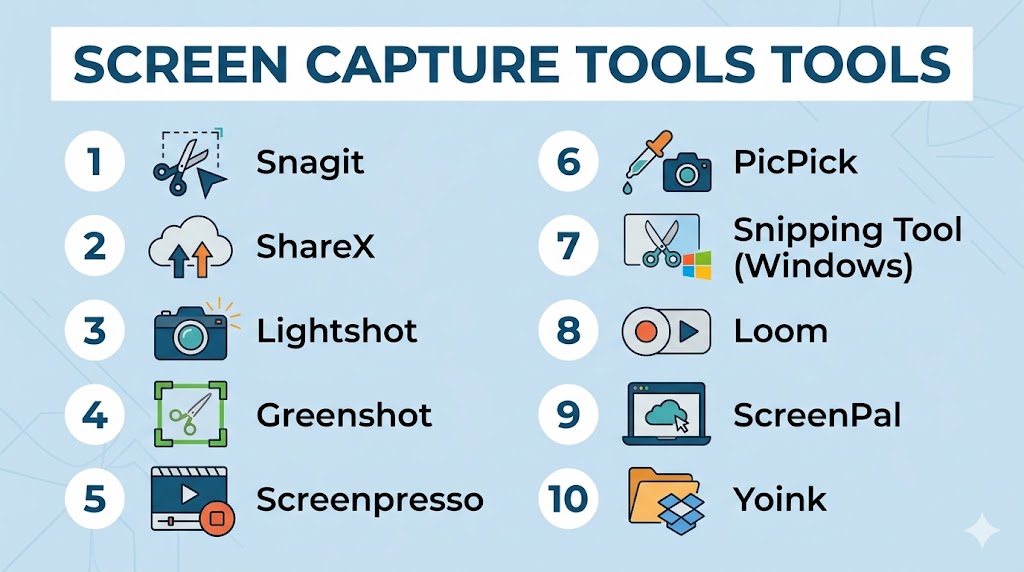
Top 10 Screen Capture Tools Tools
#1 — Snagit
Short description: A professional screen capture tool focused on high-quality screenshots, annotations, and documentation workflows.
Key Features
- Full screen, region, and scrolling capture
- Advanced annotation tools
- Text extraction (OCR)
- Built-in image editor
- Template-based documentation
- Quick sharing options
Pros
- Excellent for documentation
- Easy to use with powerful editing
Cons
- Paid software
- Limited for long video recording
Platforms / Deployment
Windows / macOS
Local
Security & Compliance
Not publicly stated
Integrations & Ecosystem
Works with productivity and sharing tools.
- File export systems
- Collaboration tools
Support & Community
Strong documentation and tutorials.
#2 — ShareX
Short description: A free and open-source screen capture tool designed for power users and automation workflows.
Key Features
- Multiple capture modes
- GIF and video capture
- Automation workflows
- Keyboard shortcuts
- Built-in editor
- Cloud upload support
Pros
- Free and feature-rich
- Highly customizable
Cons
- Complex interface
- Windows-only
Platforms / Deployment
Windows
Local
Security & Compliance
Varies / N/A
Integrations & Ecosystem
Supports automation and cloud integrations.
- Imgur, Dropbox
- Workflow automation
Support & Community
Active open-source community.
#3 — Lightshot
Short description: A lightweight screenshot tool built for quick captures and instant sharing.
Key Features
- Fast region capture
- Instant sharing links
- Basic annotation tools
- Cross-platform support
- Reverse image search
Pros
- Very fast and simple
- Great for quick tasks
Cons
- Limited advanced features
- No video capture
Platforms / Deployment
Windows / macOS / Browser
Local / Cloud
Security & Compliance
Not publicly stated
Integrations & Ecosystem
Supports quick sharing and image search tools.
Support & Community
Large casual user base.
#4 — Greenshot
Short description: A lightweight and open-source screenshot tool focused on productivity and annotations.
Key Features
- Region and window capture
- Annotation tools
- Export options
- Keyboard shortcuts
- Lightweight performance
Pros
- Free and lightweight
- Easy to use
Cons
- Limited advanced features
- Basic UI
Platforms / Deployment
Windows / macOS
Local
Security & Compliance
Varies / N/A
Integrations & Ecosystem
Supports export to productivity tools.
Support & Community
Active community.
#5 — Screenpresso
Short description: A portable screen capture tool designed for documentation and tutorials.
Key Features
- Scrolling capture
- Built-in editor
- HD video capture
- OCR support
- Portable version
Pros
- Great for documentation
- Portable and flexible
Cons
- Windows-focused
- Paid features for full access
Platforms / Deployment
Windows
Local
Security & Compliance
Not publicly stated
Integrations & Ecosystem
Supports export to multiple formats and tools.
Support & Community
Moderate community.
#6 — PicPick
Short description: A feature-rich screen capture tool with additional design utilities.
Key Features
- Screen capture modes
- Image editor
- Color picker
- Pixel ruler
- Whiteboard tools
Pros
- Multi-purpose tool
- Easy interface
Cons
- Limited collaboration features
- Windows-focused
Platforms / Deployment
Windows
Local
Security & Compliance
Not publicly stated
Integrations & Ecosystem
Supports design and productivity workflows.
Support & Community
Strong individual user base.
#7 — Snipping Tool (Windows)
Short description: A built-in Windows tool for quick screenshots and basic recording.
Key Features
- Multiple capture modes
- Basic annotation
- Screen recording support
- Text extraction
- Color picker
Pros
- Free and built-in
- Very easy to use
Cons
- Limited advanced features
- Not suitable for professional workflows
Platforms / Deployment
Windows
Local
Security & Compliance
Not publicly stated
Integrations & Ecosystem
Works within Windows ecosystem.
Support & Community
Widely used default tool.
#8 — Loom
Short description: A cloud-based screen capture tool focused on quick sharing and async communication.
Key Features
- Screen + webcam capture
- Instant sharing links
- Viewer analytics
- Team collaboration
- Comments and reactions
Pros
- Extremely easy sharing
- Great for remote teams
Cons
- Limited editing
- Requires internet
Platforms / Deployment
Web / Windows / macOS / Mobile
Cloud
Security & Compliance
Encryption in transit, SSO (enterprise)
Integrations & Ecosystem
Works with collaboration tools.
- Slack
- Google Workspace
Support & Community
Strong adoption in teams.
#9 — ScreenPal
Short description: A combined screen capture and recording tool with built-in hosting.
Key Features
- Screenshot and video capture
- Built-in editor
- Hosting platform
- Annotation tools
- Cloud sharing
Pros
- All-in-one solution
- Cross-platform
Cons
- Subscription needed
- Limited advanced editing
Platforms / Deployment
Windows / macOS / Mobile
Cloud / Local
Security & Compliance
Not publicly stated
Integrations & Ecosystem
Supports hosting and sharing workflows.
Support & Community
Established user base.
#10 — Yoink
Short description: A modern screen capture tool combining screenshots, OCR, and productivity features.
Key Features
- Screenshot and screen recording
- OCR and translation
- Annotation tools
- Capture history
- Cloud sharing
Pros
- Feature-rich modern tool
- Includes AI-like capabilities
Cons
- Newer ecosystem
- Less widespread adoption
Platforms / Deployment
Windows
Local
Security & Compliance
Not publicly stated
Integrations & Ecosystem
Supports sharing and productivity workflows.
Support & Community
Growing community.
Comparison Table (Top 10)
| Tool Name | Best For | Platform(s) Supported | Deployment | Standout Feature | Public Rating |
|---|---|---|---|---|---|
| Snagit | Documentation | Windows, macOS | Local | Annotation tools | N/A |
| ShareX | Power users | Windows | Local | Automation workflows | N/A |
| Lightshot | Quick capture | Windows, macOS | Local/Cloud | Instant sharing | N/A |
| Greenshot | Lightweight use | Windows, macOS | Local | Simplicity | N/A |
| Screenpresso | Tutorials | Windows | Local | Scrolling capture | N/A |
| PicPick | Designers | Windows | Local | Design tools | N/A |
| Snipping Tool | Basic users | Windows | Local | Built-in utility | N/A |
| Loom | Teams | Cross-platform | Cloud | Async sharing | N/A |
| ScreenPal | All-in-one | Cross-platform | Cloud/Local | Hosting + capture | N/A |
| Yoink | Advanced workflows | Windows | Local | OCR + automation | N/A |
Evaluation & Scoring of Screen Capture Tools
| Tool Name | Core (25%) | Ease (15%) | Integrations (15%) | Security (10%) | Performance (10%) | Support (10%) | Value (15%) | Weighted Total |
|---|---|---|---|---|---|---|---|---|
| Snagit | 9 | 9 | 8 | 6 | 8 | 9 | 7 | 8.3 |
| ShareX | 9 | 6 | 9 | 5 | 9 | 8 | 10 | 8.4 |
| Lightshot | 6 | 10 | 6 | 5 | 8 | 7 | 10 | 7.6 |
| Greenshot | 7 | 9 | 6 | 5 | 8 | 7 | 10 | 7.7 |
| Screenpresso | 8 | 8 | 7 | 5 | 8 | 7 | 8 | 7.7 |
| PicPick | 7 | 9 | 6 | 5 | 8 | 7 | 8 | 7.6 |
| Snipping Tool | 6 | 10 | 5 | 5 | 7 | 7 | 10 | 7.4 |
| Loom | 8 | 10 | 8 | 6 | 8 | 8 | 9 | 8.4 |
| ScreenPal | 7 | 8 | 7 | 5 | 7 | 7 | 7 | 7.2 |
| Yoink | 8 | 8 | 7 | 5 | 8 | 6 | 7 | 7.4 |
How to interpret scores:
- Scores are relative comparisons across tools
- Higher scores indicate balanced performance
- Lower scores may still fit niche needs
- Focus on your workflow priorities
- Testing tools is recommended before choosing
Which Screen Capture Tool Is Right for You?
Solo / Freelancer
- Best: Lightshot, Greenshot, ShareX
- Focus on speed and cost
SMB
- Best: Snagit, Screenpresso
- Balance usability and features
Mid-Market
- Best: Snagit, Loom
- Need collaboration and documentation
Enterprise
- Best: Loom, Snagit
- Require team workflows and integrations
Budget vs Premium
- Budget: ShareX, Greenshot
- Premium: Snagit
Feature Depth vs Ease of Use
- Advanced: ShareX
- Easy: Lightshot, Snipping Tool
Integrations & Scalability
- Strong: Loom, ShareX
- Limited: Basic tools
Security & Compliance Needs
- Most tools: Not publicly stated
Frequently Asked Questions (FAQs)
What is a screen capture tool?
It captures screenshots or short recordings of your screen.
Which tool is best for beginners?
Lightshot and Snipping Tool are easiest to use.
Are there free tools available?
Yes, ShareX and Greenshot are free options.
Can I capture scrolling pages?
Yes, tools like Snagit and Screenpresso support it.
Do these tools support video?
Some tools support short recordings.
What is OCR in screen capture?
It extracts text from screenshots.
Can I annotate screenshots?
Yes, most tools include annotation features.
Are cloud features important?
They help with sharing and collaboration.
Can I automate captures?
Advanced tools like ShareX support automation.
What are common mistakes?
Using overly complex tools for simple tasks.
Conclusion
Screen capture tools have evolved into essential productivity solutions, enabling users to communicate visually and efficiently. From lightweight tools to advanced platforms, each option serves different needs.
