Introduction
RAW photo processing tools are specialized software designed to edit and enhance RAW image files—uncompressed data captured directly from a camera sensor. Unlike JPEGs, RAW files retain maximum detail, dynamic range, and color information, giving photographers full control over post-processing.
As photography workflows become more advanced, RAW processing tools have evolved into intelligent platforms powered by AI, automation, and high-performance rendering. Modern tools now offer features like noise reduction, lens correction, color grading, and non-destructive editing—making them essential for professional and serious hobbyist photographers.
Common Use Cases
- Professional photography editing (weddings, portraits, landscapes)
- Color correction and exposure balancing
- Noise reduction and sharpening
- Batch processing large photo sets
- Studio workflows with tethered shooting
What Buyers Should Evaluate
- RAW file compatibility (camera support)
- Image quality and color rendering
- Noise reduction capabilities
- Lens correction accuracy
- Editing workflow (non-destructive editing)
- Batch processing efficiency
- Performance and hardware usage
- Integration with other tools (Photoshop, plugins)
- Catalog vs folder-based workflow
- Pricing and licensing model
Best for: Professional photographers, photo editors, studios, and serious hobbyists.
Not ideal for: Casual users who only need simple edits or social media filters.
Key Trends in RAW Photo Processing Tools
- AI-powered denoising and sharpening
- Advanced color science and camera profiles
- Non-destructive editing workflows
- Cloud-based photo management
- Integration with editing ecosystems
- Real-time preview rendering
- GPU acceleration for faster processing
- Automated lens corrections using camera data
- Hybrid workflows (local + cloud editing)
- Increasing use of machine learning for image enhancement
How We Selected These Tools (Methodology)
- Industry adoption among photographers
- RAW processing quality and accuracy
- Feature completeness (editing + workflow tools)
- Performance and speed
- Ease of use for different skill levels
- Integration with creative ecosystems
- Platform availability
- Community and support resources
- Innovation (AI, automation, rendering engines)
- Suitability across beginners to professionals
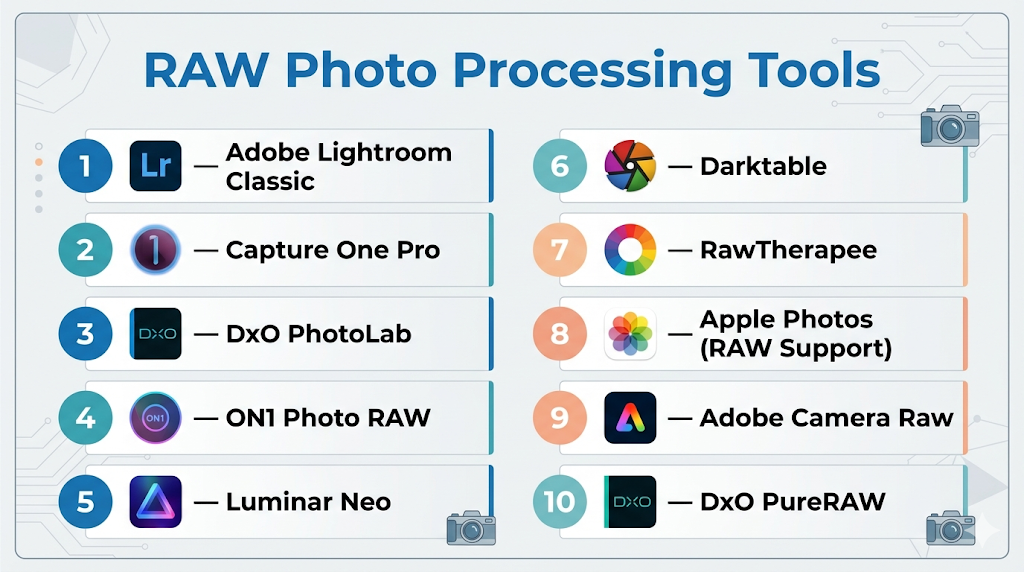
Top 10 RAW Photo Processing Tools
#1 — Adobe Lightroom Classic
Short description: A leading RAW processing and photo management tool widely used by professionals and photographers.
Key Features
- Non-destructive RAW editing
- Advanced color grading tools
- Batch processing and presets
- Catalog-based workflow
- AI-powered masking and adjustments
- Cloud syncing
Pros
- Excellent workflow and organization
- Strong ecosystem integration
Cons
- Subscription-based
- Performance can vary on large catalogs
Platforms / Deployment
Windows / macOS / Mobile
Cloud / Local
Security & Compliance
Not publicly stated
Integrations & Ecosystem
Part of a broader creative ecosystem.
- Photoshop integration
- Plugins and presets
- Cloud storage
Support & Community
Extensive tutorials and global community.
#2 — Capture One Pro
Short description: A professional RAW processor known for superior color grading and tethered shooting capabilities.
Key Features
- Advanced color editing tools
- Tethered shooting support
- Layer-based editing
- High-performance rendering
- Custom color profiles
- Professional workflow tools
Pros
- Excellent color accuracy
- Preferred by studio photographers
Cons
- Expensive
- Steeper learning curve
Platforms / Deployment
Windows / macOS
Local
Security & Compliance
Not publicly stated
Integrations & Ecosystem
Supports professional photography workflows.
Support & Community
Strong professional community.
#3 — DxO PhotoLab
Short description: A powerful RAW editor focused on image quality, lens correction, and AI-based noise reduction.
Key Features
- AI-powered noise reduction
- Lens-specific optical corrections
- Advanced color control
- Local adjustments
- Non-destructive editing
- Smart lighting tools
Pros
- Best-in-class noise reduction
- Excellent lens corrections
Cons
- Limited catalog features
- Additional modules may cost extra
Platforms / Deployment
Windows / macOS
Local
Security & Compliance
Not publicly stated
Integrations & Ecosystem
Works with plugins and external editors.
Support & Community
Growing professional user base.
#4 — ON1 Photo RAW
Short description: A complete photo editing suite combining RAW processing, effects, and asset management.
Key Features
- RAW editing and cataloging
- AI masking and enhancements
- Layers and effects
- HDR and panorama tools
- Presets and filters
- Batch processing
Pros
- All-in-one solution
- No subscription required
Cons
- Can be resource-heavy
- Interface complexity
Platforms / Deployment
Windows / macOS
Local
Security & Compliance
Not publicly stated
Integrations & Ecosystem
Supports plugins and workflow integrations.
Support & Community
Active photography community.
#5 — Luminar Neo
Short description: An AI-driven RAW photo editor focused on automation and ease of use.
Key Features
- AI-based sky replacement
- Portrait enhancement
- Background removal
- RAW processing
- Templates and presets
- Layer-based editing
Pros
- Easy for beginners
- Powerful AI tools
Cons
- Less control for professionals
- Performance can vary
Platforms / Deployment
Windows / macOS
Local
Security & Compliance
Not publicly stated
Integrations & Ecosystem
Supports plugin workflows.
Support & Community
Growing creative community.
#6 — Darktable
Short description: An open-source RAW processor offering advanced editing tools for professionals.
Key Features
- Non-destructive editing
- Advanced color management
- GPU acceleration
- Tethered shooting
- Scriptable workflows
- Multiple modules
Pros
- Free and powerful
- Open-source flexibility
Cons
- Complex interface
- Steep learning curve
Platforms / Deployment
Windows / macOS / Linux
Local
Security & Compliance
Varies / N/A
Integrations & Ecosystem
Supports plugins and scripting.
Support & Community
Active open-source community.
#7 — RawTherapee
Short description: A free RAW processor focused on high-quality image processing and control.
Key Features
- Advanced demosaicing algorithms
- Color correction tools
- Noise reduction
- Batch processing
- Non-destructive editing
Pros
- High-quality processing
- Free to use
Cons
- Interface complexity
- Limited workflow tools
Platforms / Deployment
Windows / macOS / Linux
Local
Security & Compliance
Varies / N/A
Integrations & Ecosystem
Supports export and workflow tools.
Support & Community
Active community.
#8 — Apple Photos (RAW Support)
Short description: A consumer-friendly photo management tool with built-in RAW editing capabilities.
Key Features
- RAW editing support
- Cloud syncing
- Basic editing tools
- AI organization
- Seamless Apple integration
Pros
- Easy to use
- Integrated ecosystem
Cons
- Limited advanced tools
- macOS/iOS only
Platforms / Deployment
macOS / iOS
Cloud / Local
Security & Compliance
Not publicly stated
Integrations & Ecosystem
Works within Apple ecosystem.
Support & Community
Large consumer base.
#9 — Adobe Camera Raw
Short description: A RAW processing engine used within Photoshop for detailed image editing.
Key Features
- RAW file processing
- Advanced color controls
- Integration with Photoshop
- Non-destructive editing
- Lens correction tools
Pros
- Seamless Photoshop workflow
- High-quality processing
Cons
- Requires Photoshop
- Not standalone
Platforms / Deployment
Windows / macOS
Local
Security & Compliance
Not publicly stated
Integrations & Ecosystem
Deep integration with Adobe tools.
Support & Community
Extensive documentation.
#10 — DxO PureRAW
Short description: A specialized tool focused on RAW enhancement, denoising, and preprocessing.
Key Features
- AI denoising (DeepPRIME)
- Lens corrections
- Workflow integration
- Automatic processing
- RAW enhancement
Pros
- Excellent preprocessing results
- Easy to use
Cons
- Not a full editor
- Requires additional software
Platforms / Deployment
Windows / macOS
Local
Security & Compliance
Not publicly stated
Integrations & Ecosystem
Integrates with Lightroom and Photoshop workflows.
Support & Community
Niche but growing user base.
Comparison Table (Top 10)
| Tool Name | Best For | Platform(s) Supported | Deployment | Standout Feature | Public Rating |
|---|---|---|---|---|---|
| Lightroom Classic | Workflow & cataloging | Windows, macOS | Cloud/Local | Photo management | N/A |
| Capture One Pro | Studio professionals | Windows, macOS | Local | Color grading | N/A |
| DxO PhotoLab | Image quality | Windows, macOS | Local | AI noise reduction | N/A |
| ON1 Photo RAW | All-in-one editing | Windows, macOS | Local | Effects + RAW | N/A |
| Luminar Neo | AI editing | Windows, macOS | Local | AI tools | N/A |
| Darktable | Open-source pros | Cross-platform | Local | Advanced modules | N/A |
| RawTherapee | Free processing | Cross-platform | Local | Demosaicing | N/A |
| Apple Photos | Casual users | macOS, iOS | Cloud/Local | Simplicity | N/A |
| Adobe Camera Raw | Photoshop users | Windows, macOS | Local | Integration | N/A |
| DxO PureRAW | Preprocessing | Windows, macOS | Local | AI enhancement | N/A |
Evaluation & Scoring of RAW Photo Processing Tools
| Tool Name | Core (25%) | Ease (15%) | Integrations (15%) | Security (10%) | Performance (10%) | Support (10%) | Value (15%) | Weighted Total |
|---|---|---|---|---|---|---|---|---|
| Lightroom | 9 | 8 | 10 | 6 | 8 | 9 | 7 | 8.4 |
| Capture One | 9 | 7 | 8 | 6 | 9 | 8 | 6 | 8.0 |
| DxO PhotoLab | 9 | 7 | 7 | 6 | 9 | 8 | 8 | 8.2 |
| ON1 | 8 | 7 | 7 | 5 | 7 | 7 | 8 | 7.5 |
| Luminar | 7 | 9 | 6 | 5 | 7 | 7 | 8 | 7.4 |
| Darktable | 8 | 6 | 6 | 5 | 8 | 7 | 10 | 7.6 |
| RawTherapee | 8 | 6 | 6 | 5 | 8 | 7 | 10 | 7.6 |
| Apple Photos | 6 | 10 | 6 | 6 | 7 | 7 | 9 | 7.4 |
| Camera Raw | 8 | 7 | 9 | 6 | 8 | 8 | 7 | 7.9 |
| DxO PureRAW | 7 | 9 | 8 | 6 | 9 | 7 | 7 | 7.8 |
How to interpret scores:
- Scores are relative comparisons
- Higher scores indicate balanced performance
- Lower scores may excel in specific workflows
- Choose based on your editing style
- Always test tools before final decision
Which RAW Photo Processing Tool Is Right for You?
Solo / Freelancer
- Best: Luminar Neo, RawTherapee, Darktable
- Focus on affordability and ease
SMB
- Best: Lightroom, ON1 Photo RAW
- Balance workflow and features
Mid-Market
- Best: Capture One, DxO PhotoLab
- Need advanced editing and quality
Enterprise
- Best: Lightroom, Capture One
- Require scalability and workflow management
Budget vs Premium
- Budget: Darktable, RawTherapee
- Premium: Capture One, DxO PhotoLab
Feature Depth vs Ease of Use
- Advanced: Capture One, Darktable
- Easy: Luminar Neo, Apple Photos
Integrations & Scalability
- Strong: Lightroom ecosystem
- Moderate: ON1, DxO
Security & Compliance Needs
- Most tools: Not publicly stated
Frequently Asked Questions (FAQs)
What is a RAW photo file?
It is unprocessed image data captured directly from a camera sensor.
Why use RAW instead of JPEG?
RAW files retain more detail and editing flexibility.
Which tool is best for beginners?
Luminar Neo and Apple Photos are beginner-friendly.
Are free RAW editors available?
Yes, Darktable and RawTherapee are free options.
What is non-destructive editing?
Edits are applied without altering the original file.
Can I batch edit RAW photos?
Yes, most tools support batch processing.
Do RAW tools support all cameras?
Support varies depending on the software.
What is AI denoising?
AI removes noise while preserving details.
Can I use multiple tools together?
Yes, many workflows combine tools.
What are common mistakes?
Over-editing and poor color management.
Conclusion
RAW photo processing tools are essential for photographers who want maximum control over image quality and creative output. From AI-powered automation to professional-grade editing, these tools cater to a wide range of users.
