Introduction
Level design tools are specialized software used to create, structure, and refine interactive environments within games and simulations. These tools enable designers to build maps, terrains, and gameplay spaces while integrating logic, physics, and visual elements into a cohesive experience.
With the increasing demand for immersive gaming, virtual environments, and interactive storytelling, level design tools have become more advanced and accessible. They now include AI-assisted workflows, real-time rendering, and collaborative capabilities, making them essential for both individual creators and large studios.
Common Use Cases
- Designing game levels for 2D and 3D games
- Building virtual environments for VR and AR applications
- Creating training simulations and digital environments
- Prototyping gameplay mechanics and interactions
- Developing cinematic scenes for storytelling
What Buyers Should Evaluate
- Ease of use and onboarding
- Rendering quality and performance
- Asset management capabilities
- Integration with game engines and tools
- Collaboration features
- AI-assisted design capabilities
- Scalability for larger projects
- Platform compatibility
- Community and documentation support
- Pricing structure and flexibility
Best for: Game developers, level designers, 3D artists, indie creators, and studios building interactive experiences.
Not ideal for: Users needing simple static design tools or those not working with interactive environments.
Key Trends in Level Design Tools for the Future
- AI-assisted level generation and layout suggestions
- Procedural environment creation for large-scale worlds
- Real-time collaboration across distributed teams
- Cloud-based design environments reducing hardware dependency
- Cross-platform publishing for multiple devices
- Integration with asset marketplaces for faster development
- Built-in performance optimization and debugging tools
- Expansion of low-code and visual scripting systems
- Increasing importance of asset reuse and modular design
- Growing expectations around access control and project security
How We Selected These Tools (Methodology)
- Strong adoption across game development communities
- Comprehensive level design feature sets
- Reliable performance and scalability signals
- Availability of integrations and ecosystem tools
- Flexibility for different project sizes and teams
- Quality of documentation and community support
- Balance between usability and advanced capabilities
- Support for both 2D and 3D workflows where applicable
- Availability of ongoing updates and ecosystem growth
- Representation across beginner to enterprise-level tools
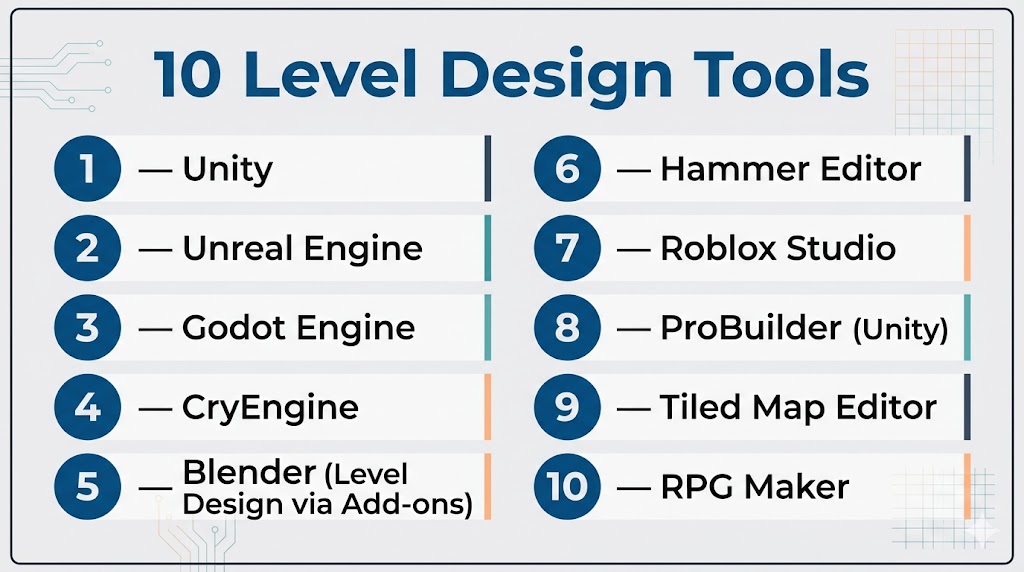
Top 10 Level Design Tools Tools
#1 — Unity
Short description: A widely used development platform offering powerful level design capabilities for both 2D and 3D projects, suitable for individuals and teams.
Key Features
- Real-time scene editing
- Terrain and environment tools
- Visual scripting support
- Integrated asset marketplace
- Cross-platform deployment
- Physics and lighting systems
- AI-assisted workflows
Pros
- Beginner-friendly with extensive learning resources
- Large ecosystem of assets and plugins
Cons
- Performance optimization can require expertise
- Licensing and pricing can vary
Platforms / Deployment
Windows / macOS / Linux
Cloud / Local
Security & Compliance
Basic encryption and account-level security; Not publicly stated for certifications
Integrations & Ecosystem
Unity connects with a wide range of development tools and pipelines, enabling flexible workflows across teams.
- Version control systems
- 3D modeling tools
- CI/CD pipelines
- Plugin ecosystem
Support & Community
Extensive documentation, tutorials, and one of the largest developer communities available.
#2 — Unreal Engine
Short description: A high-performance engine designed for advanced level design with realistic visuals and complex environments.
Key Features
- High-fidelity rendering system
- Visual scripting with Blueprints
- Advanced terrain editing
- Real-time lighting and shadows
- Cinematic tools
- Procedural generation systems
- VR and AR support
Pros
- Exceptional visual quality
- Suitable for large-scale and high-end projects
Cons
- Steeper learning curve
- Requires powerful hardware
Platforms / Deployment
Windows / macOS
Cloud / Local
Security & Compliance
Not publicly stated
Integrations & Ecosystem
Supports integration with major content creation tools and development pipelines.
- 3D design software
- Version control systems
- Plugin marketplace
Support & Community
Strong community support with extensive learning resources and enterprise support options.
#3 — Godot Engine
Short description: An open-source platform offering flexible and lightweight level design capabilities for developers of all skill levels.
Key Features
- Node-based scene system
- Built-in scripting language
- 2D and 3D support
- Lightweight editor
- Open-source customization
- Cross-platform export
Pros
- Free and open-source
- Fast iteration and deployment
Cons
- Smaller ecosystem compared to major engines
- Limited advanced rendering features
Platforms / Deployment
Windows / macOS / Linux
Local
Security & Compliance
Not publicly stated
Integrations & Ecosystem
Godot supports extensibility through community-driven tools and plugins.
- Version control support
- Custom modules
- Community assets
Support & Community
Active and growing community with improving documentation resources.
#4 — CryEngine
Short description: A powerful engine known for realistic environmental design and large-scale level creation.
Key Features
- Advanced terrain system
- Real-time lighting engine
- Sandbox editor
- Physics-based interactions
- Visual scripting tools
- Support for large environments
Pros
- Strong environmental realism
- Robust terrain editing tools
Cons
- Smaller user base
- More complex setup
Platforms / Deployment
Windows
Local
Security & Compliance
Not publicly stated
Integrations & Ecosystem
Supports integration with external tools and custom pipelines for advanced workflows.
- 3D modeling tools
- Custom plugins
Support & Community
Limited compared to larger engines, but sufficient for experienced developers.
#5 — Blender (Level Design via Add-ons)
Short description: A versatile 3D creation tool used for environment design and level prototyping.
Key Features
- Advanced 3D modeling
- Geometry node system
- Real-time rendering
- Animation and sculpting tools
- Add-on support for workflows
Pros
- Free and highly flexible
- Strong modeling capabilities
Cons
- Not a full game engine
- Requires export to other platforms
Platforms / Deployment
Windows / macOS / Linux
Local
Security & Compliance
Not publicly stated
Integrations & Ecosystem
Blender integrates with multiple game engines and supports a rich add-on ecosystem.
- Export to major engines
- Add-on marketplace
- Scripting support
Support & Community
Large global community with extensive tutorials and documentation.
#6 — Hammer Editor
Short description: A classic level design tool used within specific engine ecosystems for map creation.
Key Features
- Brush-based level design
- Entity system
- Lighting tools
- Asset placement
- Map compilation
Pros
- Simple and focused workflow
- Lightweight editor
Cons
- Limited to specific engine use
- Outdated interface
Platforms / Deployment
Windows
Local
Security & Compliance
Not publicly stated
Integrations & Ecosystem
Primarily tied to its native engine ecosystem with limited external integrations.
Support & Community
Niche but dedicated community with available tutorials.
#7 — Roblox Studio
Short description: A user-friendly platform enabling creators to design and publish interactive experiences with built-in level design tools.
Key Features
- Drag-and-drop environment creation
- Scripting support
- Built-in asset marketplace
- Multiplayer testing tools
- Cloud publishing
Pros
- Easy for beginners
- Integrated publishing platform
Cons
- Limited advanced customization
- Platform dependency
Platforms / Deployment
Windows / macOS
Cloud
Security & Compliance
Basic account-level protections; Not publicly stated
Integrations & Ecosystem
Offers an integrated ecosystem with built-in tools and assets.
- Asset marketplace
- Scripting environment
- Platform-native services
Support & Community
Extremely large and active community with strong educational resources.
#8 — ProBuilder (Unity)
Short description: A rapid level prototyping tool integrated within Unity for building and editing geometry directly.
Key Features
- Geometry editing tools
- UV mapping
- Vertex manipulation
- Rapid prototyping
- Seamless Unity integration
Pros
- Fast iteration within Unity
- Easy to learn for beginners
Cons
- Limited outside Unity
- Not a standalone solution
Platforms / Deployment
Windows / macOS
Local
Security & Compliance
Follows Unity security model; Not publicly stated
Integrations & Ecosystem
Fully integrated within Unity’s ecosystem and toolchain.
Support & Community
Supported through Unity documentation and community forums.
#9 — Tiled Map Editor
Short description: A lightweight editor designed for creating tile-based levels in 2D games.
Key Features
- Tilemap editing
- Layer management
- Object placement tools
- Custom tilesets
- Export functionality
Pros
- Simple and efficient
- Ideal for 2D workflows
Cons
- Limited to 2D environments
- Basic feature set
Platforms / Deployment
Windows / macOS / Linux
Local
Security & Compliance
Not publicly stated
Integrations & Ecosystem
Compatible with various engines through export formats.
- Game engine support
- Custom pipelines
Support & Community
Moderate community with available guides and resources.
#10 — RPG Maker
Short description: A beginner-friendly tool for creating role-playing game environments without requiring coding skills.
Key Features
- Tile-based level editor
- Event-driven scripting
- Pre-built asset library
- Character creation tools
- Export options
Pros
- Very easy to use
- No coding required
Cons
- Limited flexibility
- Focused on a specific genre
Platforms / Deployment
Windows / macOS
Local
Security & Compliance
Not publicly stated
Integrations & Ecosystem
Mostly self-contained with limited external integrations.
Support & Community
Strong niche community with helpful tutorials.
Comparison Table (Top 10)
| Tool Name | Best For | Platform(s) Supported | Deployment | Standout Feature | Public Rating |
|---|---|---|---|---|---|
| Unity | Indie & teams | Windows, macOS, Linux | Cloud / Local | Asset ecosystem | N/A |
| Unreal Engine | Advanced projects | Windows, macOS | Cloud / Local | High-quality rendering | N/A |
| Godot | Indie developers | Windows, macOS, Linux | Local | Open-source flexibility | N/A |
| CryEngine | Realistic worlds | Windows | Local | Terrain system | N/A |
| Blender | Prototyping | Windows, macOS, Linux | Local | Geometry nodes | N/A |
| Hammer Editor | Engine-specific | Windows | Local | Brush editing | N/A |
| Roblox Studio | Beginners | Windows, macOS | Cloud | Built-in publishing | N/A |
| ProBuilder | Unity users | Windows, macOS | Local | Rapid prototyping | N/A |
| Tiled | 2D games | Windows, macOS, Linux | Local | Tilemap editing | N/A |
| RPG Maker | Hobbyists | Windows, macOS | Local | No-code design | N/A |
Evaluation & Scoring of Level Design Tools
| Tool Name | Core (25%) | Ease (15%) | Integrations (15%) | Security (10%) | Performance (10%) | Support (10%) | Value (15%) | Weighted Total |
|---|---|---|---|---|---|---|---|---|
| Unity | 9 | 8 | 9 | 6 | 8 | 9 | 8 | 8.2 |
| Unreal Engine | 10 | 6 | 8 | 6 | 9 | 8 | 7 | 8.0 |
| Godot | 7 | 8 | 6 | 5 | 7 | 7 | 9 | 7.3 |
| CryEngine | 8 | 5 | 6 | 5 | 8 | 6 | 6 | 6.8 |
| Blender | 7 | 6 | 8 | 5 | 7 | 8 | 9 | 7.4 |
| Hammer Editor | 5 | 7 | 4 | 4 | 6 | 6 | 7 | 5.8 |
| Roblox Studio | 6 | 9 | 6 | 5 | 6 | 9 | 8 | 7.1 |
| ProBuilder | 7 | 8 | 7 | 6 | 7 | 8 | 8 | 7.5 |
| Tiled | 6 | 9 | 6 | 5 | 6 | 7 | 9 | 7.0 |
| RPG Maker | 5 | 10 | 4 | 4 | 5 | 7 | 8 | 6.6 |
How to interpret scores:
- Scores are relative comparisons across tools
- Higher totals indicate balanced performance
- Lower scores may still fit niche needs
- Prioritize criteria based on your use case
- Always validate through hands-on testing
Which Level Design Tools Tool Is Right for You?
Solo / Freelancer
- Best options: Godot, Blender, Tiled
- Focus on affordability and simplicity
SMB
- Best options: Unity, Roblox Studio
- Balance usability and scalability
Mid-Market
- Best options: Unity, Unreal Engine
- Need performance and integrations
Enterprise
- Best options: Unreal Engine, Unity
- Require scalability and advanced workflows
Budget vs Premium
- Budget: Godot, Blender
- Premium: Unreal Engine, Unity
Feature Depth vs Ease of Use
- Advanced features: Unreal Engine
- Ease of use: Roblox Studio, RPG Maker
Integrations & Scalability
- Strong ecosystems: Unity, Unreal Engine
- Limited ecosystems: RPG Maker
Security & Compliance Needs
- Evaluate access control, data protection, and audit features
- Most tools: Not publicly stated
Frequently Asked Questions (FAQs)
What are level design tools?
They are tools used to create and structure interactive environments in games and simulations.
Do I need programming knowledge?
Not always. Some tools offer visual scripting or no-code options.
Which tool is best for beginners?
Roblox Studio and RPG Maker are commonly easier to start with.
Are there free tools available?
Yes, some tools are free or open-source.
What is the difference between 2D and 3D tools?
2D tools focus on flat environments, while 3D tools support immersive spatial design.
Can I switch tools later?
Yes, but it may require reworking assets and workflows.
Do these tools support teamwork?
Many modern tools include collaboration features.
Are these tools suitable for non-gaming projects?
Yes, they can be used for simulations and virtual environments.
How do I choose the right tool?
Focus on your project scope, skill level, and required features.
What are common mistakes when choosing tools?
Ignoring scalability, underestimating learning curves, and not testing before committing.
Conclusion
Level design tools play a critical role in shaping interactive experiences across gaming, simulation, and virtual environments. The right tool depends on your specific needs, whether that is ease of use, advanced rendering, or scalability.
