Introduction
Game engines are software frameworks used to build, design, and run video games. They provide developers with tools for rendering graphics, handling physics, managing assets, scripting gameplay logic, and deploying across multiple platforms.
As gaming expands beyond entertainment into areas like simulation, virtual production, education, and immersive experiences, modern game engines have evolved into powerful real-time development platforms. They now support high-end graphics, AI-driven systems, multiplayer networking, and cross-platform deployment, making them essential tools for both indie developers and large studios.
Common real-world use cases:
- Game development (mobile, PC, console)
- Film and virtual production
- Simulation and training environments
- AR/VR and immersive experiences
- Interactive architectural visualization
What buyers should evaluate:
- Graphics quality and rendering capabilities
- Ease of use and learning curve
- Supported programming languages
- Cross-platform deployment support
- Asset management and workflow tools
- Community and documentation
- Performance and scalability
- Multiplayer and networking capabilities
- Pricing and licensing model
Best for: Game developers, studios, indie creators, simulation engineers, and XR developers.
Not ideal for: Non-technical users or projects that don’t require real-time 3D environments.
Key Trends in Game Engines
- Real-time photorealistic rendering: Increasing use in games, films, and simulations
- AI-assisted development: Automated asset generation and behavior scripting
- Cross-platform development: Build once, deploy everywhere
- Cloud-based game development: Remote collaboration and scalable builds
- Integration with AR/VR: Expanding immersive experiences
- Procedural content generation: Faster world-building
- Low-code tools: Simplifying development for beginners
- Live services and multiplayer support: Built-in networking frameworks
- Virtual production adoption: Used in filmmaking and media
- Performance optimization for diverse hardware: From mobile to high-end GPUs
How We Selected These Tools (Methodology)
- Industry adoption and popularity among developers
- Graphics and rendering capabilities
- Feature completeness (physics, AI, networking)
- Cross-platform deployment flexibility
- Community support and learning resources
- Performance and scalability
- Integration with external tools and pipelines
- Innovation in AI and real-time technologies
- Suitability for both indie and enterprise developers
- Long-term ecosystem strength
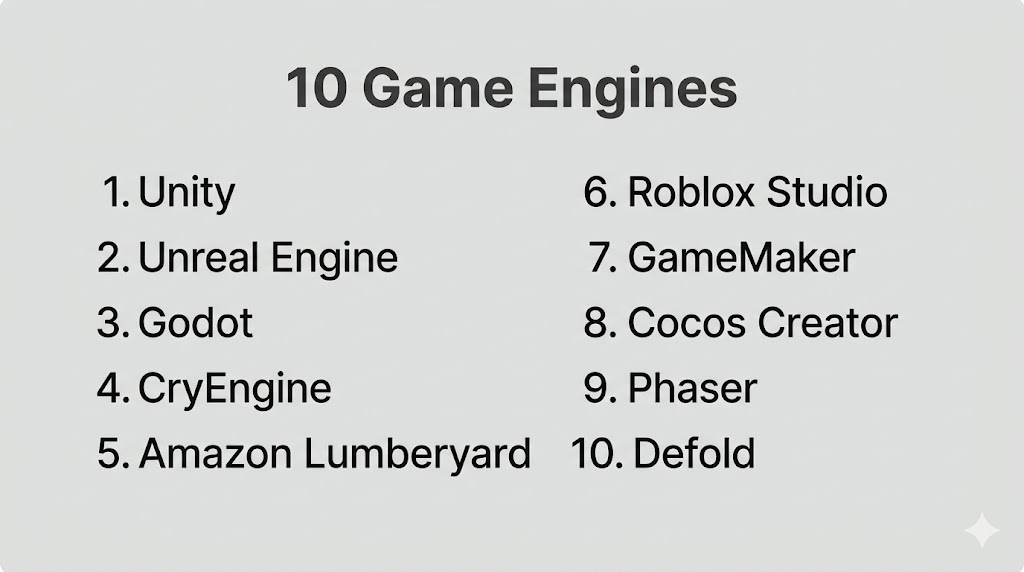
Top 10 Game Engines
#1 — Unity
Short description: A widely used cross-platform game engine suitable for mobile, PC, AR/VR, and indie to mid-scale projects.
Key Features
- Cross-platform deployment
- Real-time rendering
- Asset Store ecosystem
- C# scripting
- XR support
- 2D and 3D development
Pros
- Beginner-friendly compared to others
- Large ecosystem and community
Cons
- Performance tuning required for large projects
- Licensing changes can impact developers
Platforms / Deployment
Web / Windows / macOS / Linux / iOS / Android
Cloud / Hybrid
Security & Compliance
Not publicly stated
Integrations & Ecosystem
Unity integrates with a wide range of tools and platforms.
- AR/VR SDKs
- Asset Store plugins
- APIs
- Cloud services
Support & Community
Extremely large global community with extensive tutorials.
#2 — Unreal Engine
Short description: A high-end game engine known for photorealistic graphics and AAA game development.
Key Features
- Advanced rendering engine
- Blueprint visual scripting
- Real-time ray tracing
- Physics engine
- Cross-platform support
- High-end graphics pipeline
Pros
- Best-in-class visuals
- Strong for AAA and cinematic projects
Cons
- Steep learning curve
- Requires powerful hardware
Platforms / Deployment
Windows / macOS / Linux
Self-hosted
Security & Compliance
Not publicly stated
Integrations & Ecosystem
- Asset libraries
- APIs
- VR/AR devices
- Development tools
Support & Community
Strong developer ecosystem and documentation.
#3 — Godot
Short description: An open-source game engine focused on flexibility and lightweight development.
Key Features
- Open-source
- 2D and 3D support
- Scene system
- GDScript language
- Lightweight engine
- Cross-platform deployment
Pros
- Free and open-source
- Easy to learn
Cons
- Smaller ecosystem
- Limited high-end graphics
Platforms / Deployment
Windows / macOS / Linux
Self-hosted
Security & Compliance
Not publicly stated
Integrations & Ecosystem
- Open-source plugins
- APIs
- Community tools
- Development workflows
Support & Community
Active open-source community.
#4 — CryEngine
Short description: A powerful engine known for high-quality visuals and real-time rendering.
Key Features
- Advanced graphics engine
- Real-time rendering
- Physics system
- Sandbox editor
- VR support
- High-quality environments
Pros
- Stunning visuals
- Strong rendering capabilities
Cons
- Complex to learn
- Smaller community
Platforms / Deployment
Windows / Linux
Self-hosted
Security & Compliance
Not publicly stated
Integrations & Ecosystem
- APIs
- Asset tools
- Development pipelines
- VR integration
Support & Community
Moderate community support.
#5 — Amazon Lumberyard
Short description: A game engine integrated with AWS for cloud-connected and multiplayer games.
Key Features
- AWS integration
- Multiplayer support
- Real-time rendering
- Cross-platform development
- Networking tools
Pros
- Strong cloud integration
- Free to use
Cons
- Complex setup
- Smaller community
Platforms / Deployment
Windows / Linux
Cloud / Self-hosted
Security & Compliance
Not publicly stated
Integrations & Ecosystem
- AWS services
- APIs
- Cloud tools
- Multiplayer systems
Support & Community
Growing developer community.
#6 — Roblox Studio
Short description: A platform for creating and publishing games within the Roblox ecosystem.
Key Features
- Game creation tools
- Lua scripting
- Built-in monetization
- Multiplayer support
- Asset marketplace
Pros
- Easy to start
- Built-in audience
Cons
- Limited outside Roblox ecosystem
- Platform dependency
Platforms / Deployment
Windows / macOS
Cloud
Security & Compliance
Not publicly stated
Integrations & Ecosystem
- Roblox platform
- APIs
- Marketplace
- Social features
Support & Community
Very large community.
#7 — GameMaker
Short description: A beginner-friendly engine focused on 2D game development.
Key Features
- Drag-and-drop tools
- GML scripting
- 2D rendering
- Cross-platform deployment
- Asset management
Pros
- Easy for beginners
- Fast prototyping
Cons
- Limited 3D support
- Less suited for complex games
Platforms / Deployment
Windows / macOS
Cloud / Self-hosted
Security & Compliance
Not publicly stated
Integrations & Ecosystem
- APIs
- Asset libraries
- Development tools
- Publishing tools
Support & Community
Strong indie developer community.
#8 — Cocos Creator
Short description: A lightweight engine focused on mobile and web game development.
Key Features
- Mobile-first design
- JavaScript and TypeScript support
- Cross-platform deployment
- Lightweight architecture
- 2D/3D support
Pros
- Great for mobile games
- Easy to use
Cons
- Limited advanced features
- Smaller ecosystem
Platforms / Deployment
Web / Windows / macOS
Self-hosted
Security & Compliance
Not publicly stated
Integrations & Ecosystem
- APIs
- Mobile platforms
- Web tools
- Development pipelines
Support & Community
Growing developer community.
#9 — Phaser
Short description: A fast, open-source framework for building 2D browser-based games.
Key Features
- HTML5 game development
- Lightweight
- JavaScript support
- Web deployment
- Fast performance
Pros
- Ideal for web games
- Easy to learn
Cons
- Limited to 2D
- No built-in advanced features
Platforms / Deployment
Web
Self-hosted
Security & Compliance
Not publicly stated
Integrations & Ecosystem
- Web technologies
- APIs
- JavaScript frameworks
- Browser tools
Support & Community
Active web developer community.
#10 — Defold
Short description: A lightweight engine designed for cross-platform 2D game development.
Key Features
- Lightweight engine
- Cross-platform support
- Lua scripting
- Asset management
- Fast builds
Pros
- Efficient and fast
- Easy to deploy
Cons
- Limited 3D capabilities
- Smaller community
Platforms / Deployment
Windows / macOS / Linux
Self-hosted
Security & Compliance
Not publicly stated
Integrations & Ecosystem
- APIs
- Development tools
- Asset pipelines
- Cross-platform tools
Support & Community
Growing community.
Comparison Table (Top 10)
| Tool Name | Best For | Platform(s) Supported | Deployment | Standout Feature | Public Rating |
|---|---|---|---|---|---|
| Unity | Cross-platform games | All major platforms | Hybrid | XR support | N/A |
| Unreal Engine | AAA games | Windows/macOS/Linux | Self-hosted | Photorealism | N/A |
| Godot | Open-source dev | Multi-platform | Self-hosted | Free engine | N/A |
| CryEngine | High-end visuals | Windows/Linux | Self-hosted | Graphics quality | N/A |
| Lumberyard | Cloud games | Windows/Linux | Hybrid | AWS integration | N/A |
| Roblox Studio | User-generated games | Windows/macOS | Cloud | Built-in audience | N/A |
| GameMaker | 2D games | Windows/macOS | Hybrid | Ease of use | N/A |
| Cocos Creator | Mobile games | Web/Desktop | Self-hosted | Lightweight | N/A |
| Phaser | Web games | Web | Self-hosted | HTML5 | N/A |
| Defold | 2D cross-platform | Multi-platform | Self-hosted | Fast builds | N/A |
Evaluation & Scoring of Game Engines
| Tool Name | Core (25%) | Ease (15%) | Integrations (15%) | Security (10%) | Performance (10%) | Support (10%) | Value (15%) | Weighted Total |
|---|---|---|---|---|---|---|---|---|
| Unity | 10 | 8 | 10 | 7 | 9 | 10 | 8 | 9.00 |
| Unreal | 10 | 6 | 9 | 7 | 10 | 9 | 7 | 8.70 |
| Godot | 8 | 8 | 7 | 6 | 8 | 8 | 10 | 8.10 |
| CryEngine | 9 | 5 | 7 | 6 | 9 | 7 | 7 | 7.60 |
| Lumberyard | 8 | 6 | 8 | 7 | 8 | 7 | 8 | 7.70 |
| Roblox | 7 | 9 | 7 | 6 | 7 | 9 | 8 | 7.80 |
| GameMaker | 7 | 9 | 6 | 6 | 7 | 8 | 8 | 7.55 |
| Cocos | 7 | 8 | 6 | 6 | 7 | 7 | 8 | 7.25 |
| Phaser | 6 | 9 | 6 | 6 | 7 | 7 | 9 | 7.20 |
| Defold | 7 | 8 | 6 | 6 | 7 | 7 | 8 | 7.25 |
How to interpret scores:
- Higher scores indicate stronger overall engine capabilities
- Unity and Unreal dominate in features and ecosystem
- Open-source tools offer high value but fewer enterprise features
- Ease of use varies widely across engines
- Always align the tool with your project needs
Which Game Engine Is Right for You?
Solo / Freelancer
- Best: Unity, Godot
- Reason: Easy to learn and flexible
SMB
- Best: GameMaker, Cocos Creator
- Reason: Fast development cycles
Mid-Market
- Best: Unity, Unreal
- Reason: Balance of features and scalability
Enterprise
- Best: Unreal Engine
- Reason: High-end performance and graphics
Budget vs Premium
- Budget: Godot, Phaser
- Premium: Unreal, Unity
Feature Depth vs Ease of Use
- Deep: Unreal, CryEngine
- Easy: GameMaker, Roblox
Integrations & Scalability
- Best: Unity, Unreal
Security & Compliance Needs
- Enterprise-grade pipelines recommended
Frequently Asked Questions (FAQs)
What is a game engine?
A software framework used to build and run video games.
Which engine is best for beginners?
Unity and Godot are popular beginner choices.
Are game engines free?
Many offer free tiers; advanced features may cost.
Do I need coding skills?
Yes for most engines, though some offer visual scripting.
Which engine has the best graphics?
Unreal Engine is known for top-tier visuals.
Can I build mobile games?
Yes, most engines support mobile platforms.
What languages are used?
C#, C++, JavaScript, Lua, and others.
Is multiplayer supported?
Yes, many engines include networking features.
Can game engines be used outside gaming?
Yes, for simulation, film, and training.
How long does it take to learn?
Basic skills can be learned in weeks; mastery takes longer.
Conclusion
Game engines are the backbone of modern interactive and immersive development. Whether you’re building indie games, AAA titles, or simulation environments, choosing the right engine depends on your goals, experience level, and technical requirements.
