Introduction
Digital Audio Workstations (DAWs) are software platforms used to record, edit, mix, and produce audio. They form the core of modern music production, podcasting, film scoring, and sound design workflows. From arranging multi-track recordings to applying effects and mastering final outputs, DAWs provide a complete environment for audio creation.
As audio production becomes more accessible and content demand grows, DAWs have evolved with advanced features like AI-assisted mixing, real-time collaboration, cloud integration, and support for immersive audio formats. Whether you are a beginner creating your first track or a professional producing studio-quality sound, DAWs are essential tools in the creative process.
Common Use Cases
- Music production and beat making
- Podcast recording and editing
- Film scoring and sound design
- Audio post-production for video
- Live performance and DJ setups
What Buyers Should Evaluate
- Multi-track recording and editing capabilities
- MIDI and virtual instrument support
- Plugin compatibility (VST/AU/AAX)
- Workflow style (linear vs session-based)
- Performance and latency
- Automation and mixing tools
- Collaboration features
- Hardware integration
- Learning curve and usability
- Pricing and licensing
Best for: Musicians, producers, sound engineers, podcasters, and media production teams.
Not ideal for: Users who only need basic audio trimming or playback tools.
Key Trends in Digital Audio Workstations (DAWs)
- AI-assisted mixing, mastering, and audio cleanup
- Cloud-based collaboration and remote production
- Integration with video editing and content platforms
- Growth of browser-based DAWs
- Expansion of spatial and immersive audio support
- Increased hardware and MIDI controller integration
- Automation and smart workflow tools
- Cross-platform compatibility and mobile workflows
- Subscription and hybrid pricing models
- Rise of creator-focused simplified DAWs
How We Selected These Tools (Methodology)
- Industry adoption across music and media production
- Depth of audio editing and production features
- Performance and stability
- Plugin ecosystem and extensibility
- Ease of use across skill levels
- Integration with hardware and other tools
- Community and educational resources
- Availability across platforms
- Balance of free and premium tools
- Relevance for modern workflows
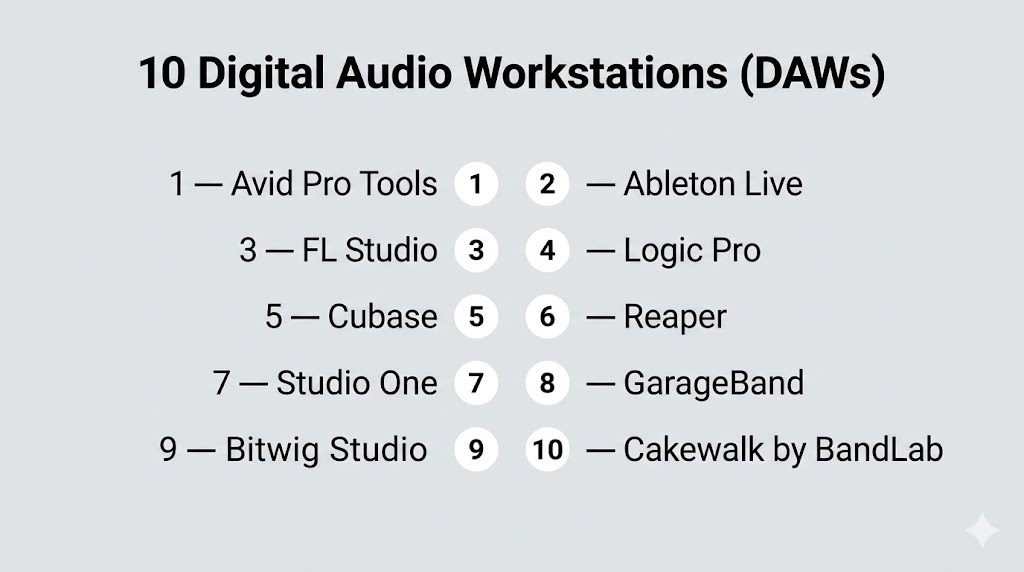
Top 10 Digital Audio Workstations (DAWs)
#1 — Avid Pro Tools
Short description: A professional DAW widely used in music, film, and broadcast industries for high-end audio production.
Key Features
- Advanced multi-track recording
- Industry-standard mixing tools
- Automation and routing
- Plugin support (AAX)
- Audio post-production tools
- Collaboration workflows
Pros
- Industry-standard in studios
- High-quality audio processing
Cons
- Expensive
- Steep learning curve
Platforms / Deployment
Windows / macOS
Local
Security & Compliance
Not publicly stated
Integrations & Ecosystem
Deep integration with professional audio and video pipelines.
- Hardware interfaces
- Plugin ecosystem
- Post-production workflows
Support & Community
Large professional community with extensive training resources.
#2 — Ableton Live
Short description: A flexible DAW designed for music production and live performance.
Key Features
- Session and arrangement views
- Real-time audio warping
- MIDI sequencing
- Built-in instruments
- Automation tools
- Live performance support
Pros
- Great for live use
- Flexible workflow
Cons
- Expensive
- Less traditional editing workflow
Platforms / Deployment
Windows / macOS
Local
Security & Compliance
Not publicly stated
Integrations & Ecosystem
Supports plugins and hardware controllers.
Support & Community
Very active global community.
#3 — FL Studio
Short description: A popular DAW for beat-making and electronic music production.
Key Features
- Pattern-based workflow
- Piano roll editor
- Multi-track editing
- Built-in effects
- Automation clips
- Plugin support
Pros
- Beginner-friendly
- Strong for EDM and hip-hop
Cons
- Non-traditional workflow
- Can be overwhelming
Platforms / Deployment
Windows / macOS
Local
Security & Compliance
Not publicly stated
Integrations & Ecosystem
Extensive plugin ecosystem.
Support & Community
Very large user base.
#4 — Logic Pro
Short description: A powerful DAW for macOS focused on music production and composition.
Key Features
- Multi-track editing
- MIDI sequencing
- Virtual instruments
- Advanced mixing tools
- Flex Time and Pitch
- Spatial audio support
Pros
- Excellent for music production
- Optimized for Mac
Cons
- macOS only
- Learning curve
Platforms / Deployment
macOS
Local
Security & Compliance
Not publicly stated
Integrations & Ecosystem
Works within Apple ecosystem.
Support & Community
Strong community among musicians.
#5 — Cubase
Short description: A professional DAW known for composition, scoring, and advanced MIDI tools.
Key Features
- Advanced MIDI editing
- Multi-track recording
- Audio alignment tools
- Virtual instruments
- Automation features
Pros
- Strong composition tools
- Flexible workflow
Cons
- Expensive
- Complex interface
Platforms / Deployment
Windows / macOS
Local
Security & Compliance
Not publicly stated
Integrations & Ecosystem
Supports plugins and hardware integration.
Support & Community
Active professional community.
#6 — Reaper
Short description: A lightweight and highly customizable DAW with strong performance.
Key Features
- Multi-track editing
- Customizable interface
- Plugin support
- Automation tools
- Lightweight performance
Pros
- Affordable
- Highly flexible
Cons
- Steeper learning curve
- Basic UI
Platforms / Deployment
Windows / macOS / Linux
Local
Security & Compliance
Not publicly stated
Integrations & Ecosystem
Extensive plugin and scripting support.
Support & Community
Strong community forums.
#7 — Studio One
Short description: A modern DAW designed for fast workflows and intuitive music production.
Key Features
- Drag-and-drop workflow
- Multi-track editing
- Built-in instruments
- Automation tools
- Mastering tools
Pros
- Easy workflow
- All-in-one solution
Cons
- Paid versions required for full features
- Smaller ecosystem
Platforms / Deployment
Windows / macOS
Local
Security & Compliance
Not publicly stated
Integrations & Ecosystem
Supports plugins and hardware integration.
Support & Community
Growing community.
#8 — GarageBand
Short description: A beginner-friendly DAW for macOS and iOS users.
Key Features
- Multi-track editing
- Built-in loops
- Virtual instruments
- Simple interface
- Real-time recording
Pros
- Free for Apple users
- Easy to learn
Cons
- Limited advanced features
- Apple-only
Platforms / Deployment
macOS / iOS
Local
Security & Compliance
Not publicly stated
Integrations & Ecosystem
Works within Apple ecosystem.
Support & Community
Strong beginner community.
#9 — Bitwig Studio
Short description: A modern DAW focused on modular workflows and sound design.
Key Features
- Modular sound design tools
- Multi-track editing
- Automation system
- Plugin support
- Cross-platform compatibility
Pros
- Innovative workflow
- Flexible sound design
Cons
- Smaller community
- Learning curve
Platforms / Deployment
Windows / macOS / Linux
Local
Security & Compliance
Not publicly stated
Integrations & Ecosystem
Supports plugins and controllers.
Support & Community
Growing user base.
#10 — Cakewalk by BandLab
Short description: A full-featured DAW available for free on Windows.
Key Features
- Multi-track editing
- Advanced mixing tools
- Plugin support
- Automation tools
- MIDI support
Pros
- Free and powerful
- Professional features
Cons
- Windows only
- Limited official support
Platforms / Deployment
Windows
Local
Security & Compliance
Not publicly stated
Integrations & Ecosystem
Supports VST plugins.
Support & Community
Active community support.
Comparison Table (Top 10)
| Tool Name | Best For | Platform(s) Supported | Deployment | Standout Feature | Public Rating |
|---|---|---|---|---|---|
| Pro Tools | Professional studios | Windows, macOS | Local | Industry standard | N/A |
| Ableton Live | Live performance | Windows, macOS | Local | Session workflow | N/A |
| FL Studio | Beat making | Windows, macOS | Local | Pattern workflow | N/A |
| Logic Pro | Mac users | macOS | Local | Music production | N/A |
| Cubase | Composers | Windows, macOS | Local | MIDI tools | N/A |
| Reaper | Advanced users | Windows, macOS, Linux | Local | Customization | N/A |
| Studio One | Workflow speed | Windows, macOS | Local | Drag-and-drop | N/A |
| GarageBand | Beginners | macOS, iOS | Local | Simplicity | N/A |
| Bitwig Studio | Sound design | Windows, macOS, Linux | Local | Modular system | N/A |
| Cakewalk | Free users | Windows | Local | Free DAW | N/A |
Evaluation & Scoring of Digital Audio Workstations (DAWs)
| Tool Name | Core (25%) | Ease (15%) | Integrations (15%) | Security (10%) | Performance (10%) | Support (10%) | Value (15%) | Weighted Total |
|---|---|---|---|---|---|---|---|---|
| Pro Tools | 10 | 6 | 9 | 6 | 9 | 9 | 6 | 8.3 |
| Ableton Live | 9 | 7 | 8 | 6 | 9 | 8 | 7 | 8.1 |
| FL Studio | 8 | 8 | 7 | 5 | 8 | 8 | 9 | 8.0 |
| Logic Pro | 9 | 7 | 8 | 6 | 9 | 8 | 8 | 8.2 |
| Cubase | 9 | 6 | 8 | 6 | 9 | 8 | 7 | 8.0 |
| Reaper | 8 | 6 | 9 | 6 | 9 | 8 | 9 | 8.2 |
| Studio One | 8 | 8 | 7 | 6 | 8 | 7 | 8 | 7.8 |
| GarageBand | 6 | 10 | 6 | 5 | 7 | 7 | 10 | 7.4 |
| Bitwig Studio | 8 | 7 | 7 | 6 | 8 | 7 | 7 | 7.7 |
| Cakewalk | 8 | 7 | 7 | 5 | 8 | 6 | 10 | 7.8 |
How to interpret scores:
- Scores are relative comparisons across tools
- Higher scores indicate balanced performance
- Lower scores may still fit specific workflows
- Choose based on your priorities
- Always test tools before committing
Which Digital Audio Workstations (DAWs) Is Right for You?
Solo / Freelancer
- Best: GarageBand, Reaper, Cakewalk
- Focus on affordability and simplicity
SMB
- Best: FL Studio, Studio One
- Balance features and usability
Mid-Market
- Best: Logic Pro, Ableton Live
- Need scalability and flexibility
Enterprise
- Best: Pro Tools, Cubase
- Require advanced workflows
Budget vs Premium
- Budget: Cakewalk, GarageBand
- Premium: Pro Tools, Cubase
Feature Depth vs Ease of Use
- Advanced: Pro Tools, Cubase
- Easy: GarageBand, FL Studio
Integrations & Scalability
- Strong: Pro Tools, Ableton
- Limited: GarageBand
Security & Compliance Needs
- Most tools: Not publicly stated
Frequently Asked Questions (FAQs)
What is a DAW?
A DAW is software used for recording, editing, and producing audio.
Which DAW is best for beginners?
GarageBand and FL Studio are beginner-friendly.
Are there free DAWs?
Yes, Cakewalk and GarageBand are free options.
Do I need plugins?
Plugins enhance functionality but are not mandatory.
Can DAWs be used for podcasts?
Yes, they are widely used for podcast production.
Which DAW is used in studios?
Pro Tools is commonly used in professional studios.
What is MIDI?
A system for controlling digital instruments.
Do I need a powerful computer?
Yes, especially for large projects.
Can I switch DAWs?
Yes, but workflows may differ.
What are common mistakes?
Overcomplicating workflows and ignoring audio quality.
Conclusion
Digital Audio Workstations are the foundation of modern audio production, offering tools for everything from simple recording to professional music production. Each DAW has its own strengths, workflows, and ideal use cases.
