Introduction
Diagramming tools are software applications used to visually represent ideas, systems, processes, and relationships. These tools help transform complex concepts into structured visuals like flowcharts, org charts, network diagrams, UML diagrams, and mind maps.
In modern workflows, diagramming tools have evolved from static design utilities into collaborative, cloud-based platforms with real-time editing, AI-assisted diagram generation, and integrations with development and business ecosystems. They are now essential for remote teams, technical documentation, and strategic planning.
Common Use Cases
- Business process mapping and workflows
- Software architecture and system design
- Organizational charts and planning
- Brainstorming and ideation sessions
- Data flow and network diagrams
What Buyers Should Evaluate
- Diagram types supported (flowchart, UML, ERD, etc.)
- Ease of use and interface design
- Real-time collaboration capabilities
- Template availability and customization
- Integration with tools (Slack, Jira, Google Workspace)
- Performance with large diagrams
- Cloud vs offline support
- Export formats and sharing options
- AI-assisted diagram generation
- Pricing and scalability
Best for: Developers, architects, product managers, business analysts, and teams that rely on visual communication.
Not ideal for: Users who only need basic note-taking or text-based documentation tools.
Key Trends in Diagramming Tools
- AI-generated diagrams from text or data inputs
- Real-time collaboration with multi-user editing
- Infinite canvas whiteboard environments
- Integration with developer tools and cloud platforms
- Automated layout and formatting
- Hybrid diagramming + whiteboarding tools
- Increasing adoption of browser-based tools
- Data-linked diagrams (live updates from sources)
- Version control and history tracking
- Expansion into workflow automation and planning
How We Selected These Tools (Methodology)
- Market popularity and adoption across industries
- Feature completeness (diagram types, collaboration, automation)
- Performance and scalability
- Ease of use for beginners and professionals
- Integration ecosystem and extensibility
- Platform availability
- Community and support resources
- Innovation (AI, cloud collaboration, automation)
- Suitability for different user segments
- Balance between free and premium offerings
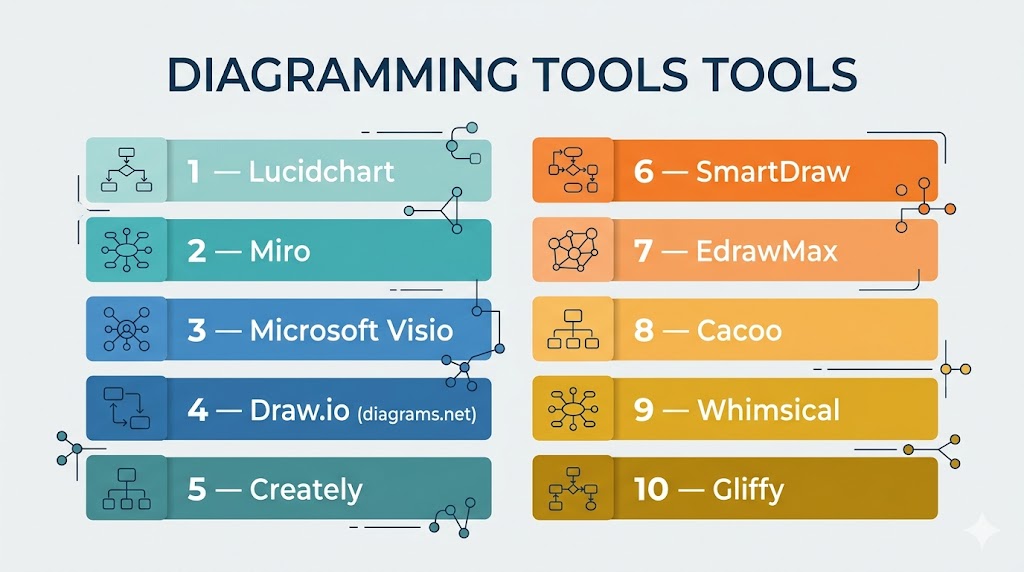
Top 10 Diagramming Tools Tools
#1 — Lucidchart
Short description: A leading web-based diagramming platform for teams creating professional diagrams and workflows.
Key Features
- Real-time collaboration
- AI-assisted diagram generation
- Extensive template library
- Data linking for dynamic diagrams
- Version history tracking
- Drag-and-drop interface
Pros
- Very user-friendly
- Strong integration ecosystem
Cons
- Limited free plan
- Can be expensive for teams
Platforms / Deployment
Web
Cloud
Security & Compliance
SSO, encryption (varies by plan)
Integrations & Ecosystem
Highly integrated with business tools.
- Google Workspace
- Microsoft 365
- Slack, Jira, Confluence
Support & Community
Strong enterprise adoption and documentation.
#2 — Miro
Short description: A collaborative whiteboard platform used for brainstorming, diagramming, and agile workflows.
Key Features
- Infinite canvas
- Real-time collaboration
- Diagram templates (flowcharts, mind maps)
- Sticky notes and widgets
- AI-assisted features
- Integrations with team tools
Pros
- Excellent for collaboration
- Flexible use cases
Cons
- Can become cluttered
- Pricing scales with teams
Platforms / Deployment
Web / Desktop / Mobile
Cloud
Security & Compliance
SSO, enterprise controls (varies)
Integrations & Ecosystem
Broad integration ecosystem.
- Slack, Jira, Microsoft Teams
- Google Workspace
- APIs
Support & Community
Large global user base.
#3 — Microsoft Visio
Short description: A professional diagramming tool widely used for enterprise-grade technical and business diagrams.
Key Features
- Advanced diagram templates
- Integration with Microsoft ecosystem
- Data-driven diagrams
- Flowcharts and network diagrams
- Collaboration tools
- Enterprise-grade capabilities
Pros
- Industry-recognized standard
- Powerful for technical diagrams
Cons
- Expensive
- Learning curve
Platforms / Deployment
Windows / Web
Cloud / Local
Security & Compliance
Enterprise-grade compliance (varies by plan)
Integrations & Ecosystem
Deep integration with Microsoft tools.
Support & Community
Strong enterprise support.
#4 — Draw.io (diagrams.net)
Short description: A free, open-source diagramming tool suitable for individuals and teams.
Key Features
- Drag-and-drop editor
- Offline and online support
- Wide template library
- Integration with cloud storage
- Custom shapes
- Import/export support
Pros
- Completely free
- Easy to use
Cons
- Limited advanced features
- Basic UI
Platforms / Deployment
Web / Desktop
Cloud / Local
Security & Compliance
Varies / N/A
Integrations & Ecosystem
Supports storage integrations.
- Google Drive
- OneDrive
- Local storage
Support & Community
Strong open-source community.
#5 — Creately
Short description: A diagramming and collaboration platform combining visual tools with workflow management.
Key Features
- Visual workspace
- Real-time collaboration
- Templates and diagram types
- Data-linked visuals
- Workflow management
- Integration support
Pros
- Combines diagramming + workflows
- Easy to use
Cons
- Limited advanced customization
- Subscription required
Platforms / Deployment
Web / Desktop
Cloud
Security & Compliance
Not publicly stated
Integrations & Ecosystem
Supports integrations with business tools.
Support & Community
Growing user base.
#6 — SmartDraw
Short description: A diagramming tool focused on automation and enterprise-level diagram creation.
Key Features
- Intelligent formatting
- Templates for various diagrams
- Automation features
- Integration with office tools
- Diagram sharing
- Data import
Pros
- Fast diagram creation
- Strong automation
Cons
- Less intuitive UI
- Premium pricing
Platforms / Deployment
Web / Windows
Cloud / Local
Security & Compliance
Not publicly stated
Integrations & Ecosystem
Integrates with enterprise tools.
Support & Community
Moderate enterprise support.
#7 — EdrawMax
Short description: A versatile diagramming tool supporting a wide range of diagram types.
Key Features
- 280+ diagram types
- Templates and symbols
- Cross-platform support
- Collaboration tools
- Export options
- AI-assisted features
Pros
- Wide diagram coverage
- Easy to use
Cons
- Interface complexity
- Paid features
Platforms / Deployment
Web / Windows / macOS
Cloud / Local
Security & Compliance
Not publicly stated
Integrations & Ecosystem
Supports multiple export formats.
Support & Community
Growing global community.
#8 — Cacoo
Short description: A cloud-based diagramming tool focused on team collaboration and simplicity.
Key Features
- Real-time collaboration
- Templates and shapes
- Commenting system
- Version history
- Sharing features
Pros
- Easy collaboration
- Clean interface
Cons
- Limited advanced features
- Subscription required
Platforms / Deployment
Web
Cloud
Security & Compliance
Not publicly stated
Integrations & Ecosystem
Supports integrations with team tools.
Support & Community
Moderate user base.
#9 — Whimsical
Short description: A lightweight diagramming and visual collaboration tool designed for speed and simplicity.
Key Features
- Flowcharts and wireframes
- Mind maps
- Collaboration tools
- Minimalist UI
- Fast performance
Pros
- Very fast and simple
- Clean design
Cons
- Limited advanced features
- Not ideal for complex diagrams
Platforms / Deployment
Web
Cloud
Security & Compliance
Not publicly stated
Integrations & Ecosystem
Supports simple integrations.
Support & Community
Popular among startups.
#10 — Gliffy
Short description: A diagramming tool integrated with Atlassian products for team workflows.
Key Features
- Diagram creation
- Atlassian integration
- Templates and shapes
- Collaboration tools
- Cloud-based editing
Pros
- Strong Jira/Confluence integration
- Easy to use
Cons
- Limited standalone capabilities
- Subscription required
Platforms / Deployment
Web
Cloud
Security & Compliance
Not publicly stated
Integrations & Ecosystem
- Jira
- Confluence
Support & Community
Popular among Atlassian users.
Comparison Table (Top 10)
| Tool Name | Best For | Platform(s) Supported | Deployment | Standout Feature | Public Rating |
|---|---|---|---|---|---|
| Lucidchart | Teams | Web | Cloud | AI diagrams | N/A |
| Miro | Collaboration | Cross-platform | Cloud | Whiteboard | N/A |
| Visio | Enterprise | Windows/Web | Hybrid | MS integration | N/A |
| Draw.io | Free users | Web/Desktop | Hybrid | Free & open-source | N/A |
| Creately | SMBs | Web/Desktop | Cloud | Workflow integration | N/A |
| SmartDraw | Enterprises | Web/Windows | Hybrid | Automation | N/A |
| EdrawMax | Versatility | Cross-platform | Hybrid | 280+ diagrams | N/A |
| Cacoo | Teams | Web | Cloud | Collaboration | N/A |
| Whimsical | Startups | Web | Cloud | Simplicity | N/A |
| Gliffy | Atlassian users | Web | Cloud | Jira integration | N/A |
Evaluation & Scoring of Diagramming Tools
| Tool Name | Core (25%) | Ease (15%) | Integrations (15%) | Security (10%) | Performance (10%) | Support (10%) | Value (15%) | Weighted Total |
|---|---|---|---|---|---|---|---|---|
| Lucidchart | 9 | 9 | 10 | 7 | 8 | 9 | 7 | 8.6 |
| Miro | 8 | 10 | 9 | 7 | 8 | 9 | 8 | 8.6 |
| Visio | 10 | 7 | 10 | 9 | 9 | 9 | 6 | 8.7 |
| Draw.io | 8 | 8 | 7 | 5 | 8 | 8 | 10 | 8.0 |
| Creately | 8 | 8 | 8 | 6 | 7 | 7 | 8 | 7.8 |
| SmartDraw | 8 | 7 | 8 | 6 | 8 | 7 | 7 | 7.6 |
| EdrawMax | 8 | 8 | 7 | 6 | 8 | 7 | 8 | 7.8 |
| Cacoo | 7 | 9 | 7 | 6 | 7 | 7 | 8 | 7.5 |
| Whimsical | 7 | 10 | 6 | 5 | 8 | 7 | 9 | 7.6 |
| Gliffy | 7 | 8 | 8 | 6 | 7 | 7 | 7 | 7.5 |
How to interpret scores:
- Scores are comparative across tools
- Higher scores indicate balanced capabilities
- Lower scores may still excel in niche workflows
- Choose based on your specific use case
- Testing tools is recommended
Which Diagramming Tool Is Right for You?
Solo / Freelancer
- Best: Draw.io, Whimsical
- Focus on simplicity and cost
SMB
- Best: Creately, Cacoo
- Balance collaboration and usability
Mid-Market
- Best: Lucidchart, Miro
- Need team collaboration and integrations
Enterprise
- Best: Microsoft Visio, Lucidchart
- Require scalability and compliance
Budget vs Premium
- Budget: Draw.io
- Premium: Visio, Lucidchart
Feature Depth vs Ease of Use
- Advanced: Visio, Lucidchart
- Easy: Whimsical, Miro
Integrations & Scalability
- Strong: Lucidchart, Visio
- Moderate: others
Security & Compliance Needs
- Enterprise tools offer stronger controls
- Others: Not publicly stated
Frequently Asked Questions (FAQs)
What is a diagramming tool?
It is software used to create visual representations of ideas and systems.
Which tool is best for beginners?
Draw.io and Whimsical are easy to start with.
Are there free diagramming tools?
Yes, Draw.io is completely free.
What is the difference between whiteboard and diagram tools?
Whiteboards are flexible; diagram tools are structured.
Can teams collaborate in real time?
Yes, most modern tools support real-time collaboration.
What is AI diagram generation?
AI creates diagrams from text or data inputs.
Do these tools support UML diagrams?
Many tools like Lucidchart and Visio support UML.
Can I use these tools offline?
Some tools like Draw.io support offline mode.
What are common mistakes?
Overcomplicating diagrams and not using templates.
Can I integrate with other tools?
Yes, many tools integrate with business and dev tools.
Conclusion
Diagramming tools are essential for visual communication in modern workflows, helping teams simplify complex ideas and collaborate effectively. From free open-source options to enterprise-grade platforms, there is a tool for every need.
