Introduction
Audio editing software allows users to record, cut, clean, mix, and enhance sound files for professional or creative use. Whether you’re producing a podcast, editing voiceovers, or creating music, these tools help transform raw recordings into polished audio.
Modern audio editing tools—often called Digital Audio Workstations (DAWs)—go far beyond simple trimming. They support multi-track editing, real-time effects, automation, and AI-powered enhancements, making them essential across industries like media, gaming, and content creation.
Common Use Cases
- Podcast editing and publishing
- Music production, mixing, and mastering
- Voice-over and dubbing for videos
- Sound design for games and films
- Audio restoration and cleanup
What Buyers Should Evaluate
- Multi-track editing capabilities
- Audio restoration and noise reduction tools
- Plugin support (VST/AU)
- Real-time effects and automation
- Ease of use vs professional depth
- Performance and latency
- Integration with video or production tools
- File format support
- Collaboration features
- Pricing and licensing
Best for: Podcasters, musicians, sound engineers, video creators, and media production teams.
Not ideal for: Users needing only basic trimming or simple audio playback tools.
Key Trends in Audio Editing Software
- AI-powered noise reduction and voice enhancement
- Real-time collaboration and cloud-based editing
- Integration with video editing and VFX pipelines
- Automation of repetitive editing tasks
- Growth of browser-based audio tools
- Improved support for spatial and immersive audio
- Expansion of plugin ecosystems
- Hybrid workflows combining AI and manual editing
- Increased accessibility for beginners
- Cross-platform compatibility
How We Selected These Tools (Methodology)
- Industry adoption across music, media, and podcasting
- Feature depth (editing, mixing, mastering)
- Performance and reliability
- Integration with production ecosystems
- Ease of use for different skill levels
- Availability across platforms
- Community and documentation strength
- Support for modern workflows (AI, cloud)
- Balance of free and premium tools
- Scalability for individuals and teams
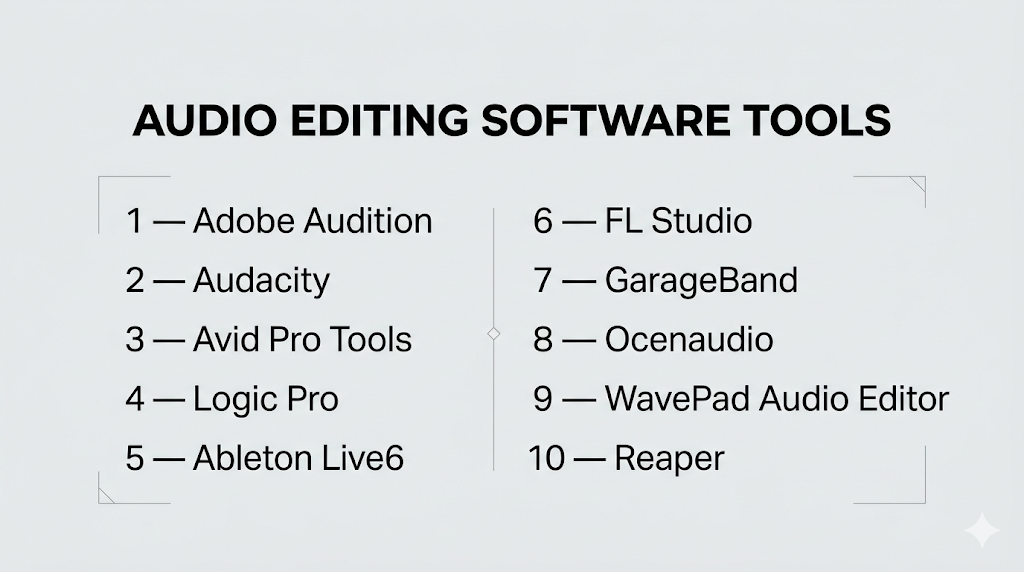
Top 10 Audio Editing Software Tools
#1 — Adobe Audition
Short description: A professional audio editing tool used for multi-track editing, restoration, and sound design.
Key Features
- Multi-track and waveform editing
- Noise reduction and restoration tools
- Spectral frequency display
- Batch processing
- Real-time effects
- Plugin support
- Audio analysis tools
Pros
- Excellent for professional audio cleanup
- Strong integration with video workflows
Cons
- Subscription-based
- Learning curve for beginners
Platforms / Deployment
Windows / macOS
Cloud / Local
Security & Compliance
Not publicly stated
Integrations & Ecosystem
Part of a broader creative ecosystem with strong integration into media workflows.
- Video editing tools
- Plugin ecosystem
- Asset libraries
Support & Community
Large community with tutorials and professional resources.
#2 — Audacity
Short description: A free, open-source audio editor widely used for basic editing and podcasting.
Key Features
- Multi-track editing
- Noise reduction tools
- Effects and filters
- Plugin support
- Cross-platform compatibility
- Real-time preview
Pros
- Completely free
- Easy to use
Cons
- Limited advanced features
- Outdated interface
Platforms / Deployment
Windows / macOS / Linux
Local
Security & Compliance
Varies / N/A
Integrations & Ecosystem
Supports plugins and open formats.
Support & Community
Strong open-source community and documentation.
#3 — Avid Pro Tools
Short description: An industry-standard DAW used in music, film, and broadcast production.
Key Features
- Multi-track recording
- Advanced mixing and automation
- Plugin support
- High-end workflows
- Audio post-production tools
Pros
- Industry-standard
- Powerful editing capabilities
Cons
- Expensive
- Complex interface
Platforms / Deployment
Windows / macOS
Local
Security & Compliance
Not publicly stated
Integrations & Ecosystem
Deep integration with professional audio and video pipelines.
Support & Community
Large professional user base.
#4 — Logic Pro
Short description: A professional DAW for macOS focused on music production and audio editing.
Key Features
- Multi-track editing
- MIDI sequencing
- Virtual instruments
- Flex Time and Flex Pitch
- Advanced mixing tools
Pros
- Powerful music production tools
- Optimized for Mac
Cons
- macOS only
- Learning curve
Platforms / Deployment
macOS
Local
Security & Compliance
Not publicly stated
Integrations & Ecosystem
Works within Apple ecosystem.
Support & Community
Strong music production community.
#5 — Ableton Live
Short description: A DAW designed for music production and live performance workflows.
Key Features
- Session and arrangement views
- Real-time audio warping
- MIDI sequencing
- Built-in instruments
- Automation tools
Pros
- Great for live performance
- Flexible workflow
Cons
- Expensive
- Not ideal for traditional editing
Platforms / Deployment
Windows / macOS
Local
Security & Compliance
Not publicly stated
Integrations & Ecosystem
Supports plugins and hardware integration.
Support & Community
Active global community.
#6 — FL Studio
Short description: A popular DAW for music production, beat-making, and audio editing.
Key Features
- Pattern-based workflow
- Multi-track editing
- MIDI and piano roll
- Built-in effects
- Automation tools
Pros
- Beginner-friendly
- Strong for electronic music
Cons
- Workflow differs from traditional DAWs
- Can be overwhelming
Platforms / Deployment
Windows / macOS
Local
Security & Compliance
Not publicly stated
Integrations & Ecosystem
Extensive plugin ecosystem.
Support & Community
Very large user community.
#7 — GarageBand
Short description: A beginner-friendly DAW for macOS and iOS users.
Key Features
- Multi-track editing
- Built-in loops and instruments
- Simple interface
- Real-time recording
- Export options
Pros
- Free for Apple users
- Easy to learn
Cons
- Limited advanced features
- Apple-only
Platforms / Deployment
macOS / iOS
Local
Security & Compliance
Not publicly stated
Integrations & Ecosystem
Works within Apple ecosystem.
Support & Community
Strong beginner-focused community.
#8 — Ocenaudio
Short description: A lightweight audio editor for quick and easy editing tasks.
Key Features
- Real-time preview
- Effects processing
- Multi-platform support
- Simple interface
- Plugin support
Pros
- Easy to use
- Fast performance
Cons
- Limited advanced features
- Not suitable for large projects
Platforms / Deployment
Windows / macOS / Linux
Local
Security & Compliance
Not publicly stated
Integrations & Ecosystem
Supports plugins.
Support & Community
Moderate community.
#9 — WavePad Audio Editor
Short description: A multi-platform audio editor for editing, recording, and effects processing.
Key Features
- Multi-format support
- Audio effects and filters
- Batch processing
- Noise reduction
- Plugin support
Pros
- Multi-platform availability
- Easy to use
Cons
- Limited advanced tools
- Paid features
Platforms / Deployment
Windows / macOS / Mobile
Local
Security & Compliance
Not publicly stated
Integrations & Ecosystem
Supports VST plugins and libraries.
Support & Community
Moderate support resources.
#10 — Reaper
Short description: A flexible and affordable DAW known for customization and performance.
Key Features
- Multi-track editing
- Customizable interface
- Plugin support
- Automation tools
- Lightweight performance
Pros
- Affordable
- Highly customizable
Cons
- Steeper learning curve
- Interface not beginner-friendly
Platforms / Deployment
Windows / macOS / Linux
Local
Security & Compliance
Not publicly stated
Integrations & Ecosystem
Extensive plugin and scripting support.
Support & Community
Active community with strong forums.
Comparison Table (Top 10)
| Tool Name | Best For | Platform(s) Supported | Deployment | Standout Feature | Public Rating |
|---|---|---|---|---|---|
| Adobe Audition | Professionals | Windows, macOS | Cloud/Local | Audio restoration | N/A |
| Audacity | Beginners | Windows, macOS, Linux | Local | Free open-source | N/A |
| Pro Tools | Industry use | Windows, macOS | Local | Industry standard | N/A |
| Logic Pro | Mac users | macOS | Local | Music production | N/A |
| Ableton Live | Live performance | Windows, macOS | Local | Real-time workflow | N/A |
| FL Studio | Beat makers | Windows, macOS | Local | Pattern workflow | N/A |
| GarageBand | Beginners | macOS, iOS | Local | Simplicity | N/A |
| Ocenaudio | Quick edits | Windows, macOS, Linux | Local | Lightweight | N/A |
| WavePad | General use | Windows, macOS, Mobile | Local | Multi-platform | N/A |
| Reaper | Advanced users | Windows, macOS, Linux | Local | Customization | N/A |
Evaluation & Scoring of Audio Editing Software
| Tool Name | Core (25%) | Ease (15%) | Integrations (15%) | Security (10%) | Performance (10%) | Support (10%) | Value (15%) | Weighted Total |
|---|---|---|---|---|---|---|---|---|
| Adobe Audition | 9 | 8 | 9 | 6 | 9 | 9 | 7 | 8.4 |
| Audacity | 7 | 9 | 6 | 5 | 7 | 8 | 10 | 7.6 |
| Pro Tools | 10 | 6 | 9 | 6 | 9 | 9 | 6 | 8.3 |
| Logic Pro | 9 | 7 | 8 | 6 | 9 | 8 | 8 | 8.2 |
| Ableton Live | 9 | 7 | 8 | 6 | 9 | 8 | 7 | 8.1 |
| FL Studio | 8 | 8 | 7 | 5 | 8 | 8 | 9 | 8.0 |
| GarageBand | 6 | 10 | 6 | 5 | 7 | 7 | 10 | 7.4 |
| Ocenaudio | 6 | 9 | 6 | 5 | 7 | 6 | 9 | 7.1 |
| WavePad | 7 | 8 | 6 | 5 | 7 | 6 | 8 | 7.2 |
| Reaper | 8 | 6 | 9 | 6 | 9 | 8 | 9 | 8.2 |
How to interpret scores:
- Scores compare tools relative to each other
- Higher scores indicate balanced capabilities
- Lower scores may still fit niche use cases
- Focus on your workflow needs
- Always test tools before committing
Which Audio Editing Software Is Right for You?
Solo / Freelancer
- Best: Audacity, Reaper, GarageBand
- Focus on cost and ease of use
SMB
- Best: Adobe Audition, FL Studio
- Balance features and usability
Mid-Market
- Best: Logic Pro, Ableton Live
- Need scalability and integration
Enterprise
- Best: Pro Tools, Adobe Audition
- Require professional workflows
Budget vs Premium
- Budget: Audacity, GarageBand
- Premium: Pro Tools, Audition
Feature Depth vs Ease of Use
- Advanced: Pro Tools, Reaper
- Easy: Audacity, GarageBand
Integrations & Scalability
- Strong: Pro Tools, Audition
- Limited: Ocenaudio
Security & Compliance Needs
- Most tools: Not publicly stated
Frequently Asked Questions (FAQs)
What is audio editing software?
It is used to record, edit, and enhance sound files.
What is a DAW?
A Digital Audio Workstation is a full-featured audio production tool.
Which tool is best for beginners?
Audacity and GarageBand are great starting points.
Are there free tools available?
Yes, Audacity is a popular free option.
Can I use audio editing for podcasts?
Yes, it is widely used for podcast production.
Do I need a powerful computer?
For professional work, yes—especially for multi-track editing.
What is noise reduction?
It removes unwanted background sounds from recordings.
Can I edit music professionally?
Yes, tools like Pro Tools and Logic Pro are used professionally.
What are plugins?
Extensions that add effects or features to software.
What are common mistakes?
Over-processing audio and ignoring levels.
Conclusion
Audio editing software has become essential for content creation, music production, and media workflows. From beginner-friendly tools to industry-standard platforms, there is a solution for every use case.
