Introduction
AR/VR (Augmented Reality / Virtual Reality) development platforms are software tools and frameworks used to build immersive digital experiences. These platforms enable developers to create interactive 3D environments, simulations, and applications that blend the physical and virtual worlds.
As industries rapidly adopt immersive technologies—from gaming and training to healthcare and retail—AR/VR platforms have become essential for building scalable, high-performance experiences. Modern tools now integrate AI, real-time rendering, and cross-platform deployment, making development faster and more accessible.
Common real-world use cases:
- Gaming and immersive entertainment
- Virtual training and simulation (defense, healthcare, manufacturing)
- Retail and marketing experiences (AR try-ons, product demos)
- Architecture and real estate visualization
- Remote collaboration and virtual workspaces
What buyers should evaluate:
- Cross-platform compatibility (mobile, VR headsets, web)
- Graphics quality and rendering engine
- Ease of development (coding vs visual tools)
- SDKs and hardware support (Oculus, HoloLens, etc.)
- Integration with AI, IoT, and cloud services
- Performance and scalability
- Community and learning resources
- Deployment flexibility (cloud, desktop, web)
- Cost and licensing model
Best for: Game developers, XR engineers, enterprises building immersive solutions, training organizations, and startups in spatial computing.
Not ideal for: Non-technical users without development resources or teams that don’t require 3D/immersive applications.
Key Trends in AR/VR Development Platforms
- AI-assisted content creation: Tools now generate 3D assets and environments from text prompts
- Real-time photorealistic rendering: Improved realism with advanced engines
- WebAR growth: Browser-based AR eliminating app installs
- Cross-platform XR frameworks: Single codebase for AR, VR, and MR
- Cloud-based development environments: Scalable compute for rendering and simulation
- Low-code / no-code tools: Faster prototyping for designers
- Integration with digital twins and IoT: Real-world simulation capabilities
- Spatial computing ecosystems: Blending AR/VR with real-world data
- Improved hardware compatibility: Support for diverse headsets and devices
- Collaborative XR environments: Multi-user real-time experiences
How We Selected These Tools (Methodology)
- Industry adoption and developer popularity
- Coverage across AR, VR, and mixed reality use cases
- Rendering quality and performance capabilities
- Integration with hardware ecosystems (headsets, mobile devices)
- Availability of SDKs and APIs
- Community support and documentation
- Flexibility across deployment models
- Innovation in AI and automation
- Suitability for different user segments (beginner to enterprise)
- Long-term vendor ecosystem strength
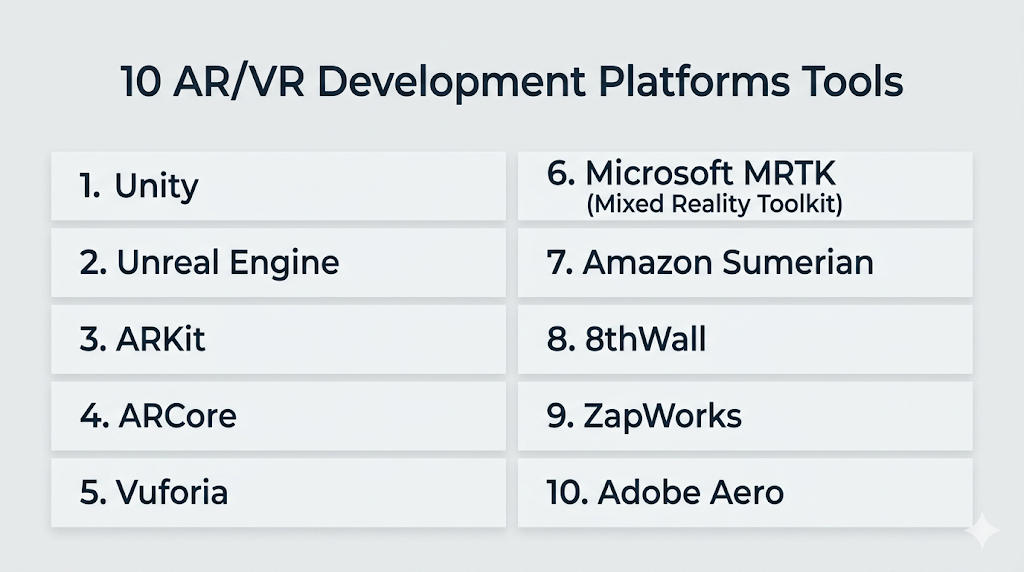
Top 10 AR/VR Development Platforms Tools
#1 — Unity
Short description: One of the most widely used AR/VR development platforms, ideal for building cross-platform immersive applications.
Key Features
- Cross-platform support (mobile, VR headsets, desktop)
- Real-time 3D rendering
- AR Foundation for ARKit & ARCore
- Large asset store
- XR Interaction Toolkit
- Strong community and documentation
Pros
- Versatile for AR and VR
- Massive ecosystem
Cons
- Learning curve for beginners
- Performance tuning required for complex apps
Platforms / Deployment
Web / Windows / macOS / Linux / iOS / Android
Cloud / Hybrid
Security & Compliance
Not publicly stated
Integrations & Ecosystem
Unity integrates with a wide range of tools and platforms, making it highly flexible.
- ARKit, ARCore
- Oculus, HTC Vive
- APIs
- Asset store plugins
Support & Community
Extremely large global community with extensive tutorials
#2 — Unreal Engine
Short description: High-end AR/VR development platform known for photorealistic graphics and real-time rendering.
Key Features
- Photorealistic rendering
- Blueprint visual scripting
- Advanced physics engine
- Cross-platform support
- Real-time simulation
- High-end graphics pipeline
Pros
- Best-in-class visuals
- Strong for AAA-level projects
Cons
- Requires powerful hardware
- Steep learning curve
Platforms / Deployment
Windows / macOS / Linux
Self-hosted
Security & Compliance
Not publicly stated
Integrations & Ecosystem
- VR headsets
- Asset libraries
- APIs
- Game development tools
Support & Community
Strong developer ecosystem and documentation
#3 — ARKit
Short description: Apple’s AR development framework for building iOS-based augmented reality applications.
Key Features
- Motion tracking
- Environmental understanding
- LiDAR support
- Face and object tracking
- High-performance AR rendering
Pros
- Optimized for Apple devices
- High accuracy
Cons
- Limited to iOS ecosystem
- Less cross-platform flexibility
Platforms / Deployment
iOS
Self-hosted
Security & Compliance
Not publicly stated
Integrations & Ecosystem
- Apple ecosystem
- APIs
- iOS tools
- Hardware integration
Support & Community
Strong Apple developer ecosystem.
#4 — ARCore
Short description: Google’s AR platform for building augmented reality apps on Android devices.
Key Features
- Motion tracking
- Environmental understanding
- Light estimation
- Cloud Anchors
- Cross-device compatibility
Pros
- Wide Android support
- Easy integration
Cons
- Device fragmentation challenges
- Limited outside Android
Platforms / Deployment
Android
Self-hosted
Security & Compliance
Not publicly stated
Integrations & Ecosystem
- Google ecosystem
- APIs
- Android tools
- Cloud services
Support & Community
Large Android developer community.
#5 — Vuforia
Short description: Enterprise-focused AR platform widely used for industrial and commercial applications.
Key Features
- Image and object recognition
- Model tracking
- Industrial AR capabilities
- Integration with Unity
- Cross-platform support
Pros
- Strong enterprise use cases
- Reliable tracking
Cons
- Paid licensing
- Limited VR capabilities
Platforms / Deployment
Windows / Android / iOS
Cloud / Hybrid
Security & Compliance
Not publicly stated
Integrations & Ecosystem
- Unity integration
- APIs
- Industrial systems
- IoT platforms
Support & Community
Strong enterprise support.
#6 — Microsoft MRTK (Mixed Reality Toolkit)
Short description: A toolkit for building mixed reality applications, especially for HoloLens.
Key Features
- Pre-built UI components
- Spatial mapping
- Input system
- Cross-platform support
- Integration with Unity
Pros
- Great for enterprise MR
- Strong Microsoft ecosystem
Cons
- Limited outside Microsoft devices
- Requires Unity knowledge
Platforms / Deployment
Windows / Unity
Self-hosted
Security & Compliance
Not publicly stated
Integrations & Ecosystem
- Microsoft ecosystem
- Azure services
- APIs
- HoloLens
Support & Community
Strong enterprise and developer support.
#7 — Amazon Sumerian
Short description: Cloud-based AR/VR platform for building immersive applications with AWS integration.
Key Features
- Web-based development
- 3D scene creation
- AI integration
- AWS services integration
- Real-time rendering
Pros
- Easy cloud deployment
- Strong AWS ecosystem
Cons
- AWS dependency
- Limited advanced features
Platforms / Deployment
Web
Cloud
Security & Compliance
Not publicly stated
Integrations & Ecosystem
- AWS services
- APIs
- Cloud tools
- AI services
Support & Community
Cloud-focused developer community.
#8 — 8thWall
Short description: WebAR platform for building augmented reality experiences directly in browsers.
Key Features
- WebAR support
- No app installation required
- Cross-device compatibility
- Real-time rendering
- Cloud hosting
Pros
- Easy deployment
- Great for marketing campaigns
Cons
- Subscription pricing
- Limited deep customization
Platforms / Deployment
Web
Cloud
Security & Compliance
Not publicly stated
Integrations & Ecosystem
- Web technologies
- APIs
- Cloud tools
- Marketing platforms
Support & Community
Growing developer community.
#9 — ZapWorks
Short description: AR development platform focused on marketing, advertising, and interactive campaigns.
Key Features
- WebAR tools
- Drag-and-drop editor
- Analytics tools
- Cross-platform support
- Cloud deployment
Pros
- Easy for non-developers
- Strong marketing use cases
Cons
- Limited for complex apps
- Subscription model
Platforms / Deployment
Web
Cloud
Security & Compliance
Not publicly stated
Integrations & Ecosystem
- Marketing tools
- APIs
- Cloud platforms
- Web technologies
Support & Community
Moderate community support.
#10 — Adobe Aero
Short description: AR creation tool designed for designers and creatives with minimal coding.
Key Features
- No-code AR creation
- Adobe Creative Cloud integration
- 3D asset support
- Real-time preview
- Cross-device sharing
Pros
- Easy to use
- Great for designers
Cons
- Limited advanced features
- Not ideal for complex apps
Platforms / Deployment
iOS / Windows / macOS
Cloud / Self-hosted
Security & Compliance
Not publicly stated
Integrations & Ecosystem
- Adobe Creative Cloud
- APIs
- Design tools
- 3D assets
Support & Community
Strong creative community.
Comparison Table (Top 10)
| Tool Name | Best For | Platform(s) Supported | Deployment | Standout Feature | Public Rating |
|---|---|---|---|---|---|
| Unity | Cross-platform apps | All major platforms | Hybrid | XR toolkit | N/A |
| Unreal Engine | High-end graphics | Windows/macOS/Linux | Self-hosted | Photorealism | N/A |
| ARKit | iOS AR apps | iOS | Self-hosted | LiDAR support | N/A |
| ARCore | Android AR apps | Android | Self-hosted | Cloud anchors | N/A |
| Vuforia | Enterprise AR | Multi-platform | Hybrid | Object tracking | N/A |
| MRTK | Mixed reality | Windows | Self-hosted | HoloLens support | N/A |
| Sumerian | Cloud AR/VR | Web | Cloud | AWS integration | N/A |
| 8thWall | WebAR | Web | Cloud | Browser AR | N/A |
| ZapWorks | Marketing AR | Web | Cloud | No-code tools | N/A |
| Adobe Aero | Designers | iOS/macOS/Windows | Hybrid | No-code AR | N/A |
Evaluation & Scoring of AR/VR Development Platforms
| Tool Name | Core (25%) | Ease (15%) | Integrations (15%) | Security (10%) | Performance (10%) | Support (10%) | Value (15%) | Weighted Total |
|---|---|---|---|---|---|---|---|---|
| Unity | 10 | 7 | 10 | 7 | 9 | 10 | 8 | 8.90 |
| Unreal | 10 | 6 | 9 | 7 | 10 | 9 | 7 | 8.65 |
| ARKit | 8 | 7 | 8 | 6 | 9 | 8 | 8 | 7.90 |
| ARCore | 8 | 7 | 8 | 6 | 8 | 8 | 8 | 7.75 |
| Vuforia | 8 | 7 | 8 | 6 | 8 | 8 | 7 | 7.65 |
| MRTK | 8 | 6 | 9 | 7 | 8 | 8 | 7 | 7.70 |
| Sumerian | 7 | 8 | 8 | 6 | 7 | 7 | 8 | 7.40 |
| 8thWall | 7 | 9 | 7 | 6 | 7 | 7 | 8 | 7.35 |
| ZapWorks | 6 | 9 | 7 | 6 | 6 | 7 | 8 | 7.00 |
| Adobe Aero | 6 | 10 | 7 | 6 | 6 | 7 | 8 | 7.10 |
How to interpret scores:
- Higher scores indicate stronger overall platform capabilities
- Enterprise tools score higher in performance and integrations
- No-code tools score higher in ease of use
- Value varies depending on pricing and features
- Always prioritize your specific use case over total score
Which AR/VR Development Platform Is Right for You?
Solo / Freelancer
- Best: Unity, Adobe Aero
- Reason: Easy start with scalable features
SMB
- Best: Vuforia, ZapWorks
- Reason: Balanced cost and functionality
Mid-Market
- Best: MRTK, ARCore
- Reason: Strong ecosystem and scalability
Enterprise
- Best: Unreal Engine, Unity
- Reason: High performance and full capabilities
Budget vs Premium
- Budget: Unity (free tier), ARCore, ARKit
- Premium: Unreal Engine, Vuforia
Feature Depth vs Ease of Use
- Deep: Unreal Engine, Unity
- Easy: Adobe Aero, ZapWorks
Integrations & Scalability
- Best: Unity, AWS, Microsoft ecosystem tools
Security & Compliance Needs
- Enterprise ecosystems (Microsoft, AWS) preferred
Frequently Asked Questions (FAQs)
What are AR/VR development platforms?
They are tools used to build immersive augmented and virtual reality applications.
Do I need coding skills?
Yes for most platforms, though some offer no-code options.
Which platform is best for beginners?
Unity and Adobe Aero are good starting points.
Are these tools free?
Some offer free tiers; enterprise tools are paid.
Can I build apps for both AR and VR?
Yes, platforms like Unity support both.
What hardware is required?
VR headsets, smartphones, or AR devices depending on use case.
Is cloud deployment supported?
Yes, many tools offer cloud-based workflows.
How long does it take to learn?
Basic skills can be learned in weeks; mastery takes longer.
Are AR and VR the same?
No, AR overlays digital content, VR creates fully immersive environments.
Can businesses use AR/VR platforms?
Yes, widely used in training, marketing, and operations.
Conclusion
AR/VR development platforms are at the core of immersive technology innovation. From powerful engines like Unity and Unreal to no-code tools like Adobe Aero, the ecosystem offers solutions for every level.
