Introduction
3D rendering and ray tracing tools are specialized software used to convert 3D models into realistic images or animations by simulating lighting, shadows, reflections, and materials. Ray tracing, in particular, mimics how light behaves in the real world to produce highly photorealistic results.
These tools are critical across industries where visual accuracy and realism directly impact outcomes—from film production and gaming to product design and architecture.
Common Use Cases
- Photorealistic product rendering for marketing
- Architectural visualization and walkthroughs
- Film, VFX, and animation production
- Game development and real-time environments
- Industrial design and simulation
What Buyers Should Evaluate
- Rendering type (real-time vs offline ray tracing)
- Image quality and realism capabilities
- GPU vs CPU rendering performance
- Ease of setup and material systems
- Integration with 3D modeling tools
- Support for AI denoising and acceleration
- Scalability for large scenes
- Plugin ecosystem and compatibility
- Hardware requirements
- Licensing and cost
Best for: Designers, VFX artists, architects, game developers, and product visualization teams needing high-quality visuals.
Not ideal for: Users who only need basic modeling or drafting; rendering-heavy tools may be unnecessary.
Key Trends in 3D Rendering & Ray Tracing Tools
- Real-time ray tracing adoption: Faster rendering using GPU acceleration
- AI denoising: Reducing render time while maintaining quality
- Hybrid rendering (CPU + GPU): Balancing performance and accuracy
- Cloud rendering farms: Scaling rendering workloads
- Integration with game engines: Real-time cinematic rendering
- Procedural material systems: Faster scene creation
- VR/AR-ready rendering: Immersive visualization workflows
- USD-based pipelines: Better interoperability across tools
- AI-assisted lighting and scene setup: Automating complex tasks
- Interactive rendering: Real-time previews during design
How We Selected These Tools (Methodology)
- Evaluated industry adoption and credibility
- Assessed rendering quality and ray tracing capabilities
- Reviewed performance (GPU/CPU efficiency)
- Considered ease of use vs professional depth
- Analyzed integration with modeling and animation tools
- Evaluated real-time vs offline rendering support
- Considered plugin ecosystems and extensibility
- Reviewed community support and documentation
- Included tools for different user segments
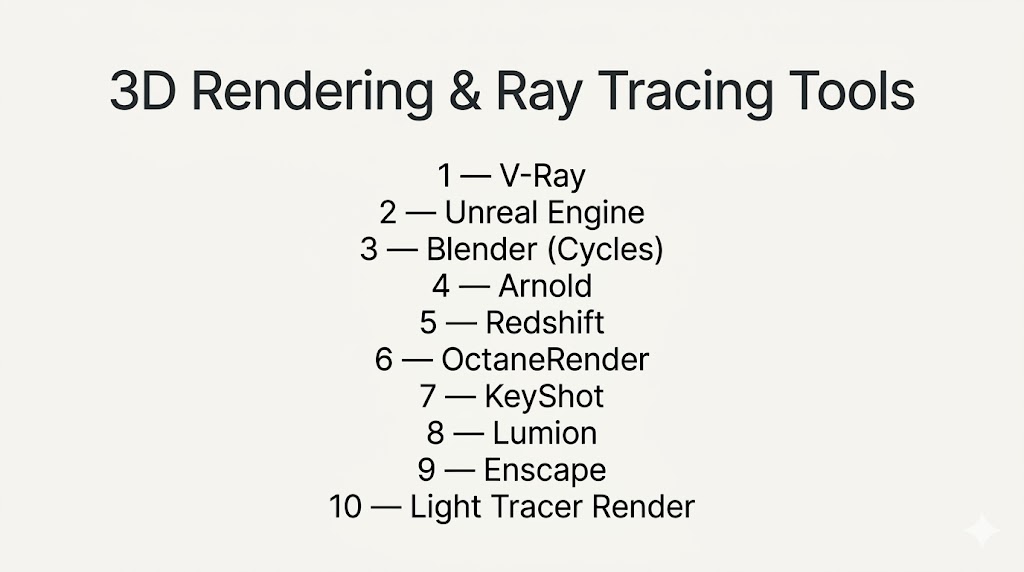
Top 10 3D Rendering & Ray Tracing Tools
#1 — V-Ray
Short description: A widely used rendering engine known for photorealistic output in architecture, film, and product visualization.
Key Features
- Advanced ray tracing engine
- Global illumination and realistic lighting
- Hybrid CPU/GPU rendering
- Adaptive sampling
- HDR lighting support
- Integration with major 3D tools
Pros
- Industry-standard realism
- Highly flexible rendering options
Cons
- Complex material setup
- Learning curve for beginners
Platforms / Deployment
- Windows / macOS
- Self-hosted
Security & Compliance
- Not publicly stated
Integrations & Ecosystem
- Works with major 3D tools
- Plugin ecosystem
- Rendering pipelines
- Asset libraries
Support & Community
Large professional community and training resources.
#2 — Unreal Engine
Short description: A real-time rendering engine used for games, film production, and architectural visualization.
Key Features
- Real-time ray tracing
- High-quality lighting system
- Virtual production tools
- Blueprint scripting
- VR/AR support
Pros
- Real-time performance
- High-quality visuals
Cons
- Complex setup
- Requires powerful hardware
Platforms / Deployment
- Windows / macOS / Linux
- Self-hosted
Security & Compliance
- Not publicly stated
Integrations & Ecosystem
- Game development tools
- Asset marketplace
- VR/AR platforms
Support & Community
Massive global community.
#3 — Blender (Cycles)
Short description: A free rendering engine integrated into Blender, supporting ray tracing and real-time previews.
Key Features
- Path tracing engine
- GPU acceleration
- Real-time preview (Eevee + Cycles)
- Node-based materials
- AI denoising
Pros
- Free and powerful
- Active development
Cons
- Learning curve
- Requires optimization for large scenes
Platforms / Deployment
- Windows / macOS / Linux
- Self-hosted
Security & Compliance
- Not publicly stated
Integrations & Ecosystem
- Blender ecosystem
- Add-ons
- File format support
Support & Community
Extremely strong community support.
#4 — Arnold
Short description: A high-quality ray tracing renderer used in film and VFX production.
Key Features
- Physically based rendering
- Advanced ray tracing
- Scalable rendering
- Interactive preview
- Complex shading support
Pros
- Production-grade quality
- Reliable for complex scenes
Cons
- Slower than real-time engines
- Requires expertise
Platforms / Deployment
- Windows / macOS / Linux
- Self-hosted
Security & Compliance
- Not publicly stated
Integrations & Ecosystem
- Autodesk tools
- VFX pipelines
- Plugins
Support & Community
Strong professional support.
#5 — Redshift
Short description: A GPU-accelerated renderer designed for speed and efficiency.
Key Features
- GPU rendering
- Biased rendering techniques
- Fast performance
- Advanced shading
- Multi-GPU support
Pros
- Extremely fast rendering
- Efficient for production
Cons
- Paid software
- Requires high-end GPU
Platforms / Deployment
- Windows / macOS / Linux
- Self-hosted
Security & Compliance
- Not publicly stated
Integrations & Ecosystem
- Cinema 4D
- Maya
- Houdini
- Plugins
Support & Community
Growing user base and documentation.
#6 — OctaneRender
Short description: A GPU-based renderer known for speed and realism.
Key Features
- Real-time rendering
- Spectral ray tracing
- GPU acceleration
- AI denoising
- Node-based materials
Pros
- Fast rendering speeds
- High-quality output
Cons
- Requires strong GPU
- Subscription model
Platforms / Deployment
- Windows / macOS / Linux
- Cloud / Self-hosted
Security & Compliance
- Not publicly stated
Integrations & Ecosystem
- Plugins for major tools
- Rendering pipelines
- APIs
Support & Community
Active community and support resources.
#7 — KeyShot
Short description: A user-friendly rendering tool for product visualization.
Key Features
- Real-time rendering
- Drag-and-drop materials
- GPU acceleration
- Animation support
- HDRI lighting
Pros
- Easy to use
- Fast setup
Cons
- Expensive
- Limited advanced customization
Platforms / Deployment
- Windows / macOS
- Self-hosted
Security & Compliance
- Not publicly stated
Integrations & Ecosystem
- CAD tools
- Product design tools
- File compatibility
Support & Community
Strong documentation and support.
#8 — Lumion
Short description: A real-time rendering tool focused on architectural visualization.
Key Features
- Real-time rendering
- Landscape and environment tools
- Large asset library
- Easy scene setup
- Animation features
Pros
- Fast results
- Easy for architects
Cons
- Requires high-end hardware
- Limited outside architecture
Platforms / Deployment
- Windows
- Self-hosted
Security & Compliance
- Not publicly stated
Integrations & Ecosystem
- CAD tools
- BIM software
- Asset libraries
Support & Community
Strong architecture-focused community.
#9 — Enscape
Short description: A real-time rendering plugin for architecture and design workflows.
Key Features
- Real-time rendering
- VR support
- Live synchronization with CAD
- Easy setup
- Lighting simulation
Pros
- Simple workflow
- Fast rendering
Cons
- Limited advanced features
- Plugin dependency
Platforms / Deployment
- Windows
- Self-hosted
Security & Compliance
- Not publicly stated
Integrations & Ecosystem
- CAD tools
- BIM software
- Design tools
Support & Community
Growing community.
#10 — Light Tracer Render
Short description: A physically based GPU renderer available as desktop and web-based software.
Key Features
- GPU-based ray tracing
- Web-based rendering option
- Real-time preview
- Physically accurate materials
- Lightweight performance
Pros
- Accessible via browser
- Fast rendering
Cons
- Smaller ecosystem
- Limited enterprise features
Platforms / Deployment
- Web / Windows / macOS / Linux
- Cloud / Self-hosted
Security & Compliance
- Not publicly stated
Integrations & Ecosystem
- Export formats
- Web workflows
- APIs
Support & Community
Moderate but growing user base.
Comparison Table (Top 10)
| Tool Name | Best For | Platform(s) Supported | Deployment | Standout Feature | Public Rating |
|---|---|---|---|---|---|
| V-Ray | Photorealism | Win/macOS | Self-hosted | Hybrid rendering | N/A |
| Unreal Engine | Real-time | Win/macOS/Linux | Self-hosted | Real-time ray tracing | N/A |
| Blender Cycles | Free rendering | Win/macOS/Linux | Self-hosted | Open-source | N/A |
| Arnold | Film/VFX | Win/macOS/Linux | Self-hosted | Production rendering | N/A |
| Redshift | GPU rendering | Win/macOS/Linux | Self-hosted | Fast GPU engine | N/A |
| OctaneRender | GPU realism | Win/macOS/Linux | Hybrid | Spectral rendering | N/A |
| KeyShot | Product design | Win/macOS | Self-hosted | Ease of use | N/A |
| Lumion | Architecture | Windows | Self-hosted | Real-time archviz | N/A |
| Enscape | BIM workflows | Windows | Self-hosted | Live sync | N/A |
| Light Tracer | Web rendering | Cross-platform | Hybrid | Browser rendering | N/A |
Evaluation & Scoring of 3D Rendering & Ray Tracing Tools
| Tool Name | Core (25%) | Ease (15%) | Integrations (15%) | Security (10%) | Performance (10%) | Support (10%) | Value (15%) | Weighted Total |
|---|---|---|---|---|---|---|---|---|
| V-Ray | 10 | 6 | 9 | 6 | 9 | 9 | 6 | 8.4 |
| Unreal Engine | 9 | 6 | 9 | 6 | 10 | 9 | 9 | 8.8 |
| Blender Cycles | 9 | 6 | 8 | 5 | 8 | 9 | 10 | 8.3 |
| Arnold | 10 | 5 | 9 | 6 | 9 | 8 | 6 | 8.1 |
| Redshift | 9 | 7 | 8 | 6 | 10 | 8 | 7 | 8.4 |
| OctaneRender | 9 | 7 | 8 | 6 | 10 | 8 | 7 | 8.4 |
| KeyShot | 8 | 9 | 7 | 5 | 8 | 8 | 6 | 7.8 |
| Lumion | 8 | 9 | 7 | 5 | 8 | 8 | 6 | 7.8 |
| Enscape | 7 | 9 | 7 | 5 | 8 | 7 | 7 | 7.6 |
| Light Tracer | 7 | 8 | 6 | 5 | 8 | 6 | 8 | 7.3 |
How to interpret:
- Scores are comparative across tools
- Higher scores indicate stronger balance across categories
- Real-time tools score higher in performance
- Offline tools excel in quality
- Use scores to shortlist tools
Which 3D Rendering & Ray Tracing Tool Is Right for You?
Solo / Freelancer
- Best options: Blender Cycles, Light Tracer
- Focus on affordability and flexibility
SMB
- Best options: KeyShot, Enscape
- Balance between ease of use and output quality
Mid-Market
- Best options: V-Ray, Redshift
- Need better performance and integrations
Enterprise
- Best options: Arnold, Unreal Engine
- Advanced rendering pipelines and scalability
Budget vs Premium
- Budget: Blender, Light Tracer
- Premium: V-Ray, Arnold
Feature Depth vs Ease of Use
- Deep tools: V-Ray, Arnold
- Easy tools: KeyShot, Enscape
Integrations & Scalability
- Strong ecosystems: Unreal Engine, V-Ray
Security & Compliance Needs
- Most tools: Not publicly stated
- Enterprises should validate internally
Frequently Asked Questions (FAQs)
What is ray tracing in rendering?
It is a technique that simulates real-world light behavior to produce realistic images.
Which tool is best for beginners?
Blender and KeyShot are good starting points.
What is the difference between real-time and offline rendering?
Real-time is faster; offline produces higher-quality images.
Do I need a GPU?
Yes, especially for modern rendering workflows.
Are these tools used in movies?
Yes, tools like Arnold and V-Ray are widely used.
Can I use them for games?
Yes, especially Unreal Engine and Unity-based tools.
Is cloud rendering available?
Some tools support cloud rendering for scalability.
What industries use rendering tools?
Architecture, gaming, film, product design, and marketing.
Are plugins important?
Yes, they expand capabilities significantly.
What should I avoid when choosing?
Avoid tools that don’t match your workflow or hardware.
Conclusion
3D rendering and ray tracing tools are essential for producing high-quality visuals across industries. Whether you need real-time rendering for speed or offline rendering for realism, each tool offers unique strengths.
